
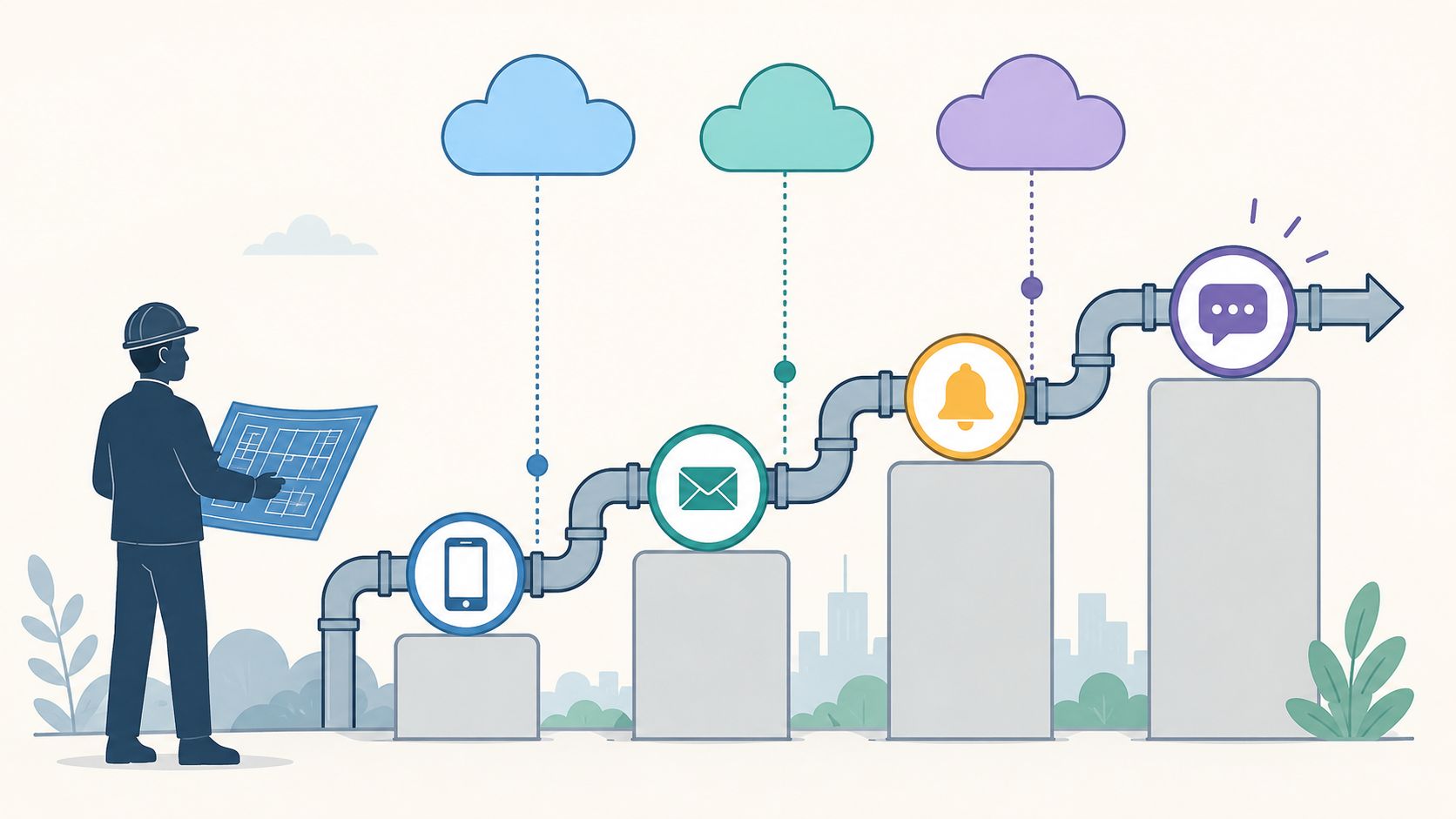

A product manager asks for “simple notifications”. Usually that means a release email, password reset, a few mobile pushes, and maybe an alert when a job fails. Two sprints later, your team is debating queue semantics, retry policies, rate limits, channel provider failover, opt-out storage, and whether your on-call engineer should be paged when Twilio or APNs starts timing out.
That's the trap. A notification system rarely stays a feature. It turns into infrastructure.
For CTOs, VPs of Engineering, and senior developers across Europe, Singapore, the UK, and the US, this is one of the most common ways product teams lose momentum. The original ask sounds tactical. The actual work pulls engineers into Kubernetes maintenance, CI/CD changes, cloud policies, monitoring, security controls, and cost management across AWS, GCP, and Azure. If you're already frustrated that infrastructure keeps outranking roadmap work, notifications are a perfect example of why.
Why Your Next Feature Is a Hidden DevOps Project
The pattern is familiar. A team starts with one transactional email. Then product wants in-app alerts. Support asks for SMS fallback. Security needs auditability. Legal wants consent handling. Ops needs incident paging. Marketing asks for preferences by channel and topic. Suddenly the team isn't building a feature. They're building a platform.
That platform comes with a real DevOps tax. According to the 2025 DevOps State Report by DORA, 68% of engineering teams in the US and Europe spend more than 20 hours per week maintaining their internal Kubernetes and CI/CD infrastructure instead of shipping product features, with the average cost of a single in-house DevOps engineer exceeding $145,000 annually plus $35,000 in tooling and cloud overhead. The same report says this infrastructure burden delays feature delivery by 3–6 months on average for mid-sized startups.
For leaders trying to protect product velocity, that's the core issue. Notifications don't only cost build time. They create long-tail operational work that keeps consuming senior engineering attention.
How the scope expands
A “basic” notification request usually grows in stages:
- First ask: send an email or mobile push after a user action.
- Second ask: support retries, templates, and localisation.
- Third ask: add preferences, opt-outs, audit logs, and analytics.
- Operational reality: handle burst traffic, provider outages, duplicate prevention, and incident response.
Each added requirement sounds reasonable on its own. Together, they become another internal developer platform you now have to own.
Practical rule: If a feature requires queues, worker orchestration, observability, policy enforcement, and multi-channel failover, treat it as infrastructure from day one.
What gets ignored in the budget
The first estimate usually covers coding. It rarely covers the rest:
| Hidden cost area | What teams underestimate |
|---|---|
| Reliability work | Retries, deduplication, dead-letter handling, graceful degradation |
| Delivery operations | Provider credentials, webhook handling, rate limits, incident playbooks |
| Product overhead | Admin UI, preference screens, template versioning, audit review |
| Platform impact | Extra services, pipelines, environments, monitoring, secrets management |
This is why many teams end up over-investing in bespoke DevOps stacks when their real need is a production-ready foundation. If that sounds familiar, the better question isn't “how do we build notifications?” It's whether your engineers should be the ones maintaining the machinery around them. Teams trying to reduce DevOps overhead usually discover that this category of feature is where DIY effort starts compounding fastest.
The Anatomy of a Modern Notification System
A production-grade notification system looks less like a single service and more like a digital post office. One part accepts incoming mail, another sorts it, others decide the route, and several specialised handlers push it through the right delivery channels. The technical diagram is straightforward. The operational burden isn't.
The market growth reflects how central these systems have become. The mass notification system market is projected to grow from USD 15.74 billion in 2026 to USD 23.93 billion by 2031, with a CAGR of 8.7%. That projection matters because it shows how dependent businesses have become on reliable, real-time delivery for both operations and safety.
The components that matter
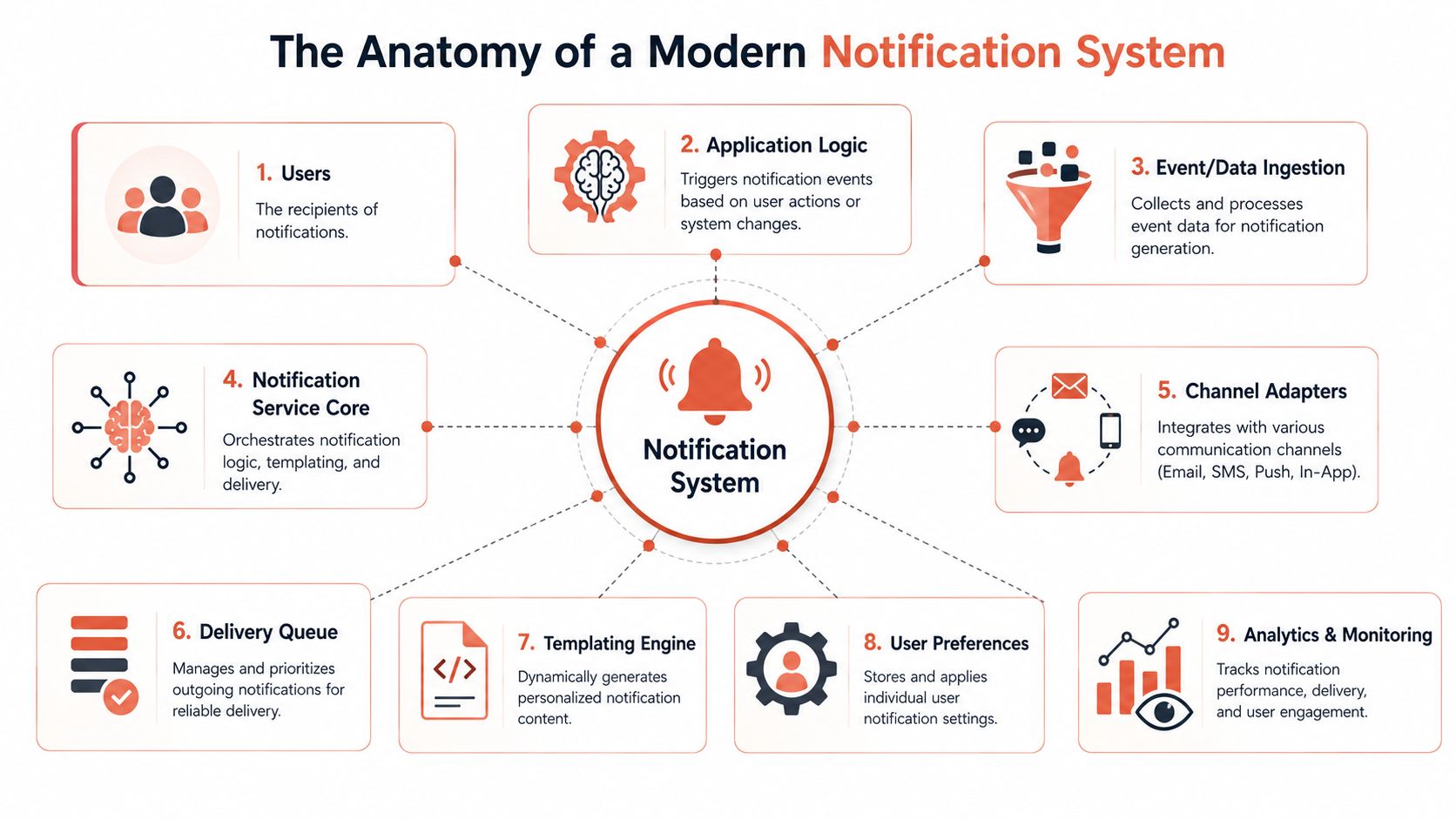
At minimum, a serious notification system needs these moving parts:
- Application logic that decides when an event should trigger a message.
- Event ingestion to receive those triggers reliably.
- A notification core that applies rules, templates, and delivery logic.
- Channel adapters for email, SMS, push, and in-app delivery.
- A delivery queue to absorb traffic spikes and decouple producers from senders.
- A templating engine so messages can be personalised without hardcoding content.
- User preference storage for channel settings, topic subscriptions, and legal consent.
- Analytics and monitoring so teams know what was sent, what failed, and why.
Every one of those boxes becomes its own maintenance surface. Even the “simple” preference service needs a database, APIs, admin controls, and a way to keep product logic aligned with compliance requirements.
Where teams get surprised
Teams often design for sending. They forget to design for policy.
That's why employee communication vendors often focus on segmentation, targeting, and channel coordination rather than just message dispatch. If you want a practical reference for how emergency communications are framed in the workplace, HubEngage's guide to an urgent employee alert system is useful because it highlights the practical need for timely, targeted delivery rather than just API plumbing.
A notification system fails long before the queue backs up. It fails when teams can't answer who received what, through which channel, under which policy.
The strategic point for engineering leaders is simple. The core architecture is manageable. The surrounding operational expectations are what turn it into a distraction from shipping product.
Core Architectural Patterns Explained
The biggest design mistake is treating architecture choice as a refactor problem for later. In a notification system, early pattern decisions shape everything that follows. They determine whether your system can absorb bursts, isolate failures, and support new channels without rewriting the whole stack.
A scalable design for large-scale delivery needs a layered approach. As outlined in MagicBell's guide to notification system design, a system serving 1M+ users requires an API Gateway, a Message Queue such as RabbitMQ, a Notification Processor, and Channel Services to guarantee zero duplicate sends and zero missed deliveries. The same design allows business services to trigger notifications asynchronously so the main application doesn't block on delivery work.
Pattern choices and their trade-offs
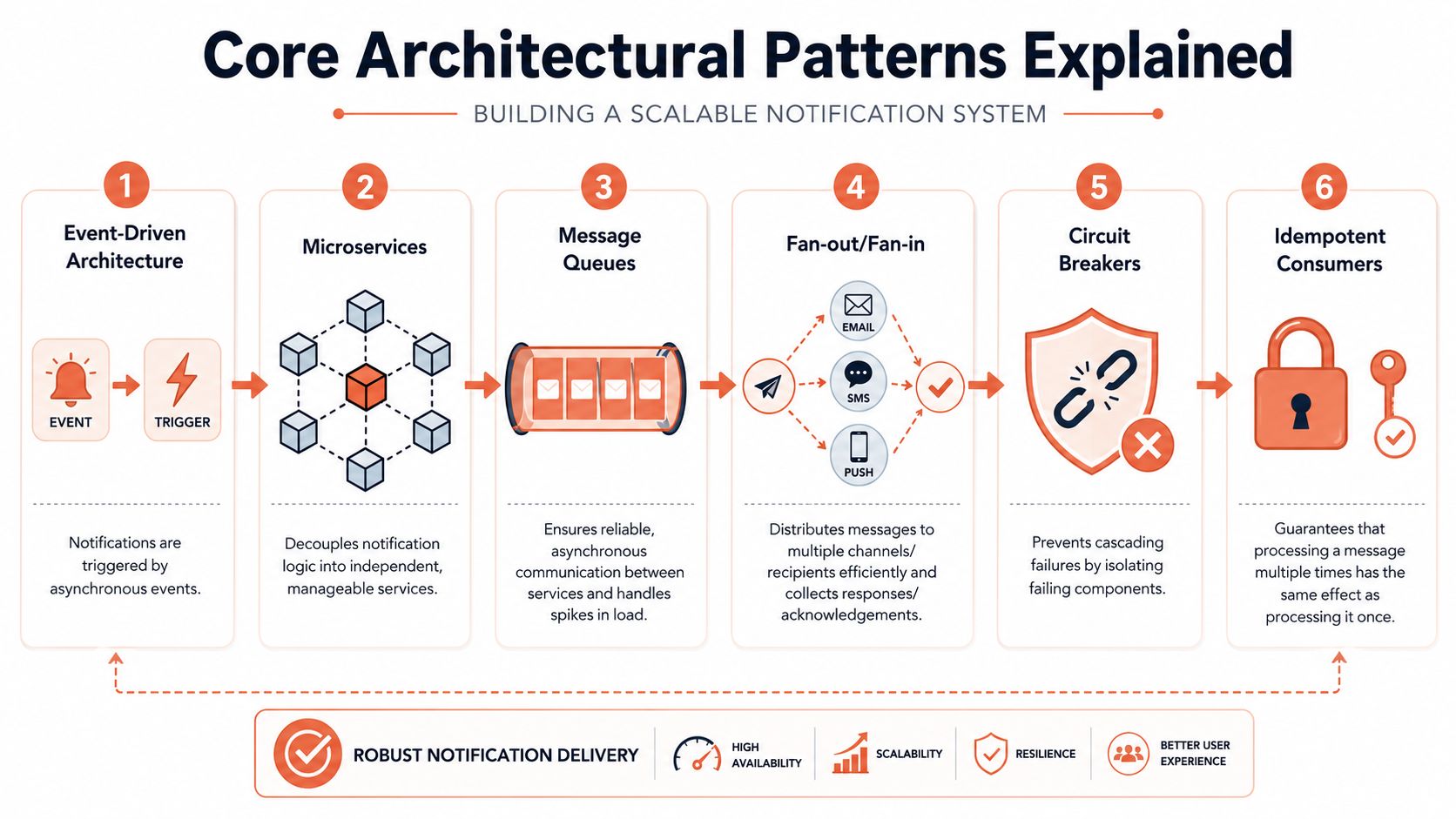
Here's where the main patterns help, and where they hurt.
| Pattern | What it does well | Common downside |
|---|---|---|
| Event-driven architecture | Decouples product events from notification delivery | Harder to debug end-to-end flow |
| Microservices | Separates channel logic and scaling concerns | Adds deployment and dependency sprawl |
| Message queues | Smooths spikes and protects upstream services | Introduces ordering, retry, and backlog management |
| Fan-out or fan-in | Efficient for broad delivery and acknowledgement workflows | Can complicate tracing and idempotency |
| Circuit breakers | Stops one provider failure from taking down the whole flow | Needs careful tuning to avoid false trips |
| Idempotent consumers | Prevents duplicate sends during retries | Requires consistent message identity and state tracking |
The wrong shortcut
The common shortcut is to start synchronously. A product service calls SendGrid, Twilio, Firebase Cloud Messaging, or APNs directly and hopes that later the team can “put a queue in front”. That almost always creates brittle coupling.
When traffic spikes or a provider slows down, your user-facing service now inherits that pain. The result is worse than delayed notifications. You get degraded application performance, messy retries, and code paths that are hard to reason about under failure.
The pattern that ages best
In practice, the layered asynchronous model ages best. The API receives a request, validates it, assigns an identifier, and returns quickly. Workers pull from the queue, resolve preferences, apply templates, choose channels, call external providers, then write delivery status somewhere queryable. That separation makes room for retries, rate limiting, and audit trails without polluting product services.
Teams standardising this kind of architecture often look at broader automated deployments for microservices because the architecture itself isn't the only challenge. Deploying, observing, and securing all those parts is where DIY effort starts to dominate.
Architectural advice: Choose the pattern that fails predictably under pressure, not the one that looks fastest in a greenfield demo.
Ensuring Reliability at Scale
Reliability features are the first things teams say they'll add later. They're also the first things users notice when they're missing.
One bug in deduplication can send the same invoice email repeatedly. One weak retry policy can drop password resets during a provider outage. One unbounded worker pool can flood a downstream service and turn a temporary problem into an incident. A notification system without reliability controls isn't unfinished. It's unsafe.
The safeguards that aren't optional
You need a few protections in place before you can call the system production-ready:
- Deduplication: repeated processing must not produce repeated customer messages.
- Throttling: one noisy tenant, one bad deploy, or one looping job must not saturate the pipeline.
- Retry discipline: retries need limits, backoff, and clear terminal states.
- Dead-letter handling: failed events need a place to land and a process for triage.
- Status tracking: support and engineering need visibility into accepted, queued, sent, failed, and acknowledged states.
A lot of teams build the send path first and the control path later. That's backwards. The control path is what keeps users from seeing your internal mistakes.
Reliability is also an operations problem
The hidden complexity isn't just code. It's ongoing judgement.
When should a failed push fall back to SMS? When should a message expire instead of retrying? Which alerts deserve immediate escalation, and which should wait for a channel to recover? Even teams building lighter-weight systems often end up needing dashboard-based alerting workflows just to watch the pipeline. If you want a simple example of how people operationalise this kind of visibility outside engineering, tools that set up marketing alerts show the same basic lesson. Alerts only help if the thresholds, recipients, and escalation path are sensible.
Don't treat retries as reliability. Retries without deduplication and expiry rules just repeat the same mistake more efficiently.
What usually breaks first
In my experience, the first breakage is rarely the queue itself. It's one of these:
- Provider mismatch where one channel reports accepted but never delivers.
- Silent backlog growth because workers are healthy but blocked by downstream rate limits.
- Ambiguous status models that make support think a message was sent when it only entered the queue.
Those aren't edge cases. They're routine production behaviours. And they're exactly why notification infrastructure consumes more senior engineering time than the initial build estimate suggests.
Advanced Considerations for Production Systems
Once the core pipeline works, the hard questions move outside delivery mechanics. A notification system then becomes tightly bound to operations, compliance, and governance.
On-call and escalation logic
Internal alerts need more than message delivery. They need escalation policy. If an engineer doesn't acknowledge an alert, what happens next? Does the system retry the same channel, open a bridge, switch to SMS, or contact a backup responder? Without explicit escalation rules, teams create confusion during incidents instead of reducing it.
This matters even more in cloud-heavy environments. Different systems may generate overlapping alerts, and the challenge becomes response coordination rather than raw message dispatch. The problem is workflow clarity.
Privacy, consent, and policy enforcement
The moment you store user notification preferences, you're dealing with regulated data and business-critical policy decisions. You need to know:
- What consent was captured and when it changed.
- Which channel rules apply to transactional versus promotional messages.
- Who can access templates and delivery logs.
- How audit trails are retained for internal and external review.
This isn't glamorous engineering work, but it shapes the trustworthiness of the whole system. A DIY stack often leaves these concerns scattered across application code, admin tools, and ad hoc scripts.
Measuring health beyond delivery
A production notification system needs observability that answers operational questions, not just technical ones. Delivery success is useful, but incomplete. Teams also need to see backlog trends, provider-level failures, acknowledgement lag for critical alerts, and whether specific templates or channels are causing repeated problems.
The most useful metric isn't “did the provider accept the message?” It's “did the right person receive the right message in time to act?”
The overlooked physical gap
There's also a practical failure mode many teams ignore. Standard cloud-first thinking assumes recipients have normal internet access. That isn't always true. People working in server rooms, classrooms, labs, or secure zones can miss time-sensitive notifications when mobile or internet coverage is unreliable. In those environments, local-network-aware or offline-first routing becomes part of system design, especially for incident response and facility-level alerts.
That's a good example of why notification engineering keeps expanding outward. It stops being a narrow service and starts touching workplace operations, legal policy, and physical environment constraints. For a startup or scale-up, that's a lot of complexity to absorb when the original goal was to keep teams informed and users engaged.
Multi-Cloud Implementation and Its Pitfalls
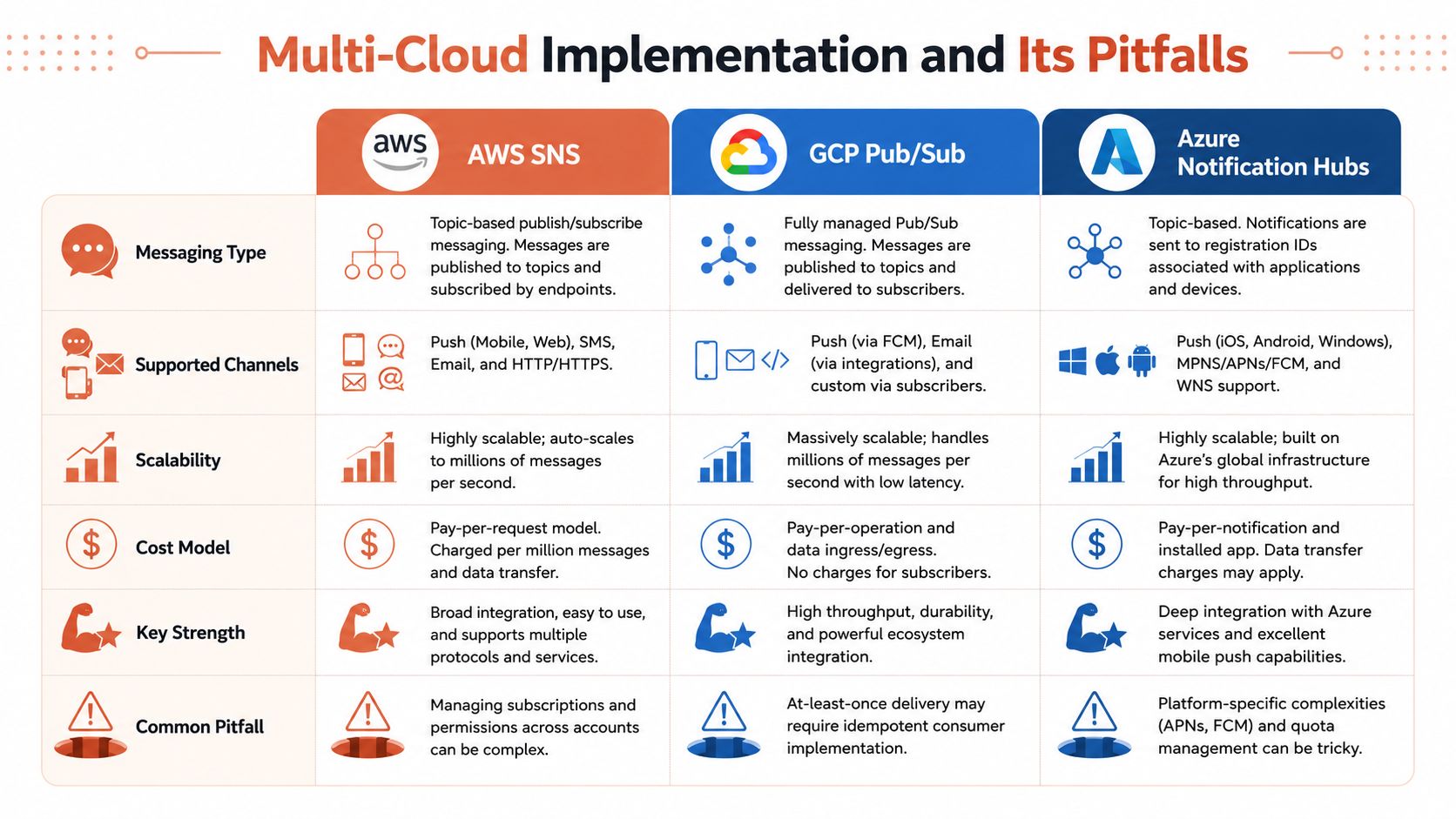
On paper, multi-cloud looks flexible. You can use AWS SNS for broad messaging, GCP Pub/Sub for event transport, and Azure Notification Hubs for device-oriented delivery. You avoid lock-in, spread risk, and choose the best service for each workload.
In practice, most startups don't get flexibility. They get fragmentation.
A 2024 McKinsey cloud infrastructure cost study found that organisations running self-managed multi-cloud setups across AWS, GCP, and Azure incur 32% higher operational costs because of inefficient resource management. The important implication isn't just cloud spend. It's that teams without a unified platform struggle to enforce the same autoscaling, right-sizing, security, and environment policies consistently.
Where the abstraction leaks
Each cloud gives you useful primitives. None gives you a coherent cross-cloud operating model.
- AWS SNS is good for managed fan-out and broad integrations, but your surrounding identity, monitoring, and policy model stays AWS-shaped.
- GCP Pub/Sub handles event transport well, but it doesn't solve downstream channel orchestration by itself.
- Azure Notification Hubs can simplify device push scenarios, yet it adds another service model and another operational surface to govern.
If you adopt all three, someone on your team has to standardise message schemas, access controls, secrets management, deployment workflows, monitoring, and cost visibility across them. That “someone” usually becomes an internal platform team by accident.
The operational penalty
The engineering penalty shows up in places leaders feel quickly:
| Multi-cloud concern | DIY reality |
|---|---|
| Security policy | Different IAM models, different review paths, inconsistent enforcement |
| Cost control | Hard to compare spend and waste patterns across providers |
| Deployments | Separate pipelines and service-specific release logic |
| Monitoring | Fragmented telemetry and more work during incidents |
That's why the self-managed route often costs more than expected even before headcount is counted. Once you're orchestrating notifications across clouds, you're not just building a delivery service. You're standardising infrastructure. Teams exploring multi-cloud management usually reach the same conclusion. Without a unified layer, the operational load grows faster than the product benefit.
Multi-cloud only feels lightweight when you count the services and ignore the people required to keep them aligned.
Stop Building Infrastructure and Start Shipping Features
A notification system sounds tactical. In reality, it pulls teams into architecture decisions, queue management, channel integrations, observability, escalation logic, compliance controls, and multi-cloud policy work. None of that is trivial. None of it stays finished.
That's why this is a strategic build-versus-buy decision, not a technical purity test. If your best engineers spend their weeks maintaining pipelines, queues, policies, and cloud glue, they aren't shipping the features customers pay for.
The strongest evidence tends to show up after teams stop doing everything themselves. A 2024 internal developer platform adoption report found that companies moving from DIY DevOps stacks to managed multi-cloud platforms reduced pipeline maintenance time by 85%, achieved a 3x faster commit-to-production cycle, and 91% of CTOs said this shift was the top factor in reducing operational overhead.
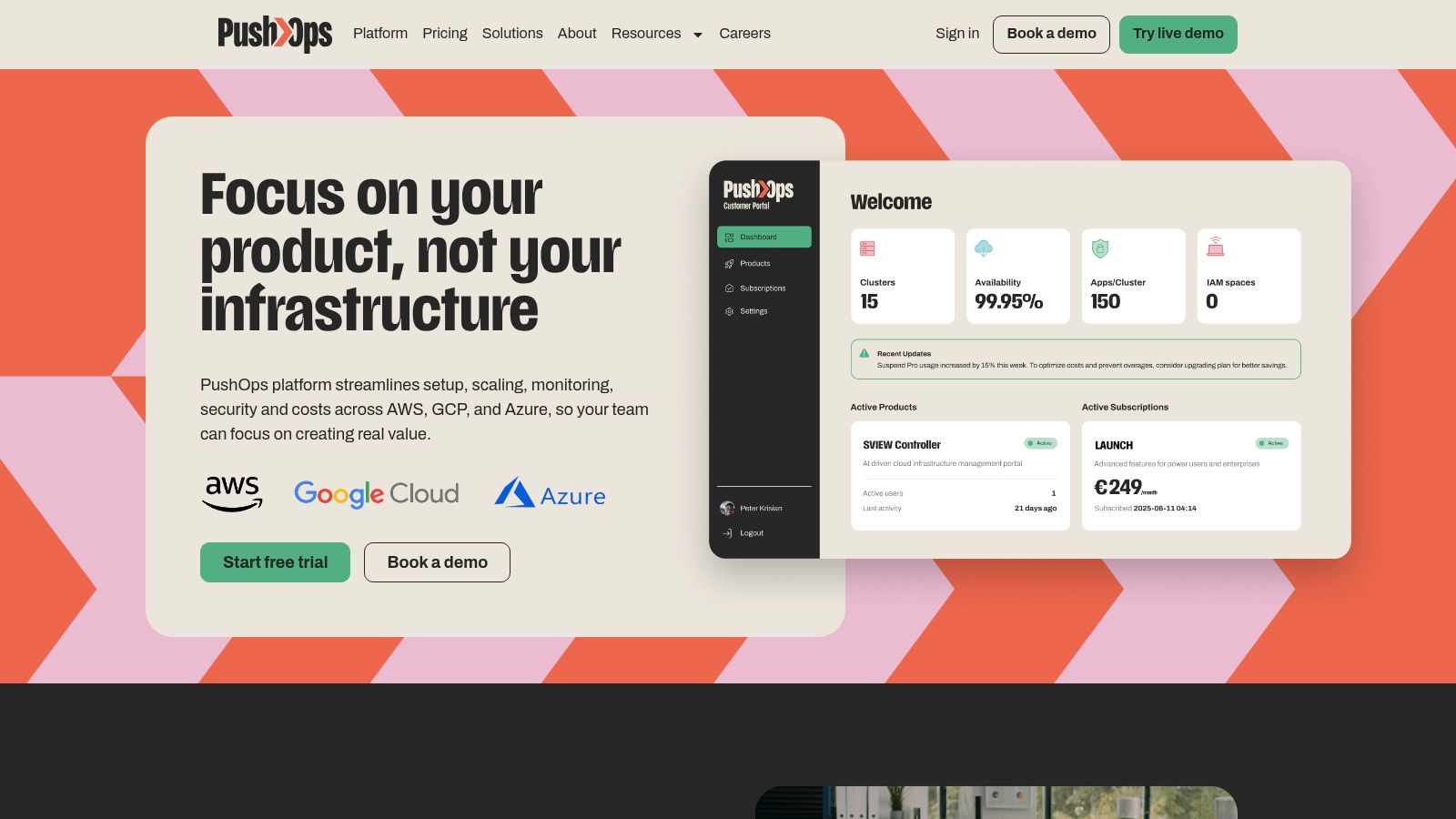
The point isn't that notifications are unimportant. It's the opposite. They're important enough that reliability, security, scaling, and cost control must be handled well from the start. Most startups and scale-ups don't win by assembling that capability from scratch across AWS, GCP, and Azure. They win by using a production-ready platform and keeping their engineers focused on product.
If your team is tired of infrastructure becoming the default roadmap, that's the decision to revisit first.
PushOps helps teams stop spending engineering time on platform plumbing and start shipping product. If you want a simpler way to provision production-ready infrastructure on AWS, GCP, and Azure, automate deployments, enforce security by default, and keep cloud costs under control, take a look at PushOps.

