

To get a handle on deployment failures, you have to stop firefighting and start preventing. This means hardening your CI/CD pipeline, automating infrastructure validation, and adopting safe release strategies. For engineering leaders at startups and scale-ups, this isn't just about technical correctness; it's about reclaiming your team's focus from infrastructure maintenance and pointing it back at product innovation.
Why Deployment Failures Are Draining Your Engineering Budget
Deployment failures are more than just a technical glitch—they're a hidden tax on your entire engineering organisation. For any CTO or VP of Engineering, the real cost isn't just the downtime. It's the senior engineers you have to pull off product development to fix a broken pipeline. It's the feature launches that get delayed, missing crucial market windows. And it's the technical debt that piles up from a fragile, homegrown DevOps stack that's holding everything together with duct tape.
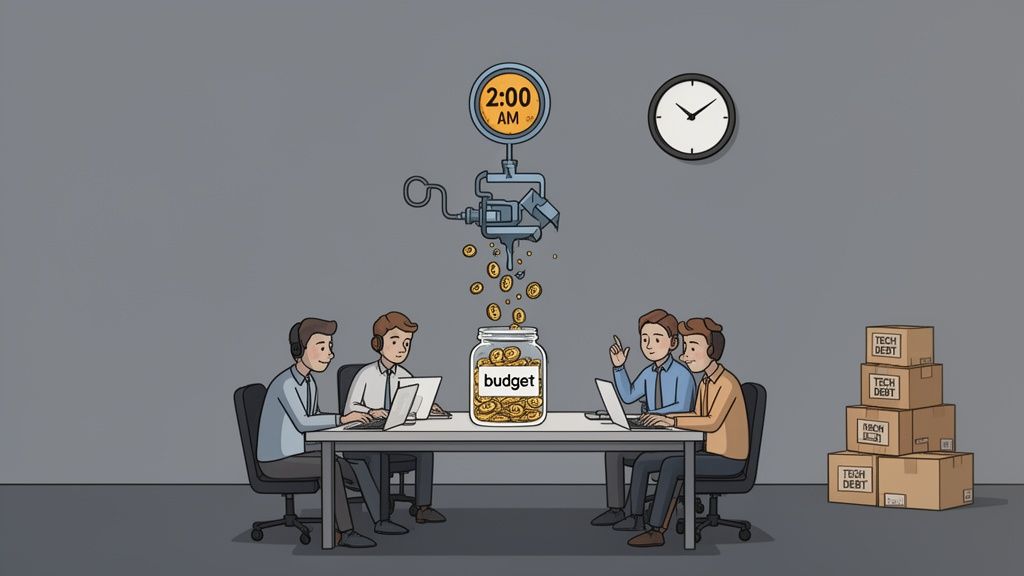
Think about that critical launch getting rolled back at 2 AM. The immediate fire is the outage, sure. But the real damage is the ripple effect: lost productivity, plummeting team morale, and the strategic handicap of spending your best talent on infrastructure maintenance instead of innovation. This guide gives you a framework to move beyond these reactive fixes and turn your deployment process from a source of risk into a genuine competitive advantage.
The True Cost of a DIY DevOps Platform
Most high-growth teams fall into the same trap: they over-invest in building and maintaining their own internal developer platform. It starts out simple enough—a few scripts here, a Jenkins server there, some Terraform modules. But as the company scales across multiple clouds like AWS, GCP, or Azure, that DIY stack quickly becomes a monster of complexity.
Suddenly, you're not just managing your product anymore. You're managing a tangled web of interconnected tools for:
- CI/CD: Constantly maintaining pipelines, updating plugins, and securing build agents.
- Infrastructure: Juggling Kubernetes clusters, versioning IaC, and fighting environment drift.
- Observability: Trying to integrate and correlate data from a dozen different monitoring, logging, and tracing tools.
- Security & Cost Control: Enforcing access controls, managing secrets, patching vulnerabilities, and trying to rein in spiralling cloud costs across the entire stack.
The real expense of a homegrown DevOps platform isn't the cloud bill; it's the opportunity cost. Every hour a senior engineer spends debugging a flaky pipeline or a Terraform state file is an hour not spent building your core product—the very thing that drives revenue.
Shifting from Infrastructure Management to Product Innovation
The core frustration for any engineering leader is watching top talent get bogged down by this "undifferentiated heavy lifting." You didn't hire brilliant software engineers to solve customer problems just so they could become full-time Kubernetes administrators or CI/CD whisperers.
The alternative is to stop pouring resources into building and maintaining this complex infrastructure. A modern, multi-cloud DevOps platform abstracts all that complexity away. It provides a reliable, production-ready foundation that handles the setup, scaling, monitoring, and security across AWS, GCP, and Azure right out of the box. What you really want is a reliable platform so you can focus on shipping features, and that's precisely what a managed solution provides.
Building an Automated and Secure CI/CD Pipeline
A solid Continuous Integration and Continuous Deployment (CI/CD) pipeline isn’t just a nice-to-have; it's the very backbone of any modern software delivery process. But here's the catch—just having a pipeline isn't enough. It's often the single biggest source of deployment failures.
I've seen too many engineering teams locked in a constant battle with their own creation: a fragile system cobbled together with Jenkins plugins and tangled scripts. What they've unintentionally built is a full-time maintenance project, not a tool for acceleration.
The real goal isn't just to automate builds. It's to construct a production-grade pipeline that serves as an intelligent quality gate. This means deeply integrating automated testing at every single stage. Each stage must be purpose-built to catch subtle bugs long before they get a whiff of a staging environment, let alone production.
The Hidden Cost of DIY Pipelines
For startups and scale-ups, the urge to build a CI/CD pipeline in-house feels logical. It promises flexibility and seems cost-effective. But this path is riddled with hidden complexities and operational costs that quietly drain your budget. Before you know it, the effort to secure, maintain, and scale this DIY stack becomes a massive distraction.
Your team ends up burning countless hours on tasks that have nothing to do with building your actual product:
- Managing Infrastructure: Constantly provisioning, patching, and securing build agents.
- Wrestling with Tooling: Debugging flaky plugins, untangling dependencies, and fighting for compatibility between tools.
- Optimising Performance: Battling painfully slow build times that create bottlenecks for the entire development team.
- Enforcing Security: Implementing secrets management, vulnerability scanning, and access controls completely from scratch.
This relentless maintenance pulls your best engineers away from product innovation and turns them into full-time infrastructure managers. The pipeline, which was supposed to accelerate delivery, quickly becomes a source of friction.
Embedding Quality and Security by Default
A truly effective CI/CD pipeline systematically crushes the risk of deployment failures by embedding quality and security checks throughout the entire process. This should be a non-negotiable part of your engineering culture.
A mature pipeline doesn't just automate steps; it automates trust. It provides the confidence that every release has passed a rigorous gauntlet of automated checks, ensuring that what you're deploying is both functional and secure.
This means your pipeline should automatically enforce best practices. For instance, a code change should be blocked if it fails unit tests, drops code coverage, or introduces known security vulnerabilities. You can learn more about how to achieve this with zero-maintenance CI/CD pipelines in our detailed guide.
However, building this level of intelligence into a homegrown system is a monumental task. The good news? You don't have to. Modern DevOps platforms provide these pre-configured, best-practice pipelines right out of the box. Instead of wasting months building and securing your own, your team can inherit a mature, secure, and efficient delivery process from day one, whether you're on AWS, GCP, or Azure. This frees up your team to focus on writing code, not fighting with YAML configurations.
Using Infrastructure as Code to End Environment Drift
We’ve all been there. The classic, time-wasting “it worked on my machine” problem is nearly always rooted in a single cause: environment inconsistency. When your staging environment is a slightly different version than production, you’re practically inviting deployment failures.
The definitive solution to this is Infrastructure as Code (IaC). By using tools like Terraform, Pulumi, or cloud-native options like AWS CloudFormation, you define and version your entire infrastructure declaratively. Your servers, databases, and networking rules are all specified in configuration files stored right alongside your application code.
This approach stops environment drift in its tracks. No more manual changes made directly in a cloud console that are forgotten moments later. Every change is codified, reviewed, and versioned, ensuring that the environment you test in is an exact replica of the one you deploy to.
The Steep Climb of DIY IaC
While IaC is powerful, implementing it effectively is a significant engineering discipline in itself, far from a simple "set it and forget it" solution. This is another area where teams over-invest in building expertise that doesn't contribute to their core product.
The initial setup is just the beginning. Your team will quickly find themselves wrestling with complex, ongoing operational burdens:
- Managing State: Terraform state files, which track the status of your infrastructure, become a critical point of failure. They must be stored securely, protected against corruption, and locked to prevent conflicting updates.
- Handling Secrets: Storing API keys or database credentials within IaC files is a major security risk. Implementing a secure solution like HashiCorp Vault adds another complex piece to your DIY stack.
- Cloud Provider Nuances: Each cloud—AWS, GCP, Azure—has its own IaC implementation. Mastering one is hard enough; managing infrastructure consistently across multiple clouds requires deep, specialised expertise.
A minor configuration drift can easily escalate into a major service outage. I once saw a team spend an entire day chasing a production bug caused by a manually-adjusted memory limit in their staging environment—a change that was never captured in their IaC and led to a critical service failure under load.
This is the hidden cost of DIY infrastructure management. Your engineers are forced to become experts in cloud-specific intricacies instead of focusing on building your product.
From Infrastructure Experts to Empowered Developers
The real goal of IaC isn't to turn every developer into a DevOps engineer; it's to make infrastructure predictable and reproducible. This is where a managed, multi-cloud DevOps platform changes the game. It uses IaC best practices under the hood but abstracts away the brutal complexity.
Imagine a developer needing a new environment to test a feature. Instead of filing a ticket and waiting for an infrastructure expert to write complex Terraform modules, they can use a simple, self-service workflow. You can explore how this declarative approach compares to older methods by understanding the differences between GitOps vs. traditional CI/CD.
This is the power of a platform that has already solved the hard problems of state management, secret injection, and multi-cloud compatibility. It provides the guardrails that ensure every environment is secure, compliant, and consistent, regardless of whether it's running on AWS, GCP, or Azure. This frees your team from the operational quicksand of DIY IaC and empowers them to ship features faster.
Deploying Code Safely with Advanced Release Strategies
Pushing new code straight to all users at once is a high-stakes gamble. A single uncaught bug brings everything down, erodes user trust, and pulls your best engineers into a late-night firefighting session. To reduce deployment failures, you must move beyond this all-or-nothing mindset.
Modern deployment patterns like blue-green, canary, and rolling deployments are all about minimising the "blast radius" of a bad release. The core idea is to expose new code to a small subset of users or infrastructure first, check that it's stable, and have a plan to roll back instantly if anything looks off.
This isn't some niche practice; it's the standard for high-performing engineering teams. But here's the catch: implementing these strategies from scratch is a massive platform engineering project—a major distraction from building your actual product.
The Hidden Complexity of DIY Release Strategies
On the surface, the concepts seem simple. A blue-green deployment means running two identical production environments. A canary release means shifting just 1% of live traffic to the new version.
The real headache is in the implementation details. Building this capability in-house means your team has to engineer a sophisticated system that can:
- Wrangle Load Balancers: You need to script complex traffic-shifting logic for your load balancers or service mesh—think NGINX, HAProxy, or Istio.
- Automate Traffic Shaping: The system must be smart enough to automatically and incrementally shift traffic based on real-time performance metrics.
- Integrate Deep Monitoring: You have to wire up your observability stack (Prometheus, Grafana, Datadog) to the deployment process itself to automatically analyse key metrics.
- Build Bulletproof Rollback Logic: If monitoring spots an anomaly, the system needs to trigger an immediate, automated rollback.
This isn't a weekend project. It’s a full-blown internal platform that demands constant maintenance and deep expertise across networking, infrastructure, and observability tooling on AWS, GCP, and Azure. This is yet another area where teams over-invest engineering resources that should be spent on customer-facing features.
We had a team spend a quarter building a canary release pipeline. It worked, but it was fragile and only one person truly understood how to debug it. Every time he went on holiday, we held our breath during deployments. It became a liability, not an asset.
Choosing the Right Strategy for the Job
Not all release strategies are created equal, and picking the right one depends on your application's architecture and your tolerance for risk.
Choosing Your Deployment Strategy
Making the right choice upfront is critical. This table breaks down the most common strategies and highlights the complexity of building them yourself versus using a managed platform.
| Strategy | Best For | Risk Level | DIY Implementation Complexity | Managed Platform Implementation |
|---|---|---|---|---|
| Rolling | Stateless applications where temporary inconsistencies are acceptable. | Medium | Moderate (Orchestrator required) | Simple (Few clicks/config line) |
| Blue-Green | Critical applications requiring zero downtime and instant rollback. | Low | High (Requires duplicate infra) | Simple (Declarative config) |
| Canary | High-traffic services where you can validate changes on a small user subset. | Very Low | Very High (Requires deep monitoring) | Simple (Built-in metrics integration) |
| Feature Flags | Decoupling deployment from release; enabling A/B testing and dark launches. | Very Low | High (Requires SDKs & management) | Integrated (Often a separate feature) |
As you can see, the strategies that offer the lowest risk are the most complex to build and maintain on your own. This trade-off often leads teams to stick with riskier methods.
This decision tree visualises how even a simple change to an environment—a necessary precursor to any deployment—can immediately introduce risk.
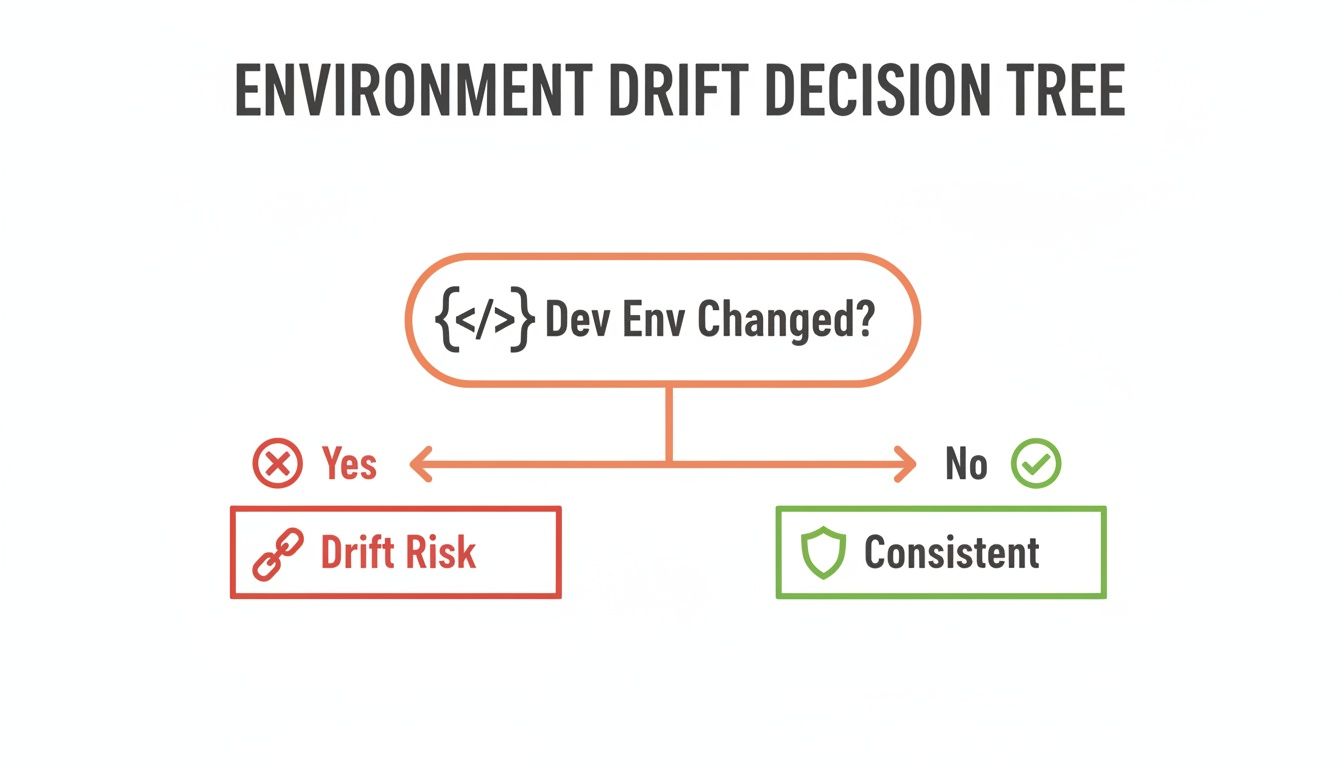
The diagram drives home a fundamental point: any change introduces a potential for drift and failure. Advanced release strategies are your best defence.
From Complex Scripts to Simple Configuration
Building these release mechanisms is "undifferentiated heavy lifting." It’s a problem every scaling tech company runs into, but solving it from scratch doesn't give you a competitive edge. It just drains your engineering budget.
You can get a better sense of how these patterns fit into a broader release framework by reading our guide on feature flags and safe releases.
This is where a modern DevOps platform changes the game. It transforms these complex engineering projects into simple configuration options. Instead of your engineers spending weeks scripting load balancer rules, the platform gives them a declarative interface: deploy --strategy canary --steps 10,50,100.
This democratises deployment best practices for every engineer, abstracting away the immense operational overhead. It provides pre-configured, battle-tested release patterns that work consistently across AWS, GCP, and Azure, so your team gets all the safety without the months of thankless engineering effort.
Automating Recovery with Observability and Rollbacks
Even with the best prevention strategies, things will break. The goal isn't to hit zero failures—it's to make recovery so fast and seamless that a failure becomes a non-event. This is where we pivot from prevention to mitigation with rapid detection and automated rollbacks.
A bad deployment that hangs around for hours is a crisis. A bad deployment that gets automatically reverted in under a minute? That’s just a blip on a dashboard.
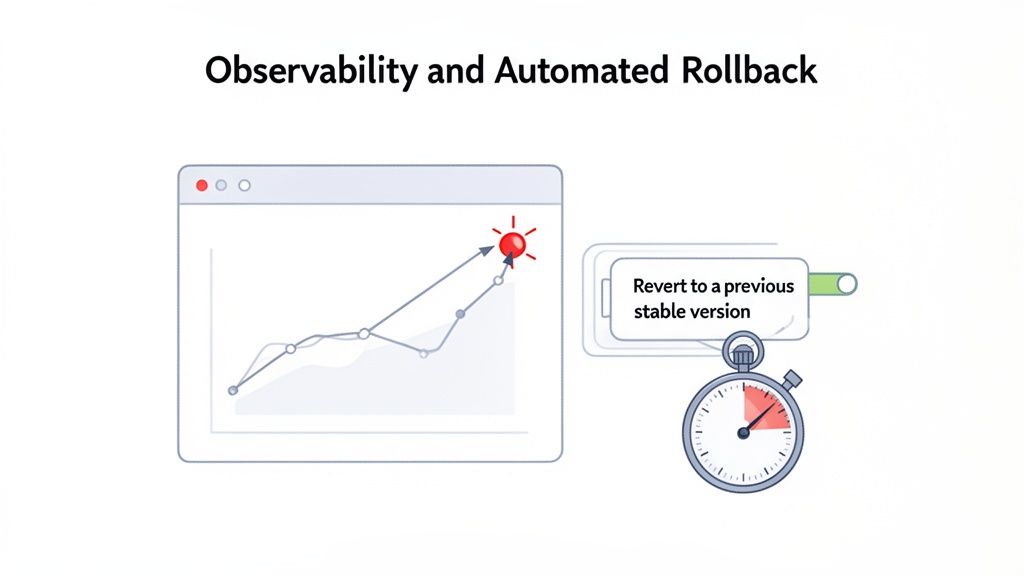
This automated safety net is the final, crucial layer in cutting the impact of deployment failures. It turns a potential late-night emergency into a routine, hands-off correction.
Building a DIY Observability Stack
Before you can trigger a rollback, you have to know something's wrong. This requires a solid observability stack built on three pillars: logs, metrics, and traces.
For many teams, this means wrestling with a collection of powerful but separate open-source tools like Prometheus for metrics, Grafana for dashboards, and Jaeger for tracing.
The challenge isn't the initial setup. It's the relentless upkeep, spiralling data storage costs, and the sheer engineering effort needed to connect the dots across these tools. This is yet another case of your team managing complex infrastructure instead of building your product.
From Alert Fatigue to Actionable Signals
Once you have data flowing, the next hurdle is creating alerts that matter. Poorly configured alerts quickly lead to "alert fatigue," where on-call engineers are so swamped with noise that they ignore the one signal that truly matters. Good alerting focuses on user-facing symptoms, not just backend causes.
Your ultimate safety net should be a system that automatically reverts a deployment the moment it shows signs of trouble. This isn't just about speed; it's about removing human error and decision-making from a high-stress incident response loop.
This is where automated rollbacks become your best friend. By hooking your deployment system directly into your observability data, you can create rules that act as an automated circuit breaker.
The Power of the Automated Rollback
An automated rollback system keeps a close eye on a new release, constantly comparing it against health checks and performance thresholds. The second a critical metric degrades, the system kicks in.
Here’s what a typical automated rollback workflow looks like:
- Deploy New Version: The new code goes live using a safe strategy like a canary release.
- Monitor Key Metrics: The system immediately starts analysing KPIs for the new version—like P99 latency or HTTP 5xx error rate.
- Detect Anomaly: An alert fires if the error rate spikes above 1% or latency jumps by 20%.
- Initiate Automatic Rollback: The system instantly shifts all traffic back to the last known good version.
- Notify Team: The team gets a notification that a rollback occurred after the incident has been resolved.
Building this from scratch is another massive platform engineering project. It demands tight integration between your CI/CD tools, your monitoring stack, and your infrastructure across AWS, GCP, and Azure. This is where a modern DevOps platform changes the game by providing this capability out of the box. With integrated observability and pre-built rollback triggers, what was once a complex, custom-built system becomes a simple checkbox.
The Strategic Choice: Build vs. Buy for Your DevOps Platform
As an engineering leader, you’ve hit a critical fork in the road. Do you keep pouring your budget and top engineering talent into building and maintaining a high-maintenance, DIY DevOps platform? Or do you switch to a managed platform to get products out the door faster and slash deployment failures?
This isn't just a technical decision; it's a fundamental business choice.
Throughout this guide, we've walked through the immense, ongoing effort it takes to build a truly resilient delivery process. From hardening CI/CD pipelines and mastering IaC to implementing advanced deployment strategies and building a robust observability stack—every single step is a major engineering investment. That’s the operational tax you pay for a homegrown platform.
Reclaiming Your Engineering Budget
The real cost of a DIY platform isn't just the salaries for a dedicated platform team. It's the opportunity cost. It’s pulling your best product engineers off feature work to fight infrastructure fires. It's the delayed launches that let your competitors get ahead.
A modern, multi-cloud DevOps platform shifts that entire burden. It’s designed to absorb all that complexity, handling the undifferentiated heavy lifting of managing Kubernetes, securing pipelines, and controlling costs across AWS, GCP, and Azure right out of the box.
The real goal here is to free your most valuable engineers from being full-time infrastructure managers. Their focus should be on building the product features that win customers and drive revenue, not wrestling with YAML files or debugging a flaky deployment script.
When you choose to buy instead of build, you’re not just getting a tool; you're buying back your team’s time and focus. You're making a strategic decision to prioritise product innovation over internal tooling. This lets you inherit a secure, scalable, and production-ready foundation from day one. It's the most direct path to reducing deployment failures and maximising your engineering impact.
Frequently Asked Questions
Engineering leaders often ask great questions when deciding between building an internal platform from scratch or adopting a managed solution. Here are a few I hear all the time.
How Much Time Should My Team Spend On Internal Tooling?
This is a big one. While there's no single magic number, high-performing teams work hard to minimise time spent on "undifferentiated heavy lifting" like maintaining CI/CD pipelines.
If your engineers are sinking more than 10-15% of their week into infrastructure-related tasks, that’s a red flag. It’s a strong signal you might be over-investing in a DIY platform. A managed solution is built to get this number as close to zero as possible, freeing up your team to focus almost entirely on building features that customers actually care about.
We Use A Single Cloud Provider Do We Need A Multi Cloud Platform?
It's a common line of thinking: "We're all-in on AWS, so why bother with multi-cloud?" But thinking this way can be short-sighted.
Even if you're committed to a single cloud today, a multi-cloud-ready platform offers serious strategic wins. First, it prevents vendor lock-in, giving you flexibility down the road. More importantly, it standardises the developer experience. That consistency makes onboarding new engineers a breeze, reduces the mental overhead for your existing team, and makes your whole engineering process more portable and resilient, no matter which cloud (AWS, GCP, or Azure) you're running on.
Isn't Building Our Own Developer Platform Cheaper In The Long Run?
This is a common misconception that ignores the total cost of ownership (TCO). A DIY platform requires salaries for a dedicated platform team, the 'distraction cost' of pulling product engineers into infrastructure issues, and the opportunity cost of delayed features.
When you factor in all the hidden costs, the "cheaper" DIY option rarely is. Think about it: you're not just building it once. You have to maintain pipelines, handle security hardening, implement complex release strategies like canaries, and build out a whole observability stack. That’s a massive, ongoing investment.
A managed platform comes with predictable pricing and absorbs all that operational overhead for you. This results in a much lower TCO and, crucially, a faster time-to-market. It lets your engineers get back to building your core product—which is always the most valuable use of their time.
Ready to stop managing infrastructure and start shipping features faster? PushOps provides a production-ready, multi-cloud DevOps platform that handles CI/CD, IaC, observability, and security, so you can focus on innovation. Learn more about PushOps.

