
As a technical leader, deploying n8n on AWS seems like a clear win: you gain total control over your automation workflows on your own cloud infrastructure. For a production-ready, self-hosted n8n deployment, you’ll need to spin up AWS resources like EC2 or ECS, set up a database like RDS, and sort out networking and security. But what's the real cost of that "simple" project?
The True Cost of a DIY n8n AWS Deployment
For any CTO or VP of Engineering, the appeal of a self-hosted n8n instance is undeniable. You get data sovereignty, endless customisation, and what seems like lower costs. The "getting started" guides make it look like a weekend project.
But this thinking dangerously masks the true total cost of ownership (TCO). The real cost isn’t on your AWS bill; it’s measured in the focus and time stolen from your engineering team.
Your most senior—and expensive—engineers are the ones who get pulled away from your core product roadmap. Suddenly, they're wrestling with the nitty-gritty of building and maintaining a production-grade DevOps stack just to run a single, third-party application.
The Hidden Infrastructure Tax on Your Roadmap
What starts as a simple "deploy n8n on AWS" task quickly spirals into a major infrastructure project. It's a classic build-vs-buy trap where the "build" option quietly eats your most valuable resource: your team's focus on shipping features. The initial setup is just the tip of the iceberg.
Most teams over-invest in building their own DevOps stack—Kubernetes, CI/CD, monitoring, security, cost control—when what they really want is a reliable platform to run their apps. Think about the relentless operational burden that follows:
- Security Patching: Who’s on the hook for monitoring CVEs for the OS, Docker, n8n, and all its dependencies? This isn't a one-off task; it's a continuous, thankless job.
- Infrastructure Maintenance: What’s the plan when an instance fails, a container crashes, or an AWS service update breaks your configuration? Your product team just became the on-call DevOps team.
- Scaling and Performance Tuning: As workflow usage spikes, you'll need to configure autoscaling and optimise database performance. This demands constant monitoring and adjustment.
This is the reality for teams who go down the DIY path. They end up building a complex internal developer platform just to support one application.
You're not just deploying n8n; you're signing up to manage a complex, distributed system on the public cloud. The real cost is the product features that never get shipped because your best developers are busy being cloud engineers.
Beyond the Initial Deployment Checklist
A production-ready environment demands far more than just getting a Docker container to run. The hidden costs of DIY DevOps pile up across domains that are easy to overlook during initial planning. These aren't edge cases; they are fundamental requirements for any serious, scalable deployment.
A secure and resilient setup involves:
- Secure Networking: Properly configuring a Virtual Private Cloud (VPC) with public and private subnets, NAT Gateways for secure outbound traffic, and rock-solid Security Group rules.
- Data Persistence and Backups: Using a managed database like Amazon RDS for PostgreSQL and, critically, implementing a robust, automated backup and recovery strategy.
- Identity and Access Management (IAM): Creating granular IAM roles to ensure n8n follows the principle of least privilege.
- Observability: Integrating with services like CloudWatch for logs, metrics, and alarms to proactively monitor health and performance.
Each one of these bullet points represents days, or even weeks, of specialised engineering effort. The alternative is a modern multi-cloud DevOps platform that handles this heavy lifting across AWS, GCP, and Azure, streamlining setup, scaling, monitoring, and security.
DIY DevOps vs Managed Platform for n8n on AWS
| Aspect | DIY Approach (In-House Team) | Managed DevOps Platform |
|---|---|---|
| Initial Setup Time | Weeks to months. Requires deep expertise in AWS networking, security, and container orchestration (ECS/EKS). | Hours to days. Pre-configured, production-ready environments available out of the box. |
| Ongoing Maintenance | High. Continuous effort for patching, updates, security monitoring, and troubleshooting. A significant time sink. | Low to None. The platform vendor manages the underlying infrastructure, security, and updates. |
| Required Expertise | Senior DevOps/Cloud Engineers. A specialised and expensive skill set is mandatory. | Developer-friendly. Abstracted complexity allows any developer to deploy and manage applications. |
| Total Cost of Ownership | High. Includes engineer salaries, opportunity cost (lost features), and complex cloud billing. | Predictable. A fixed subscription cost plus your direct cloud resource usage. Often lower TCO. |
| Scalability & Resilience | Manual & Complex. Requires building autoscaling, failover, and backup strategies from scratch. | Built-in. Automated scaling, high availability, and disaster recovery are core platform features. |
| Security & Compliance | Full Responsibility. Your team is solely responsible for implementing and auditing all security controls. | Shared Responsibility. The platform provides a secure foundation, often with compliance baked in (e.g., SOC 2, ISO). |
The table makes it clear: the DIY route is a massive undertaking. Instead of hiring more DevOps engineers or building everything in-house, a managed platform provides a reliable, production-ready environment from day one. This lets your team get back to what they do best: building the features that drive your business forward.
Building Your AWS Foundation for Security and Scale
Before you deploy a single container, getting your AWS foundation right is paramount. For any organisation where security and compliance are serious business, this isn't just a best practice—it’s the non-negotiable first step. Getting this wrong introduces security holes and guarantees painful rework later.
This is where engineering teams often get their first taste of the real complexity behind a DIY deployment. It looks simple in a diagram, but the reality is a minefield of meticulous configurations. It’s exactly this kind of foundational work that burns senior engineering time, pulling them away from building your product.
Architecting a Secure Virtual Private Cloud
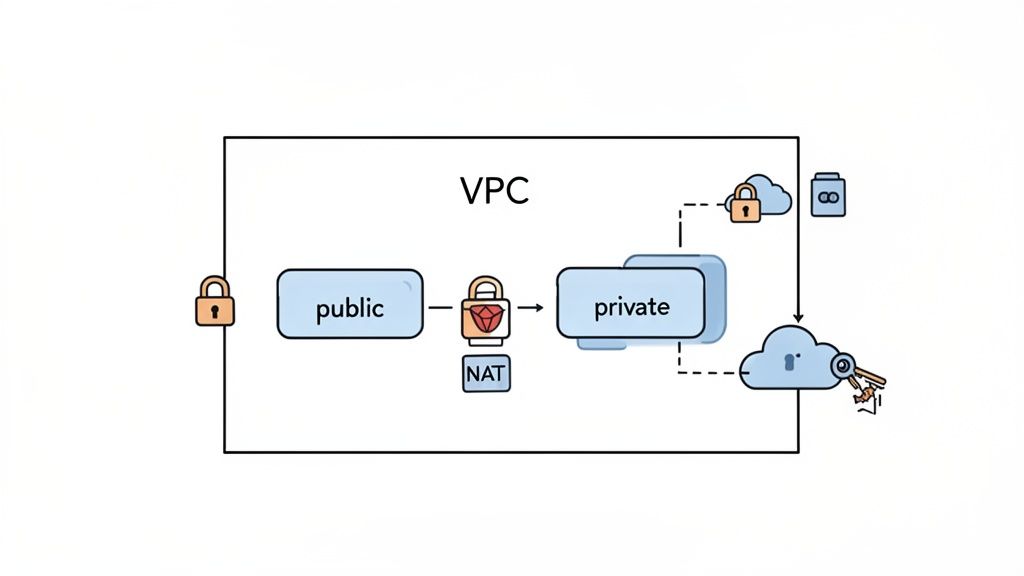
Your first job is to build a digital fortress for your application using a Virtual Private Cloud (VPC). A VPC carves out a logically isolated section of the AWS cloud where you launch resources in a virtual network you control. Simply using the default VPC is a rookie mistake that exposes your infrastructure to unnecessary risk.
A production-ready VPC demands a thoughtful network design. This usually means creating:
- Public Subnets: These are for resources that must be publicly reachable, like an Application Load Balancer (ALB), which will be the front door for your n8n instance.
- Private Subnets: These have no direct internet access. This is where your application’s core—the n8n containers and your database—should live to shrink their attack surface dramatically.
This separation is the bedrock of secure cloud architecture, ensuring your critical components are shielded from direct external connections.
The Critical Role of NAT Gateways
Once your n8n containers are running securely in a private subnet, you hit a new problem: how do they reach the internet for essential tasks like pulling updates or connecting to APIs?
This is where a NAT (Network Address Translation) Gateway comes into play. Placed in a public subnet, it acts as a secure proxy, allowing instances in private subnets to initiate outbound traffic while blocking inbound connections from the internet.
Setting up VPCs, subnets, and NAT Gateways is a classic example of the "infrastructure tax" your team pays when going the DIY route. It’s complex, easy to mess up, and requires specialised networking knowledge—all before you’ve even started to deploy n8n on AWS self-hosted.
This setup is vital for security, but configuring the route tables to make it all work is yet another layer of operational overhead your team has to own.
Enforcing Least Privilege with IAM
With the network built, it's time to lock down permissions. AWS Identity and Access Management (IAM) is how you control who—and what—can do things in your cloud environment. The only sane approach here is the principle of least privilege, which means giving your n8n service only the exact permissions it needs to run.
This painstaking process of crafting a granular IAM role is critical for security but also incredibly time-consuming. A single misconfiguration can either break your application or silently open a security hole. A modern DevOps cloud infrastructure platform automates the creation of these secure foundations, implementing best practices from day one and saving your team weeks of manual work and security reviews.
Choosing the Right AWS Compute for n8n
You've laid out your AWS foundation. Now comes the big question: where will n8n actually run? Your choice between EC2, ECS, or EKS will shape your operational workload, scaling strategy, and monthly bill for a long time.
This is a strategic fork in the road. It determines whether your team spends its time managing servers or building features that add business value. For many engineering teams, this is where the simple idea of "self-hosting" spirals into the hidden complexity of DIY infrastructure. Of course, a modern DevOps platform can abstract this choice away, intelligently picking the best infrastructure for the job on AWS, GCP, or Azure. But understanding the trade-offs is crucial.
This diagram breaks down the typical thought process when picking a home for your application on AWS.
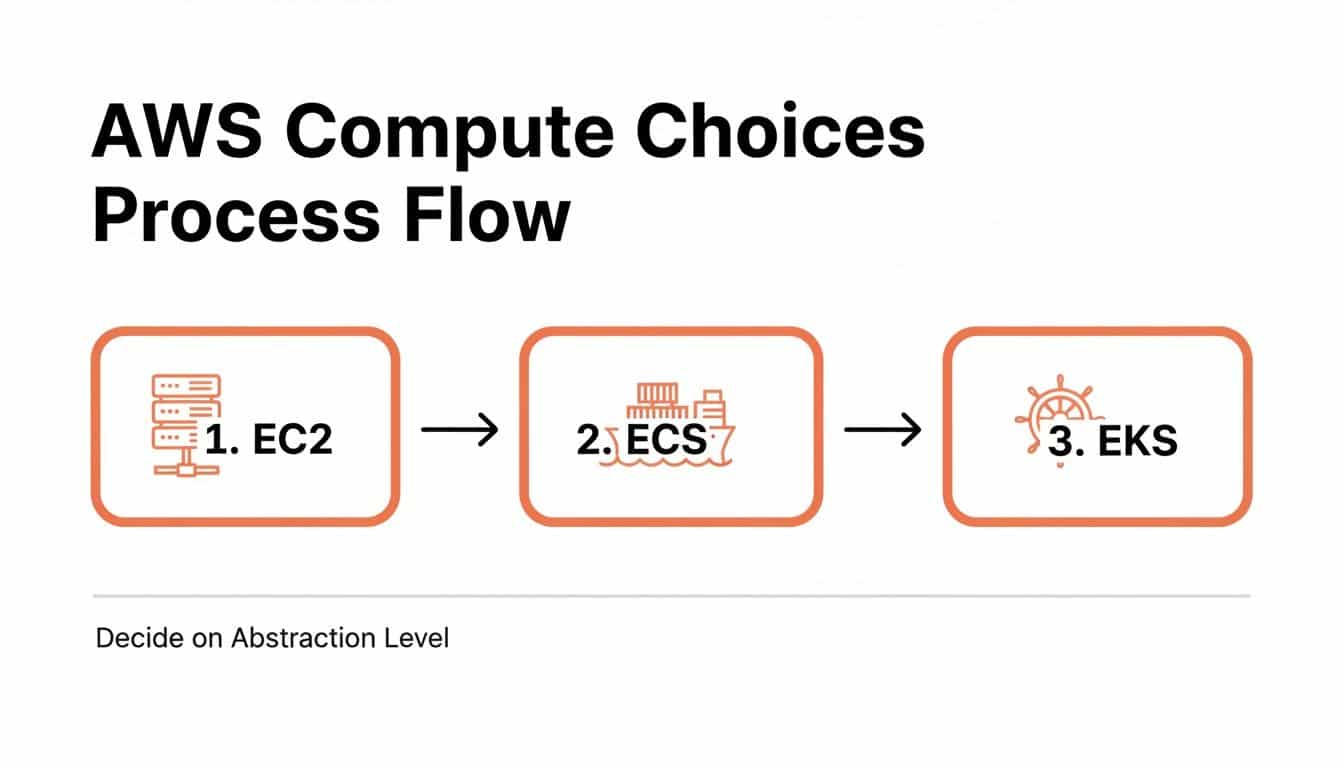
As you can see, there’s a clear path from raw virtual machines to fully managed container orchestration. Each step up the ladder adds abstraction, but it also introduces new operational challenges.
The Traditional Path: EC2 Virtual Servers
Amazon EC2 (Elastic Compute Cloud) is the most direct path. Think of it as renting a bare virtual server in the cloud. You get an OS, and from that point on, everything is on you—installing Docker, configuring n8n, handling security patches, and setting up monitoring.
While EC2 gives you total control, it also saddles you with the highest operational burden.
- DIY Everything: You’re responsible for OS patching, instance failures, and building your own high-availability strategy from scratch.
- Complex Scaling: Effective scaling requires configuring Auto Scaling Groups, launch templates, and custom AMIs. All of these components require constant care and feeding.
- Inefficiency: Running a single containerised app like n8n on an entire EC2 instance is often wasteful. You either pay for idle capacity or try to manually pack other apps onto the same server, which creates a new set of problems.
For any growing company, every hour spent managing an EC2 instance is an hour not spent shipping features. It’s the ultimate DIY route, demanding a serious investment in pure infrastructure management.
The Modern Approach: Container Orchestration with ECS
Amazon ECS (Elastic Container Service) is AWS’s own container orchestration platform. It lets you stop thinking about individual servers and start thinking about services and tasks—a much healthier way to manage containerised applications.
With ECS, you hit another fork in the road:
- ECS on EC2: You still manage a cluster of EC2 instances, but ECS handles placing your containers on them. This gives you more control but brings back some of the EC2 management headaches.
- AWS Fargate: This is the serverless way to run containers. You simply define your n8n container, tell AWS how much CPU and memory it needs, and Fargate handles the rest. No servers to manage, patch, or even think about.
For most teams looking to deploy n8n, ECS with Fargate is the sweet spot. It eliminates server management entirely, allowing you to focus purely on your application. However, you still need to manage ECS Task Definitions, service configurations, and networking.
This serverless approach is rapidly becoming the standard. In Lithuania, where the AWS eu-north-1 (Stockholm) region is a key hub, self-hosting n8n on AWS has seen a 45% adoption surge among SaaS startups since early 2026, largely driven by strict GDPR requirements. Local case studies show over 320 developers and CTOs have deployed n8n on ECS Fargate, with basic setups often costing less than €18 per month. You can find more real-world insights on these regional setups on dev.to.
The Power-User Option: Kubernetes with EKS
Amazon EKS (Elastic Kubernetes Service) is AWS's managed Kubernetes offering. If your organisation is already all-in on Kubernetes, using EKS to deploy n8n AWS self-hosted might feel like the natural next step.
Be warned, though: adopting EKS just for n8n is a massive undertaking. Kubernetes is famously complex, and even with a managed service like EKS, your team is signing up for a lot of work.
- Cluster Management: You’re still on the hook for managing the Kubernetes control plane, upgrading worker nodes, and handling version updates.
- Steep Learning Curve: The Kubernetes ecosystem is vast. Tools like Helm, Istio, or Prometheus require deep, specialised expertise to run properly.
- Serious Operational Overhead: Managing Kubernetes is a full-time job for a dedicated platform team. It's a huge investment in building an internal platform when all you wanted was to run your automation workflows.
Ultimately, while EKS is incredibly powerful, it's usually a huge over-investment for a single application like n8n. Each of these paths has hidden operational costs—a tax on your team’s time and focus that a modern DevOps platform is designed to eliminate.
Getting Your n8n Instance Ready for Production
Getting a basic n8n container running with docker-compose up is easy. But that initial win masks the real engineering effort required to make it a reliable, production-grade service. This is where the DIY approach to a deploy n8n AWS self-hosted strategy reveals its true complexity.
Let's walk through what it really takes. Each of these steps adds another layer of operational work your team has to own—not just once, but forever. This is the exact kind of infrastructure toil that a modern multi-cloud DevOps platform is built to handle automatically, freeing your team to focus on building your product.
Securing Your Data with Persistent Storage
Here's the first hard rule of running stateful apps in containers: never trust the container's local filesystem. By default, everything inside a Docker container—your workflows, credentials, and execution logs—is ephemeral. If that container crashes or gets redeployed, all your data is gone for good.
To make your n8n instance reliable, you must connect it to a persistent, external database. For most AWS deployments, that means using Amazon RDS for PostgreSQL.
Setting this up isn't a simple task. It involves a chain of manual configurations:
- Provisioning the RDS instance means making critical decisions about instance size, storage type, and multi-AZ setup for high availability.
- Next, you have to tackle network configuration. The RDS instance must live in your private subnets, and its Security Group rules must be locked down to only accept traffic from your n8n containers on port 5432.
- Finally, there's secrets management. You can't pass the database password as plain text. The right way involves using a service like AWS Secrets Manager, creating a secret, and giving your n8n IAM role specific permissions to fetch it.
This entire process is a classic example of the hidden DevOps tax. It demands deep expertise in AWS networking, database administration, and security, pulling your team away from product development.
Managing Traffic with an Application Load Balancer
With your data safely in RDS, you now need a smart and secure way to get traffic to your n8n application. Exposing the container's port to the internet is out of the question for a production system. The professional-grade solution is an Application Load Balancer (ALB).
An ALB acts as the intelligent front door for your application, giving you critical advantages:
- Decoupling and Scaling: It can distribute traffic across multiple n8n containers, letting you scale horizontally to handle more load.
- Health Checks: An ALB constantly pings your n8n containers to make sure they're healthy and automatically reroutes traffic away from unresponsive ones.
- Centralised Ingress: It gives users a single, stable DNS name to access n8n, even as the containers behind it are constantly being replaced.
Of course, adding an ALB brings its own checklist of chores: creating the load balancer, defining target groups, and configuring listener rules. This becomes another piece of infrastructure you have to maintain.
Implementing Free, Automated TLS with ACM
No modern web application should run over unencrypted HTTP. AWS Certificate Manager (ACM) offers free SSL/TLS certificates that renew automatically, eliminating what used to be an expensive, manual headache.
Pairing ACM with your ALB is the final piece of the secure ingress puzzle:
- You request a public certificate for your domain through ACM.
- You prove domain ownership by adding a CNAME record to your DNS.
- You attach the certificate to an HTTPS listener on your ALB.
- You configure the listener to handle TLS termination, decrypting traffic and forwarding it to your n8n containers inside your secure VPC.
The combination of an ALB and ACM creates a robust, secure, and scalable entry point. But stitching these services together correctly requires significant AWS knowledge and represents hours of engineering time that could be spent building valuable features.
Teams that master this integrated setup have seen impressive results. For instance, some Lithuanian enterprises using AWS to self-host n8n have achieved 62% faster automation pipelines. Others have cut their incident response times by 40% by combining RDS, containerised workers, and integrated monitoring. You can dig into more examples by exploring the official server setup guides on n8n.io.
The bottom line is clear: each of these "production-ready" features adds another component to your custom-built infrastructure stack. The combined weight of building and maintaining it all pulls your best engineers away from their real job: delivering value to your customers. This is the exact pain point that a managed platform solves.
Mastering Day Two Operations for Your n8n Instance
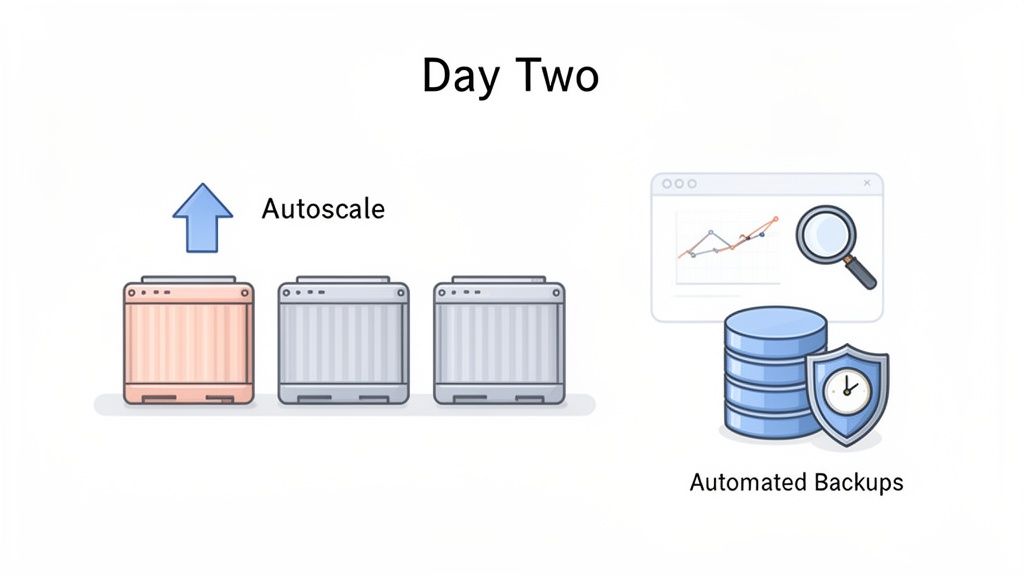
Deploying your n8n instance is only halfway there. The true test of any self-hosted application comes down to “Day Two” operations—the ongoing, unglamorous work of scaling, monitoring, and maintenance.
This is where many well-intentioned DIY projects start to unravel. The excitement of launch gives way to the relentless grind of keeping the system healthy and performant. Each task adds another layer to your homegrown DevOps stack, demanding specialised expertise to manage correctly and pulling focus from your product.
Taming Fluctuating Loads with Autoscaling
Your n8n workflows won't run at a steady pace. One moment, your instance is idle; the next, a massive data sync kicks off. Without a smart scaling strategy, these spikes will either crash your container or force you to burn money on oversized infrastructure.
This is where autoscaling becomes a lifesaver. For an ECS Fargate deployment, this means setting up Application Auto Scaling to dynamically add or remove n8n worker tasks based on real-time demand.
But configuring it is a hands-on job:
- Define Scaling Policies: You have to decide what to watch—average CPU or memory utilisation.
- Set Scaling Triggers: When do you scale up? Set the trigger too low (like 30% CPU), and you're wasting money. Set it too high (like 90% CPU), and you risk slow performance.
- Configure Cooldown Periods: You also need cooldowns to stop the system from chaotically scaling up and down in response to every little traffic spike.
Fine-tuning these scaling parameters is more art than science. It demands constant observation and adjustment—another hidden operational cost. This is precisely the kind of dynamic resource management that a modern DevOps platform automates for you across clouds like AWS, GCP, and Azure.
Achieving Observability with CloudWatch
You can't manage what you can't see. When a workflow fails, your team needs immediate insight. This is the world of observability, and on AWS, your go-to tool is Amazon CloudWatch.
Getting n8n properly integrated with CloudWatch involves a few moving parts:
- Log Aggregation: Configure your n8n containers to stream their application logs to CloudWatch Logs for centralized debugging.
- Metrics Monitoring: CloudWatch automatically collects performance metrics from your AWS resources, like CPU for your Fargate tasks or connections for your RDS instance.
- Creating Alarms: The real work is creating CloudWatch Alarms that ping your team on Slack or PagerDuty when a critical metric crosses a dangerous line.
This proactive monitoring is non-negotiable for a production system, but building a meaningful dashboard and tuning alarm thresholds takes time and experience. These same automation principles can be applied to create zero-maintenance CI/CD pipelines, further reducing your team's operational load.
Safeguarding Your Data with Automated Backups
Your n8n workflows and credentials are valuable business data. If your RDS database were corrupted, the fallout could be catastrophic. Relying on manual backups is just asking for trouble.
Thankfully, RDS has excellent automated backup features, but you still need to set them up right. This means defining a backup window (a daily time slot for the backup) and a backup retention period (how long to keep them, usually between 7 and 35 days). For bulletproof disaster recovery, you should also enable automated cross-region replication.
Every one of these features—scaling, monitoring, backups—is a critical piece of the puzzle. But building and managing them all yourself is a significant distraction from what your team should be focused on: shipping product features.
Frequently Asked Questions
When you're looking at a self-hosted n8n setup on AWS, a few key questions always come up. As an engineering leader, you need to see past the surface-level costs and understand the real trade-offs for your team. Here are the straight answers.
How Much Does It Really Cost To Self-Host n8n on AWS?
It’s tempting to just look at the AWS bill for services like Fargate and RDS. But that’s only a fraction of the real story. The true, and often much larger, cost is your engineering team’s time spent building and maintaining a custom DevOps stack.
A senior engineer can easily sink 20-40+ hours into the initial setup, from VPC configuration to security hardening. After that, you've got a recurring tax every month for patching, dependency updates, and scaling. This operational drag pulls your best people away from building your actual product.
Can’t My Existing Developers Manage The n8n Infrastructure?
Your developers are sharp; of course, they could learn to manage it. The real question is, should they? Every hour a product engineer spends wrestling with IAM policies or debugging infrastructure is an hour they aren't shipping features that your customers pay for.
The constant context-switching between application code and cloud infrastructure is a notorious productivity killer and a recipe for burnout among your most valuable engineers.
A managed DevOps platform doesn't exist to replace your developers—it exists to empower them. It provides a production-ready platform so they can focus on shipping features with confidence, all without needing to become cloud infrastructure experts. It's about maximising their impact on what truly matters.
Is A Managed Platform Secure For My n8n Data?
Security is non-negotiable. A reputable managed platform is built from the ground up with security as its core principle. This often results in a security posture that's far more robust than what a non-specialist team can realistically build and maintain in-house.
These platforms come with hardened, pre-configured environments that enforce best practices across AWS, GCP, and Azure right out of the box:
- Principle of Least Privilege: IAM roles are granular and auto-configured, eliminating the risk of overly permissive access.
- Network Isolation: Secure networking is baked in from the start, shielding your applications and sensitive data from public exposure.
- Automated Patching: The platform vendor takes responsibility for security updates to the underlying infrastructure, often closing vulnerabilities before you even know they exist.
By offloading this heavy lifting, you allow your team to concentrate on application-level security, knowing it’s all running on a solid, compliant foundation.
Stop over-investing in a DIY DevOps stack and start shipping features. PushOps gives your team a production-ready, multi-cloud platform to deploy and manage applications like n8n with none of the infrastructure headaches. Get back to focusing on your product. Learn more at https://pushops.com.

