

Your team probably didn't set out to become experts in Kubernetes hardening, IAM sprawl, CI/CD gate design, audit trails, runtime policy, and cloud cost controls. You wanted a production platform that lets engineers ship product safely.
Instead, many startups and scale-ups end up in the same loop. Developers wait on security reviews. Platform engineers patch brittle pipelines. Someone adds another scanner. Someone else writes another exception. Release speed drops, but risk doesn't disappear. It just moves into scripts, tribal knowledge, and manual checks that don't scale.
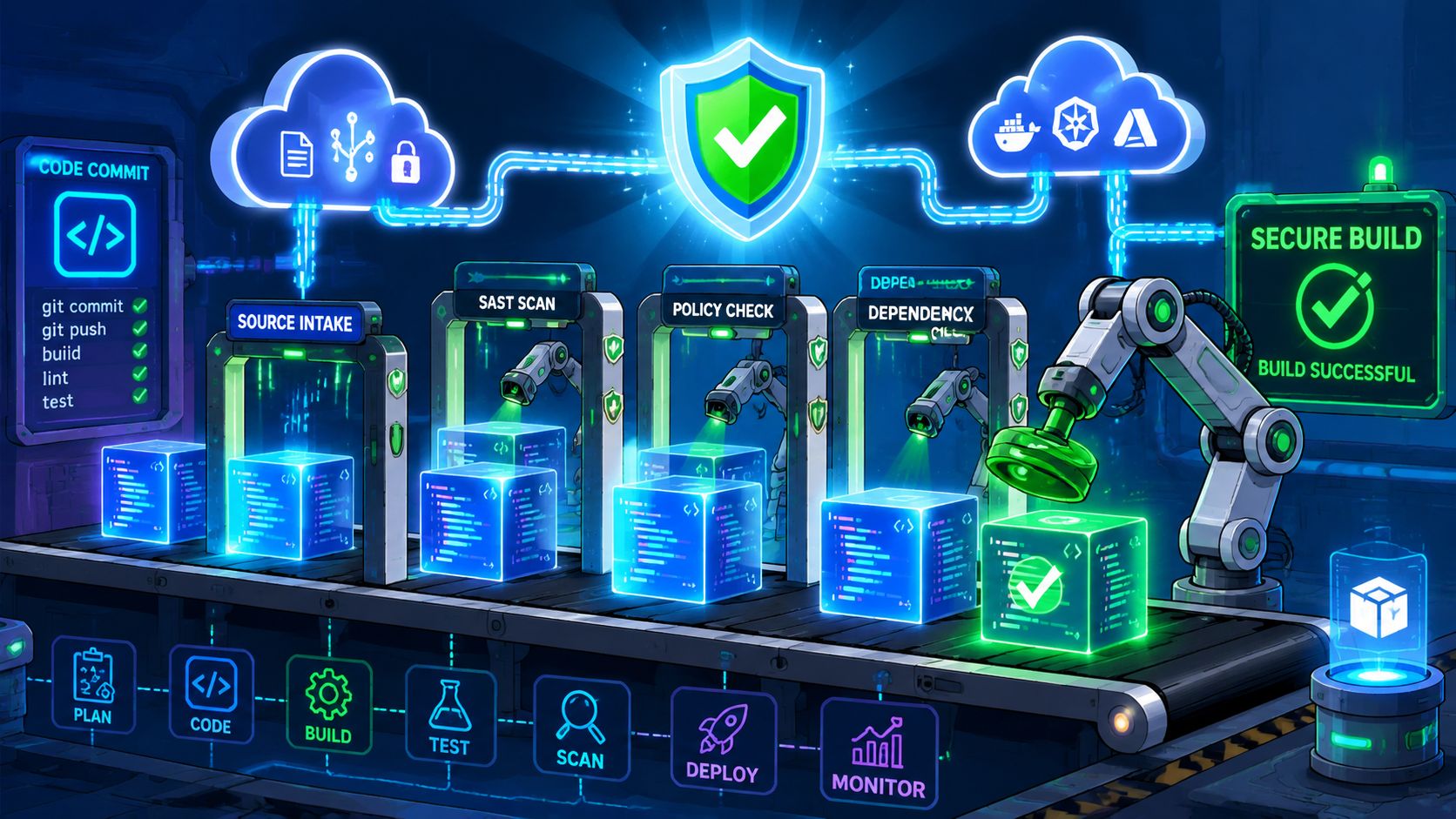
That's where security automation matters. Not as another category of tools to buy, but as a platform capability that removes the old trade-off between fast delivery and controlled risk. When security controls run inside the delivery system itself, reviews stop being a serial bottleneck. Guardrails become part of the workflow, not a separate queue.
Introduction Stop Trading Speed for Security
Most engineering leaders know the pattern. The roadmap says ship faster. The board says tighten controls. The team tries to satisfy both by layering more process onto delivery. That rarely works.
Manual security gates slow down good releases and still miss routine failures. A rushed permission change, an unrotated secret, an unreviewed dependency update, or a production environment left running longer than intended can all create exposure. In a DIY stack, these problems don't show up as one big failure. They show up as constant drag.
Security automation changes the operating model. Instead of asking engineers to remember every rule, the platform enforces key controls automatically during provisioning, deployment, access management, and runtime operations. That's a different proposition from periodic audits. It's continuous validation.
That shift is already visible in market direction. The global security automation market was valued at USD 10.45 billion in 2024 and is projected to reach USD 22.92 billion by 2030, growing at a 14.0% CAGR, reflecting a move from manual audits to continuous, automated security validation as a board-level priority, according to Grand View Research's security automation market analysis.
Why the old compromise fails
Teams often frame this as speed versus safety. In practice, the actual choice is between automated safety at scale and manual safety that breaks under load.
A platform team can absolutely stitch together scanners, policy engines, secret stores, logging, RBAC, and incident hooks. The issue isn't whether it's possible. The issue is whether maintaining that estate is the best use of senior engineering time when product delivery is already under pressure.
Practical rule: If a control depends on people remembering to run it, approve it, or document it every time, it will fail under release pressure.
Security automation also fits a broader operating shift towards leveraging AI for business efficiency. The useful takeaway for CTOs isn't hype. It's that automation works best when it removes repeatable operational work from high-value teams.
What CTOs should expect from it
Done well, security automation should make the platform feel calmer, not more complicated. Engineers should see:
- Fewer manual approvals: Routine checks happen in the pipeline or at environment creation.
- Clearer guardrails: Teams know what's enforced and where exceptions are handled.
- Faster remediation: Standard responses run automatically before an issue expands.
- Less tool-hopping: Security evidence, logs, policies, and deployment state stay connected.
That's the standard worth aiming for. If security work only adds more dashboards and more toil, the implementation is wrong.
The Core Components of Modern Security Automation
The phrase gets used loosely, so it helps to ground it in the actual building blocks that matter inside a delivery platform.
Policy as code and CI CD enforcement
Policy as code means security rules live in versioned configuration, not in a forgotten wiki page or in one platform engineer's head. You define what's allowed for infrastructure, network exposure, identities, and deployment behaviour. The system then checks those rules automatically.
That matters because most drift starts early. A new service gets provisioned quickly, an exception is made, and six months later nobody remembers why the environment differs from the baseline. Teams working with infrastructure as code practices usually hit this quickly. Once infrastructure is declarative, security policy should be too.
CI/CD security gates sit in the path from commit to production. They don't need to be heavy-handed. Good gates catch the obvious problems close to the developer workflow, surface feedback quickly, and reserve human review for higher-risk changes.
Secrets IAM and observability
Secrets management is one of the first areas where DIY setups become fragile. Credentials stored in pipeline variables, copied between environments, or shared too broadly create risk that's hard to track later. Automated secrets handling narrows that exposure by controlling issuance, rotation, scoping, and auditability through the platform.
IAM automation does the same for access. Joiners, movers, leavers, temporary access, role reviews, and environment permissions should follow clear rules. In a multi-cloud setup across AWS, GCP, and Azure, that consistency is hard to preserve manually.
Good IAM automation doesn't just grant access faster. It removes standing access that shouldn't exist in the first place.
Observability rounds out the stack. Security automation isn't only about prevention. It also depends on logs, traces, deployment events, and runtime signals being correlated well enough to trigger useful action. Without that, teams drown in disconnected alerts.
Automated remediation and orchestration
Automation becomes valuable when the platform can act, not just detect. That means predefined remediation for common, bounded cases such as revoking a token, quarantining a workload, rolling back a release, or opening a tracked incident with full context.
AI and machine learning are driving the fastest adoption in this category by reducing false positives through behavioural deviation analysis and shifting teams from reactive security towards predictive containment, as noted in Strategic Market Research's security automation market report.
That doesn't mean every team needs an elaborate SOAR programme on day one. It does mean your platform should connect the parts well enough for workflows to span detection, decision, and action.
A practical mental model is this:
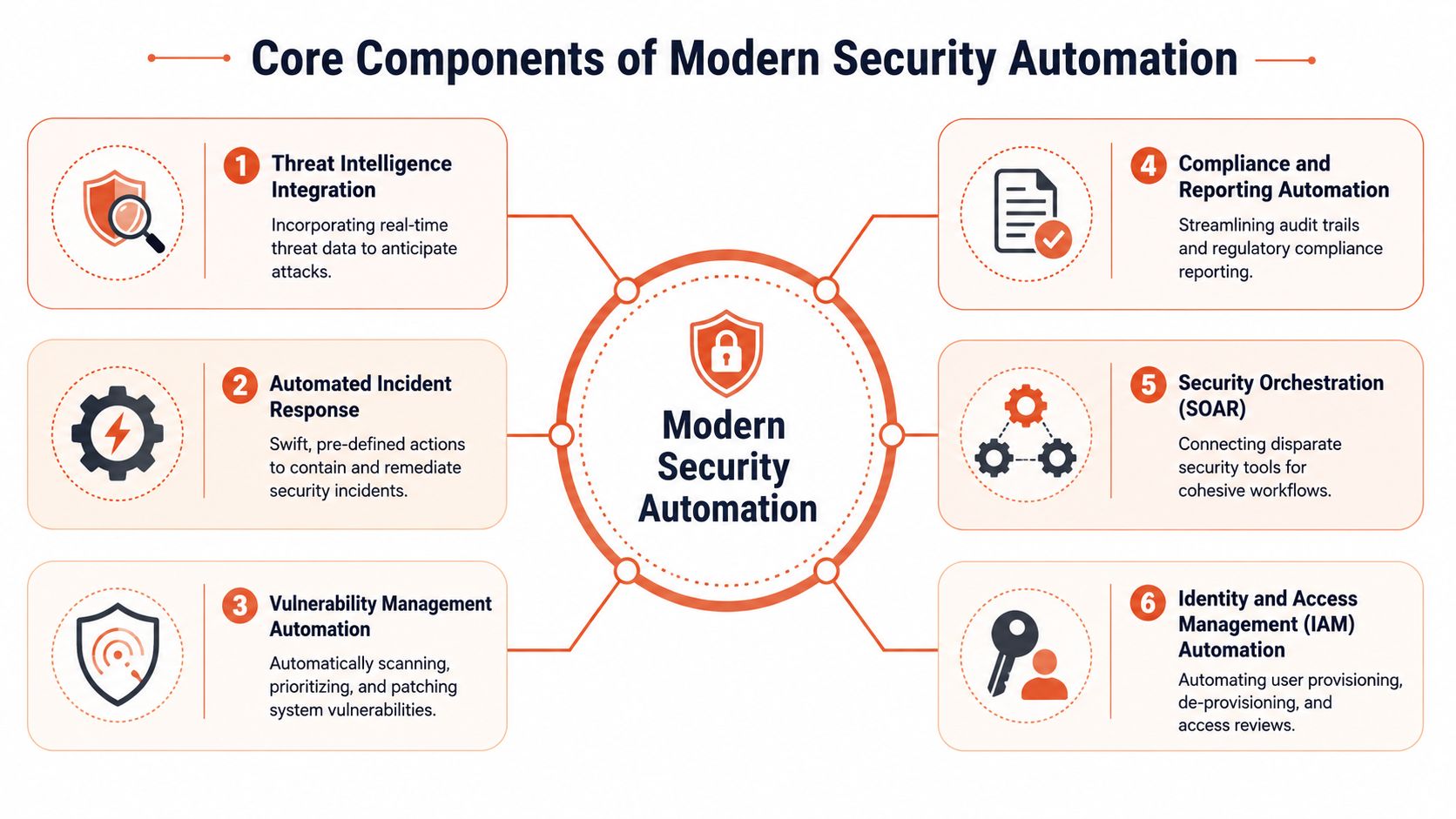
- Threat intelligence integration: enrich signals so detections are less blind
- Incident response automation: execute repeatable playbooks fast
- Vulnerability management automation: scan, prioritise, patch, verify
- Compliance reporting automation: keep evidence current without spreadsheet work
- Security orchestration: connect tools so workflows don't stop at alert creation
- IAM automation: enforce least privilege continuously
For teams working through implementing Zero Trust security, these components matter because zero trust fails fast when access, policy, and runtime enforcement are left as manual side processes.
The True ROI of Automation Quantifying the Cost of DIY
The ROI case for security automation usually gets framed around breach reduction. That's too narrow for a CTO deciding where to put engineering budget. The more immediate return is usually time. Specifically, developer time and senior platform time.
Ellty's analysis of DevOps investor economics states that developers waste 40% of their working time on manual deployment tasks and infrastructure maintenance, costing companies globally $1 trillion annually in lost productivity. That hidden cost is what most internal platform discussions miss. The spend doesn't show up as a single line item, but it hits release speed, engineering focus, and roadmap delivery.
Where DIY gets expensive
A self-built stack rarely arrives as one large project. It accumulates in pieces.
First comes Kubernetes setup. Then CI runners. Then secret handling. Then policy checks. Then observability. Then alert routing. Then cloud cost controls. Then exception handling for all the teams that don't fit the default path. Each choice is defensible in isolation. Together, they create a maintenance estate.
For teams in Europe especially, labour cost makes this more obvious. The average annual salary for a remote DevOps engineer in Europe is €78,022, according to Remote Rocketship's Europe DevOps salary data. That's before you factor in the opportunity cost of assigning experienced engineers to platform plumbing instead of product.
There are also cloud-side surprises. REDU's note on affordable cloud hosting for European startups highlights that data egress charges are often underestimated and can create unexpected export or migration costs ranging from hundreds to thousands of euros. DIY platforms often surface those costs late because environments, logs, backups, and cross-cloud data flows weren't designed with cost discipline from the start.
Comparing the operating models
If you want a concise way to explain the decision internally, use this table.
| Security Component | DIY Approach (Complexity & Hidden Cost) | Managed Platform Approach (Simplicity & Value) |
|---|---|---|
| Secrets management | Teams bolt on a vault, wire it into pipelines, handle rotation logic, and troubleshoot access edge cases | Secret handling is built into the delivery workflow with standardised access and less manual wiring |
| CI/CD security gates | Every pipeline needs custom checks, exceptions, and maintenance across repositories | Security gates follow a common delivery pattern with consistent enforcement |
| IAM and permissions | Access models drift by team, cloud, and environment; reviews become manual and slow | Role-based access is centralised and easier to audit |
| Observability | Logs, metrics, traces, and security events live in separate tools with uneven correlation | Health, incidents, and runtime signals are available in one operating layer |
| Compliance evidence | Engineers assemble artefacts manually before reviews and audits | Audit trails and policy evidence are generated as part of normal operations |
| Incident response | Alerts go to chat and wait for human triage, especially outside working hours | Standard responses can trigger immediately for defined scenarios |
The hidden cost of DIY isn't only tooling spend. It's the senior attention required to keep the system coherent.
If you want a leadership-level framing of that trade-off, this guide to security automation for leaders is useful because it treats automation as an operating decision, not just a tooling purchase.
Security Automation Workflows in Practice
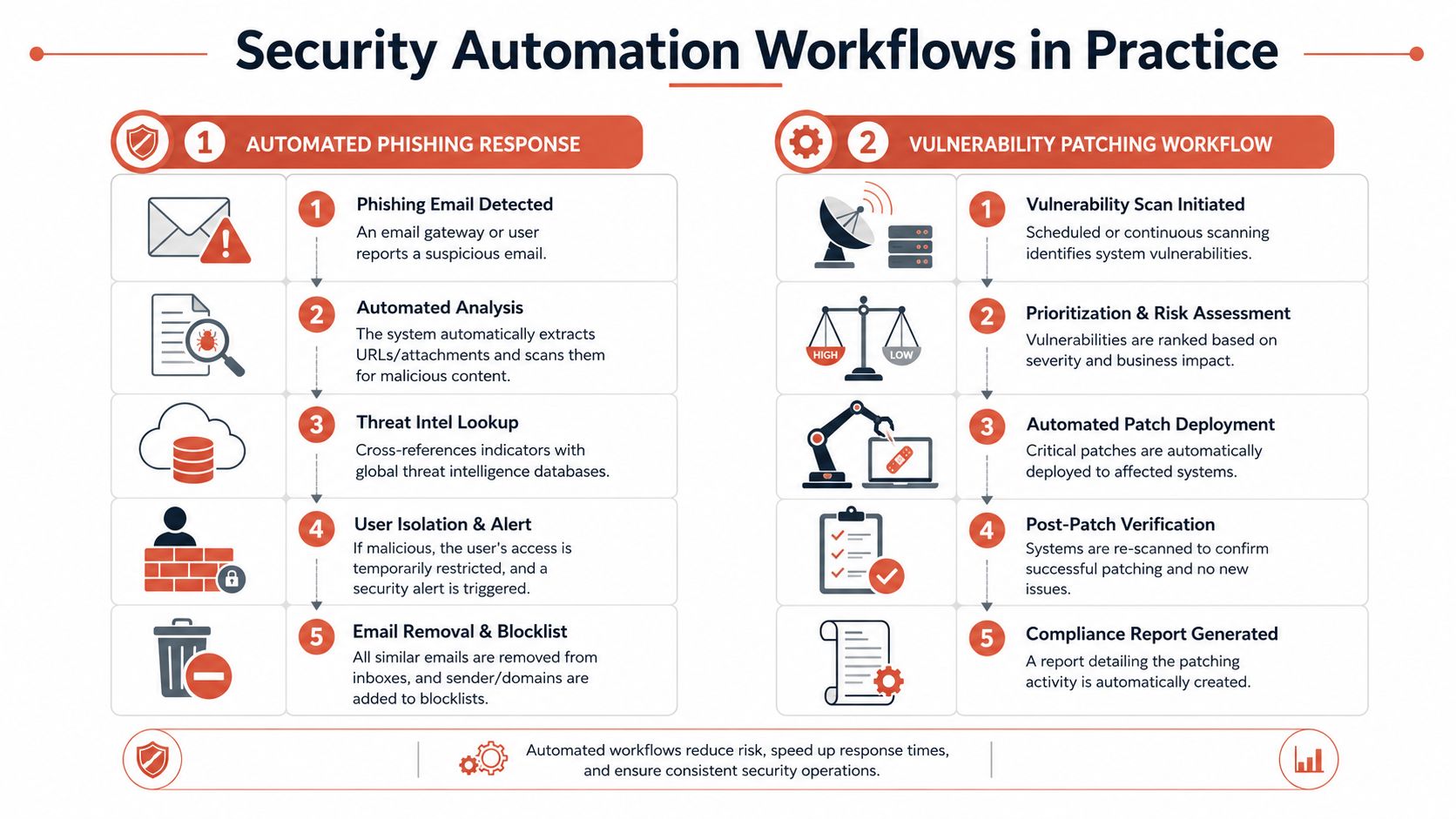
Abstract discussions lose people. Actual workflows don't. The easiest way to judge whether security automation is working is to follow what happens in two common situations: a code change and a production incident.
Workflow one from commit to safe release
A developer pushes code. The platform builds the artefact, checks dependencies, runs security scans, validates configuration, and decides whether the release can continue. If a rule fails, feedback goes back to the same workflow the developer already uses.
That last part matters. Security automation works best when it doesn't force context switching into a separate security process. Developers shouldn't need to hunt across five tools to understand why a build stopped. The pipeline should make the failure legible and actionable.
For higher-risk changes, safe release techniques help reduce blast radius. Canary rollout, staged exposure, and kill-switch behaviour matter here. Teams already thinking about feature flags and safe releases are usually in a better position to automate security decisions because the platform can limit exposure while validating behaviour.
A practical release workflow often includes:
- Code and dependency checks: catch issues before packaging
- Environment policy validation: stop deployments that violate baseline controls
- Secrets and config verification: ensure required values are present and properly scoped
- Progressive release controls: expose changes gradually instead of all at once
- Automated rollback triggers: revert when health or security signals cross the threshold
Workflow two from detection to containment
Now take a runtime event. A workload starts behaving unusually. Traffic patterns change. A suspicious IP appears. A token is used in a way that doesn't match its normal profile.
The useful response isn't a chat message that waits for the on-call engineer to wake up. It's a predefined action path. AI and ML integrated into security protocols can block suspicious IP addresses and isolate compromised devices without waiting for human intervention, reducing false positives and operational overhead, according to Dataintelo's offensive security automation market report.
That kind of workflow usually looks like this:
- Detect: collect runtime, network, and identity signals.
- Enrich: add workload context, owner, environment, and known threat data.
- Decide: apply policy and confidence thresholds.
- Contain: isolate, revoke, block, or roll back.
- Escalate: notify the right person with evidence, not just an alert title.
“If your first automated step is opening a ticket, you haven't automated response. You've automated paperwork.”
The best part of these workflows isn't only speed. It's consistency. The platform handles common cases the same way every time, and humans step in where judgement actually matters.
Implementation Roadmap and Best Practices
Teams generally shouldn't try to automate everything at once. That creates tool sprawl, poor trust in the system, and too many half-connected controls. A staged rollout works better.
Crawl with foundational controls
Start with the controls that remove obvious manual risk.
- Centralise secrets handling: stop passing credentials around pipelines and shared documents.
- Standardise access paths: make role-based access the default for environments and operational tasks.
- Create a baseline audit trail: ensure key actions are logged consistently across build and runtime layers.
These aren't glamorous moves, but they stabilise the platform. They also create the evidence base you'll need later when you want stronger enforcement.
Walk with policy and workflow integration
The next stage is where security automation starts affecting delivery quality directly.
Use policy as code for infrastructure and deployment baselines. Add CI/CD checks that are clear enough for developers to act on. Connect observability to deployment state so the team can tell whether a release introduced the issue or merely exposed it.
This is also the point where teams should decide what they won't automate yet. Not every remediation path is safe to trigger automatically. Start with bounded actions that are reversible and well understood.
Operational advice: Automate the decisions you make repeatedly and confidently. Escalate the ones that still need judgement.
Run with response automation and Zero Trust enforcement
The advanced stage is where many DIY efforts become difficult to maintain. Response automation sounds straightforward until you're coordinating identity, network controls, cloud services, containers, and audit evidence across multiple clouds.
That complexity matters because Zero Trust depends on continuous verification, not one-time setup. Recent data shows incident response automation reduces attacker dwell time by 65%, yet 60% of teams still lack automation workflows that enforce need-to-know access for containerised services across three clouds, creating a gap in zero trust adoption for platform engineers, according to Anitian's cloud security automation and zero trust analysis.
A mature implementation usually needs these habits:
- Keep policies close to delivery: don't separate security rules from platform workflows.
- Design for exceptions: every control needs a governed path for urgent overrides.
- Reduce alert noise: if engineers stop trusting alerts, automation becomes background noise.
- Share ownership: platform, security, and product teams all need clear responsibilities.
- Prefer platform-level controls: one reliable pattern beats many repo-by-repo variations.
Zero Trust in multi-cloud environments is especially hard to enforce manually. Different clouds expose different IAM models, network constructs, and service defaults. Without automation, teams end up with uneven privilege boundaries and inconsistent enforcement between AWS, GCP, and Azure.
From DIY Chaos to Platform Clarity with PushOps
At some point, every CTO has to decide whether the company is building a product or building the machinery around the product.
A DIY security automation stack can work. It can also become a long-running internal project that absorbs senior engineers, drifts across clouds, and still leaves teams with too many manual exceptions. The harder part isn't installing components. It's operating them as one coherent system while delivery pressure keeps rising.
That's why platform quality matters more than tool count. A strong multi-cloud DevOps platform should provision production-ready foundations, apply policy consistently, handle permissions cleanly, keep audit trails intact, surface health and incident signals in one place, and control cloud waste such as unnecessary always-on environments. If it can't do that, you're still paying the tax of DIY, just in a tidier interface.
What platform clarity looks like
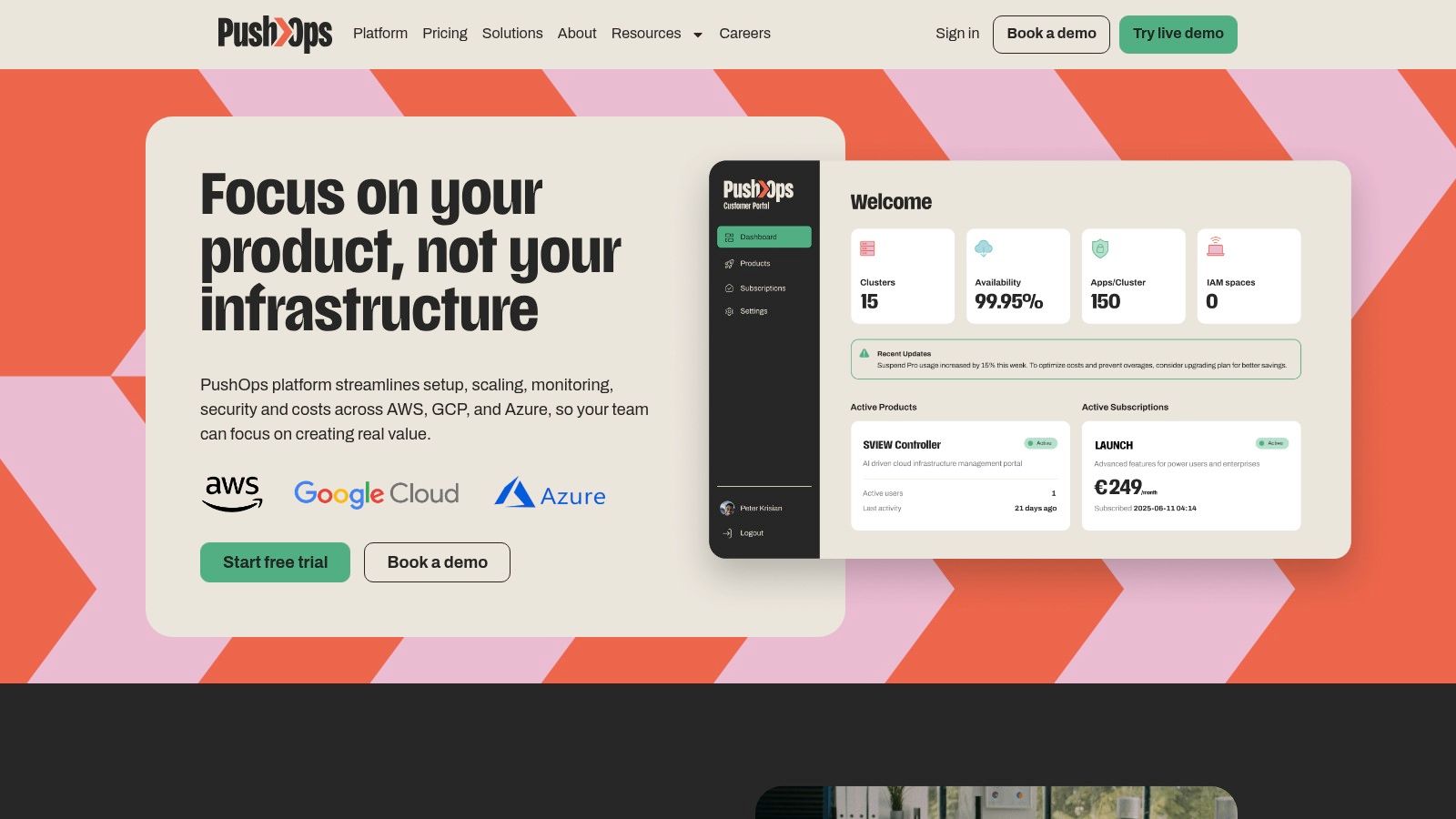
A modern platform approach is simpler because it collapses separate concerns into one operating layer:
- Provisioning: production-ready environments across AWS, GCP, and Azure without rebuilding the basics each time
- Delivery: automated builds, deployments, and release paths without constant pipeline maintenance
- Security: role-based access, permissions, audit logs, policy enforcement, and continuous updates by default
- Operations: integrated observability, incident visibility, and runtime insight
- Cost control: autoscaling, right-sizing, and environment scheduling instead of ad hoc cloud clean-up
That's the promise of developer platform automation. It doesn't remove engineering discipline. It makes disciplined defaults easier than insecure shortcuts.
For startups and scale-ups in Europe, Singapore, the UK, and the US, this is often the more rational path. Hiring more DevOps engineers to keep a bespoke stack alive can feel like control. In practice, it often means slower product work, more maintenance, and uneven security execution. A managed platform gives you a safer baseline and returns engineering attention to the product.
PushOps gives software teams a practical alternative to building and maintaining their own DevOps and security stack. It provisions production-ready foundations on AWS, GCP, and Azure, automates deployments and environments from commit to production, enforces security by default, and helps control cloud spend without slowing delivery. If your team wants to spend less time on infrastructure and more time shipping, take a look at PushOps.

