
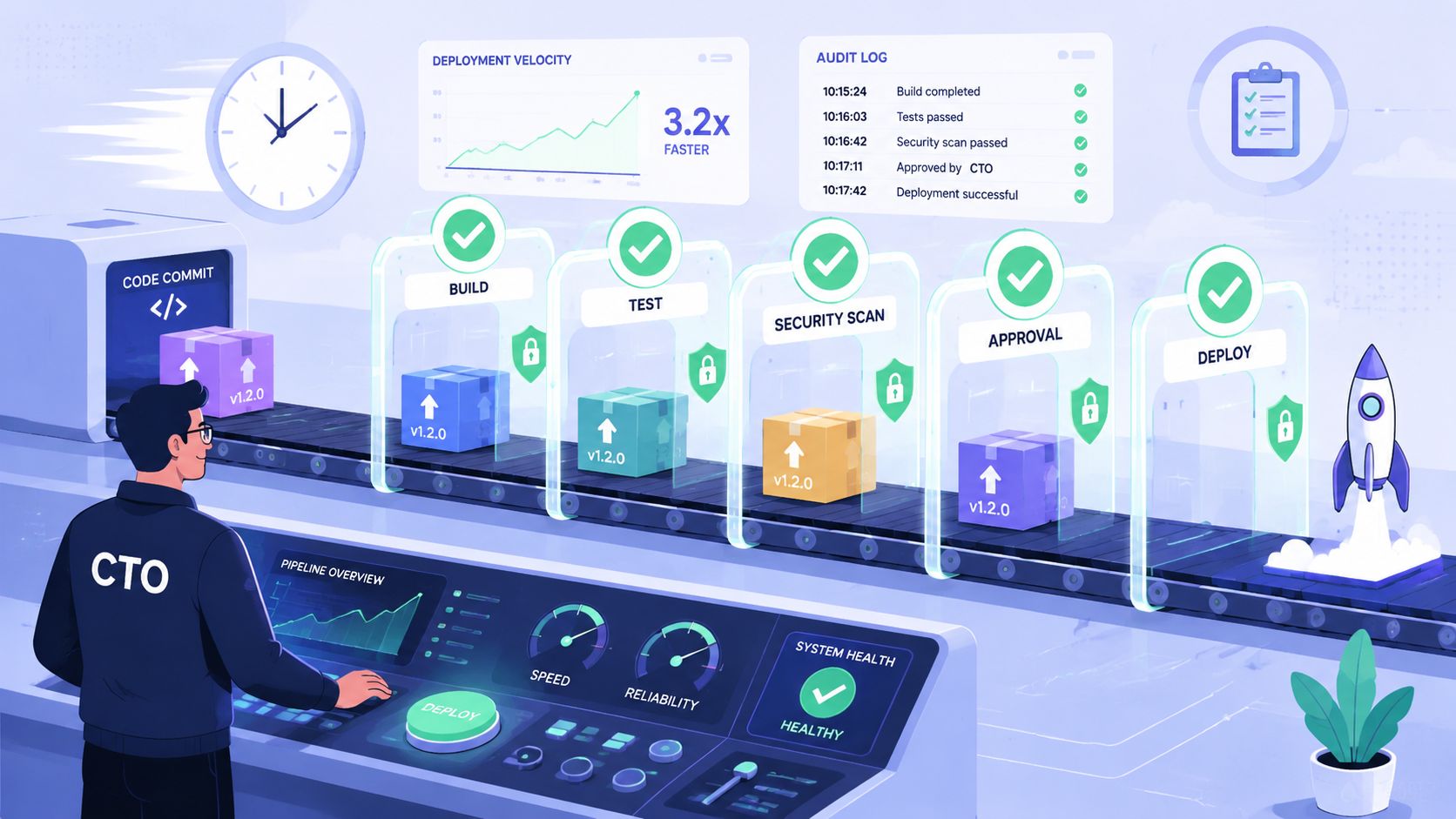
A release is queued. CI is green. The change is small. And yet someone still has to approve it, find the right dashboard, decode the risk, and decide whether to let it through. Meanwhile the developer who made the change is waiting, your engineering manager is in meetings, and your CTO gets dragged out of planning to click a button on something they didn't have time to understand.
That loop plays out every day in startups and scale-ups across Europe, Singapore, the UK, and the US. Teams say they need better governance, and they're right. They also say their delivery process feels slower every quarter, and they're right about that too. The problem usually isn't the idea of approval. It's the messy in-house machinery wrapped around it.
When teams build their own DevOps stack, they often also build their own approval workflow by accident. It starts with Jenkins, GitHub Actions, Slack notifications, a few custom scripts, maybe some Terraform policies, maybe a home-grown release checklist. Then somebody adds Kubernetes access rules, monitoring gates, cloud budget alerts, and security sign-off. What you wanted was a reliable path from commit to production across AWS, GCP, and Azure. What you built was a side business in workflow maintenance.
The Approval Workflow Paradox
The approval workflow sits in the middle of a strange contradiction. You need it because production access, security changes, and infrastructure updates can't run on trust alone. You also hate it because the more important the decision, the more likely it is to interrupt the wrong person at the wrong moment.
That friction isn't a niche problem. The approval workflow software market analysis values the global market at $7.4 billion in 2025 and projects it to reach $18.6 billion by 2034, with North America holding a 38.2% market share. That tells you two things. First, approval workflows are now core operational infrastructure. Second, enough organisations have struggled with this that an entire category has matured around fixing it.
The paradox is simple. The controls meant to protect delivery often become the reason delivery stalls.
I've seen this most often around releases that should be routine. A team uses feature flags, canary deploys, and staged rollouts, but the approval layer still lives in chat messages and tribal memory. The release mechanics are modern. The decision process is not. If you already rely on staged delivery patterns such as feature flags and safe releases, a weak approval path becomes even more obvious because the deployment system is more disciplined than the humans around it.
A bad approval workflow doesn't just slow a change. It forces senior people to spend time on low-quality decisions with poor context.
That's why this stops being a tooling issue and becomes a leadership issue. CTOs and VP Engineering don't complain because approvals exist. They complain because the current process keeps pulling expensive people into a brittle system that never became product-grade.
Anatomy of a Modern Approval Workflow
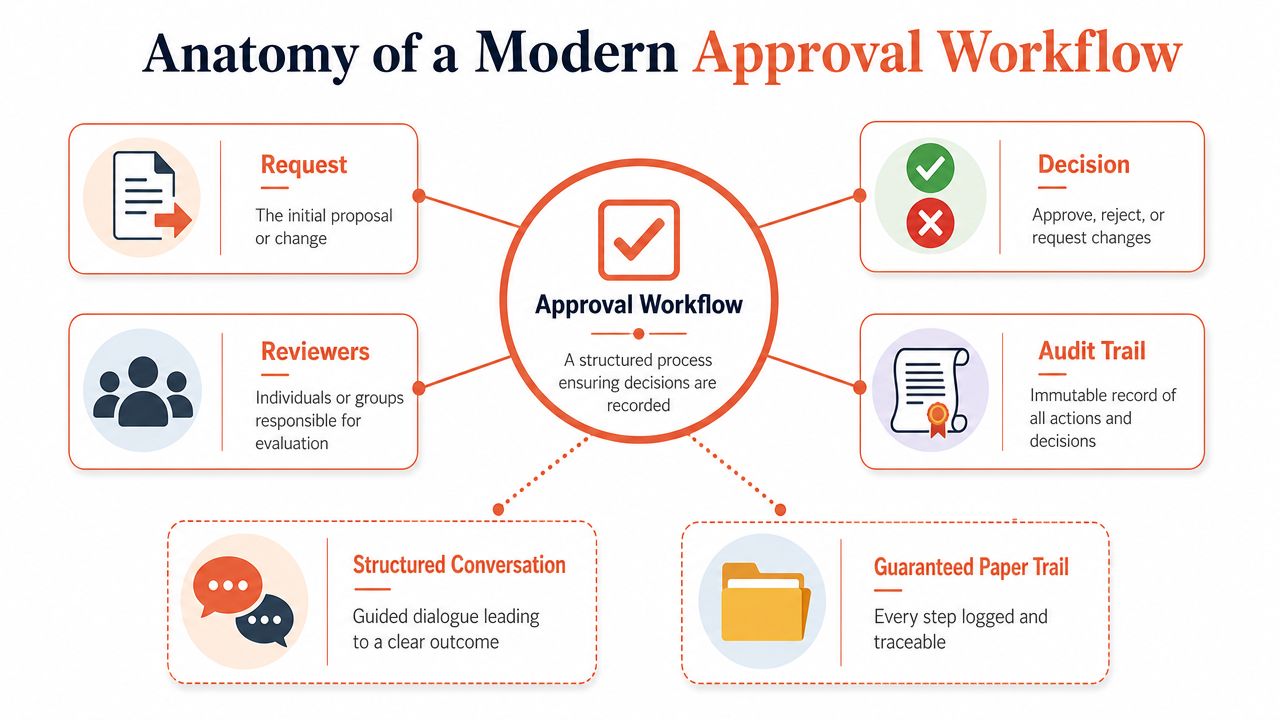
A good approval workflow is less like a gate and more like a structured conversation with a receipt at the end. Someone proposes a change, the system decides who needs to care, the right people review it, and every decision is logged in a way you can defend later.
Start with actors and conditions
Think about a purchase order. Not every spend request needs the CFO. Office supplies shouldn't follow the same path as a multi-year cloud commitment. Approval workflows in engineering work the same way.
The first component is actors. These are the people, groups, or systems allowed to review or approve a request. In a modern stack that could mean an engineering lead, a security owner, a finance approver for cloud spend, or an automated policy engine that clears low-risk changes without human intervention.
The second component is conditions. These answer the question, when should approval be required at all? A production database change should trigger a different path from a documentation deploy. A GCP networking update should look different from a front-end config tweak. Without conditions, every change gets pushed through the same funnel and the funnel becomes the problem.
Policies define the route
Policies are the decision rules. They determine whether a change can auto-approve, whether it needs one reviewer or two, whether it must wait for a QA sign-off, or whether it should escalate.
In regulated environments, those policies aren't optional. The QMS approval workflow definition from SGS Systems Global makes the principle clear: originators cannot approve their own work, and each step such as Performed, Reviewed, Approved is a signed, role-based gate that protects QA independence and reduces compliance risk. That same discipline matters in cloud operations, even outside regulated sectors. If the person who made the infrastructure change is also the only person who can bless it, your workflow may be fast, but it isn't trustworthy.
Audit trails are the non-negotiable part
The audit trail is the receipt. It answers four questions:
- What changed
- Who reviewed it
- Why it was approved or rejected
- When that decision happened
Without that trail, an approval workflow is just a collection of chat messages and fading memory. That's fine until an incident review, a customer security questionnaire, or an internal compliance check lands on your desk.
Practical rule: If you can't reconstruct the decision path after the fact, you don't have an approval workflow. You have a hopeful habit.
From Manual Gates to Policy-Driven Automation
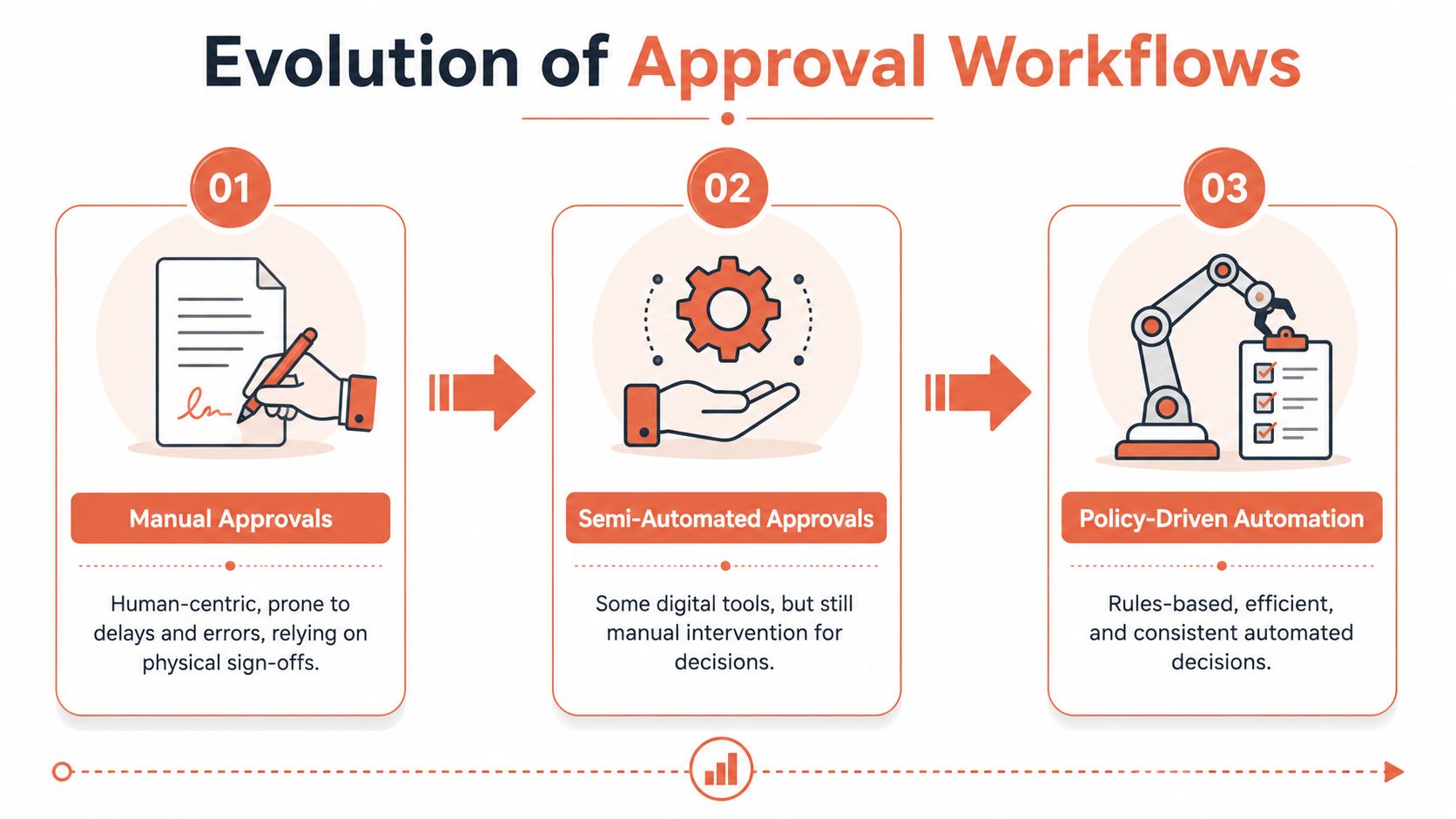
Most engineering teams move through three versions of approval. Each version feels like progress when you build it. Only the last one tends to scale.
Stage one is manual and fragile
This is the Slack era. A developer posts a message, tags a manager, waits for a thumbs-up, then continues. Sometimes the sign-off lives in email. Sometimes it happens in a stand-up. Sometimes nobody can prove it happened at all.
Manual approvals feel lightweight when the team is small. They also fail the moment the team spans time zones, cloud providers, or compliance obligations. The person approving often lacks the latest context. The person waiting often doesn't know who owns the decision.
Stage two is the DIY pipeline gate
Many startups maintain this approach for years. Teams bolt approvals into Jenkins, GitHub Actions, GitLab pipelines, Argo workflows, or custom deployment scripts. It's better than chat because at least the pause is inside the delivery path.
It's also where hidden platform work starts to multiply. Someone has to maintain routing logic, access control, retries, notifications, audit data, and exceptions. If your internal developer platform is growing around these home-built controls, it's worth revisiting what developer platform automation should remove from your backlog rather than add to it.
A useful way to think about this stage is that you're no longer building releases. You're building a workflow engine by pieces.
Stage three is policy-driven approval
This model represents an ideal workflow solution. Policies classify changes by risk. Low-risk actions can move automatically. Sensitive changes route to the right approver with enough context to make a decision quickly. Escalation, delegation, and logging are part of the platform instead of side scripts.
The missing piece in many teams is policy design, not just pipeline wiring. For organisations trying to formalise how machine-enforced rules should work, Averta's AI security policies framework is a useful reference because it frames policies as operational controls rather than just documentation.
Here's the trade-off:
| Workflow type | What works | What breaks |
|---|---|---|
| Manual approvals | Easy to start | Delays, poor auditability, lost decisions |
| Gated CI/CD | Better control inside delivery tools | Brittle scripts, maintenance burden, specialist knowledge required |
| Policy-driven automation | Consistent, contextual, scalable | Requires a proper platform and disciplined policy design |
The middle stage is where teams burn the most energy. It looks complex from the outside, but inside it's usually held together by custom logic that only a few engineers understand.
The Hidden Costs of Your DIY DevOps Stack
The most expensive part of a DIY approval workflow usually isn't the software. It's the senior time trapped inside it.
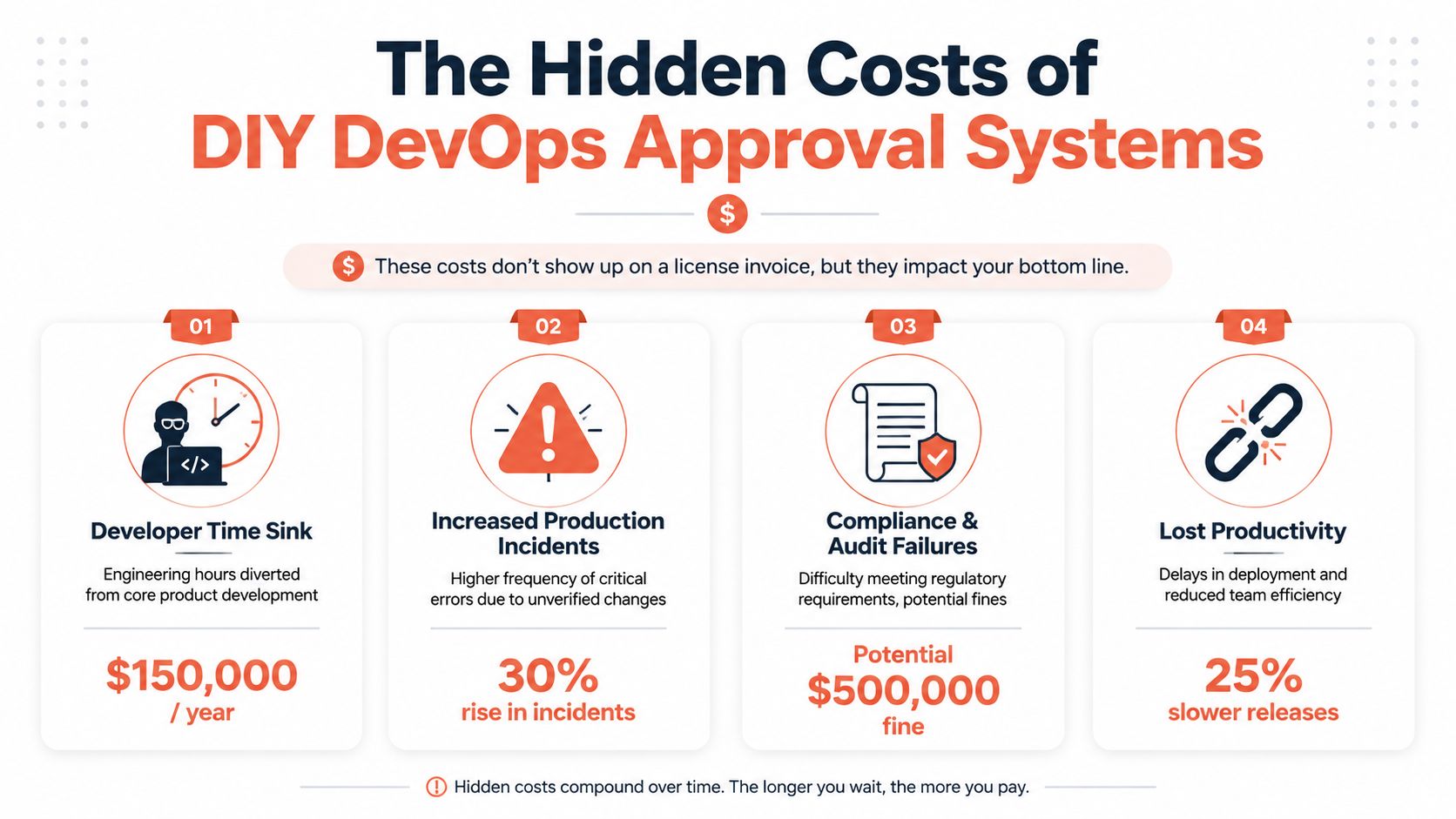
The salary cost is obvious. The operational cost is not.
If you hire your way out of workflow pain, the bill climbs quickly. In a major European hub, the cost of hiring a senior DevOps engineer in Amsterdam is €100,000 to €140,000 annually, and that still excludes the surrounding tool stack. Once you add Kubernetes management, Jenkins, Datadog, Terraform Cloud, New Relic, PagerDuty, and the time to keep them integrated, the in-house option stops looking lean.
That cost is easy to spot because it shows up in the budget.
The harder cost to track is what your product team stops doing while your best people maintain approval logic, pipeline glue, cloud roles, dashboards, and escalation paths. Every hour spent tuning infrastructure approval behaviour is an hour not spent shipping customer value.
Human bottlenecks distort the whole system
Two failure modes show up again and again in DIY setups.
The first is approver unavailability. Somebody is on leave, in a customer meeting, asleep in another time zone, or overloaded. The workflow looks fine on paper, but the actual decision path depends on one human being answering at the right time.
The second is context overload, which involves non-technical stakeholders getting pulled into approvals they can't parse quickly. A CTO, project manager, or finance owner sees a request involving IAM changes, VPC routing, Kubernetes workloads, or database failover rules and has to infer risk from technical artefacts they don't work with every day. Delay is a rational response.
The verified data around this angle is uncomfortable. The approval workflow components analysis from Velt states that 68% of approval bottlenecks stem from approver unavailability and only 12% of workflows include auto-delegation with audit trail preservation. The same source also notes 45% of non-technical approvers delay or reject valid requests due to confusion over risk implications, with 72% of failed approvals occurring when stakeholders can't interpret technical risk scores.
Those numbers line up with what many engineering leaders already feel. The system doesn't fail because people are careless. It fails because the workflow asks the wrong person to make a high-speed decision with poor presentation.
The moment an approval depends on a person decoding raw infrastructure detail in the middle of their day, you've turned governance into interruption management.
DIY DevOps also hides cloud waste
Approval friction rarely exists alone. Teams that build everything themselves often also carry waste in cloud operations and release processes. In the UK, startup DevOps waste on cloud operations is estimated at 30–40% of total cloud spend because of over-provisioned resources and manual, non-automated processes.
That's the broader pattern. Workflow friction, cloud waste, brittle CI/CD, and monitoring sprawl usually arrive as a package. If your team is still stitching together processes around CI/CD pipeline operations, the approval workflow is often the clearest symptom of a larger platform problem.
Designing an Approval Workflow That Scales
A scalable approval workflow doesn't try to make every decision manual and careful. It tries to make the right decisions manual, the routine ones automatic, and the urgent ones impossible to lose.
Put time limits on decisions
Approvals without time boundaries become background noise. Good systems define service expectations and enforce them.
The benchmark many teams can borrow from is straightforward. The Spendflo guidance on approval workflows recommends a 48-hour SLA for major purchases, with automatic escalation after 24 hours of stagnation, and urgent requests escalated sooner. The domain there is spend management, but the operating principle maps directly to engineering changes. If a production approval can sit untouched indefinitely, the workflow has no real owner.
A scalable setup needs:
- A clear SLA per request type. Hotfixes, infra changes, security updates, and cost-impacting changes shouldn't share one timer.
- Escalation rules that fire automatically. Don't rely on the requester to chase approvers manually.
- A visible queue. Teams need to see what is waiting, what breached SLA, and who owns the next action.
Solve the holiday problem properly
Many workflows break the moment a primary approver is unavailable. That's not an edge case. It's everyday operations in distributed teams.
Dynamic delegation matters more than most technical guides admit. The system should know who can act when the default approver is in meetings, on leave, or outside working hours. More importantly, delegation must preserve the audit trail. Replacing one approver with another in a spreadsheet or chat thread isn't a control. It's a workaround.
A mature approval workflow supports these patterns:
| Capability | Why it matters |
|---|---|
| Delegation with audit history | Keeps decisions moving without losing accountability |
| On-call routing | Sends urgent changes to whoever is actually available |
| Fallback chains | Prevents one absent manager from blocking a release |
| Role-based approvals | Ties authority to responsibility, not just a named person |
Show different people different context
One interface rarely works for everyone. Engineers need deployment details, policy diffs, test results, dependency changes, and runtime impact. A CTO or project manager needs a concise risk summary, blast radius, and business relevance.
If both people get the same wall of technical detail, one of them will be underserved. Usually it's the stakeholder who is still accountable for the decision but doesn't live in Kubernetes manifests or cloud IAM every day.
Design principle: keep the policy strict, but tailor the explanation to the person making the call.
That means role-based views. Engineers can expand into the full artefacts. Non-technical approvers should see plain-language summaries such as whether the change affects production, touches network policy, changes permissions, increases cloud cost exposure, or bypasses standard release guards.
Keep the log richer than the chat
Finally, every decision needs an auditable story. Not just approve or reject, but also the evidence attached to the request, the policy triggered, the reviewer sequence, any delegation used, and the final release outcome.
Teams often focus on how fast an approval workflow moves. The better question is whether the workflow can still explain itself during an incident review, a security audit, or a customer due diligence process. Fast and opaque won't scale.
A Tale of Two Hotfixes A Real-World Example
An urgent hotfix is where approval design gets exposed. Not in a calm sprint, but when production is already noisy and everyone wants speed.
Team A with the DIY route
A developer opens a pull request for a production issue. Tests pass. The deployment pipeline pauses at a custom approval gate tied to a Slack bot. The bot posts in a shared channel with a link, a commit hash, and a vague message saying approval required.
The engineering manager is in back-to-back meetings. The CTO sees the message later, but the summary isn't useful. There's no concise explanation of impact, risk, or rollback plan. The developer pastes extra context into the thread. Someone replies “LGTM”. The pipeline resumes.
Technically, the team got approval. Operationally, they relied on interruption, memory, and goodwill.
Team B with a platform flow
The same hotfix enters a system that already understands policy. Automated tests run, the change is classified, and the workflow decides whether it fits a low-risk path or needs a human reviewer.
If it needs review, the approver doesn't get dumped into raw CI output. They get a clear summary in a dedicated interface: what changed, whether production is affected, what safeguards passed, and who owns the service. If the primary approver is unavailable, the request routes cleanly to the designated backup with the full audit trail intact.
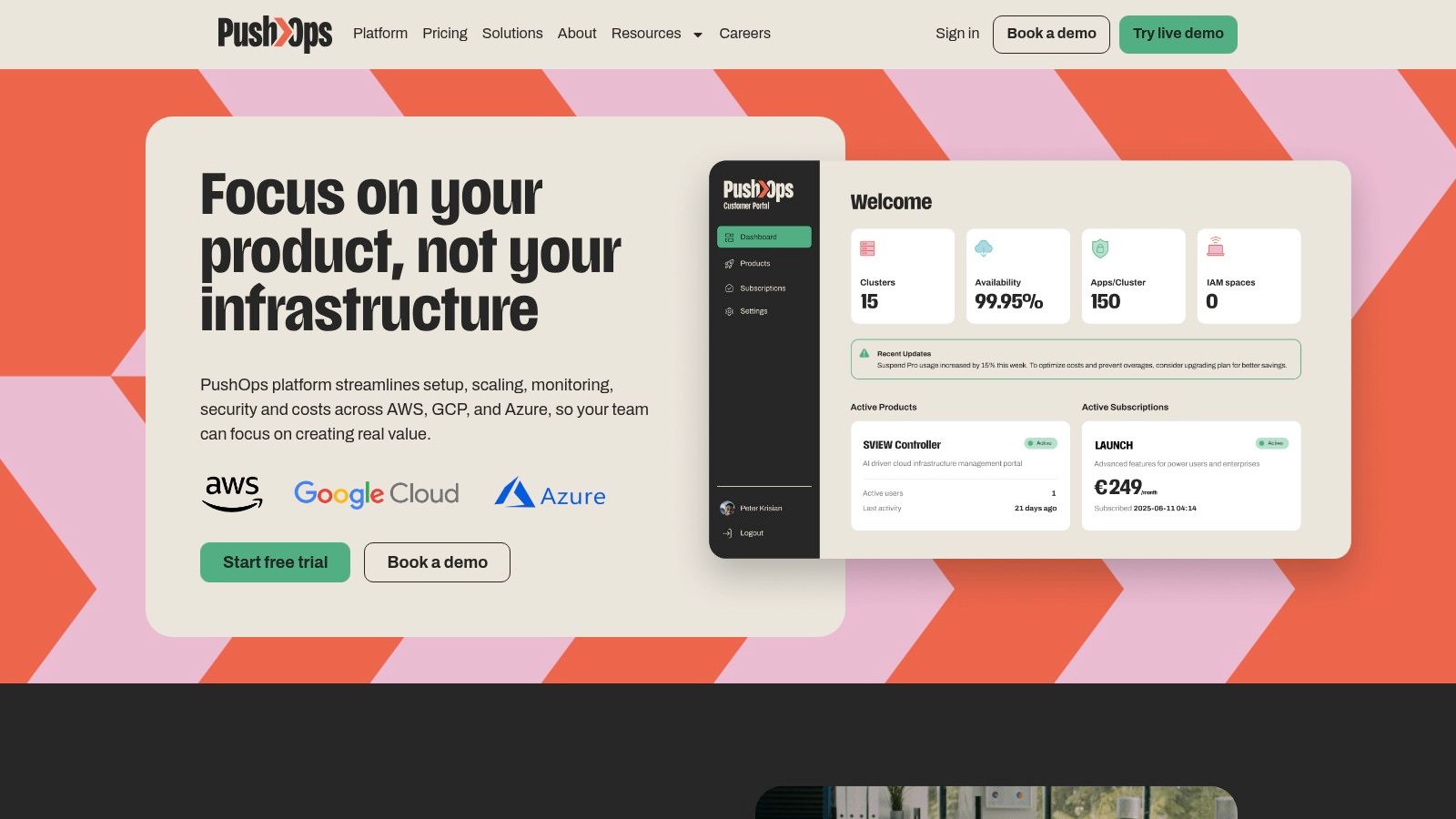
The big difference isn't just speed. It's cognitive load. Team B asks humans for judgement only when judgement is needed. Team A asks humans to act as workflow middleware.
The best approval workflows don't remove accountability. They remove scavenger hunts.
That distinction matters if you're operating across AWS, GCP, and Azure. Multi-cloud environments already carry enough complexity in networking, IAM, observability, cost control, and release coordination. Approval shouldn't add another layer of improvised friction on top.
Turn Your Approval Workflow into an Accelerator
An approval workflow should protect delivery, not compete with it. If your current setup depends on Slack threads, custom CI pauses, tribal escalation rules, and senior people translating infrastructure risk for one another, the workflow is already costing more than it appears.
That's why so many scale-ups eventually stop adding more in-house DevOps pieces and start asking a different question. Not “can we build this?” but “why are we still building this?” A modern platform should already handle setup, scaling, monitoring, security, cost control, and approvals across AWS, GCP, and Azure so your team can get back to product work.
The financial case is easier to justify than many teams expect. For a typical SaaS startup, a 90-day DevOps engagement ROI analysis shows ongoing monthly savings of $1,400 to $3,500 from month 4 onwards through practices like auto-scaling and waste removal. That doesn't describe every environment, but it does show the broader point: moving off a manual, unoptimised setup can pay back quickly.
If you want a useful comparison point outside engineering, Legitt AI's write-up on the Legitt AI contract platform is worth reading because it shows the same principle in another domain. Approval works best when context is clear, routing is deliberate, and the system carries the operational burden instead of the humans.
The teams that ship consistently aren't the ones with the most scripts. They're the ones that stopped turning delivery infrastructure into a permanent side project.
PushOps gives teams a production-ready path from commit to release across AWS, GCP, and Azure without building a platform team around approvals, pipelines, observability, and cloud operations. If you're done maintaining brittle DevOps glue and want a cleaner way to ship, explore PushOps.

