
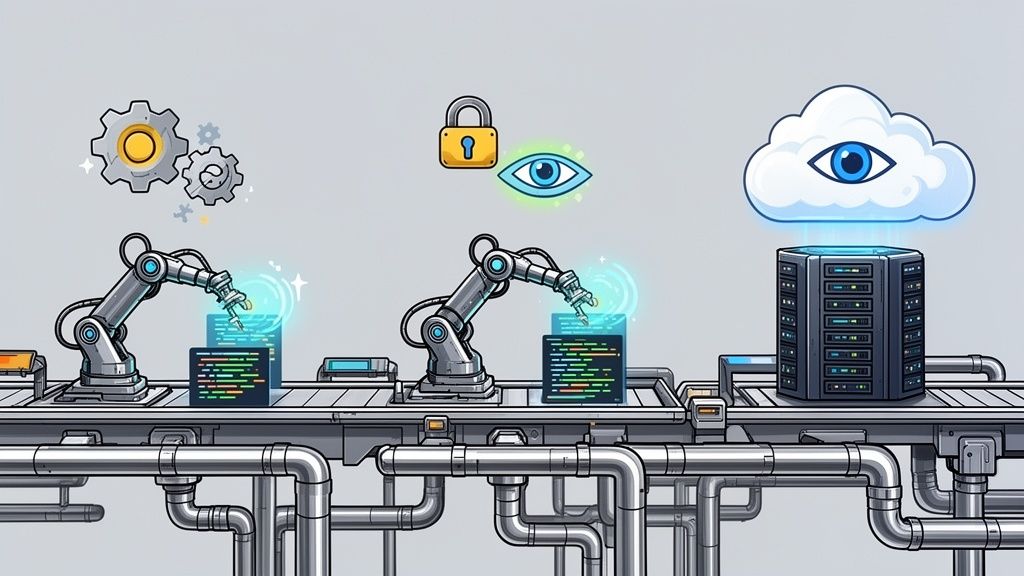
It’s 10 PM on a Friday. A critical hotfix deployment just failed, and instead of innovating, your best engineers are stuck troubleshooting infrastructure. This isn't just a bad night; it's a symptom of a much bigger problem quietly bleeding resources at startups and scale-ups: the 'DevOps Tax'. For CTOs and VPs of Engineering, this is a familiar frustration—valuable engineering talent consumed by infrastructure instead of product development.
The Hidden Tax of DIY DevOps
For fast-moving companies in Europe, Singapore, the UK, and the US, speed is non-negotiable. Yet, many engineering teams are shackled by a fragile, do-it-yourself (DIY) DevOps stack that kills their velocity. They over-invest in building and maintaining their own complex system—gluing together Kubernetes, CI/CD, monitoring, and security—when what they really want is a reliable, production-ready platform to ship features faster.
The true cost isn't a single failed deployment. It’s the compounding interest you pay in lost productivity and diverted focus. Every minute a senior developer spends wrestling with CI/CD scripts or patching security flaws is a minute they aren't shipping features.
The Compounding Cost of Infrastructure Maintenance
This "DevOps Tax" shows up in ways that directly hit your bottom line and tank team morale. Think of it as a hidden factory running inside your engineering organization, consuming your most valuable asset: time.
Your team’s focus gets drained by a few key culprits:
- Constant Maintenance: That custom-built stack of tools like Kubernetes, Jenkins, and Prometheus isn't a one-time setup. It’s a perpetual maintenance burden of updates, security patching, and compatibility checks.
- Context Switching: Engineers are yanked from product-focused work to put out infrastructure fires. This constant context switching shatters their flow and grinds development cycles to a halt.
- Knowledge Silos: Expertise gets trapped with the few people who built or intimately understand the custom setup. This creates massive bottlenecks and a huge risk if they ever leave.
This constant firefighting and infrastructure management is the opposite of agility. An automated deployment pipeline isn't just a technical upgrade; it's a strategic business decision to reclaim your team’s focus and accelerate delivery.
The Universal Logic of Automation
The drive to replace manual, error-prone work with reliable, standardized systems is a fundamental business principle. It's happening on factory floors, and it absolutely should be happening in cloud software delivery.
Look at other industries. The Latin America factory automation market is set to reach USD 19.67 billion in 2026, fuelled by huge investments in industrial upgrades tied to automation. You can read more about how this industrial-scale adoption fuels efficiency. The logic is simple: automation delivers efficiency and standardization, whether you're assembling cars or deploying code.
For CTOs and VPs of Engineering, the calculation is clear. The goal isn't to become experts at building and maintaining a complex multi-cloud DevOps platform across AWS, GCP, and Azure. The real goal is to have a reliable, production-ready platform that empowers your team to ship features faster.
Adopting a modern multi-cloud DevOps platform handles the undifferentiated heavy lifting, letting you invest your engineering budget in product innovation, not infrastructure plumbing.
Anatomy of an Automated Deployment Pipeline
An automated deployment pipeline is your code's personal assembly line. It’s not one tool but a connected system that takes code from a developer's commit and transforms it into a live application with minimal human intervention. This process replaces risky, manual hand-offs with predictable, automated stages that enforce quality and consistency.
At its core, the pipeline is a series of stages, each acting as a quality gate. Only code that passes all checks can move forward to your customers. By breaking down the process, you can see the logical flow that turns raw code into a reliable service.
We've all been stuck in the painful loop of manual deployments. A deploy fails, and suddenly, countless engineering hours are gone, fixing what broke.

The real problem isn't just that manual work introduces errors. The bigger issue is the hidden cost: developer time that should be spent building your product is instead wasted on fixing infrastructure.
Core Components of the Pipeline
Every automated deployment pipeline is built from a few fundamental parts. While specific tools vary, their functions are consistent. This is where the complexity of DIY DevOps often begins—not just in the initial setup, but in the endless maintenance of a cobbled-together toolchain.
Version Control (The Single Source of Truth): Everything starts in a Git repository like GitHub or GitLab. This is the definitive home for all your code, configurations, and infrastructure definitions. Every change is tracked, providing a complete history and a single source of truth for deployments.
Continuous Integration (The Quality Control Station): The moment a developer pushes code, the CI server automatically builds it and runs a suite of automated tests (unit, integration, etc.). If anything fails, the pipeline stops, and the developer gets immediate feedback, preventing bad code from proceeding.
Artifact Repository (The Warehouse): Once CI confirms the code is built and tested, it's packaged into a deployable unit called an artifact (e.g., a Docker container image). This versioned artifact is stored in a dedicated repository, ready for deployment.
From Integration to Deployment
With a validated artifact ready, the pipeline shifts from integration to deployment. Continuous Delivery and Continuous Deployment (CD) automate the release of your code to various environments, delivering both speed and safety.
The real magic of an automated pipeline isn't just speed—it's predictability. By codifying your build, test, and release process, you create a repeatable workflow that eliminates "it worked on my machine" issues and makes deployments a non-event.
However, as you manage this flow across development, staging, and production environments—potentially on different clouds like AWS, GCP, or Azure—the complexity explodes. Orchestrating configurations, secrets, and infrastructure yourself demands significant expertise and constant maintenance. This is the undifferentiated heavy lifting that drains engineering resources.
A modern DevOps platform provides zero-maintenance CI/CD pipelines that handle this orchestration for you. By abstracting away the underlying plumbing, it gives your team a "paved road" to production, letting them focus on writing code instead of tinkering with pipeline mechanics.
The Hidden Costs of Building Your Own DevOps Platform
For any sharp engineering team, the temptation is both powerful and familiar: "We can build this ourselves." When it comes to an internal developer platform, that impulse often sends startups and scale-ups down a rabbit hole of hidden costs and endless distractions.
Building your own DevOps platform is far more than just gluing together popular open-source tools like Kubernetes, Jenkins, and Prometheus. The initial setup is just the tip of the iceberg. The real, crushing cost is the perpetual maintenance cycle that follows—a debt your best engineers will pay with their time, over and over again.
This isn’t a one-and-done project; it’s a long-term commitment to running an internal services company. Your team is suddenly on the hook for patching security vulnerabilities, managing complex tool upgrades, and ensuring all the moving parts stay compatible.
The True Cost of Ownership Is in Engineering Hours
The biggest expense of a DIY platform never shows up on a budget line. It’s the thousands of engineering hours siphoned away from your core product and poured into internal plumbing. Every hour spent debugging a CI/CD script is an hour not spent building a feature that drives revenue.
What your team truly needs isn't another complex internal project to manage. They need a reliable, secure, and efficient 'paved road' to production that just works, freeing them to focus on what they do best—innovating.
This constant infrastructure tax bleeds your most valuable resource dry. Instead of accelerating your product roadmap, you find yourself building a second, internal product that demands its own support, documentation, and dedicated brainpower. The operational drag can be crippling.
The Perpetual Maintenance Trap
A DIY DevOps stack is a hungry machine. It constantly demands attention, pulling your team into a reactive loop that keeps them from strategic work. This maintenance burden never really ends.
It includes:
- Security Patching: Every tool in your stack has its own vulnerabilities. Your team is now responsible for tracking, testing, and applying patches across this sprawling, interconnected web.
- Tool Upgrades: Open-source projects move fast. When a new version of a key tool drops, you have to manage the upgrade—often with breaking changes that can destabilize your entire automated deployment pipeline.
- Interoperability Nightmares: Getting different tools to play nicely together is a constant battle. A simple update to one component can trigger a cascade of failures.
- Internal Support Desk: Your top DevOps minds become an internal helpdesk, fielding endless questions from developers about pipeline failures and tool configs instead of improving the platform.
The industry is already moving on. The global market for deployment automation is projected to hit USD 15 billion by 2026, growing at a remarkable 18% CAGR. This growth signals a clear market shift away from fragmented, high-maintenance DIY setups toward standardized platforms that deliver efficiency at scale. You can discover more about the growth of deployment automation.
DIY vs Managed Platform: The Real Comparison
When you step back and look at the big picture, the choice becomes a lot clearer. It’s not about the initial build cost; it’s about the total cost of ownership over the long haul.
A modern multi-cloud DevOps platform abstracts away the mind-numbing complexity of managing infrastructure, especially across AWS, GCP, and Azure. The table below breaks down the true cost of each approach.
DIY DevOps Platform vs. Managed Platform True Cost of Ownership
| Consideration | DIY DevOps Platform (In-House) | Managed DevOps Platform |
|---|---|---|
| Initial Setup | High: Requires dedicated engineering time (weeks to months) to select, integrate, and configure tools. | Low: Pre-integrated, production-ready platform. Onboarding takes hours or days, not months. |
| Ongoing Maintenance | Very High: Constant cycle of patching, upgrades, and bug fixes across multiple tools. Consumes senior engineering hours. | Zero: The platform provider handles all maintenance, security, and upgrades. |
| Tool Integration | Complex & Fragile: Maintaining compatibility between dozens of open-source tools is a continuous, high-risk effort. | Seamless: A fully integrated stack where all components are designed to work together out of the box. |
| Headcount & Salaries | High: Requires hiring and retaining a dedicated team of expensive DevOps/Platform engineers. | Low: Empowers existing developers with self-service workflows, reducing the need for specialized infrastructure roles. |
| Developer Productivity | Low: Engineers are slowed down by infrastructure-related tasks, context switching, and waiting for support. | High: Provides a "paved road" to production, allowing developers to focus entirely on building product features. |
| Security & Compliance | Inconsistent: Responsibility falls on your team to implement and maintain security best practices across the entire stack. | Built-in: Comes with security and compliance controls pre-configured, enforced automatically. |
| Total Cost of Ownership | High & Unpredictable: Dominated by hidden costs of engineering salaries, lost productivity, and operational drag. | Predictable & Lower: A transparent subscription fee that is often a fraction of the cost of one platform engineer's salary. |
Ultimately, a managed platform provides a pre-built, production-ready foundation that handles security, observability, and cost control from day one. Instead of hiring more DevOps engineers to keep your custom stack running, you can adopt a solution that gives your entire team a self-service workflow, eliminating the maintenance trap and freeing you to invest in your product.
What Should a Modern Deployment Platform Actually Handle?
A true automated deployment pipeline is much more than a collection of CI/CD scripts. It's a unified platform that handles the entire journey from code to cloud, abstracting away the complex and fragmented toolchain that bogs down your team.
When you stop pouring time into that undifferentiated heavy lifting, you can finally focus on shipping features. A modern platform makes this possible by taking on the four essential pillars of application delivery.
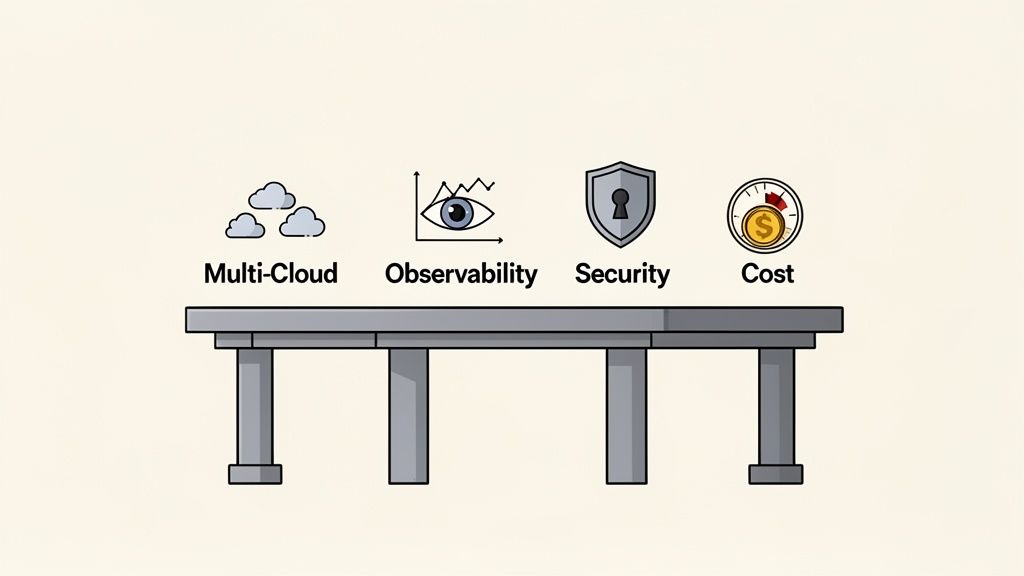
Multi-Cloud Abstraction
Your team shouldn't have to be experts on the frustrating differences between AWS, GCP, and Azure. A proper platform provides a single, consistent way to deploy that works everywhere. This abstraction layer prevents vendor lock-in and allows you to make strategic decisions based on price or features—not on which cloud your team happens to know best.
Instead of wrestling with separate deployment files for each cloud provider, your developers use one interface. The platform handles the messy details—provisioning resources, setting up networks, and launching applications—by translating your team's intent into the specific API calls each cloud requires. This accelerates onboarding and reduces the risk of cloud-specific configuration errors.
Integrated Observability
In a DIY stack, observability is often an afterthought—a jumble of separate tools like Prometheus, Grafana, and Loki that you have to stitch together and maintain. When something goes wrong, engineers waste precious time jumping between dashboards, trying to correlate logs, metrics, and traces.
A modern platform bakes observability directly into the deployment process. Logs, metrics, and traces aren't extra tools to manage; they're core components of your pipeline, available from the start.
This means that when a deployment fails, all the relevant data is right there, in context. Your team can instantly see the impact of a new release on performance and resource usage, turning reactive firefighting into proactive problem-solving. That tight integration is essential for a reliable automated deployment pipeline.
Security as a Foundation
Security is too often tacked on at the last minute, leading to frantic scrambles and risky compromises. A mature platform flips that script by building security in from the very beginning, making it the default, not an optional extra.
It provides:
- Role-Based Access Control (RBAC): Fine-grained permissions ensure developers only have access to the specific environments and actions they need.
- Built-in Secrets Management: A secure, integrated way to handle API keys and passwords without hardcoding them in your repositories.
- Automated Policy Enforcement: Guardrails that automatically prevent common misconfigurations and ensure every deployment follows your security rules.
- Comprehensive Audit Logs: A clear record of who did what and when—critical for compliance and incident response.
This "secure by default" approach takes the burden off individual developers and dramatically reduces the risk of human error. It also makes it much easier to adopt advanced deployment strategies. To see what that looks like, you can explore the differences between GitOps vs. traditional CI/CD and how a secure foundation enables them.
Intelligent Cost Optimization
Cloud bills are notoriously unpredictable. Manually optimizing your spend across multiple clouds takes deep expertise and constant monitoring—more work that pulls your team away from building your product.
A modern DevOps platform should automate cost control for you. It can do this with smart features like autoscaling that matches resources to real-time demand, automatically shutting down non-production environments overnight, and leveraging spot instances for non-critical workloads. This gives you predictable cloud spending without hurting performance, turning cost management from a manual headache into an automatic benefit of your platform.
Deploying Safely with Advanced Release Strategies
An automated deployment pipeline gives you speed, but it's control that gives you confidence. Every engineering leader knows the fear of a production deployment going wrong. How do you push code multiple times a day without breaking things for your users? The answer lies in adopting advanced release strategies.
These techniques transform risky, "big bang" deployments into safe, controlled, and reversible operations. Instead of holding your breath and hoping for the best, you de-risk the entire process, building a culture of confidence where deploying becomes a routine event, not a source of anxiety.
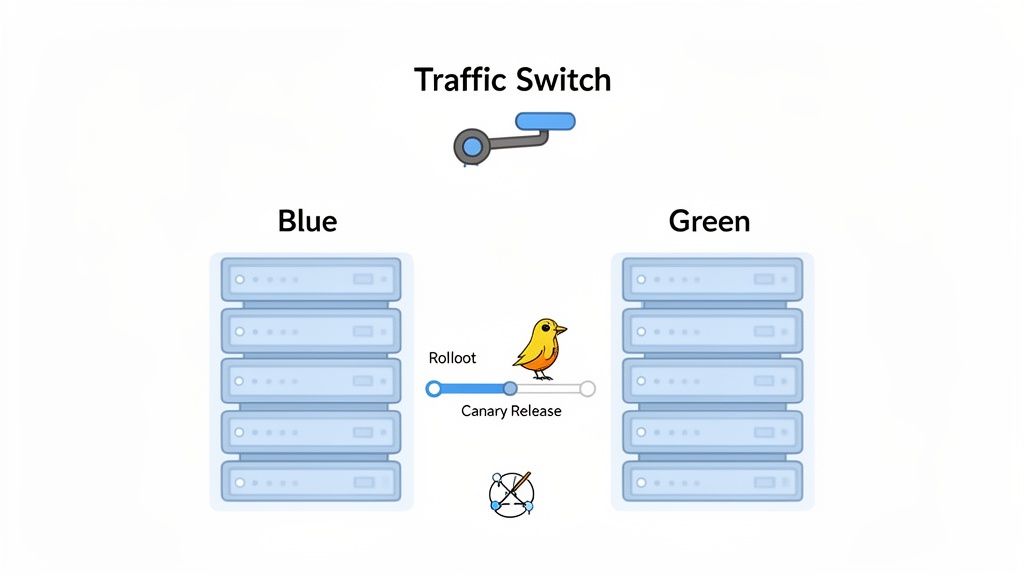
Blue/Green Deployments
Think of having two identical production environments: "Blue" and "Green." Your live user traffic is hitting the Blue environment. Meanwhile, you deploy the new version of your application to the idle Green environment. There, you can run final tests and health checks, completely isolated from users.
Once you’re confident the new version is stable, you flip a switch at the load balancer. All incoming traffic is instantly redirected from Blue to Green. The new version is now live.
This approach gives you two massive advantages:
- Zero Downtime: The switch is instantaneous, so your users never experience an outage.
- Instant Rollback: If there's a problem, you simply flip the switch back. Traffic is immediately rerouted to the old, stable Blue environment.
The catch? A DIY setup means duplicating your entire production infrastructure, which is complex and costly to manage, especially across multiple clouds like AWS, GCP, and Azure. A managed platform automates this whole process, handling the infrastructure provisioning and traffic switching for you.
Canary Releases
A Canary release is a more gradual, cautious approach. Instead of moving all your traffic at once, you start by routing a tiny percentage of users—say, 1% or 5%—to the new version, while the majority remain on the old, stable one.
This small group of users acts as your "canary in the coal mine." You closely monitor performance metrics like error rates and latency. If everything looks good, you progressively increase the traffic to the new version—10%, 25%, 50%—until 100% of users are on the new code.
Canary releases are a powerful way to test new features in a real production environment with minimal risk. If any issues arise, only a small subset of users are affected, and you can immediately roll back.
Orchestrating canary releases with a DIY stack demands sophisticated traffic management and observability tooling. You need to configure your load balancer with precision and have a monitoring system that can compare the performance of both versions side-by-side.
Feature Flags
Feature flags (or feature toggles) take control a step further by completely decoupling deployment from release. With feature flags, you can deploy new, unfinished code into production behind a "flag" that keeps it turned off and invisible to all users.
This allows your team to merge code into the main branch continuously, without waiting for a feature to be complete. Once ready, you can activate the feature for specific users—like internal testers or a select group of beta customers—without another deployment.
This strategy is incredibly powerful for A/B testing and gathering early feedback. For a deeper dive, you can learn more about how feature flags enable safe releases.
Implementing these strategies in-house is a significant engineering challenge. It demands deep expertise in infrastructure, networking, and observability. A modern DevOps platform like PushOps abstracts this complexity away, providing these advanced release strategies as built-in, configurable options, so your team can deploy safely without becoming infrastructure experts.
Your Roadmap to a Fully Automated Pipeline
Switching from manual deployments or a messy DIY system can feel daunting. But it doesn't have to be an all-or-nothing ordeal. The smart approach is phased, delivering value fast and proving the power of automation at every turn.
First, map out your entire deployment process, from code commit to production. Pinpoint the real bottlenecks—is it manual testing? Risky hand-offs? Or hours wasted configuring environments? This map reveals exactly where automation will have the biggest impact.
Start with a Pilot Project
Once you’ve identified the weak spots, resist the urge to automate everything at once. Instead, pick a single, low-risk application for a pilot project. The ideal candidate is a service that’s important but not mission-critical, giving you a safe sandbox to experiment and learn.
The goal of the pilot is to score a quick, visible win. When you successfully automate one pipeline, you build incredible momentum. It turns skeptics into champions and provides the social proof needed for a wider rollout.
A successful pilot project is your most powerful argument. It moves the discussion from "this could be better" to "look how much faster and more reliable this is." This is how you get buy-in for a real cultural shift.
How to Evaluate a Managed DevOps Platform
After proving the concept, you'll likely evaluate managed platforms to escape the DIY maintenance trap. Look for a strategic partner that handles the heavy lifting so your team can focus on product innovation.
Use this checklist to compare your options:
- Ease of Onboarding: How fast can you get that pilot project running? A good platform offers a clear, guided setup that doesn't require weeks of configuration.
- Multi-Cloud Support: Does the platform provide a consistent workflow across AWS, GCP, and Azure? True multi-cloud capability prevents vendor lock-in and lets you choose the right cloud for the job.
- Integrated Security: Security can't be an afterthought. Ensure the platform includes essentials like role-based access control (RBAC), secrets management, and detailed audit logs out of the box.
- Transparent Pricing: The cost should be predictable. Steer clear of platforms with confusing pricing. The total cost of ownership should be a fraction of hiring another full-time DevOps engineer.
Moving to an automated deployment pipeline is one of the most impactful decisions an engineering leader can make. Stop wasting your team’s talent on undifferentiated infrastructure work. A modern DevOps platform like PushOps offers the fastest route to a production-grade automated pipeline, freeing your team to focus on shipping features your customers love.
Frequently Asked Questions
When CTOs and engineering leaders start exploring automated deployment pipelines, a few common questions always come up. Here are the answers I give most often.
What Is the Difference Between Continuous Delivery and Continuous Deployment?
Think of it this way: Continuous Delivery gets your code ready to go live, but you’re the one who pushes the final button. Every change is automatically built, tested, and staged, proving it’s safe for production. This gives you a safety net and complete control over release timing.
Continuous Deployment takes it one step further. If all the automated tests pass, the change is pushed straight to production—no human intervention needed. Most teams start with Delivery to build confidence and then evolve to full Deployment once their test automation is rock-solid.
Is an Automated Pipeline Overkill for a Small Team?
Absolutely not. In my experience, small teams often get the biggest bang for their buck. For a startup or scale-up, your engineers' time is your most precious resource. Automation frees them from repetitive, manual deployment chores so they can focus on building the product.
It also dramatically cuts the risk of human error and instills scalable, best-in-class practices from day one.
An automated deployment pipeline lets a small team operate with the efficiency and reliability of a much larger organization. You get all the benefits without needing to hire a dedicated DevOps engineer just to manage releases.
How Do You Handle Database Migrations in an Automated Pipeline?
This is a critical point. The best practice is to separate your database schema changes from your application deployments. Don't try to do both at the same time.
Use a version-controlled migration tool like Flyway or Liquibase and run it as a separate, dedicated step early in your pipeline. This approach ensures the database is updated and ready before the new application code that depends on those changes goes live. This makes database changes safe, predictable, and repeatable, preventing errors and downtime.
Tired of your team spending more time on infrastructure than on your product? PushOps provides a production-ready automated deployment pipeline on AWS, GCP, and Azure in minutes, so you can focus on shipping features, not managing complexity. See how PushOps can accelerate your delivery.

