

The Azure Pricing Calculator is an essential tool for forecasting your cloud spend. But for engineering leaders at fast-moving startups and scale-ups, it often highlights a much deeper problem: it's only as good as the inputs you provide. Getting those estimates wrong can lead to painful budget overruns, but the real cost is the engineering time spent wrestling with infrastructure instead of building your product.
The real problem isn't just punching numbers into a calculator; it's the massive operational headache that comes with building and maintaining your own DevOps stack.
Why Your Cloud Bill Feels Like a Full-Time Job You Never Signed Up For
For most engineering leaders, cloud cost management is a major distraction from what really matters: shipping features and delivering value to customers. Instead of focusing on product, your senior developers are pulled into the complex, time-consuming world of infrastructure management. Most teams over-invest in building their own platform from scratch—piecing together Kubernetes, CI/CD, monitoring, security, and cost controls—when what they really want is a reliable, production-ready platform that just works.
This constant, manual effort to build and maintain a custom DevOps stack acts like a hidden tax on your team's innovation.
The frustration boils down to a fundamental disconnect. Your team is forced to become cloud finance experts when they should be focused on product development. The goal isn't to build the world's most perfect internal developer platform; it's to get your application to market, reliably and at scale.
The Hidden Costs of DIY DevOps
Building everything in-house feels empowering at first, but it quickly starts eating away at your most precious resource: your engineers' time. Every hour they spend configuring infrastructure is an hour they're not spending on your core product.
This operational drag shows up in a few key ways:
- Never-Ending Research: Your team is constantly digging through documentation, comparing service tiers, instance types, and obscure pricing models across different cloud regions.
- Painful Manual Configuration: They're setting up and securing every single piece of your environment by hand, from complex networking rules to critical monitoring dashboards.
- Reactive Firefighting: When something breaks—a performance bottleneck, a security vulnerability—it’s all hands on deck to fix the fragile, custom setup they built.
A modern multi-cloud DevOps platform like PushOps automates this entire lifecycle. Instead of manually stitching together services on AWS, GCP, and Azure, you get a unified, production-ready foundation from day one. This lets you shift the focus back from managing infrastructure to shipping code.
Ultimately, the problem isn't just about the money you're spending; it's about the opportunity cost. By pouring engineering resources into a DIY DevOps stack, you're slowing down your ability to innovate and compete. This guide will show you how to get the most out of the Azure Pricing Calculator, but more importantly, it will highlight a better way to break free from the cycle of manual infrastructure management for good.
How to Configure Your First Web App Estimate
Let's get practical. Theory is great, but let's walk through a real-world scenario: estimating the cost for a standard web application with a database. This is exactly where tiny configuration mistakes can quietly snowball into massive budget overruns, pulling your team away from what they should be doing—building your product.
We'll model a typical setup: Azure App Service for hosting, Azure SQL Database for the data layer, and Blob Storage for static assets. The initial choices seem straightforward, but the complexity is in the details—the very details that end up consuming hours of your senior engineers' time.
This diagram sums up the journey most teams go through with cloud costs. It starts with the stress and manual guesswork of a DIY approach and ends with the calm efficiency of a platform that automates cost management.
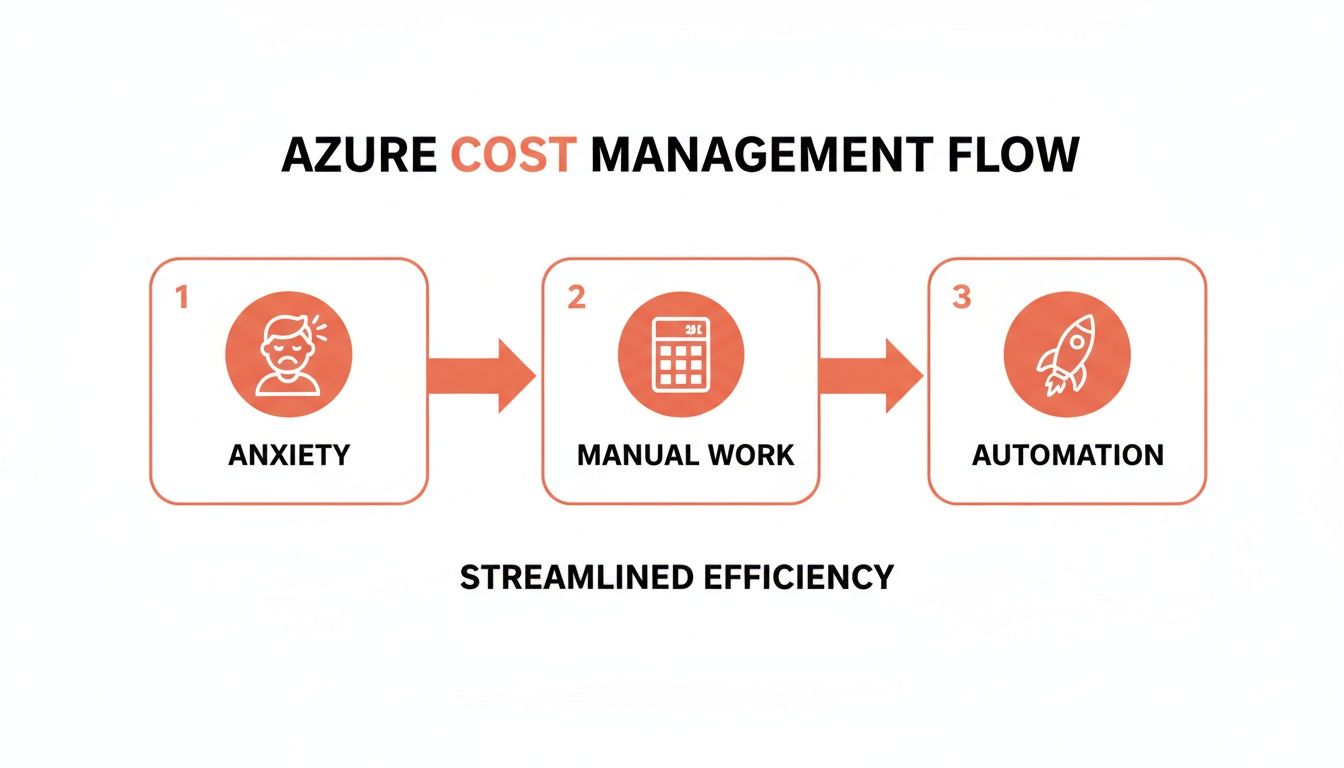
The flow from anxiety-driven manual work to automated efficiency shows how a platform-first approach simply removes the operational headache of cost management.
Choosing Your Service Tiers and Region
One of the first critical decisions you'll face is selecting service tiers. Do you need a Basic, Standard, or Premium App Service plan? Each tier comes with different performance specs, features like deployment slots, and, of course, wildly different price tags. A wrong choice here means you're either overpaying for capacity you'll never use or facing performance bottlenecks that crater the user experience. This is the kind of decision that burns valuable engineering cycles on infrastructure planning instead of product development.
Your choice of region is just as critical. It might seem like a minor detail, but the data centre you pick directly impacts both latency and your final bill. For our example, let's use Lithuania (LT) as our base.
Believe it or not, recent benchmarks show that using the Azure Pricing Calculator for VM deployments in Lithuania can unlock 25-35% cost savings over neighbouring Polish regions. A D4s_v5 instance (4 vCPUs, 16GB RAM) in LT running for 730 hours/month costs €210.50 on pay-as-you-go. But commit to a 1-year Reserved Instance, and that price drops to just €126.30—a 40% reduction. It even affects networking, where LT users can cut data transfer costs by 28%, a massive saving if you're streaming observability metrics. You can dig into more of these regional benefits on Intercept Cloud.
The takeaway is this: getting an accurate forecast demands deep expertise and constant attention to detail. Your team effectively has to become experts in Azure’s entire product catalogue, its regional pricing quirks, and all the different commitment models.
This is the exact operational drag a managed DevOps platform is designed to eliminate. Instead of your team manually researching and configuring every single component, a platform like PushOps provisions pre-optimised, production-ready environments based on proven best practices across AWS, GCP, and Azure. It turns days of complex infrastructure planning into a simple, automated workflow, making sure your architecture is cost-effective from day one.
Modelling Costs for Kubernetes and CI/CD Pipelines
Estimating costs for a simple web app is one thing, but figuring out the bill for dynamic workloads like Azure Kubernetes Service (AKS) is a completely different beast. This is where the whole DIY infrastructure dream starts to crumble, pulling your best engineers into a full-time job they never signed up for—babysitting nodes, patching security holes, and chasing down runaway costs instead of building your product.
Forecasting an AKS cluster isn’t as straightforward as just picking out a few VMs. You’re dealing with a web of interconnected services: load balancers for traffic, persistent volumes for stateful apps, network egress for data leaving the cluster, and container registries to store your images. Every one of these adds another line item and another variable, turning the Azure Cost Calculator into a complex puzzle.
Frankly, this complexity is the exact point where most homegrown DevOps initiatives go sideways. The time your team sinks into building and maintaining this stack is a massive hidden cost that almost never makes it into the initial budget.
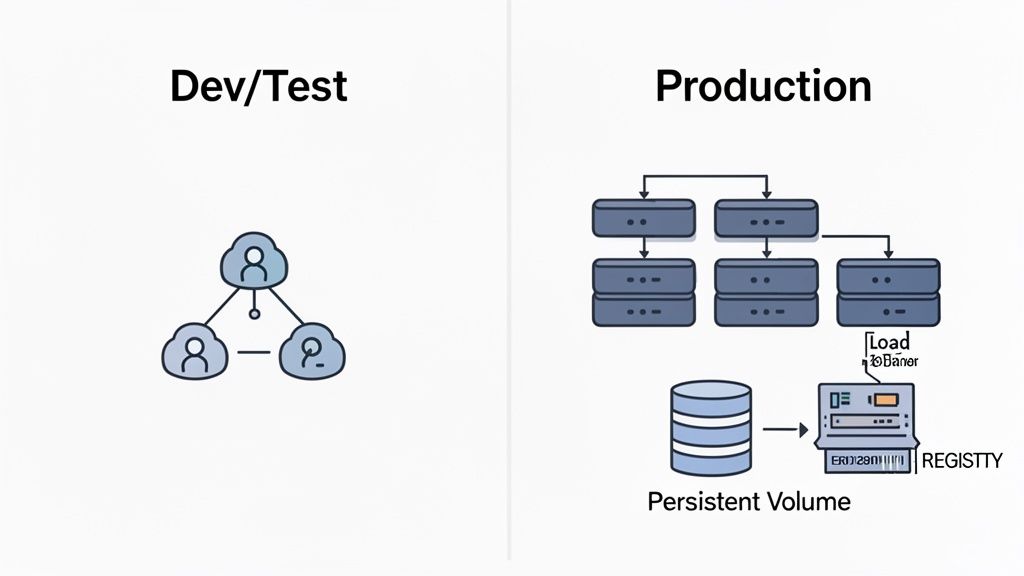
The Dev vs. Production Cost Chasm
Let's model a couple of common scenarios to see just how fast these costs can balloon. A small dev/test cluster might look affordable at first glance, but a production environment has entirely different demands for reliability and scale. The cost difference isn't linear; it's exponential.
For example, a quick run-through of the Azure Cost Calculator for the LT region really highlights this divide. A basic dev/test cluster with a single engine instance and minimal storage might run you somewhere around €450-€550 a month. But a production cluster in the same region, which needs at least two nodes for SLA compliance, immediately jumps to €1,200-€1,500 per month. A big chunk of that increase comes from a 20-25% markup on the engine vCPUs alone. If you want to dig into how regional choices affect these numbers, the official Azure pricing calculator documentation is a good place to start.
And that's before you even add in premium support plans, which are non-negotiable for any system that's actually making you money. The financial leap is huge, but the operational headache is even bigger.
Managing a production-grade Kubernetes cluster yourself means you're on the hook for constant node health monitoring, patch management, security configurations, and cost controls. It’s a demanding, full-time job that pulls your team away from their real goal: shipping features.
This is where a managed DevOps platform like PushOps completely changes the game. Instead of burning a week meticulously planning your AKS setup, you can spin up a production-ready, optimised cluster across AWS, GCP, or Azure in just a few clicks. The platform automates the entire lifecycle—setup, scaling, and cost optimisation—and transforms what would be a major infrastructure project into a simple, predictable workflow. We break down all the moving parts in our guide on building the best CI/CD pipeline for Kubernetes.
This kind of automation doesn't just save you time. It ensures your infrastructure is built on battle-tested best practices from day one, giving you a reliable, secure, and cost-effective foundation without the DIY nightmare.
Uncovering Hidden Costs and Advanced Savings
Your first pass with the Azure Pricing Calculator gives you a baseline, but that number is just the beginning. The real budget-killers are the sneaky line items that most teams only discover when the first bill hits—by then, you’re stuck in reactive cost-cutting mode instead of focusing on building your product.
These often-overlooked costs come from things like data transfer fees, storage transactions, support plans, and the monitoring services you absolutely need for a production environment. Individually, they seem minor. Together, they can completely derail your budget and pull your engineers into endless cost-saving exercises.
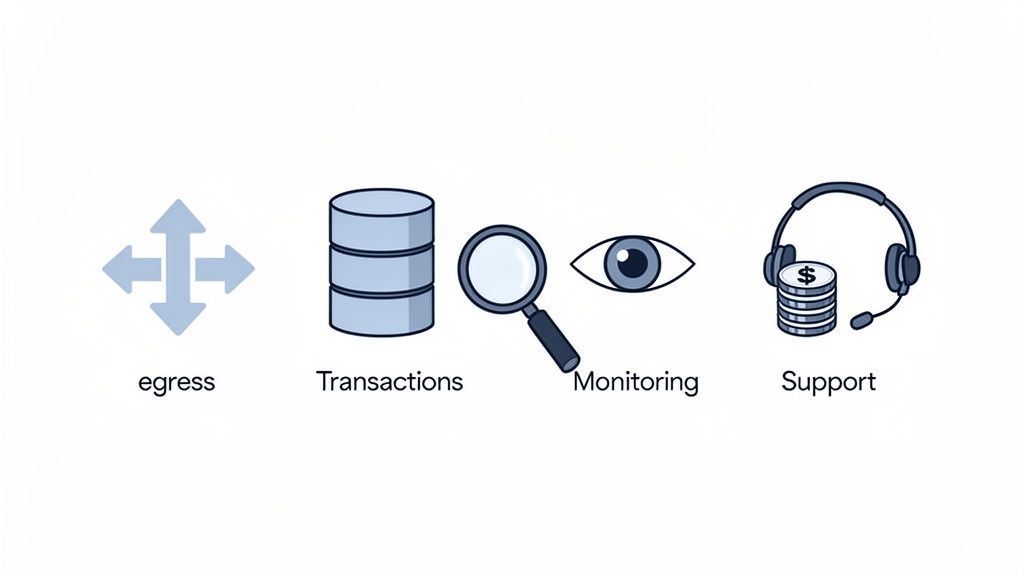
Beyond Compute: The Real Budget Breakers
Bandwidth is notoriously hard to estimate. One viral marketing campaign or an inefficient data query can cause a traffic spike, leading to massive data egress charges you never saw coming. Cross-region data transfer is another silent killer; if your services talk to each other across different Azure regions, those fees can pile up fast.
This is the frustrating part of managing infrastructure by hand. Your team is forced to become experts in the fine print of cloud billing policies instead of shipping new features.
Make sure you account for these common hidden costs in your Azure estimate:
- Data Egress: Any data leaving an Azure data centre costs money. This includes traffic to your users, transfers to other regions, and even communication between different availability zones.
- Storage Transactions: It’s not just about the gigabytes you store; it’s how often you access them. Every read/write operation on Blob Storage or Azure Files has a per-transaction cost that adds up quickly.
- Support Plans: The free tier is fine for a side project. For a production system, a paid support plan is non-negotiable if you want timely help when something inevitably breaks.
- Monitoring and Logging: Services like Azure Monitor and Log Analytics are essential for observability, but they have their own consumption-based pricing that scales right alongside your application.
Mastering Advanced Savings
To fight back against these costs, Azure offers some powerful—but complex—ways to save. The Azure Hybrid Benefit lets you use on-premises Windows Server and SQL Server licences on Azure, but getting the most out of it requires meticulous licence tracking.
Then you have the choice between Reserved Instances (RIs) and Savings Plans. RIs offer deep discounts, but you have to commit to specific VM families in a particular region for one or three years. Savings Plans are more flexible, giving you discounts for committing to a certain hourly spend.
Choosing the right commitment model requires a deep analysis of your current usage and future growth plans. A wrong move can lock you into expensive, underutilised resources or leave significant savings on the table.
This constant manual analysis is exactly the kind of operational headache a managed platform is designed to eliminate. For more insights, you can explore our resources on cloud cost management.
A modern DevOps platform automates smart autoscaling and resource right-sizing, so you get the savings from these advanced features without the endless analysis. It makes your costs predictable across all your cloud providers, freeing up your team to get back to building what matters.
An estimate from the Azure Cost Calculator is a solid first step, but it’s worthless if it doesn’t reflect your total investment. The real picture only comes into focus when you connect your cloud estimate to your Total Cost of Ownership (TCO)—a figure that must account for all the hidden operational costs that quietly drain your engineering budget.
This is where the Azure TCO Calculator becomes an incredibly powerful ally. It’s built specifically to help you compare the cost of running workloads on-premises versus moving them to the cloud. You just input your current server, storage, and networking details, and the tool reveals the true—and often shocking—cost of DIY infrastructure. It factors in all those easily forgotten expenses, like electricity, data centre space, and IT labour.
Seeing the Full Financial picture
The results of a proper TCO analysis almost always point to huge potential savings with Azure.
Take a TCO analysis for a workload in the LT region as an example. It shows how a modest setup of just five servers and 2TB of storage would cost a staggering €42,600 in the first year on-premises. The equivalent in Azure? A mere €18,400—that's a 57% drop.
Over five years, the difference becomes even more stark: Azure totals €78,500 compared to €195,000 for on-prem. You can dig into how these costs break down for LT-based workloads to see the details.
These numbers are compelling, but they only tell half the story. The other half is the relentless operational cost of managing all that cloud infrastructure yourself.
The Hidden Labour Tax of DIY Cloud Management
The raw infrastructure bill is one thing; the human cost is another beast entirely. After you migrate, you're still on the hook for managing it all. This is the hidden "labour tax" that slowly eats away at your engineering resources and brings product development to a grinding halt.
This ongoing operational drag includes things like:
- Hiring a DevOps Team: You suddenly need specialised engineers just to build and maintain CI/CD pipelines, configure monitoring, and keep everything secure.
- Building Custom Tooling: Your team will burn months building a bespoke internal platform, which then requires constant maintenance and updates just to keep the lights on.
- Constant Firefighting: When something inevitably breaks, your best product engineers are pulled away from their real jobs to troubleshoot complex infrastructure issues.
An accurate TCO calculation absolutely must include the cost of the DevOps team you’ll have to hire or the senior engineers you’ll distract from their core work. This is the cost that truly kills innovation.
This is precisely where a managed platform completely flips the script. Instead of just shifting your infrastructure costs to the cloud, a modern DevOps cloud infrastructure platform lets you offload the entire operational burden. It handles the CI/CD pipelines, security, monitoring, and cost optimisation for you, across AWS, GCP, and Azure.
This frees up your team to finally focus on shipping features, not managing infrastructure. A managed platform doesn't just help you realise the cloud's cost savings; it eliminates the immense, hidden costs of trying to build and run it all yourself.
Common Questions About the Azure Cost Calculator
Even with a detailed estimate in hand, engineering leaders still have questions about how the Azure Cost Calculator translates to a real-world bill. Forecasting is one thing, but managing a live cloud spend is a completely different beast. This is where the DIY approach truly breaks down.
How Accurate Is the Azure Cost Calculator?
The calculator itself is perfectly accurate—if your inputs are flawless. The real challenge is that its precision hinges entirely on how well you can predict dynamic usage like CPU utilisation, data transfer, and storage transactions. For a growing product, getting this right is nearly impossible, which is why "bill shock" is so common. A static, best-guess estimate rarely survives contact with a real production workload.
A modern DevOps platform helps bridge this gap by tying cost to reality. Instead of relying on manual forecasts, it implements real-time autoscaling based on actual demand. This makes your costs far more predictable because your infrastructure dynamically adapts to usage, preventing over-provisioning.
What Is the Biggest Mistake Teams Make When Using It?
By far, the most common and costly mistake is underestimating the “hidden” operational costs. We see teams spend weeks calculating compute and storage needs, only to get blindsided by data egress fees, support plan charges, or the immense engineering time lost to maintaining their custom setup. The calculator doesn't show you the cost of hiring three more DevOps engineers just to keep your DIY platform running.
A managed platform abstracts this complexity away. It optimises network traffic patterns, provides integrated expert support, and eliminates the need for a dedicated team to manage the underlying infrastructure, giving you a far more accurate picture of your true TCO.
Can I Use the Calculator for Multi-Cloud Comparisons?
No, the tool is designed exclusively for Azure services. To compare costs across AWS, GCP, and Azure, your team is forced to manually normalise the services—a time-consuming and error-prone process that pulls them away from building your product.
This is where a multi-cloud DevOps platform really shines. It doesn’t just let you deploy workloads across different clouds; it gives you a unified, single-pane-of-glass view of your costs. Financial planning gets simpler, and the operational headache of juggling multiple cloud vendors disappears.
How Often Should I Revisit My Cost Estimates?
If you're managing things manually, you should revisit your estimates at least quarterly, or anytime you plan a major feature launch. But this periodic review process is a massive time sink for senior engineers who should be focused on innovation.
The modern approach is to ditch periodic reviews for continuous optimisation. A platform constantly monitors resource utilisation and automatically adjusts your infrastructure across clouds. This ensures you're always running on the most cost-effective foundation without the endless cycle of manual intervention. Your infrastructure spend becomes an optimised, automated part of your operations, not a recurring budget meeting.
Stop wasting your best engineering talent on managing infrastructure. PushOps gives your team a production-ready, multi-cloud DevOps platform that automates everything from deployments and security to cost optimisation. Free your team to focus on what they do best: building your product. Learn more at PushOps.

