


The Azure Price Calculator is a free tool from Microsoft, meant to give you a handle on what your cloud bill will look like before you commit. It’s the go-to resource for anyone planning a deployment on Azure. The only problem? Your first estimate is almost guaranteed to be wrong, and it's the first step down a path of hidden costs and wasted engineering hours.
Why Your First Azure Estimate Is Always Wrong
For most engineering leads at fast-moving startups, pulling up the Azure Price Calculator feels like the right first move. But in reality, it's often the first step towards a massive financial headache. The issue isn't with the calculator itself—it's the huge gap between a simple "what-if" estimate and the complex, hidden costs of a real, production-ready system.
When your team is pushing to ship features, they're focused on speed. They’ll pop open the calculator, pick a few obvious services like virtual machines and databases, and stick with the default sizes. The number it spits out looks fantastic on a spreadsheet, but it has very little in common with the bill you'll actually get.
This initial number is a classic trap. It completely misses dozens of compounding variables that quietly inflate your costs. More importantly, it ignores the immense human effort required to build, secure, and maintain a robust platform on top of Azure. The real goal isn't just to get a number; it’s to understand the total cost of ownership, including the engineering time you're about to burn on infrastructure instead of your product.
Common Oversights in Initial Estimates
The shock between your first estimate and your first invoice usually comes down to a few predictable blind spots:
-
Data Transfer Fees: Egress traffic—any data leaving Azure—is a notorious budget-killer. Most initial estimates don't even consider the costs of data moving between different regions, out to the public internet, or even between availability zones.
-
Logging and Monitoring: You can't run a production system without good observability, but services like Azure Monitor have their own consumption-based pricing. Underestimating how much data you'll ingest, process, and store is a rookie mistake with expensive consequences.
-
Operational Overhead: This is the biggest hidden cost of all—the human effort needed to manage everything. Most teams wildly over-invest in building and maintaining their own DevOps stack. Your engineers end up wrestling with Kubernetes, CI/CD pipelines, security tools, and cost controls instead of building your product.
This is the core tension every fast-moving startup faces: the relentless drive to ship product versus the spiraling cloud bills and infrastructure complexity that follow. Your engineering team’s time is your most valuable resource, yet most teams are forced to spend it on building and maintaining infrastructure instead of focusing on what matters—your customers.
This is where the DIY DevOps approach reveals its true cost. Instead of your best engineers building features, they're stuck wrestling with YAML files, patching security holes in CI/CD tools, and trying to rein in a cloud environment that’s become too complex to manage. A modern multi-cloud DevOps platform abstracts that complexity away, letting your team get back to building your product on a reliable, scalable, and cost-optimised platform from day one.
Building a Realistic Azure Cost Model
Moving from theory to practice is where most Azure cost estimates fall apart. It's one thing to have a high-level idea of your architecture; it's another entirely to build a realistic cost model that won't come back to bite you.
Let's walk through the granular choices a senior developer or CTO has to make when building an estimate. This isn't just about picking services; it’s about understanding the subtle trade-offs that dictate your final bill. This process often highlights how initial excitement about cloud capabilities can quickly devolve into a time-consuming infrastructure management project that pulls your best people away from product development.
The visual below shows a common, and painful, journey from a quick calculation to an unexpectedly high bill.
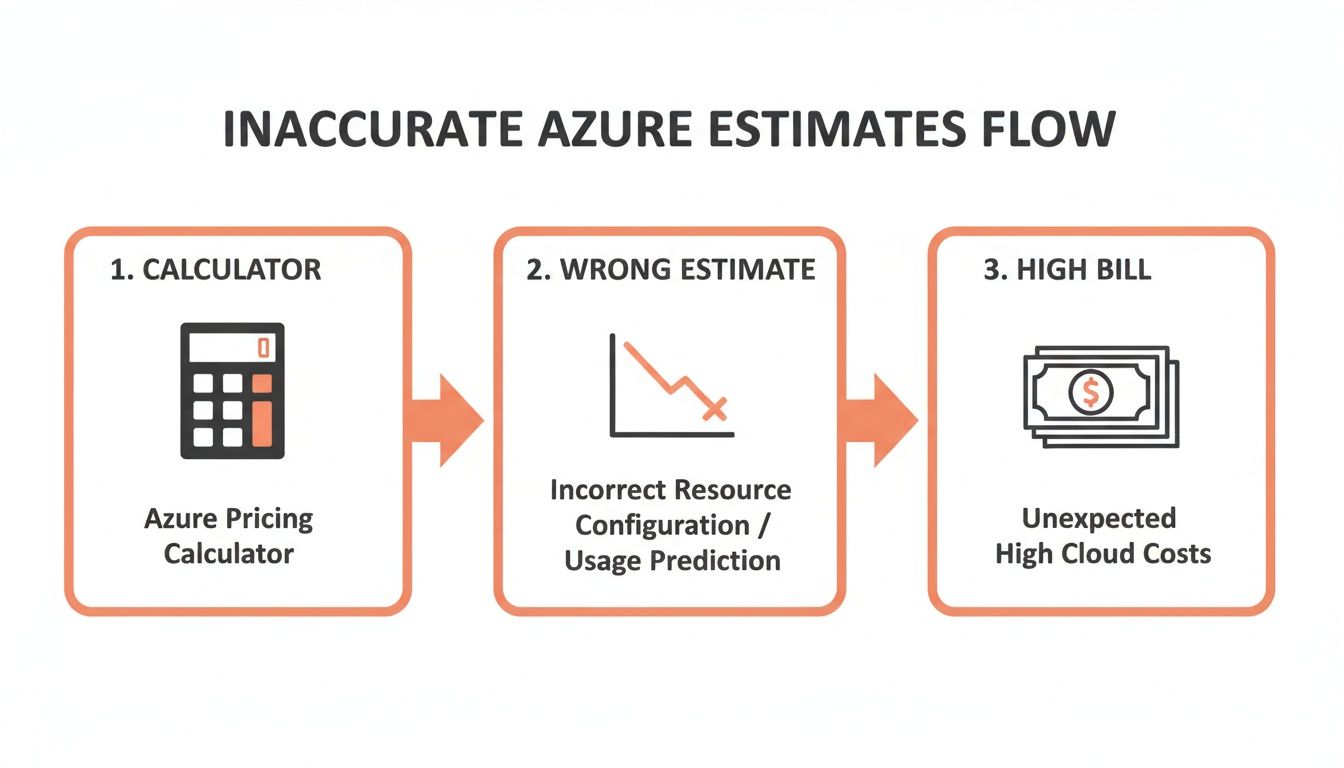
As you can see, a rushed estimate often leads to financial surprises. These surprises pull your team's focus away from product development and into cost-cutting fire drills nobody wants to be a part of.
Selecting and Sizing Core Services
Imagine your team is ready to deploy a new microservice. The basic components are straightforward: compute, a database, and some storage. You open up the Azure Price Calculator and start adding services like Azure Kubernetes Service (AKS), Azure SQL Database, and Azure Blob Storage.
This is where the real manual effort begins—effort that distracts from core product work. For each service, you're faced with dozens of configuration options that have a huge impact on cost.
- Compute Instances: For a simple dev environment, is a burstable B-series VM enough, or do you need a dedicated D-series? Get it wrong for production, and you could be overpaying by 30-40% for resources you'll never use.
- Storage Tiers: Do you really need premium SSDs for build artefacts that are accessed once a week? Choosing the Hot tier when Cool or Archive would do the job leads to unnecessarily high storage costs that add up over time.
- Database Performance: Picking the right Database Transaction Unit (DTU) or vCore model for your Azure SQL Database is absolutely critical. Overprovisioning here is incredibly common. Teams often overestimate their database load and end up paying for performance they just don't need.
Each one of these decisions requires hours of research, performance analysis, and a deep understanding of Azure's complex product catalogue. This is valuable time your senior engineers are not spending on shipping features for your customers.
The Impact of Regions and Savings Plans
Beyond just configuring the services, your choice of region has significant implications for both latency and price. A service deployed in West US 2 might have a completely different price tag than the exact same service in West Europe. You need to choose a region close to your users, but balancing that with cost is a constant struggle.
This granular, manual planning is exactly the kind of undifferentiated heavy lifting that drains engineering resources. Instead of focusing on your unique business logic, your best people are forced to become part-time cloud economists—a role nobody signed up for.
On top of that, strategic discounts are crucial for managing costs at scale. For instance, when Azure expanded its presence in the Lithuania (LT) region, savvy teams used the Azure Price Calculator's Retail Prices API to model potential costs. They found that a 3-year Savings Plan on a Standard_M8ms VM instance could drop the hourly price from about $1.59 to just $0.8065—a massive 49% reduction.
You can explore this raw data yourself and find similar opportunities by digging into the latest Azure retail pricing information.
While these savings are significant, they require proactive management and long-term commitments that add another layer of complexity. A managed DevOps platform, on the other hand, abstracts this all away. It provides a production-ready environment out of the box across AWS, GCP, and Azure, allowing your team to deploy code without getting bogged down in SKU selection, regional price comparisons, and discount management.
Unlocking Savings with Azure Discounts and Licensing
Relying on pay-as-you-go pricing for production workloads is like leaving money on the table. It’s the default, but it’s almost always the most expensive option. This is where many engineering teams, laser-focused on shipping features, miss out on critical cost optimisation opportunities built directly into Azure.
To truly get a handle on your cloud spend, you have to move beyond the defaults and strategically apply Azure’s discount mechanisms. These aren’t just footnotes; they are powerful levers that can dramatically reduce your bill. The trade-off, of course, is that they also introduce another layer of complexity and management overhead that distracts your team from its real job.
Azure Reservations and Savings Plans
Azure gives you two main ways to get significant discounts on compute resources: Azure Reservations and Azure Savings Plans. While both offer savings in exchange for a commitment, they're designed for different scenarios, and knowing which to apply is key to avoiding waste.
-
Azure Reservations: These provide the steepest discounts—often up to 72%—when you commit to a specific virtual machine type in a specific region for a one or three-year term. This is ideal for stable, predictable workloads like your production databases or core backend services.
-
Azure Savings Plans: These offer more flexibility. You commit to a fixed hourly spend for one or three years, and that discounted rate applies to eligible compute services across different regions and instance families. This is a much better fit for dynamic workloads where instance types might change.
For instance, a three-year reservation on a production database VM can slash its cost by over 60%. But for a fluctuating web tier, a Savings Plan allows you to adapt your instance types without losing your discount. The catch? It’s another thing for your team to track, manage, and renew, pulling focus away from product development.
The Azure Hybrid Benefit
For companies with existing on-premises Microsoft licences, the Azure Hybrid Benefit is a massive, often-overlooked source of savings. If you have active Software Assurance on your Windows Server or SQL Server licences, you can use them on Azure and essentially pay only for the base compute infrastructure.
The manual effort of juggling Reservations, Savings Plans, and Hybrid Benefit licences is exactly the kind of operational drain a managed DevOps platform eliminates. Instead of your engineers playing cloud accountant, a modern platform automates resource management to maximise savings without constant oversight across all your cloud providers.
This discount is substantial. Applying the Hybrid Benefit to your SQL VMs can cut costs by 50-60% before you even consider other discounts. When the Azure Price Calculator API became public around 2021, it completely changed cost planning for the Lithuania (LT) region by exposing granular pricing data. Teams could finally model scenarios showing how a 3-year reservation for an M64dsv2-equivalent VM could cost just ~$1,703/month—a 65% saving over the $4,868 pay-as-you-go price. You can find out more by exploring how Azure calculates its prices.
Managing these commitments by hand is a significant task. You need to forecast usage, monitor utilisation, and adjust commitments as your architecture evolves. This complexity is why many startups leave these savings untapped. For an example of how one team managed to scale while reducing costs, you might be interested in this SME bank’s success story. A modern multi-cloud platform automates this entire process, ensuring you always get the best price without the manual overhead.
Accounting for Invisible Cloud Costs
Your core service estimates might look solid, but I've seen budgets get completely derailed by the "death by a thousand cuts"—those small, often-ignored costs that pile up fast. The Azure Price Calculator lets you model these, but only if you know what to look for. This is a classic trap where engineering teams get blindsided by surprise bills, pulling them into firefighting drills instead of building features.
It’s like an iceberg. What you see on the calculator is just the tip. The real danger lies beneath the surface in the form of hidden costs and the engineering time required to manage them.
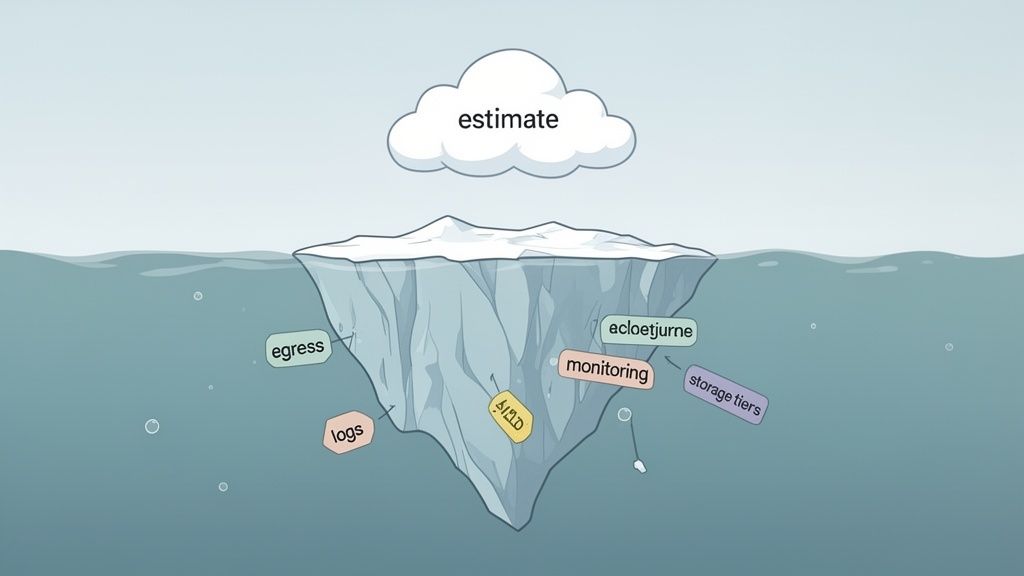
These "invisible" costs typically pop up in three areas: storage, networking, and observability. If you mismanage just one of them, it can easily wipe out all the savings you clawed back with reservations. This constant manual tracking and tweaking is exactly the kind of work that burns engineering cycles that should be spent on your product.
The True Cost of Azure Storage
For any fast-moving team, Azure Blob Storage is the go-to for everything from CI/CD artefacts to user-generated content. The problem is, picking the wrong storage tier can lead to massive, unnecessary spending. You have to match the tier to how you access your data.
It really breaks down like this:
- Hot Tier: Best for data you're hitting all the time, like active container images.
- Cool Tier: Ideal for stuff you access less often, like older build artefacts you need to keep for at least 30 days.
- Archive Tier: Perfect for long-term backups where you don't need instant retrieval.
I see this mistake all the time: a team stores 10TB of build artefacts in the Hot tier, but they only access them once a month. That single choice costs them 44% more than using the much more appropriate Cool tier.
A 2023 analysis of Azure Storage costs for the Lithuania (LT) region confirmed that Hot tier Blob Storage at $0.018 per GB was perfect for active deployment pipelines. However, switching to the Cool tier slashed costs to just $0.01/GB—a huge drop for infrequently accessed release candidates. You can find more details on these Azure storage cost trade-offs online.
Demystifying Egress and Observability Costs
Two other notorious budget-killers are data egress and monitoring.
First, egress traffic—any data leaving an Azure region—is rarely free. People often forget this when using the price calculator. Transferring data to another region, to a different cloud provider like AWS or GCP, or just out to the public internet all comes with a price tag. Without careful architectural planning, these fees can spiral out of control.
The complexity of managing storage tiers, monitoring egress traffic, and optimising log ingestion highlights the hidden labour costs of a DIY DevOps stack. Every hour spent on these tasks is an hour not spent shipping code. This is exactly why a unified platform that streamlines these concerns across Azure, AWS, and GCP is so valuable.
Then there’s Azure Monitor. It’s indispensable for production, but its costs are directly tied to how much data you ingest and how long you keep it. If your team isn't disciplined about filtering noisy logs or setting smart retention policies, you'll end up paying to store terabytes of low-value data.
This constant vigilance across multiple cost centres is a significant burden. It really reinforces the value of a unified platform that gives you clear visibility and automates these optimisations, something we cover in our guides on effective cloud cost management. A managed DevOps platform consolidates these concerns, freeing your team to focus on what they do best.
From Estimate to Reality with Platform Engineering
An estimate from the Azure Price Calculator is just a hypothesis. It’s a clean, theoretical number that has yet to face the chaos of real-world usage. Connecting that initial plan to actual cost control is where most engineering teams get bogged down in manual, repetitive work instead of focusing on their product.
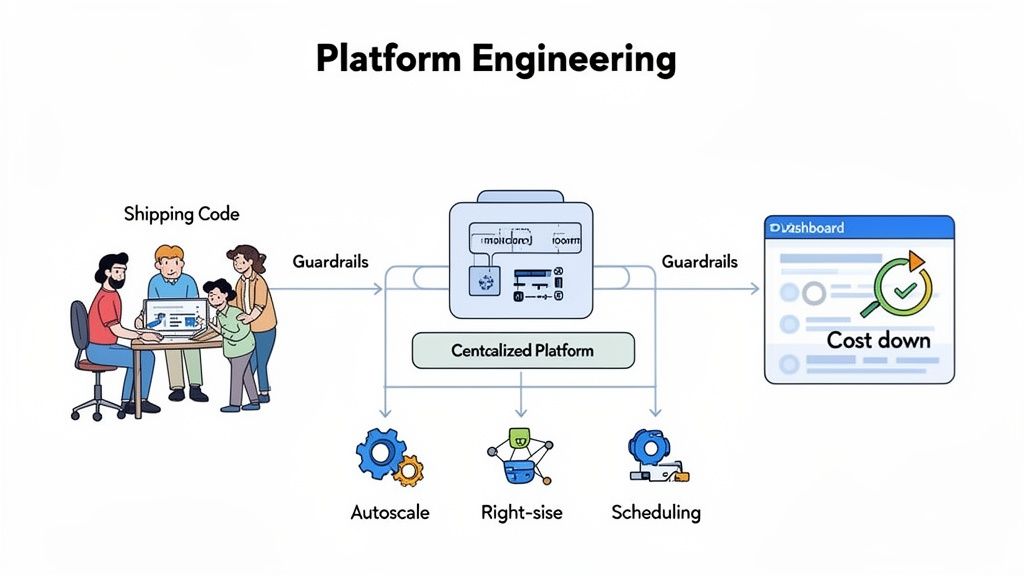
The standard approach involves meticulous resource tagging and endless hours in Azure Cost Management, trying to validate your original assumptions. But this reactive process is a losing battle. It’s like trying to patch a leaky bucket instead of just getting a better bucket.
The Strategic Shift to a Unified Platform
This is where a platform engineering mindset offers a smarter path forward. Instead of every developer guessing at configurations or your ops team constantly playing catch-up, a unified platform provides guardrails and automated optimisation from the start. You stop reacting to costs and start preventing them, freeing your team to innovate.
An Azure estimate shows you what you might spend based on perfect assumptions. A modern DevOps platform ensures you consistently spend less by automating the best practices you don’t have time to implement yourself across Azure, AWS, and GCP.
This is the core value of a modern DevOps and cloud infrastructure platform. It frees your most valuable engineers from the thankless, undifferentiated work of infrastructure management—building and maintaining CI/CD, Kubernetes, monitoring, and security. They can focus on shipping features, confident that the underlying platform is secure, reliable, and cost-efficient.
How Automated Optimisation Beats Manual Guesswork
A platform like PushOps bridges the gap between your Azure Price Calculator estimate and your actual bill with intelligent automation. It moves your team from guessing to knowing, with features that directly attack common sources of cloud waste.
It works through a few key mechanisms:
- Automated Right-Sizing: The platform constantly analyses workload utilisation and suggests cheaper instance types that match real-world demand. This eliminates the widespread problem of overprovisioning compute resources.
- Smart Autoscaling: Instead of setting arbitrary scaling rules, the platform intelligently adjusts resources based on live traffic patterns. This prevents paying for idle capacity during off-peak hours—a massive source of waste for dynamic applications.
- Environment Scheduling: Automatically shuts down non-production environments (like staging, QA, and development) overnight and on weekends. This simple action can cut costs for these environments by more than 60% without any manual intervention.
Ultimately, the Azure Price Calculator is an essential planning tool. But it can’t account for the human cost of managing a complex DIY stack. A platform engineering approach, powered by a modern multi-cloud solution, operationalises cost control and frees your team to build, not maintain.
Answering the Tough Questions About Azure Pricing
Even with a perfect estimate from the Azure Price Calculator, the real world of cloud cost management always throws curveballs. Once you're in the trenches, the practical questions start piling up. As a tech leader, you need answers that go beyond the calculator itself and get to the heart of running a lean, effective engineering organisation.
Here are a few of the most common questions I hear from fellow CTOs and VPs of Engineering.
How Often Should I Really Check My Bill Against My Estimate?
At an absolute minimum, you need to do this monthly. Think of it as a financial health check for your entire cloud setup. When you sit down for this review, you’re not just comparing the final number on the invoice to your estimate. You’re hunting for anomalies—things like surprise data transfer costs, underused reservations, or a sudden spike in logging fees that nobody saw coming.
Let's be honest, this manual reconciliation is another operational chore that pulls your team away from building the product. This is where a managed platform really shines. It gives you a real-time, consolidated view of your costs, turning a reactive monthly task into something proactive and automated. Your team spends less time digging through spreadsheets and more time shipping code.
Can the Azure Price Calculator Handle Multi-Cloud Costs?
Short answer: no. The Azure Price Calculator is built for one thing—estimating Azure services. This immediately highlights a major headache for the growing number of teams running a mix of AWS, GCP, and Azure. To get a complete financial picture, you’re stuck building separate estimates in each cloud's native tool and then manually stitching them all together.
This siloed approach makes genuine multi-cloud cost management a nightmare. A modern DevOps platform acts as that single pane of glass, offering a unified dashboard to monitor, analyse, and fine-tune spending across all your providers without all the manual grunt work.
Is It Better to Hire a DevOps Engineer or Use a Platform?
When you look at the fully-loaded cost of a senior DevOps engineer—factoring in salary, benefits, and the tools they'll need—the math often tips in favour of a platform. An engineer's expertise is incredibly valuable, but it doesn't scale easily and creates a single point of failure for critical infrastructure knowledge. Your team’s primary goal is to ship product, not build an internal DevOps agency.
A platform institutionalises DevOps best practices, scaling with your business without depending on a single person's availability. It's an investment in a resilient, repeatable process, not just a person. It lets you focus your hiring on product-centric roles.
At the end of the day, a managed DevOps platform helps you get a grip on costs and achieve operational excellence without pulling focus from your core product. For any fast-moving startup, that's a massive advantage.
Stop wrestling with infrastructure and get back to building your product. PushOps gives your team a production-ready, multi-cloud DevOps platform that automates builds, deployments, security, and cost optimisation, so you can ship features faster. See how PushOps can help you.

