
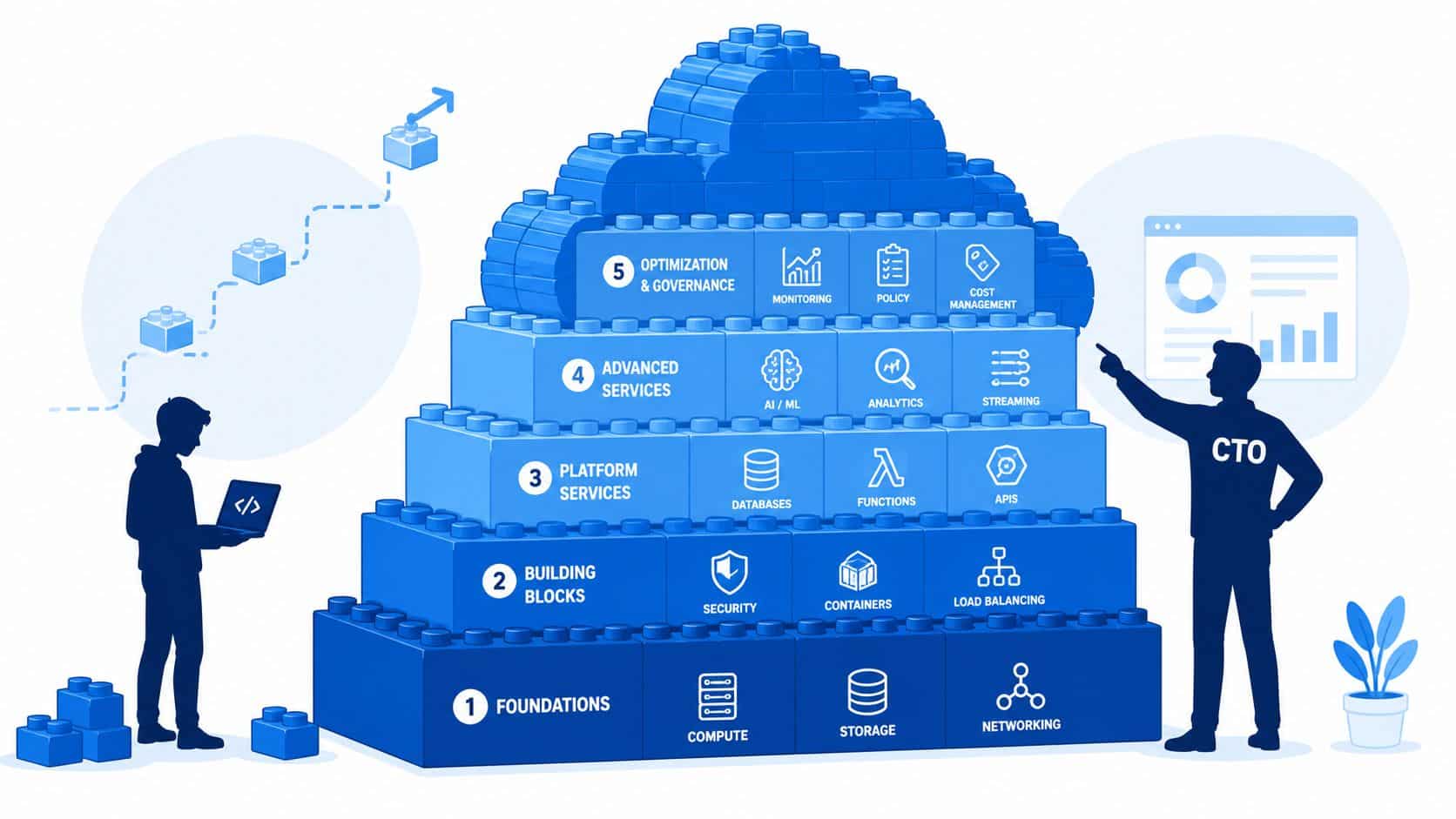
Your team didn't hire senior engineers so they could spend their week repairing pipelines, arguing over Kubernetes manifests, or chasing down why staging and production drifted apart again. Yet that's where many startup and scale-up teams end up once Azure enters the stack. The cloud promises speed. The day-to-day reality often becomes platform work, governance work, and cost control work.
That tension is especially sharp for companies in Europe, Singapore, the UK, and the US that need enterprise-grade reliability without building an internal platform team too early. Azure gives you serious reach, mature managed services, and broad enterprise trust. It also gives you a very large box of parts. If you assemble those parts yourself, the hidden bill usually lands in engineering time long before it lands in finance.
Stop Building Infrastructure Start Shipping Product
Most product teams don't set out to build an internal developer platform. They back into it. First it's a CI pipeline. Then a Kubernetes cluster. Then secret management, observability, security policies, rollback logic, cost guardrails, and environment promotion rules. A year later, the team is maintaining plumbing instead of shipping roadmap items.
Azure is a strong platform for serious software companies. Microsoft Azure commands 24% of the global cloud infrastructure market share as of Q1 2024, with 85–95% of Fortune 500 companies relying on it for mission-critical workloads according to these Azure market statistics. That scale matters. It means broad service coverage, deep enterprise integration, and confidence that Azure can support demanding workloads.
The problem isn't whether Azure is capable. The problem is that capability comes with operational surface area.
What usually goes wrong
Teams often underestimate how quickly cloud decisions turn into platform obligations:
- CI/CD becomes a product of its own: Someone has to maintain runners, deployment logic, environment promotion, and rollback behaviour.
- Kubernetes isn't self-managing: Even with managed control planes, you still own workload configuration, networking, observability, access, and release safety.
- Security work expands subtly: Identity, secrets, policies, audit trails, and least-privilege design don't stay “basic” for long.
- Cloud cost control gets reactive: Spend reviews happen after waste appears, not before.
Build only the infrastructure that creates competitive advantage. Everything else is overhead, even when engineers enjoy working on it.
For early and growth-stage teams, the more practical question is this: do you want your engineers designing business logic, or do you want them stitching together cloud primitives? If you're trying to improve release flow, a useful primer is this guide to continuous delivery for early-stage startups, because delivery maturity usually matters more than adding another cloud service.
Azure also increasingly sits alongside AI choices, which adds another layer of architectural judgement. If your team is weighing platform options around Microsoft's ecosystem, Azure OpenAI vs Microsoft Copilot is a useful comparison because it separates infrastructure decisions from product UX decisions.
The strategic view
A CTO shouldn't evaluate Azure as a list of features. The better lens is total operational load. Azure can absolutely support a fast-moving product team. But it works best when you reduce the amount of bespoke infrastructure your developers have to own.
Understanding Azure Core Services
Azure is easiest to evaluate as a set of operational choices, not a product catalog. Each service solves a real problem. Each service also adds configuration, access rules, monitoring, and failure modes that someone on your team has to own. For a CTO, that is the practical lens. Which parts speed up delivery, and which parts add to hidden platform overhead?
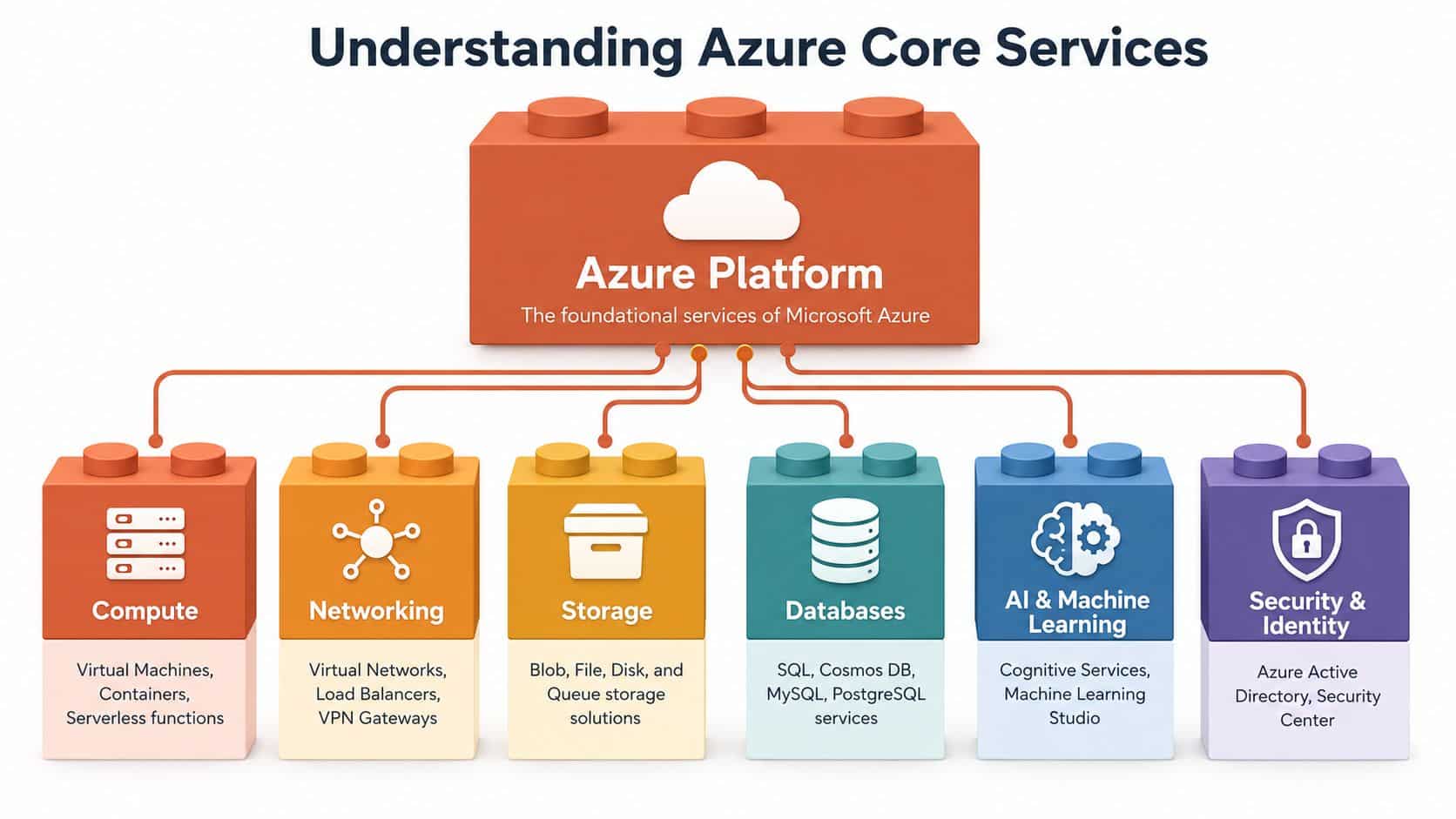
Compute runs the application
Compute is where the application executes, so the service choice affects release speed, staffing needs, and day-2 operations.
A Virtual Machine gives full control over the operating system and runtime. That can help with legacy software, unusual dependencies, or strict customization requirements. It also means your team owns patching, image management, hardening, backup design, and a larger incident surface. VMs are rarely the cheapest option once you include the engineering time needed to keep them healthy.
Containers usually fit modern product teams better. They improve environment consistency and make deployments more predictable across dev, staging, and production. The trade-off is that containers still need an orchestration model, image security, network policy, secrets handling, and observability. Teams often underestimate that second layer of work.
Serverless services such as Azure Functions reduce some infrastructure ownership for event-driven workflows, scheduled jobs, and lightweight automation.
They also introduce design constraints. Cold starts, execution limits, distributed debugging, and local testing can all slow teams down if functions spread into too many parts of the system. Used carefully, they reduce toil. Used everywhere, they can create a harder platform to reason about.
Storage decisions shape cost and recovery
Storage has a direct effect on performance, resilience, and cloud spend. It also tends to stay in place longer than the compute layer, which makes early choices expensive to reverse.
| Service area | What it's for | Typical startup use |
|---|---|---|
| Blob Storage | Unstructured files and objects | Uploads, media, backups, exports |
| File Storage | Shared file access | Legacy apps, shared documents |
| Managed Disks | Persistent VM storage | OS disks, attached application disks |
| Queue storage | Lightweight asynchronous messaging | Background jobs, task buffering |
Blob Storage is often the first service that meaningfully simplifies an application stack. It moves file handling off web servers and makes scale less painful. Queue Storage also earns its place early because it lets background work happen outside the request path, which improves user experience during traffic spikes and reduces the need to overprovision compute.
The business trade-off is straightforward. Managed storage services usually lower operational effort, but only if lifecycle policies, backup expectations, and access controls are set properly from the start.
Networking determines how complex the platform becomes
Networking is where Azure setups often stop feeling simple. A Virtual Network creates private network space in Azure. Subnets separate workloads. Load balancers and application gateways control traffic flow. VPN and ExpressRoute connections link Azure to offices, private environments, or other cloud providers.
Azure also gives teams multiple ways to design for availability across regions and availability zones, according to Microsoft Azure architecture guidance on regions and availability. That matters for disaster recovery planning, but infrastructure layout alone does not make the application resilient. The application still needs clear state management, failure handling, rollback paths, and realistic recovery testing.
I see the same mistake repeatedly. Teams buy redundancy at the infrastructure layer but never prove the application can fail over cleanly.
Databases and identity carry most of the operational risk
For data, Azure offers managed relational options such as Azure SQL, PostgreSQL, and MySQL, alongside distributed models such as Cosmos DB. The right choice depends on query patterns, consistency requirements, scaling expectations, and what the team already knows how to operate. In many cases, the fastest path is the database your developers can support confidently at 2 a.m., not the one with the most impressive feature list.
Identity is just as important. Microsoft Entra ID and role-based access control decide who can deploy, read secrets, change network rules, and access production data. Poor identity design slows delivery, increases audit pain, and creates hidden key-person risk when only one engineer understands the permission model.
Azure's core services are strong. The hidden cost comes from combining them into a platform your developers can use safely and repeatedly without constant platform work.
Common Use Cases for Modern Tech Companies
Azure becomes easier to evaluate when you map it to business jobs rather than service names. Most modern tech companies use it in a handful of repeatable patterns. The cloud services differ. The operational question stays the same. How much of this should your engineers build and maintain themselves?
Running a customer-facing web application
A typical SaaS product on Azure uses compute to run the app, managed databases for transactional data, object storage for uploads, and networking controls to expose services safely. On paper, this looks straightforward. In practice, the team also has to decide how deployments work, how environments stay consistent, how logs are centralised, and what rollback path exists when a release misbehaves.
The trap is familiar. Teams spend weeks building release mechanics that customers never see.
A good setup supports predictable deployments, sensible scaling, clear observability, and tight access control. A bad setup looks flexible but depends on one or two engineers who understand all the moving parts.
Building a data and analytics pipeline
Startups often start with product analytics, event capture, and a few scheduled jobs. Later they want richer reporting, behavioural analysis, and internal dashboards. Azure can support that progression well, but the complexity rises as soon as data comes from multiple systems.
A practical data flow usually needs:
- Ingestion paths: Event streams, batch imports, or API-fed data collection.
- Durable storage: Raw data lands somewhere reliable before transformation.
- Processing logic: Jobs clean, enrich, and reshape data for downstream use.
- Access patterns: Product teams, analysts, and internal tools all need different views.
The business outcome is better decision-making. The operational burden is everything around the pipeline. Scheduling, retries, schema changes, permissions, monitoring, and cost control become permanent concerns.
Adding AI features without becoming an AI infrastructure company
Many teams now use Azure because they want AI features inside an existing product. That might be summarisation, search, internal copilots, document handling, or customer support workflows. The appeal is obvious. Product teams can move faster with managed AI services than by trying to run specialist infrastructure on their own.
But this still creates platform work. You need environment separation, secret management, auditability, and a deployment path that keeps AI-connected services stable across updates. AI features also tend to pull in extra services for storage, queues, and access control.
Supporting edge or hybrid scenarios
Not every workload lives neatly in one public cloud region. Some companies need systems close to factories, retail sites, restricted environments, or regional processing points. Azure Local is one route for that kind of architecture. Microsoft states that Azure Local supports disaggregated deployments with a maximum of 64 physical machines, 512 logical processors per host, and up to 24 TB of RAM per host, with guidance to use 400 GB or larger OS disks on systems above 768 GB of physical memory per machine, according to the Azure Local system requirements.
That scale is useful, but hybrid and edge designs add operational friction fast. Hardware planning, update coordination, local dependencies, and support boundaries all get harder. Unless the edge footprint is core to the business model, most software teams should keep the architecture as centralised and standardised as possible.
The True Cost of a DIY DevOps Platform on Azure
The Azure invoice is the visible cost. It's rarely the full cost.
The bigger expense is the team you need to make Azure usable at production standard. That means deployment automation, cluster management, observability, identity controls, secrets handling, release safety, compliance evidence, and cost governance. None of that appears neatly under “cloud services” in your finance dashboard, but all of it consumes budget.
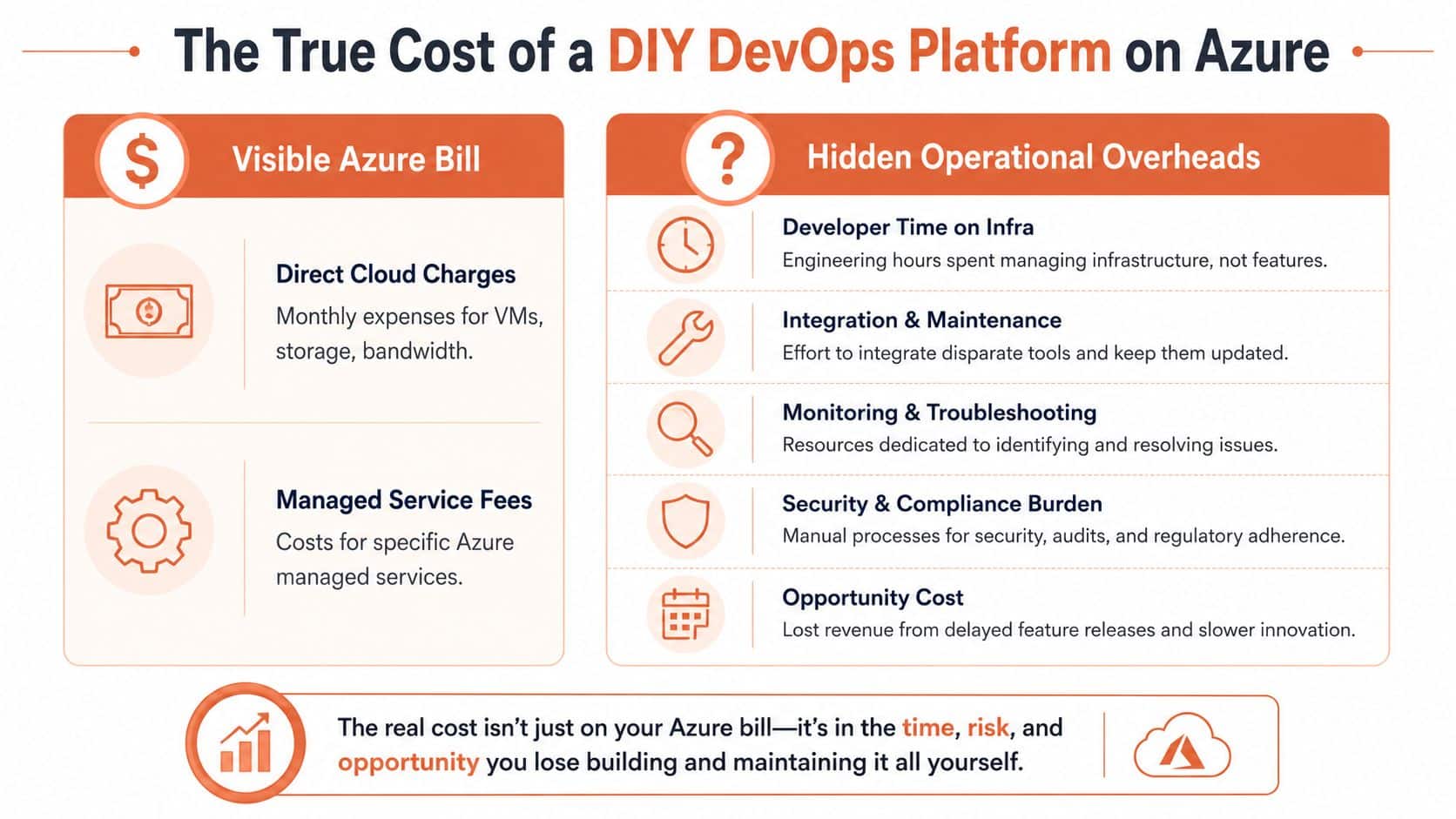
Labour is the first hidden bill
For European startups, dedicated DevOps talent in Eastern Europe costs $70–$90/hour, while UK-based senior DevOps engineers average $65,210/year, according to this breakdown of DevOps engineer rates across markets. That doesn't mean hiring is wrong. It means the key comparison isn't “Azure versus not Azure”. It's “cloud bill plus platform staffing versus a more managed operating model”.
Average IT spend for startups is 7.5% of revenue, with 49% expecting increases, and outsourcing DevOps reduces total cost of ownership by 30–40% compared to hiring in-house, according to this analysis of startup IT infrastructure costs. That delta comes from avoiding duplicated tooling, avoiding overprovisioned capacity, and reducing the need to staff every layer internally.
DIY costs show up in slow delivery
Internal platform projects often begin with a sensible goal: standardise how teams deploy. Then the backlog expands.
A DIY Azure platform usually requires ongoing work across several fronts:
- Pipeline maintenance: Build runners, release gates, environment promotion, rollbacks, and secret injection all need continuous care.
- Cluster operations: Managed Kubernetes reduces some burden, but workload security, add-ons, ingress, autoscaling policy, and upgrades still sit with your team.
- Monitoring and alerting: Data collection is only the start. You still need dashboards people trust, alerts that aren't noisy, and on-call processes that work.
- Cost controls: Rightsizing, non-production scheduling, egress awareness, and spend ownership need process as much as tooling.
If you want a practical grounding in cloud budgeting before making architecture choices, this walkthrough of the Azure cost calculator helps teams estimate more than just headline service pricing.
Practical rule: If your deployment process depends on specialist tribal knowledge, you don't have a platform. You have a bottleneck.
The Azure feature set can increase complexity, not reduce it
Azure gives teams many ways to build the same outcome. That flexibility is useful for large enterprises. For smaller engineering organisations, it often creates decision overhead.
Azure Landing Zones are a good example. They're the recommended architecture for enterprise-scale Azure adoption, but 78% of mid-sized developers report they lack the internal expertise to configure Azure Landing Zones correctly without costly consultants, according to the Azure Landing Zone FAQ context. That gap matters because teams copy enterprise patterns before they have enterprise needs.
Cost optimisation shows the same pattern. Many Azure guides assume mature autoscaling and broad operational maturity. Yet 63% of developers outside large enterprises report they can't effectively implement cost-saving strategies when autoscaling is constrained by SLA dependencies and performance risk, as discussed in this set of Azure interview and operational questions. In many environments, lots of systems are unable to scale down aggressively without side effects.
For teams wrestling with that practical side of spend management, this piece on practical Azure cost optimisation is useful because it focuses on decisions operators control.
The broad lesson is simple. Azure doesn't become cost-effective because the service catalogue is extensive. It becomes cost-effective when the operational model is disciplined and lightweight.
Navigating Security and Compliance in Azure
A CTO usually feels the security cost of Azure long before a breach. It shows up in delayed enterprise deals, longer procurement reviews, engineers pulled into access audits, and senior staff spending time on controls instead of shipping roadmap work. Azure gives you strong building blocks, but your operating model determines whether those blocks reduce risk or create more work.
Microsoft secures the underlying platform. Your team still has to secure identities, workloads, data flows, permissions, and change processes inside the account structure you create. That work sits squarely in the total cost of ownership. If security depends on tribal knowledge or manual checks, you are paying for Azure twice. Once in cloud spend, and again in operational drag.
Shared responsibility turns into staffing responsibility
Security on Azure is mostly about design choices and repeatable process. Someone has to define production access, set approval paths, review permissions, manage secrets, and produce evidence for customers or auditors. Managed services reduce server maintenance. They do not remove control ownership.
The hard part is not buying tools. The hard part is keeping controls consistent as teams, environments, and customer demands grow.
Typical gaps appear in four places:
- Identity and access: Role design, privileged access, MFA enforcement, break-glass accounts, and review cycles
- Network exposure: Public endpoints, private connectivity, service-to-service boundaries, and ingress rules
- Secrets and keys: Storage, rotation, scoping, revocation, and usage visibility
- Audit evidence: Logs, policy enforcement, change history, and proof that controls work as intended
A small team can carry this informally for a while. That changes fast when a larger customer sends a security questionnaire or asks how production access is approved and reviewed.
Resilience decisions affect security, compliance, and cost
Availability architecture is not a separate discussion. If a service fails unpredictably, recovery is manual, or failover paths are poorly tested, the business still absorbs security and compliance risk. Customers do not care whether the root cause sits in resilience design or a classic security incident. They care that the system remained available and their data stayed protected.
Azure gives teams options such as zone-aware deployment and regional redundancy, but those choices raise design complexity. Applications need to tolerate failure boundaries. Data stores need replication and failover plans. Release workflows need to handle partial failure cleanly. Every one of those decisions adds engineering time, testing overhead, and operational ownership.
That is why standardisation matters. A repeatable platform model across services is easier to review, easier to recover, and cheaper to operate than a collection of one-off patterns. Teams evaluating a multi-cloud management platform for standardising security and operations usually care as much about reducing control variance as they do about deployment speed.
Compliance work grows faster than product teams expect
Compliance rarely arrives as a single project. It comes in layers. Customer security reviews, GDPR obligations, internal approval flows, incident response requirements, vendor assessments, and evidence requests all land on the same engineering team.
Bespoke environments make that burden worse. If each service has different deployment logic, different tagging rules, and different access patterns, proving control coverage becomes slow and expensive. Audits take longer. Exceptions pile up. Senior engineers become part-time compliance operators.
This is the trade-off many teams miss in early Azure planning. DIY can work. It just carries a staffing bill that often stays hidden until revenue depends on passing security review quickly.
If you need an external view of how cloud providers assess application risk in practice, this guide to security testing for MSSPs in the cloud is useful. It frames security as an ongoing operating discipline, not a release checklist.
Integrating Azure in a Multi-Cloud World with PushOps
Few companies stay single-cloud forever. One product team prefers AWS. A data workflow lands on GCP. An AI feature or enterprise integration points you towards Azure. Sometimes the split is strategic. Sometimes it comes from acquisition or customer constraints. Either way, the operational burden grows faster than most leaders expect.
The actual pain isn't only technical incompatibility. It's process fragmentation. Different deployment logic, different IAM models, different observability patterns, and different cost views create friction for every team involved.
Multi-cloud punishes inconsistent operating models
A team can survive one messy cloud setup for a while. It struggles when the same mess exists in three places.
The most common failure patterns look like this:
| Problem | What the team experiences | Business impact |
|---|---|---|
| Different deployment workflows | Engineers relearn release steps per cloud | Slower shipping, more mistakes |
| Fragmented monitoring | Incidents require jumping across tools | Longer diagnosis time |
| Cloud-specific specialists | Key knowledge sits with a few people | Delivery risk and hiring pressure |
| Distributed cost controls | Spend is visible late and managed manually | Waste and budgeting surprises |
Data transfer is one of the most overlooked cost traps in this model. Data egress charges from major cloud providers like Azure can accumulate to $15,000–$30,000 annually for startups scaling beyond 10TB/month, representing a hidden 20–35% operational cost that is particularly painful in multi-cloud workflows, according to this analysis of cloud hosting costs for European startups. If traffic crosses provider boundaries regularly, architecture choices can erode margin without anyone noticing early enough.
Standardisation matters more than cloud purity
For most scale-ups, the winning pattern isn't “pick one cloud forever”. It's “standardise how teams build, deploy, monitor, and secure workloads regardless of cloud”.
That means developers need:
- A consistent self-service path: Create environments, deploy services, and promote releases without filing infrastructure tickets.
- Shared observability: Health, incidents, logs, and performance data should follow the same operational model.
- Built-in policy guardrails: Access, auditability, and environment standards should be enforced centrally, not remembered manually.
- Cost visibility that maps to teams: Spend should be attributable and reviewable without digging through provider-native billing exports.
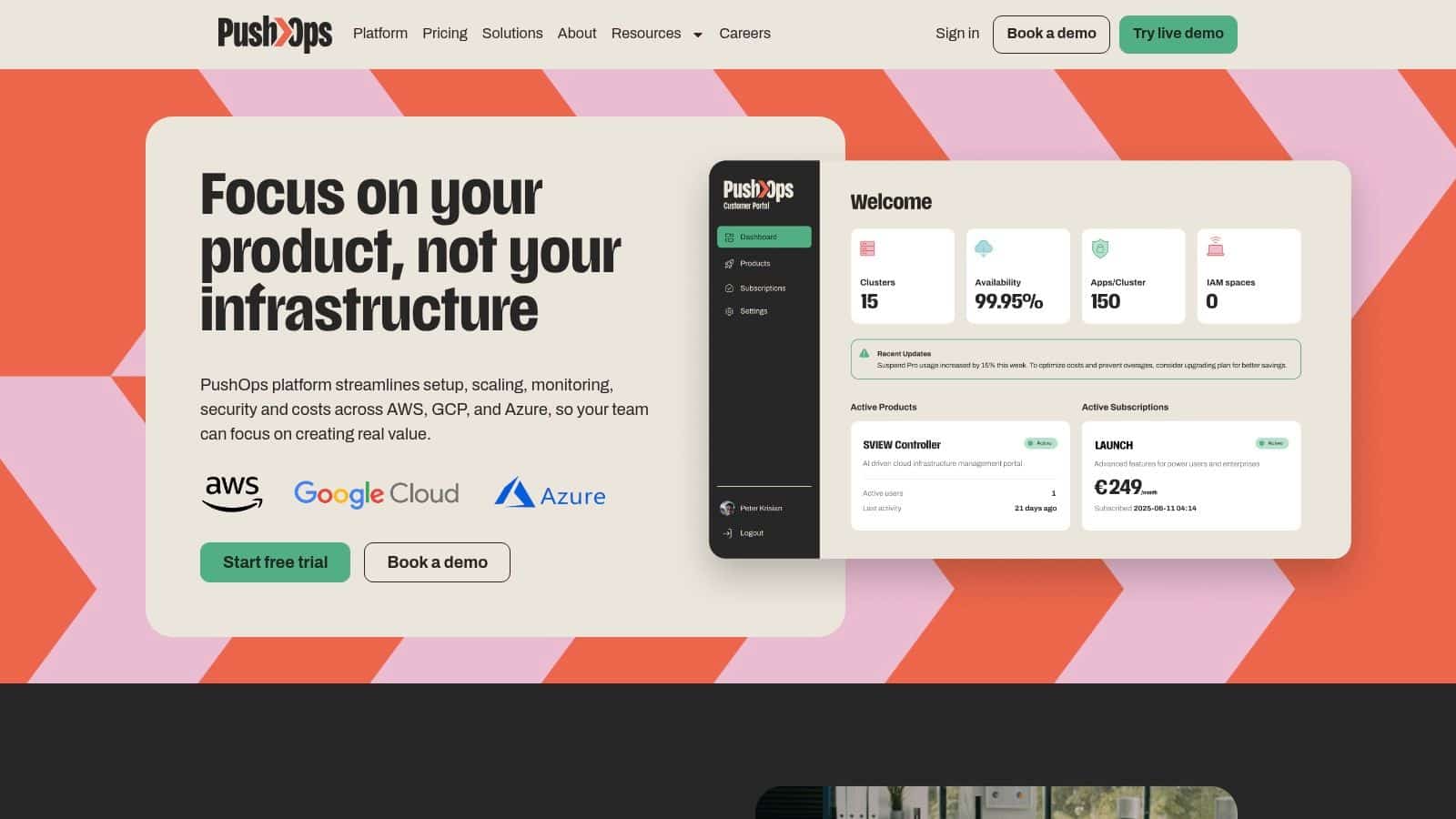
In such contexts, a managed platform can be practical rather than aspirational. PushOps is one option that provisions and manages production-ready environments across AWS, GCP, and Azure while automating builds, deployments, environments, release strategies, observability, policy enforcement, and spend controls from one workflow. For teams evaluating this operating model, the core concept is explained well in this overview of multi-cloud management.
Azure fits better when it isn't isolated
Azure becomes far easier to adopt when it's treated as part of a unified delivery model instead of a parallel operating system. That matters for companies in the UK, Europe, Singapore, and the US where engineering leaders already juggle hiring constraints, customer security expectations, and pressure to ship faster.
A managed multi-cloud platform won't remove every cloud decision. It does remove a lot of repetitive engineering work that doesn't differentiate your product. That's the key trade-off. You give up some low-level customisation. You gain speed, consistency, and a smaller platform burden.
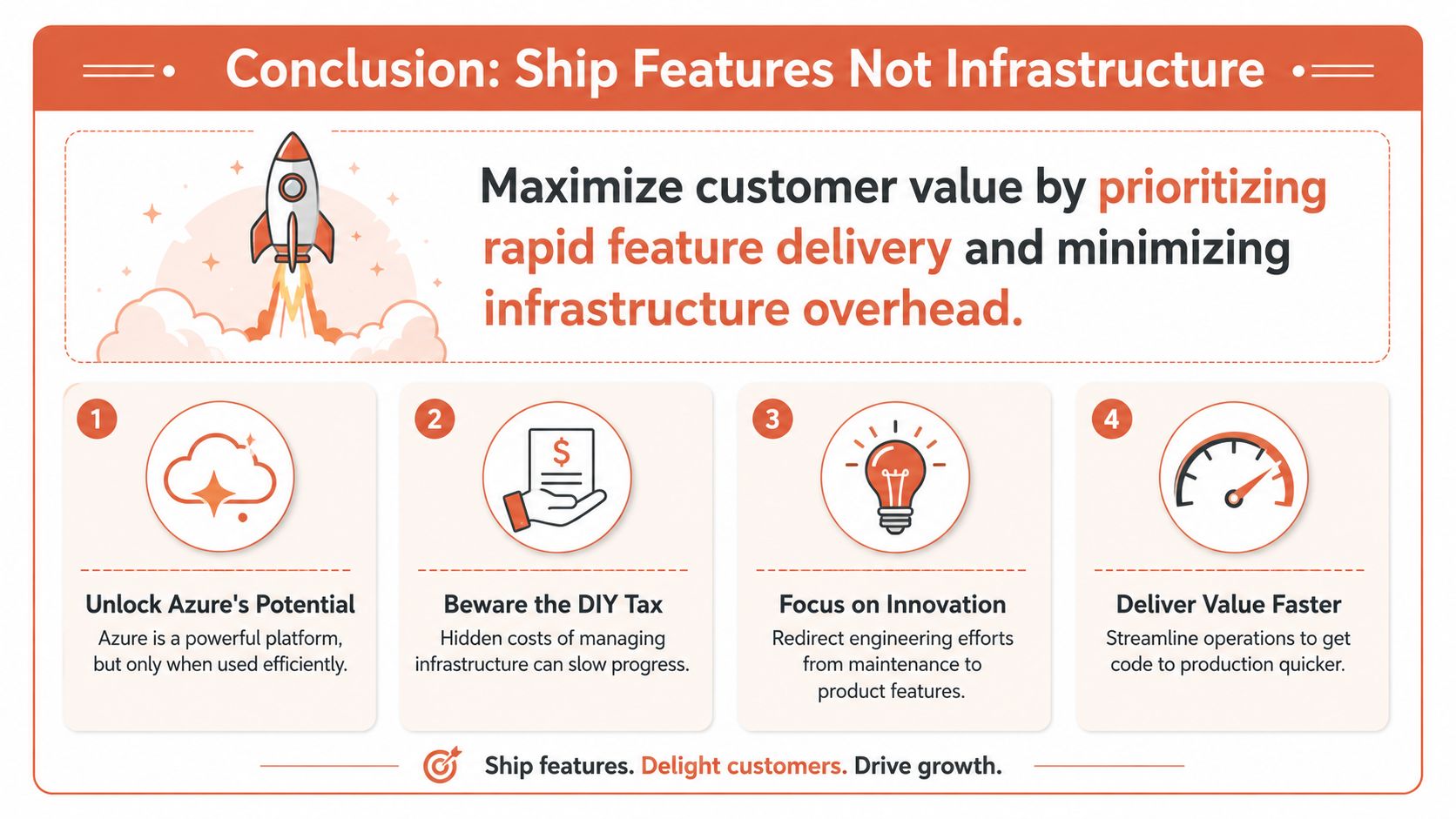
Conclusion Ship Features Not Infrastructure
Azure is powerful. That part isn't in doubt. The more useful question for a CTO is whether your team can capture that power without drifting into a side business of platform engineering.
For many startups and scale-ups, the answer is no. Not because the team lacks ability, but because the opportunity cost is too high. Every sprint spent refining CI/CD internals, hand-rolling release controls, tuning cluster behaviour, or chasing cloud waste is a sprint not spent improving the product.
What the better path looks like
The most effective Azure strategy for growth-stage companies is usually boring in the best sense. Standardise the foundation. Automate the common workflows. Enforce security and access consistently. Make deployments repeatable. Keep developers close to product work.
That approach is also faster. Teams using managed DevOps services achieve 80% faster deployments, with environment setup time dropping from over 3 days to around 2 hours, freeing engineers to focus on feature development, according to this review of managed DevOps outcomes for startups and small teams.
The decision CTOs actually have to make
You're not choosing between “using Azure” and “not using Azure”. You're choosing between two operating models:
- Build and maintain the delivery platform yourself
- Adopt a managed platform model and keep your engineers focused on features
The first path can make sense when infrastructure itself is a strategic differentiator. For most software companies, it isn't. Customers buy the product experience, not the elegance of your deployment scripts.
The strongest engineering organisations don't prove maturity by owning every layer. They prove maturity by knowing which layers are worth owning.
Azure can be part of a fast, disciplined, cost-aware engineering strategy. But only if the surrounding operational model stays lean. If it doesn't, the cloud becomes another source of drag.
If you want to use PushOps to run production-ready environments on AWS, GCP, or Azure without building an internal platform team first, the practical next step is to evaluate whether your current setup is consuming engineering time that should be going into product delivery.

