
The failure usually looks small at first.
A nightly sync doesn't run. A billing reconciliation starts twice. A cleanup job finishes halfway and leaves stale state behind. Nobody notices until support tickets arrive, dashboards drift, or a release pipeline stalls behind a lock that should have cleared hours ago. At that point, the issue isn't just a missed task. It's engineering time pulled into incident response, product work paused, and another reminder that infrastructure you meant to “set and forget” has become part of your core operational risk.
For CTOs, VP Engineering, and senior developers, event scheduling sits in that awkward category of systems that seem trivial until they aren't. It starts as a cron entry. Then it grows into retries, dependency handling, alerting, access control, cost management, and cross-cloud behaviour. Teams in Europe, Singapore, the UK, and the US hit the same pattern. They invest in Kubernetes, CI/CD glue, monitoring layers, and home-grown internal platforms because they need production reliability, but what they want is to ship product without babysitting infrastructure.
Your Next Outage Is Already Scheduled
The most dangerous scheduled failure is the one that completes unnoticed.
A batch job exits with the wrong code but never pages anyone. A Kubernetes CronJob overlaps with the previous run and corrupts a downstream report. A queue consumer falls behind after a small schema change, and the “scheduled” process is technically running while the business outcome is already broken. By the time your team notices, you're not debugging a job anymore. You're managing customer impact.
Scheduling is an operational system
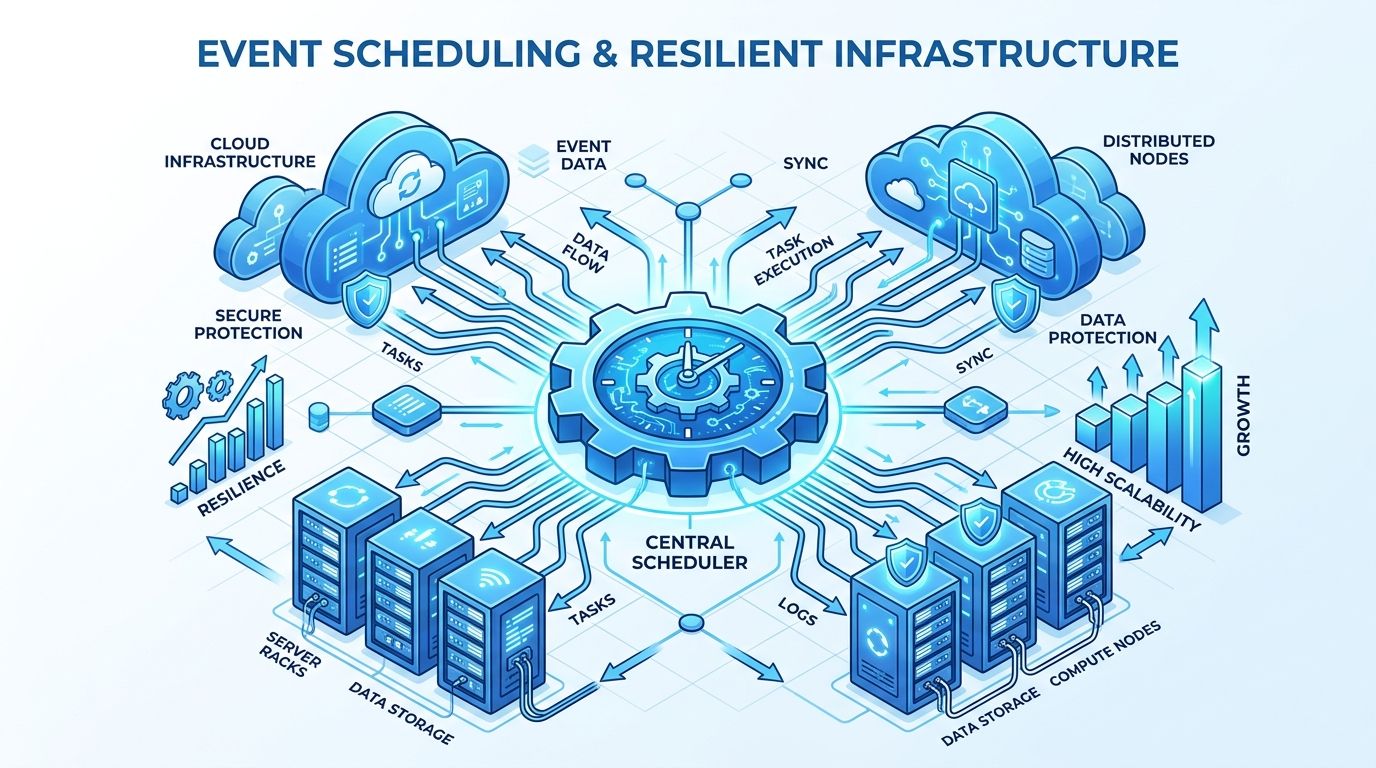
Event scheduling isn't a side utility. In a production environment, it's part of the reliability surface of the platform. It controls when data moves, when environments change state, when reports are generated, when security checks run, and when housekeeping tasks protect cost and performance.
That matters given the substantial costs involved. More than half of significant IT outages now cost over $100,000, and one in five outages at top firms exceed $1 million, according to DeployFlow's analysis of DevOps services and outage costs. A failed scheduler doesn't need to take down your whole stack to become expensive. It only needs to break a business-critical sequence at the wrong time.
Practical rule: if a scheduled task matters to customers, revenue, compliance, or deploy safety, treat it like production infrastructure, not team glue.
The real problem isn't the job
Teams often don't struggle because they can't schedule work. They struggle because they build scheduling into a brittle platform they also have to maintain. The same engineers who should be improving onboarding, search, billing, or analytics end up patching workflow engines, tuning runners, managing secrets, and writing recovery scripts.
That's the hidden product tax.
You can see the pattern in almost every scaling team. Infrastructure grows by accumulation. A script becomes a service. A service needs monitoring. Monitoring needs ownership. Ownership creates on-call. On-call leads to platform work. The roadmap pays for all of it.
If that cycle sounds familiar, this account of the incident that used to wake you up at 3 am will feel uncomfortably close to home.
The Unseen Tax of a Simple Cron Job
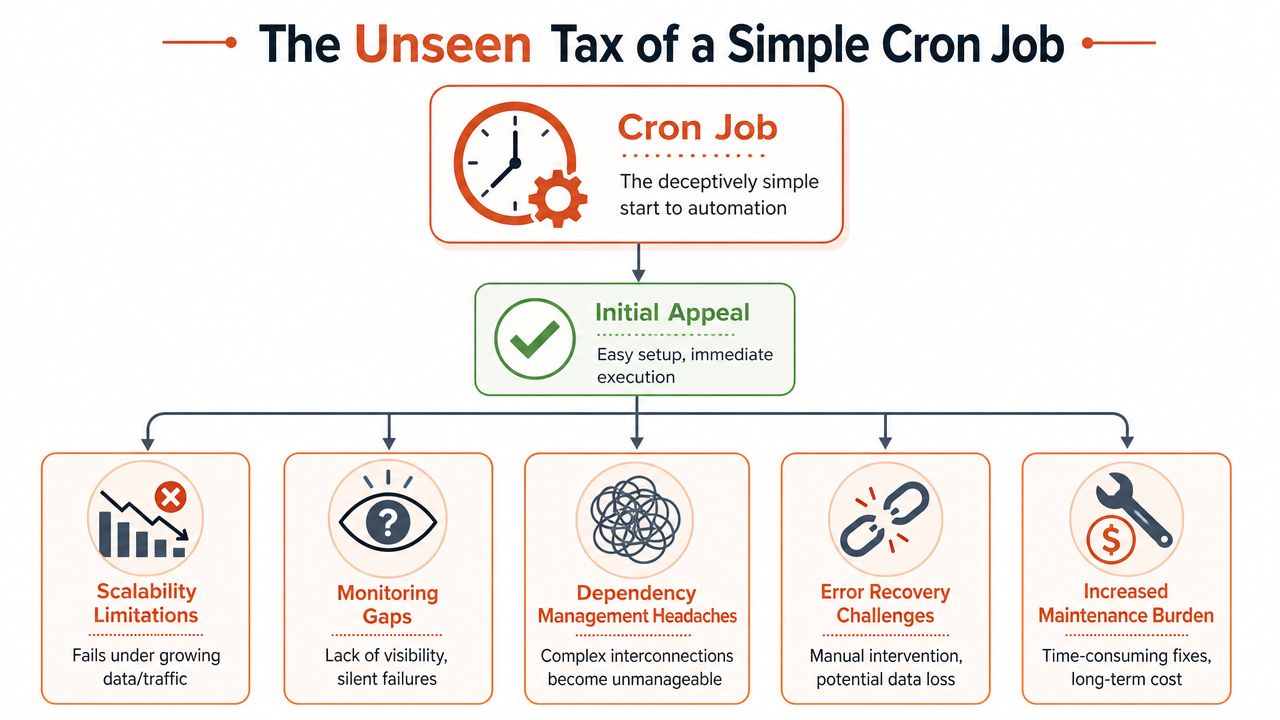
Cron earns its place because it solves the first problem fast. You need a job to run every night, every hour, or every Monday morning. You add one line, validate it once, and move on.
That simplicity is real. It's also temporary.
Why cron feels good at the start
A cron job has almost no ceremony. There's no orchestration engine to deploy, no queue to manage, and no workflow UI to teach the team. For one host and one task, that's often enough.
The trouble starts when the task isn't isolated anymore. Most real systems eventually need some combination of the following:
- Dependency awareness so one job doesn't start before upstream data is ready
- Retry logic that distinguishes transient errors from permanent failures
- Visibility into whether a task ran, succeeded, duplicated, or partially committed
- Security boundaries so scheduled tasks don't inherit broad machine-level permissions
- Scalability when one machine or one process is no longer the right execution model
Complexity arrives through volume
The easiest way to see the shift is to look at operational cadence. In events, the workload moved from occasional coordination to ongoing orchestration. By 2026, the average marketer is projected to plan 29 events per year, up from 14 events per year in 2023, according to Booking.com's corporate event statistics. Infrastructure behaves the same way. Once scheduled operations become constant, ad hoc tooling stops being cheap.
A single cron job is like one delivery van on one route. A fleet is different. You now need dispatch rules, maintenance windows, tracking, exception handling, and alternate paths when a route fails. The original van still exists. It just isn't the system anymore.
A “simple” scheduler becomes a platform the moment multiple teams depend on it.
What the DIY DevOps tax actually looks like
The tax isn't one dramatic bill. It's a stack of small, recurring costs:
- Engineers maintain plumbing instead of features. Someone owns cron hosts, runners, YAML, wrappers, and alerting.
- Incidents become forensic work. Teams chase logs across systems because the scheduling layer has no coherent execution history.
- Security hardens slowly. Jobs often run with more access than they need because tightening permissions breaks brittle automation.
- Cloud waste creeps in. Idle workers, always-on tooling, and duplicate execution environments stay online because nobody has time to redesign them.
Many teams over-invest in their own DevOps stack. They assemble Kubernetes CronJobs, CI/CD triggers, monitoring rules, secret stores, and cost scripts into an internal developer platform they now have to support indefinitely. It works, but it also consumes the exact attention the business wanted to reserve for product.
Comparing Modern Event Scheduling Patterns
Once cron stops being enough, teams usually move into one of three patterns. None is universally right. Each solves a different class of problem and creates a different operational burden if you build it yourself.
The three patterns in practice
| Pattern | Best For | Key Challenge (DIY) | PushOps Approach |
|---|---|---|---|
| Time-based schedulers | Predictable recurring tasks like backups, reports, cleanup, and environment start-stop windows | You still need concurrency control, retries, execution history, secrets, and alerting around the scheduler | Give teams a production-ready control plane for recurring infrastructure tasks without stitching together cron, runners, and monitoring |
| Event-driven scheduling | User onboarding, asynchronous processing, notifications, and workflows triggered by application events | Queues reduce coupling, but now you own delivery guarantees, replay behaviour, dead-letter handling, and consumer scaling | Standardise event-triggered automation on a managed platform that handles deployment, visibility, and operational guardrails across clouds |
| Workflow orchestrators | Multi-step jobs with branching, approvals, retries, dependencies, and long-running state | Powerful, but expensive to run and govern. You inherit engine upgrades, metadata storage, worker health, and developer training | Use a platform approach where orchestration sits inside a broader production workflow instead of becoming a separate infrastructure estate |
Time-based scheduling
Time-based schedulers are the cleanest fit for predictable operational work. Think Kubernetes CronJobs, cloud-native schedulers, or CI pipelines triggered on a cadence. If the task is independent and the timing matters more than application state, this pattern stays readable.
The downside is false confidence. Teams assume “it runs every night” means the problem is solved. In reality, they still need lock handling, idempotency, runtime isolation, timezone awareness, and a clear policy for missed runs. Building that across AWS, GCP, and Azure quickly turns a small feature into platform engineering.
Event-driven scheduling
Event-driven systems are better when the trigger should come from business behaviour rather than the clock. A new tenant signs up. A document uploads. A payment settles. Instead of polling on a schedule, the platform reacts to state changes.
This pattern often improves responsiveness and removes waste, but DIY ownership is heavier than many teams expect. Message schemas drift. Consumers need back-pressure management. Dead-letter queues need review processes. Replay and exactly-once expectations become design debates.
If you're evaluating how business systems model this kind of automation outside core infrastructure, ContextFlow for business automation is a useful reference point because it shows how quickly “scheduling” becomes a broader coordination problem.
Workflow orchestration
Workflow engines such as Airflow or Temporal are the right answer when jobs have multiple stages, state transitions, and recovery paths. They provide visibility and structure that scripts never will.
They also create a substantial internal platform commitment. You don't just deploy an orchestrator. You operate metadata stores, workers, execution histories, access policies, upgrades, and developer support around it. That may be worth it if orchestration is central to your product. It usually isn't worth it if you're only trying to make internal operations reliable.
Choose the simplest pattern that matches the failure mode you must survive, not the one your team finds most technically interesting.
Architecting for Production Grade Scheduling
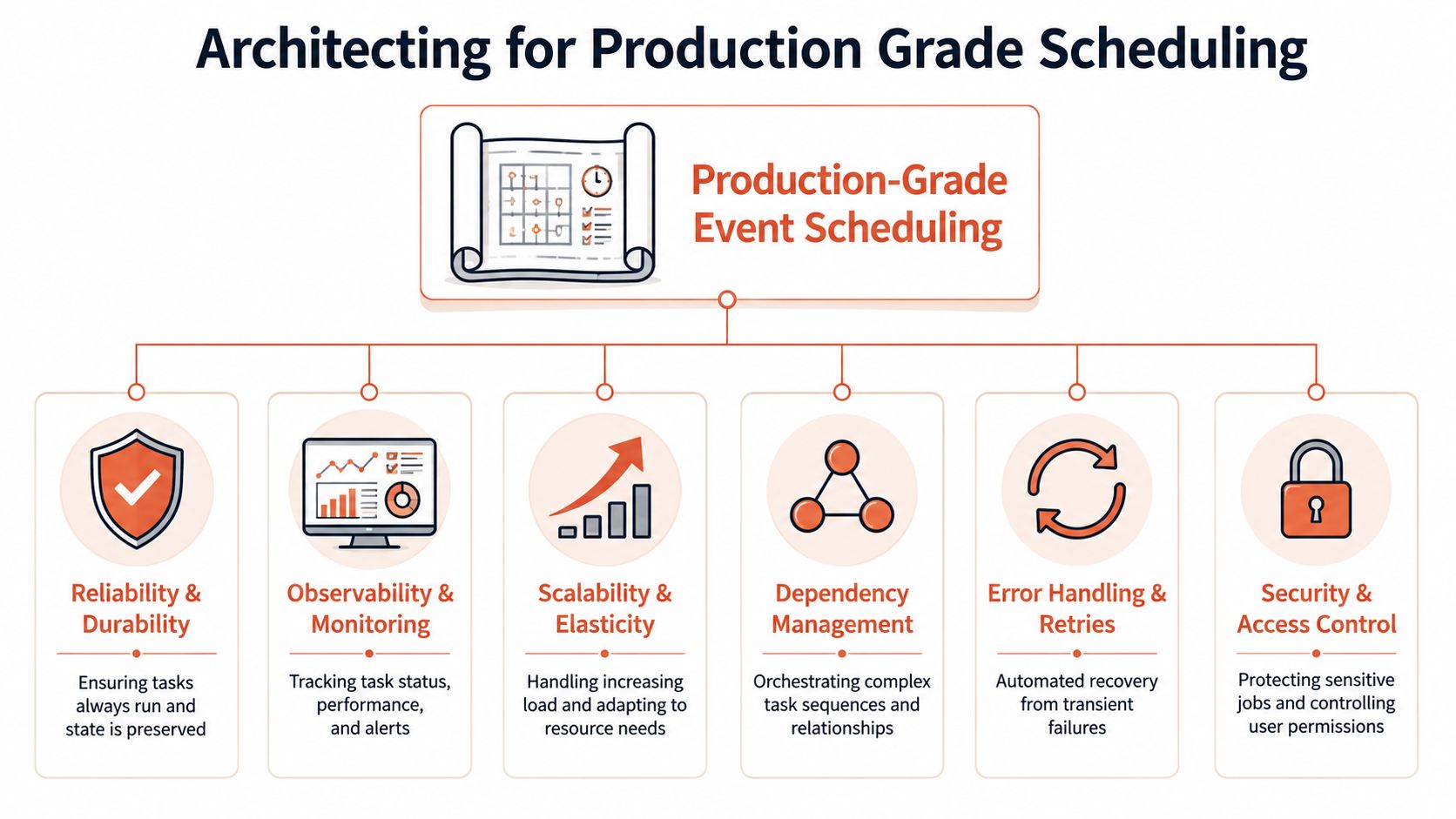
A scheduler becomes production-grade when failure is expected and handled cleanly. That sounds obvious, but plenty of internal systems still assume success by default and patch around exceptions later.
The practical standard is higher. Reliable event scheduling needs the same discipline you apply to application delivery. It needs durable state, constrained permissions, strong telemetry, and room for things to go wrong without causing a customer-facing mess.
Reliability starts with reruns
If rerunning a job can break data, charge twice, send duplicate emails, or provision duplicate infrastructure, the scheduler isn't ready. Idempotency is the baseline. Retries should be deliberate, bounded, and observable. Dead-letter handling should exist before the first critical failure, not after it.
A useful mental model comes from event operations. For mid-size events, pre-production planning typically spans 4–12 weeks and requires a 20–30% buffer time in scheduling to absorb disruptions, according to Panacea's event production timeline guidance. Infrastructure needs the same buffer mindset. Production systems shouldn't be designed for the happy path alone.
Observability must answer business questions
Good scheduler monitoring isn't just CPU, memory, and pod restarts. The team needs to know:
- Did the task run
- Did it finish
- Did it produce the intended outcome
- Did it run once, or more than once
- Can we trace failures across services
Structured logs, run metadata, traces, and business-level success signals matter more than a generic green status in a dashboard.
The most useful alert isn't “job failed”. It's “customer-visible outcome is now at risk”.
Security and scale are where DIY gets expensive
Scheduled jobs often accumulate broad permissions because nobody wants the backup or deployment automation to fail. That shortcut creates long-term risk. Production-grade scheduling should use least-privilege roles, controlled secret access, and clear auditability around who can create, modify, and run jobs.
Scalability is similar. The first version can run on one host or one cluster. The production version may need partitioning, concurrency limits, regional awareness, and coordinated execution across cloud providers. Building that internally is possible. It just means your team is now in the platform business.
Teams dealing with adjacent integration work see the same pattern in API-heavy delivery. A good example is this guide to unified social media API implementation, where the hard part isn't the first connection. It's the operational consistency after the connection exists.
Real World Scheduling Scenarios
Abstract architecture only gets you so far. The more useful question is what these patterns look like when they hit day-to-day product and infrastructure work.
E-commerce reporting pipeline
A retailer needs daily revenue summaries, refund reconciliation, stock movement exports, and finance-ready reports before the working day starts. This isn't one task. It's a chain. Data extraction has to finish before transformation. Validation has to happen before reports are distributed. Failures need controlled retries because partial output is worse than delayed output.
That job usually pushes teams toward workflow orchestration. The scheduler isn't deciding only when something runs. It's deciding what can run next, what to retry, and what to block.
SaaS onboarding sequence
A product-led SaaS company signs up a new tenant. That single event triggers account provisioning, default role creation, seed data setup, welcome messaging, trial state updates, and analytics registration. Timing still matters, but not because of the wall clock. It matters because the user expects the product to be ready quickly and consistently.
Event-driven scheduling shines. The platform reacts to application events and fans out work asynchronously. The trade-off is operational discipline. Without clear contracts and strong observability, onboarding becomes a tangle of consumers that all “usually” work.
Environment scheduling for cloud cost control
The most overlooked scheduling use case in engineering is automated environment management. Development and staging environments often stay online all night, all weekend, and through inactive periods because nobody wants to write brittle shutdown and startup automation.
That creates a steady infrastructure drag. It also creates more platform maintenance. Teams start scripting cluster sleep schedules, database pauses, exception calendars, and notification rules across AWS, GCP, and Azure.
This is one reason the broader market keeps investing in scheduling and automation. The global event management software market is projected to reach USD 11.31 billion in 2026, as outlined by Fortune Business Insights on event management software. The lesson for engineering teams is straightforward. Coordination overhead grows until somebody systematises it.
For infrastructure leaders, environment scheduling is where the business case becomes tangible. You reduce waste, tighten operational consistency, and remove a class of repetitive DevOps work that doesn't improve the product itself.
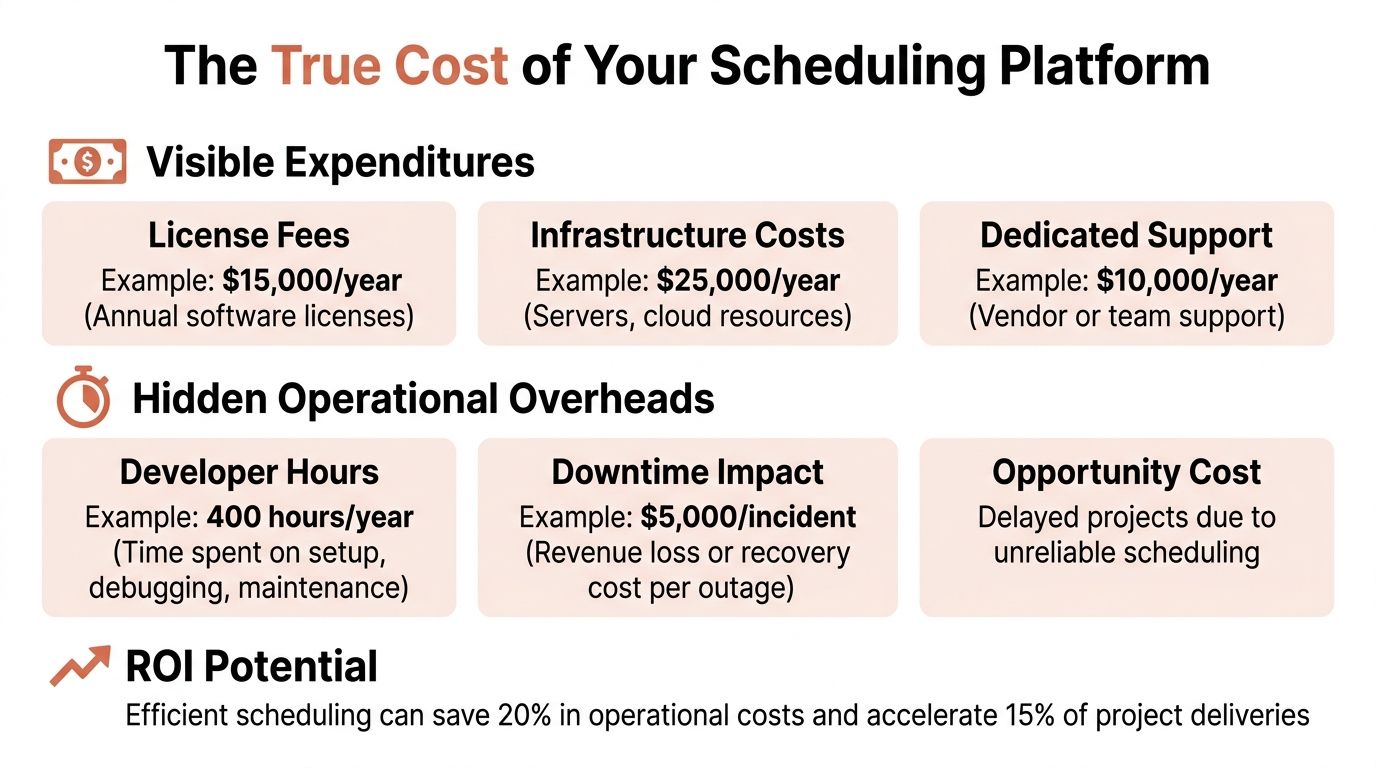
Calculating the True Cost of Your Scheduling Platform
Open-source tools make event scheduling look cheap. Cloud primitives make it look even cheaper. The bill arrives later, in people and interruptions.
What shows up on the budget
The visible costs are easy to explain. You pay for compute, storage, logs, message delivery, and maybe a workflow engine or monitoring product. If you hire platform specialists, that line item is obvious too.
One useful benchmark comes from startup DevOps economics. A full-time DevOps engagement for a SaaS startup costs $3,200 per month and typically generates $2,300 to $5,500 in cloud cost savings during that period through auto-scaling and waste removal, according to Acquaint Soft's breakdown of DevOps budget and savings. The savings are real. So is the signal: expert infrastructure work has a cost because good operations work is specialised.
What doesn't show up cleanly
The hidden cost sits in opportunity cost and fragmentation:
- Senior developers spend roadmap time on infrastructure glue
- Incidents interrupt product delivery
- Platform complexity increases onboarding time for new engineers
- Security and compliance review gets harder because jobs live across scattered systems
- Cloud cost control becomes reactive instead of built in
A DIY scheduler is rarely just a scheduler. It's a web of runners, secrets, dashboards, policies, queues, retries, and scripts that need stewardship.
If your team keeps saying “it only needs a bit more platform work,” you're already paying the internal tax.
The more financially disciplined path is usually the one that makes cost, scaling, and operational behaviour predictable. Teams looking closely at this should also review how cloud cost optimization connects directly to automated scheduling, especially for non-production environments and recurring operational workloads.
Stop Building Infrastructure and Start Shipping Product
Most engineering teams don't win because they built a distinctive scheduler. They win because they release the right features quickly, safely, and repeatedly.
That's why event scheduling should be treated as a strategic business decision. Every hour spent stitching together Kubernetes jobs, CI/CD triggers, monitoring rules, cloud permissions, and cost scripts is an hour not spent improving the product. For some companies, owning that stack is justified. For most startups and scale-ups, it isn't.
The pattern is familiar. A cron job turns into a workflow layer. The workflow layer turns into an internal platform. The internal platform needs maintenance, governance, and on-call. Eventually the team realises it built a side business in infrastructure.
If you're trying to reduce that burden, a platform approach to automated deployments for microservices is usually a better investment than hiring more people to maintain more bespoke tooling.
If your team is tired of spending product time on infrastructure plumbing, PushOps gives you a production-ready path across AWS, GCP, and Azure with built-in deployment workflows, observability, security defaults, cloud cost controls, and automated environment scheduling. Instead of growing a home-made platform one script at a time, you can standardise the operational layer and get your engineers back to shipping.

