
Your cloud bill usually doesn’t become a priority when architecture is clean and delivery is smooth. It becomes a priority when a finance lead asks why spend jumped again, a senior engineer loses half a day tracing idle resources, and your team postpones product work because the internal platform needs another fix.
That’s the trap many startups fall into. They don’t just buy cloud infrastructure. They also build a private system around it: Kubernetes clusters, CI/CD pipelines, observability wiring, security controls, budget alerts, tagging rules, and scripts to shut things down at night. Each piece looks sensible on its own. Together, they become a second product your engineers have to maintain.
Cloud cost optimization matters because spend is rarely just a billing problem. It’s an operating model problem. If engineers need custom scripts, manual reviews, and tribal knowledge to keep costs under control, the broader cost isn’t only on the invoice. It’s in lost focus, slower releases, and platform work that keeps expanding.
Why Cloud Cost Optimization Matters
A familiar pattern plays out in growing software teams.
A startup launches on one cloud account. Then it adds staging, review apps, analytics workloads, background jobs, managed databases, observability tools, and a few “temporary” environments that never disappear. Nobody intended to create waste. The team was moving quickly, which was the right instinct early on.
The trouble starts when speed and visibility split apart. Engineers can provision quickly, but nobody can answer basic questions with confidence. Which services are expensive? Which workloads are idle? Which teams own what? Which environments still need to run all weekend?
The bill is only part of the problem
The immediate reaction is often technical. Build a dashboard. Add some scripts. Hire another DevOps engineer. Patch together alerts from AWS Cost Explorer, Azure Cost Management, GCP billing exports, CloudWatch, and your monitoring stack.
That helps for a while. Then the hidden costs show up:
- Maintenance overhead keeps growing as every cloud service adds new pricing options and new usage patterns.
- Ownership gets blurry because cost data lives in finance tools while usage context lives with engineering.
- Fixes arrive late because the team sees the problem after the invoice, not while the waste is happening.
- Product work slows down when senior developers spend time operating the platform instead of shipping features.
Practical rule: If cost control depends on one staff engineer’s spreadsheets and scripts, you don’t have a cloud cost optimization practice. You have a fragile workaround.
The strongest teams treat cloud cost optimization as part of delivery, not as a monthly clean-up exercise. They make cost visible inside engineering workflows, they automate the routine decisions, and they stop building internal tooling for every recurring problem.
That shift matters because cost discipline and delivery speed aren’t opposites. When your platform handles scaling, scheduling, observability, and guardrails cleanly, your team can spend less time tuning infrastructure by hand and more time improving the product.
Understanding Cloud Cost Optimization Concepts
Cloud cost optimization sounds technical, but the core idea is simple. You want to pay for resources that create value, and stop paying for resources that don’t.
The confusion comes from the cloud itself. Billing is spread across compute, storage, networking, databases, logs, backups, and managed services. A single customer-facing feature can touch all of them.
Start with the basic language
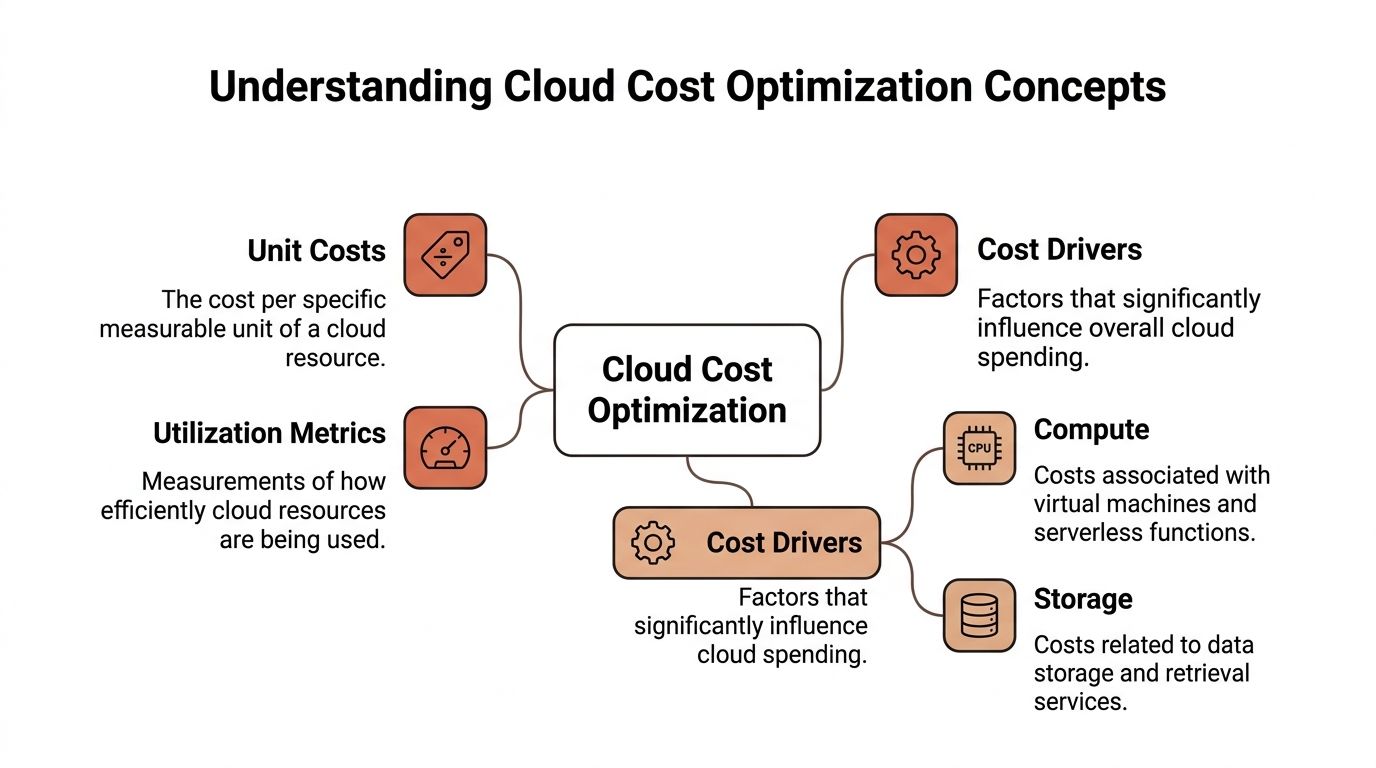
Three ideas make most cost conversations clearer.
| Concept | What it means in plain language | Why CTOs care |
|---|---|---|
| Unit costs | The cost of delivering one useful unit, such as a transaction, customer action, build, or environment | It links infrastructure spend to business output |
| Utilization metrics | Signals that show how much of a resource you’re actually using | It reveals over-provisioning and idle capacity |
| Cost drivers | The services that push spend up fastest, usually compute, storage, and network-heavy components | It tells you where optimisation work will matter most |
A simple analogy helps. Think of cloud resources like office space.
If you rent a whole floor because you might need it one day, but your team only uses a small corner, your lease isn’t efficient. Cloud works the same way. Provisioning for peak demand can protect reliability, but it also creates waste when actual usage stays far below capacity.
Why utilisation matters so much
Many teams find this surprising. Average CPU utilisation in cloud environments is only 15-20%, which points to substantial over-provisioning and waste without continuous optimisation, according to IDC research highlighted by Ivoyant’s 2025 cloud budget analysis: IDC cloud cost findings on FinOps and utilisation.
That number matters because low utilisation usually means one of two things:
- resources were sized for worst-case demand and never adjusted
- resources are still running even when nobody needs them
Neither problem is unusual. Both are expensive.
FinOps is not just a finance term
FinOps is the practice of bringing finance, engineering, and operations into the same loop. In practical terms, it means engineers can see cost implications early, finance can understand the technical reasons behind spend, and platform teams can turn both into policies and automation.
That cultural change isn’t abstract. Organisations implementing mature FinOps practices achieve 25-30% reductions in cloud costs while increasing cloud usage, according to the same IDC research cited above.
Cost management tells you what happened. Cloud cost optimization changes what happens next.
Where readers usually get stuck
Few teams struggle with the idea of saving money. They struggle with where to look first.
Use this simple order:
- Find waste by reviewing idle resources, oversized instances, and always-on non-production environments.
- Map spend to ownership with tagging, environment labels, and service-level accountability.
- Relate spend to output so you can judge whether a rising bill reflects growth or inefficiency.
- Automate recurring decisions such as scaling policies and scheduled shutdowns.
If that sounds like platform engineering work, it is. That’s exactly why DIY stacks become so costly over time. Cloud cost optimization isn’t one more dashboard. It’s the result of a delivery platform that keeps financial discipline close to engineering decisions.
Building Your Cost Optimization Playbook
Ad hoc clean-ups rarely last. A workable cloud cost optimization practice needs a repeatable playbook that engineering leaders can run every month without turning it into a side project.
The structure below works well because it mirrors how platform teams already operate: assess, measure, act, automate, and govern.
Five phases that keep costs predictable
| Phase | Goal | Key Actions |
|---|---|---|
| Assessment | Understand what exists and who owns it | Build an inventory of workloads, environments, managed services, and shared components |
| Measurement | Create reliable visibility | Review billing views, usage dashboards, tagging coverage, and resource utilisation signals |
| Action | Remove obvious waste and resize what’s misaligned | Shut down idle assets, rightsize compute, clean old storage, and review expensive traffic paths |
| Automation | Reduce manual effort and inconsistency | Add schedules, autoscaling rules, policy checks, and standard environment templates |
| Governance | Keep optimisation continuous | Set ownership rules, approval paths, review cadence, and budget accountability |
What each phase looks like in practice
Assessment should answer a blunt question: what are we paying for that nobody can clearly justify? If your teams can’t map spend to service, owner, and environment, optimisation will stay reactive.
Measurement is where many organisations overcomplicate things. You don’t need ten dashboards. You need one operating view that shows cost by workload, environment, and team, plus enough utilisation context to act on it.
Action is not a brainstorming phase. It’s where you create a backlog of concrete changes, then assign owners. One engineer reviews idle databases. Another checks over-sized worker nodes. A platform lead cleans up always-on preview environments.
Operator’s note: If every saving idea needs manual approval, manual scripting, and manual follow-up, your process will stall after the first round.
Don’t build the whole system from scratch
A lot of startup teams treat this playbook like a platform project they need to invent internally. That’s a mistake. Cost optimisation succeeds when it becomes operationally boring.
That’s also why it helps to compare your cloud work with broader actionable IT cost optimization strategies that cover governance, tooling sprawl, and infrastructure standardisation beyond the cloud invoice itself.
For startup-specific thinking, this explainer on cloud cost optimization for startups is useful because it frames cost control as a product-delivery issue, not just a finance exercise.
How to know the playbook is working
You don’t need exotic KPIs. You need operating discipline.
Look for signs like these:
- Cleaner ownership when teams can identify who owns a workload without debate
- Faster action when idle resources get removed quickly instead of sitting through another billing cycle
- Less custom glue when engineers stop relying on one-off scripts for routine shutdowns and reviews
- Stronger forecasting when finance and engineering use the same source of truth
A good playbook reduces spend, but its bigger benefit is consistency. It removes the drama from cloud decisions and keeps infrastructure from stealing time that belongs to product teams.
Applying Cost Savings Tactics
Once the playbook is in place, the next question is practical. Which levers should you pull first, and which ones create risk if you apply them badly?
Not every tactic fits every workload. A customer-facing database, a nightly data job, and a staging cluster need different treatment. Good cloud cost optimization comes from matching tactics to workload behaviour, not from applying every savings idea at once.
Rightsizing and shutting off what isn’t needed
Rightsizing is often the least glamorous tactic and one of the most useful. Teams provision instances for safety, then never revisit them after real traffic patterns settle.
Start with the easiest candidates:
- Development environments that stay online when nobody is using them
- Batch workers sized for a temporary peak that no longer exists
- General-purpose instances hosting low-intensity services
- Old test resources left behind after a release cycle or migration
Automated environment scheduling is especially effective in non-production stacks because those workloads usually have predictable business hours. You don’t need an engineer remembering to switch them off every evening.
Autoscaling and serverless where variability is real
Autoscaling helps when traffic changes meaningfully during the day, across markets, or around product launches. It’s less useful when a workload is stable and already well understood.
Serverless can improve efficiency for event-driven services because you pay for execution rather than keeping capacity warm all the time. But there’s a trade-off. You may reduce infrastructure waste while increasing operational complexity around debugging, observability, or service boundaries if the architecture isn’t well designed.
That’s the broader lesson. Saving money with a new runtime model only works if your team can still operate it confidently.
Commitments work best when usage is stable
Reserved Instances and Savings Plans reward predictability. They’re strong tools for steady-state production workloads, but they can become expensive mistakes when architecture changes quickly.
In the LT region, within AWS eu-north-1, Reserved Instances and Savings Plans deliver 40-70% compute cost reductions compared to on-demand pricing for high-utilisation workloads when matched to historical usage metrics, according to Flexential’s analysis of cloud cost optimisation strategy in that region: AWS eu-north-1 commitment discount guidance.
That’s compelling for workloads like:
- Production databases with consistent demand
- Core web services with stable baseline traffic
- Always-on internal platforms that rarely scale to zero
It’s less compelling for fast-changing workloads, major migrations, or services likely to move to containers or serverless in the near term.
Commit to what is boring. Keep flexibility where your architecture is still moving.
Use spot and preemptible capacity carefully
Spot-style pricing can be valuable for fault-tolerant jobs, but interruption risk changes the equation. If a workload can’t tolerate disruption, low pricing on paper may create expensive engineering work in practice.
In these situations, many DIY platform efforts become fragile. Teams chase lower rates, then spend weeks writing retry logic, rescheduling controls, and failure handling. The infrastructure bill drops, but platform complexity rises.
That’s not always a bad trade. It just needs to be intentional.
Tagging, chargeback, and ownership rules
Tagging sounds administrative, so engineering teams often postpone it. Then nobody can split spend by product line, environment, or owner. At that point, every cost discussion turns into detective work.
Good tagging supports several useful habits:
- Team accountability because each service has a visible owner
- Environment discipline because non-production resources are clearly labelled
- Budget clarity because finance can allocate spend sensibly
- Faster cleanup because orphaned resources stand out
Internal chargeback or showback models can reinforce that discipline, but only if the underlying data is trustworthy. Bad tags create bad incentives.
Storage and data movement need attention too
Compute gets the spotlight, but storage and networking steadily expand over time. Snapshots accumulate. Logs stay in premium tiers. Cross-region traffic grows after a service split or replication change.
These costs are easy to miss because they don’t usually create an outage. They create drift. A team notices them only after the bill becomes noisy.
For cloud leaders on AWS, this round-up of 10 technical AWS cost optimization best practices is worth reviewing because it covers concrete infrastructure areas where spend often hides.
If you’re comparing providers or planning a migration path, an Azure cost calculator can help frame trade-offs between workload shape, pricing model, and environment design before you commit to architecture choices.
Pick tactics by workload type, not by trend
A quick decision model helps.
| Workload type | Best-fit tactic | Watch out for |
|---|---|---|
| Stable production services | Commitment discounts and careful rightsizing | Locking in before architecture settles |
| Variable traffic apps | Autoscaling and demand-aware policies | Scaling on the wrong signals |
| Dev and test environments | Automated scheduling and expiry rules | Manual exceptions that become permanent |
| Batch and fault-tolerant jobs | Spot or preemptible capacity | Interruption handling complexity |
| Event-driven components | Serverless patterns | Operational visibility gaps |
| Shared platform services | Tagging, showback, and standard templates | Weak ownership boundaries |
A common tactical mistake isn’t choosing a bad tool. It’s choosing the right tool for the wrong workload. Cloud cost optimization gets easier when you stop asking “what saves money?” and start asking “what fits the operating behaviour of this service?”
Implementing Monitoring Alerting and Cloud Governance
Savings disappear when nobody notices drift. That’s why monitoring, alerting, and governance belong in the same operating system.
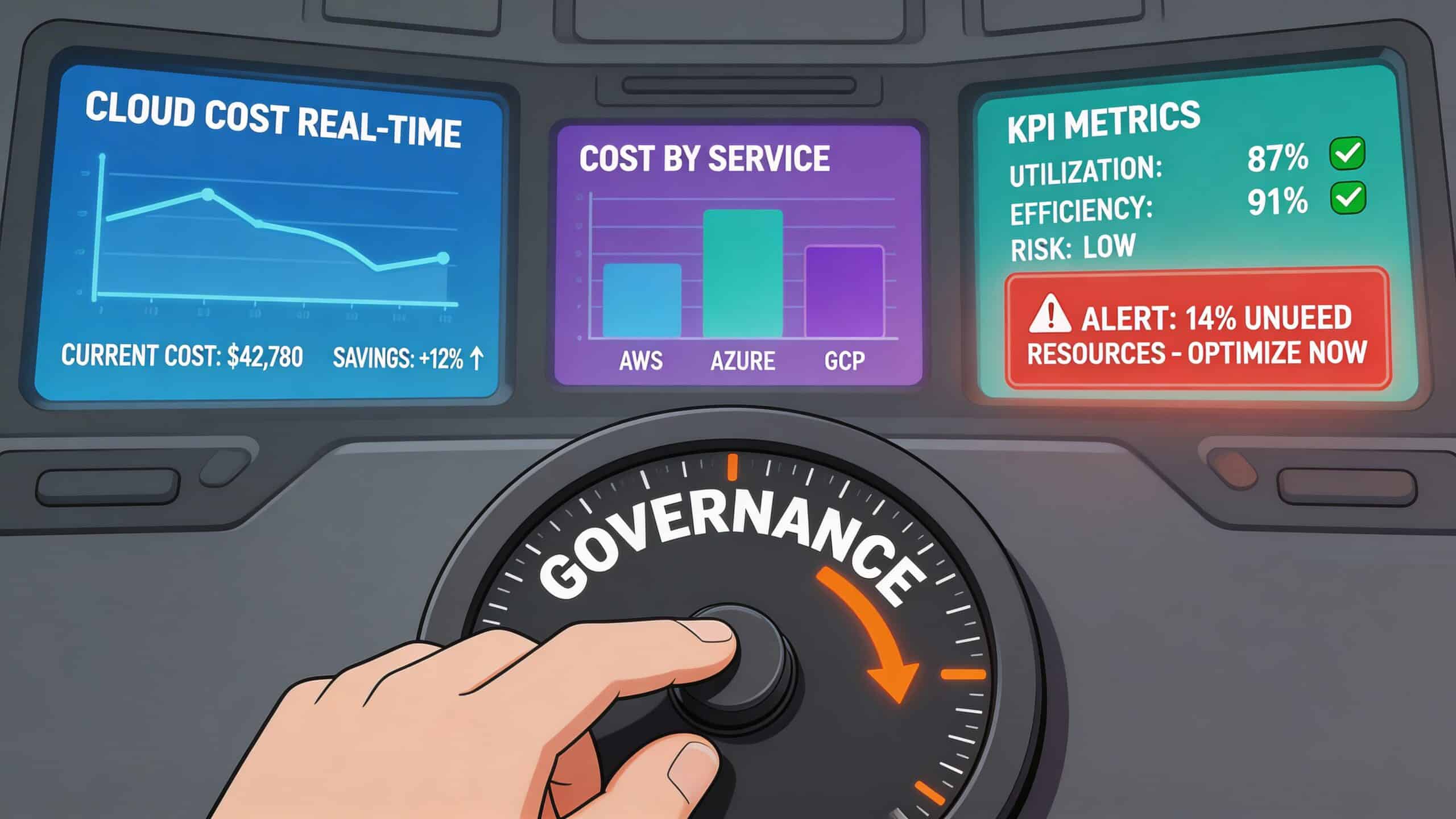
A dashboard alone won’t control costs. Neither will a spreadsheet review at the end of the month. You need a setup that catches anomalies early, routes them to the right owner, and prevents the same mistake from recurring.
Monitoring should answer ownership questions
A useful cost dashboard does more than show total spend. It should help a team answer:
- Which workload changed?
- Who owns it?
- Was the increase expected?
- Is the rise tied to traffic, configuration, or waste?
That usually means combining billing views with deployment context, environment labels, and operational telemetry. Without that link, finance sees cost movement but engineering can’t act quickly.
Alerting works when it’s specific
Generic budget alarms often arrive too late or create too much noise. Better alerts are tied to conditions engineers can investigate.
Examples include:
- Unexpected spikes in a known workload after a deployment
- Idle resource detection for environments that should expire
- Tagging failures when new infrastructure appears without ownership metadata
- Commitment drift when usage patterns stop matching reserved capacity assumptions
There’s also a governance angle. If your alerting depends on humans remembering every exception, it won’t scale. Policy enforcement needs to sit closer to provisioning and deployment.
Governance is where cost control becomes durable
The strongest cloud teams treat governance as a delivery feature. Policies define what teams can create, how they label it, when non-production resources expire, and which approvals apply to more expensive classes of infrastructure.
That’s especially important when commitments enter the picture. According to Ternary’s analysis, Lithuanian firms face 25-40% forecast errors on committed discounts, leading to 15% wasted commitments, and while AI-driven forecasting may help, over-reliance on predictions can backfire without dynamic spot orchestration: forecasting risks in cloud commitments.
That finding highlights a common governance mistake. Teams treat forecasts as certainty, then buy commitments too aggressively. A better approach is to combine forecasting with review loops, exception handling, and guardrails that preserve flexibility.
Good governance doesn’t slow engineers down. It removes the need for repeated arguments about the same preventable mistakes.
Put cost controls into platform workflows
If your teams already use infrastructure as code, GitOps, or standard deployment pipelines, cost controls should live there too. Budget-aware templates, required tags, environment expiry rules, and policy checks are much easier to enforce at creation time than after resources are already live.
In this context, developer platform automation becomes relevant.com/explainer/developer-platform-automation/) becomes relevant. Standardised platform workflows reduce the gap between what engineering intends and what the bill reflects.
Governance often gets framed as restriction. In practice, it’s operational clarity. It gives developers safe defaults, gives finance cleaner forecasting, and gives leadership fewer surprise conversations at month-end.
Real-World Cloud Cost Optimization Benchmarks
Benchmarks matter because they reset expectations. Many teams assume cloud savings require a massive migration or a painful rearchitecture. In reality, a lot of improvement comes from doing common things consistently: rightsizing, scheduling, and acting on visibility before waste compounds.
One of the more useful data points comes from a broad sample rather than a single showcase example. CloudKeeper’s analysis of over 500 customers shows that over 70% achieved 11–20% savings through usage optimisation, with total reductions ranging from 5–25%+ via rightsizing and automation, with steady monthly declines over time: CloudKeeper cloud cost optimisation benchmarks.
What these benchmarks actually suggest
The key lesson isn’t that every company should expect the same result. It’s that repeatable operational practices produce measurable savings across a large customer base.
The strongest patterns tend to come from:
- Usage optimisation where actual demand is lower than provisioned capacity
- Automation that removes manual delay from shutdown, cleanup, and scheduling
- Sustained effort instead of one-off clean-up projects
- Cross-cloud visibility when teams operate across AWS, Azure, and GCP
This matters for startup CTOs because it supports a more realistic planning model. You don’t need to promise a dramatic transformation to justify cloud cost optimization. You need to establish a system that consistently removes waste.
How to interpret benchmarks without fooling yourself
Benchmarks are helpful only when you compare them to your own operating posture.
| Situation | Likely benchmark takeaway |
|---|---|
| Very low visibility | Your biggest gains are probably in ownership, tagging, and cleanup |
| Mature dashboards but manual action | Automation is likely the missing step |
| Heavy non-production sprawl | Scheduling and expiry rules may produce fast improvement |
| Stable production workloads | Commitment strategy and rightsizing deserve close attention |
A mature team doesn’t copy another company’s tactic list blindly. It asks why those savings happened. Was the result driven by idle environments, poor sizing, delayed action, or weak governance?
Benchmarks are useful as a compass, not a promise. They show what disciplined teams can achieve, not what any tool can guarantee on its own.
The practical conclusion is encouraging. Meaningful cloud cost optimization doesn’t require a giant platform department. It requires visibility, ownership, automation, and fewer bespoke systems that engineers have to maintain by hand.
Conclusion and Next Steps
Cloud cost optimization works when it becomes part of how you build and run software. Not a finance clean-up. Not a quarterly script-writing exercise. A built-in operating discipline.
The main pattern is clear. Teams lose money when infrastructure decisions are fragmented across billing tools, manual reviews, and custom platform glue. They regain control when ownership is visible, waste is acted on quickly, and recurring controls are automated.
For CTOs and senior engineers, the fundamental question isn’t whether optimisation matters. It’s whether your team should keep building the machinery around it in-house. Every hour spent maintaining CI/CD plumbing, Kubernetes scaffolding, custom alerting, and cost-control scripts is an hour not spent shipping product.
If your current setup feels expensive in both cloud spend and engineering attention, that’s your signal to simplify the platform, standardise the workflows, and make predictable cost control part of everyday delivery.
If you want a simpler path, PushOps gives software teams a production-ready multi-cloud DevOps platform without the burden of building and maintaining the whole stack internally. It helps you standardise deployments, automate environments, improve observability and security, and keep cloud costs predictable so your engineers can get back to shipping features.

