


Teams often don’t notice access control becoming a delivery problem until it already is one. It starts small. A developer needs temporary production access. Someone asks in Slack. An engineer with admin rights unblocks it. The permission stays. A contractor leaves, but their cloud account still works. A release gets delayed because only two people understand which IAM policy touches which environment.
At that point, role based access control stops being a security term and becomes an operating model issue. It affects who can ship, who can investigate incidents, who can see customer data, and how much engineering time disappears into permission work that nobody planned for.
Why Access Control Is Your Biggest Unseen Blocker
A growing startup usually doesn’t set out to build a messy access model. It grows into one.
At first, broad admin access feels efficient. The founding team is small, trust is high, and everyone is trying to get the product into market. Then the company hires platform engineers, backend developers, QA, contractors, and support staff. The old habit of granting access case by case starts to break. People wait for approvals. Permissions accumulate. Nobody wants to remove anything before a release.
That’s where the hidden tax shows up. Engineering leaders think they have a deployment problem, a compliance problem, or an onboarding problem. Often they have an access model problem underneath all three.
The operational drag looks small until it spreads
A typical pattern looks like this:
- Releases slow down: only a handful of people can safely touch production, so every deployment queues behind them.
- Incidents take longer to resolve: responders spend time proving who had access and what changed, instead of fixing the issue.
- Audits become archaeology: teams pull logs from cloud consoles, CI tools, and chat threads to explain basic access decisions.
- Hiring creates more risk: each new engineer adds another set of permissions to grant, review, and eventually revoke.
The market growth around RBAC reflects how serious this has become. The global market was valued at USD 10 billion in 2025 and is projected to reach USD 26.4 billion by 2034, growing at 11.4% CAGR, according to GM Insights’ role-based access control market analysis.
That growth doesn’t matter because RBAC is fashionable. It matters because companies have realised ad hoc access control doesn’t scale with cloud infrastructure, hybrid work, and compliance pressure.
Practical rule: if your team manages access through Slack approvals, one-off IAM edits, and memory, you don’t have a policy. You have a dependency.
RBAC is a business control, not just a security feature
RBAC gives you a cleaner way to map access to real responsibilities. Developers get what they need to build and deploy. finance can see billing. support can access the tooling needed for support work without drifting into infrastructure administration. Security gets traceability. Leadership gets fewer bottlenecks.
If you’re also thinking about audit readiness, it’s worth reviewing how teams use access control software for audits to make access evidence easier to defend when compliance reviews arrive.
The mistake many companies make is assuming RBAC is simple because the concept is simple. The concept is simple. The implementation, especially across several tools and clouds, rarely is.
Understanding the Core Components of RBAC
RBAC works because it introduces one layer of structure between a person and a permission.
Instead of giving Alice direct access to deploy to production, view billing, restart workloads, and read logs, you assign Alice a role. That role contains the permissions she needs for her job. Change the role once, and every user assigned to it changes with it.
This is the core mental model:
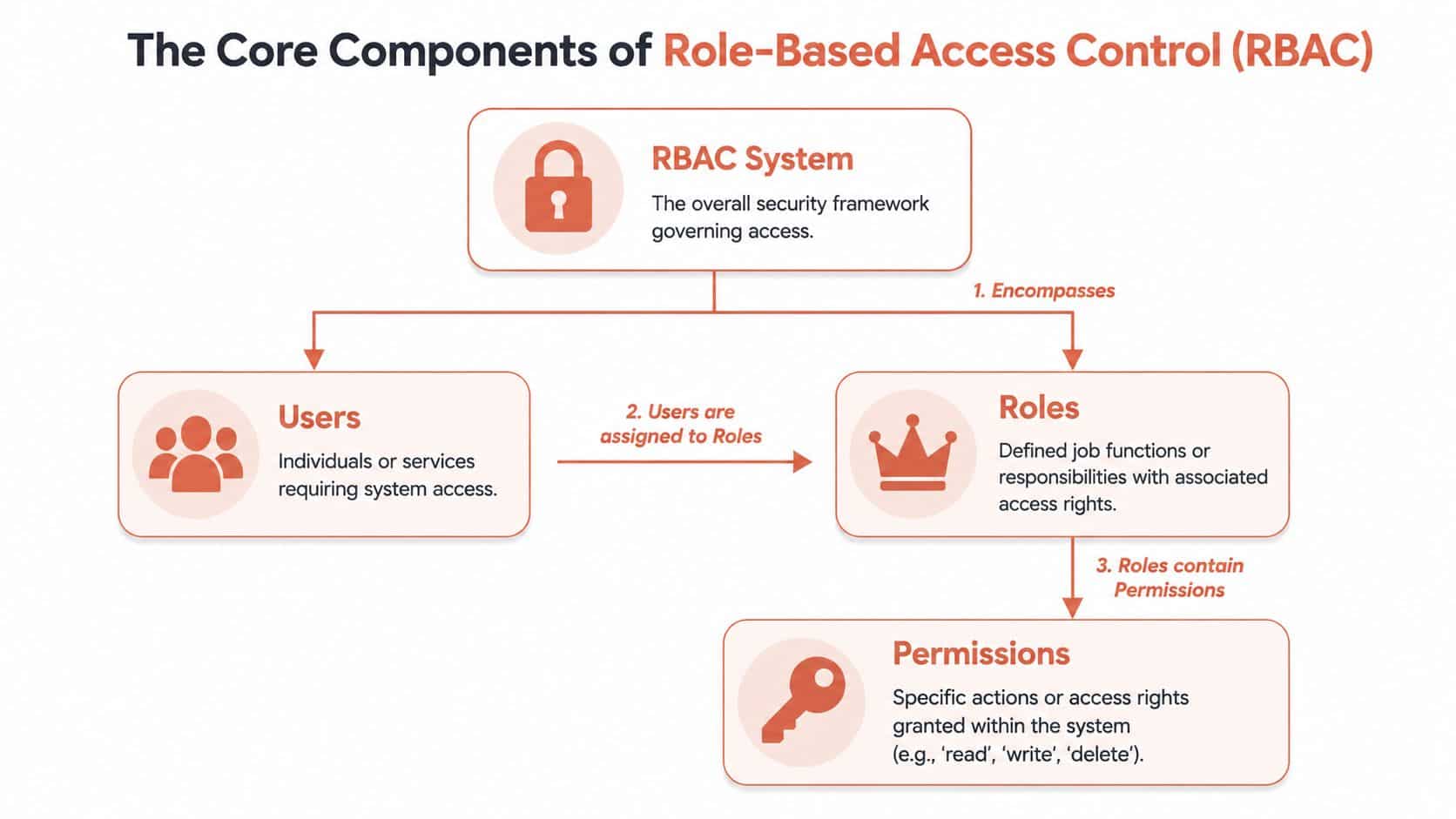
Users, roles, and permissions
A company keycard system is the easiest analogy.
- Users are the people or services trying to enter the building.
- Roles are the types of badges they receive, such as employee, contractor, or facilities manager.
- Permissions are the doors each badge opens.
That sounds obvious, but this separation is what makes RBAC manageable. You stop thinking in terms of individual exceptions and start thinking in terms of repeatable job functions.
Here’s what that looks like in practice:
| Component | What it represents | Example |
|---|---|---|
| User | A person or service identity | Backend developer, CI runner |
| Role | A job-based access bundle | Developer, Release Manager, Billing Admin |
| Permission | A specific allowed action | Deploy service, read logs, manage invoices |
Least privilege is the real payoff
The main goal isn’t neatness. It’s least privilege.
Least privilege means a user gets the minimum access required to do their work, and nothing beyond that. In day-to-day operations, that reduces accidental mistakes. During a security event, it limits blast radius.
That matters for compliance as well. RBAC is important for frameworks including GDPR, HIPAA, and SOC 2, which require controlled access and auditable records of who accessed what. The urgency is easy to understand when you look at threat volume. In 2021, the FTC received over 5.88 million fraud reports, as noted in Market Data Forecast’s RBAC market report.
Access control gets much easier when you stop asking, “What should this person have?” and start asking, “What should this job be allowed to do?”
What works and what usually fails
What works:
- Job-based roles: developer, support engineer, finance admin.
- Clear permission boundaries: staging deploy isn’t production deploy.
- Default deny: access starts narrow and expands deliberately.
- Regular reviews: roles change as teams and systems change.
What fails:
- Role names nobody understands: cryptic labels turn review into guesswork.
- Roles built around individuals: “Alex-temp-prod-access” isn’t a role.
- Too many exceptions: every exception becomes another future audit question.
- Treating service accounts like people: machine identities need equally strict roles.
RBAC isn’t hard to understand. The hard part is keeping the model clean as infrastructure, teams, and cloud services multiply.
RBAC vs ABAC and PBAC
Once a team starts formalising access, the next question usually isn’t whether to control access. It’s which model to choose.
Most engineering leaders don’t need the academically perfect answer. They need the model that gives strong control without creating a second product to maintain. That’s why the pertinent comparison is about trade-offs.
Where RBAC wins
RBAC assigns access by job function. A developer role might allow deployments to staging, log access, and read-only production visibility. A finance role might handle invoices and cloud cost dashboards.
Its advantage is predictability. Reviewers can understand it. New hires can inherit standard access quickly. Incident responders can reason about what a user should have had.
RBAC is usually the best starting point when:
- Teams are growing fast: access needs to scale faster than manual approvals.
- Responsibilities are stable enough to map: engineering, support, finance, and operations have distinct needs.
- You need auditable rules: explainable access matters during reviews and incidents.
- You want low operational overhead: fewer moving parts means fewer surprises.
Where ABAC and PBAC become attractive
ABAC uses attributes. Instead of “this user is a developer”, it evaluates things like department, device posture, location, environment, data sensitivity, or business hours.
PBAC uses policies as the decision layer. In practice, it often becomes the umbrella for richer rule evaluation, where access is granted or denied based on written policies rather than only fixed roles.
That gives you more control, but also more complexity. The access decision becomes dynamic. That sounds powerful, and it is, but someone has to define, test, debug, and maintain those rules.
Here’s the practical comparison:
| Criterion | Role-Based Access Control (RBAC) | Attribute-Based Access Control (ABAC) | Policy-Based Access Control (PBAC) |
|---|---|---|---|
| Decision basis | Job role | User, resource, and environment attributes | Policies that evaluate rules and context |
| Ease of understanding | High | Lower | Lower |
| Operational overhead | Moderate | High | High |
| Auditability | Strong for standard workflows | Can be harder to interpret | Depends on policy clarity |
| Best fit | Most startups and scale-ups | Complex, highly contextual access | Mature organisations with policy tooling |
| Common failure mode | Role sprawl | Rule sprawl | Policy sprawl |
The practical answer for most product teams
Most startups and scale-ups should begin with RBAC as the base layer. It’s easier to reason about, simpler to implement well, and much less painful to operate across engineering, security, and compliance.
Then add selective context where it matters. For example:
- production deployments only from managed runners
- privileged access only during approved windows
- billing access limited to a smaller administrative group
- sensitive actions blocked outside trusted environments
Decision shortcut: if your team still struggles to keep cloud roles consistent, jumping straight to ABAC or PBAC usually adds complexity faster than it adds security.
The mistake isn’t choosing RBAC. The mistake is assuming RBAC stays simple once it crosses cloud boundaries, service identities, CI pipelines, and audit requirements.
Implementing RBAC in a Multi-Cloud World
A common pattern looks like this. The company standardises on AWS, Azure, and GCP for sound business reasons, then asks the platform team for one consistent access model across all three. The intent is right. The execution turns into months of role design, Terraform changes, exception handling, and repeated reviews every time a team, pipeline, or environment changes.
RBAC gets expensive once it crosses cloud boundaries. Each provider has its own identity model, permission vocabulary, inheritance rules, and service account behaviour. A “Developer” role may sound standard at the org level, but in practice it becomes three separate implementations that need to stay aligned under constant change.
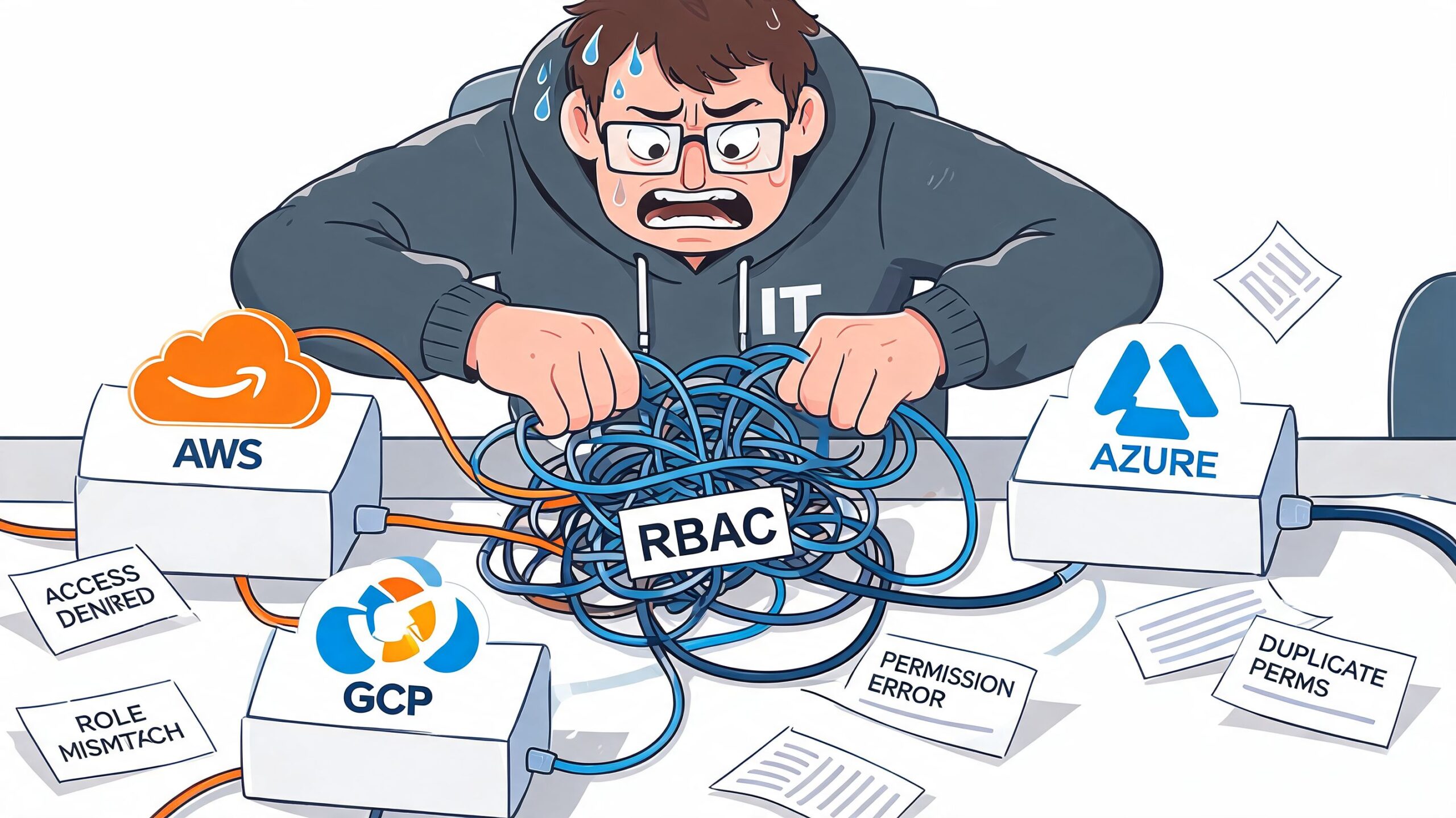
The operational drag in a DIY model
The primary cost is not the first draft of the role matrix. It is the maintenance burden that follows:
- Provider-specific role mapping: one business role becomes separate AWS IAM, Azure RBAC, and GCP IAM definitions
- Terraform and policy upkeep: every provider needs its own modules, reviews, testing, and drift correction
- Service identity growth: CI runners, deployment bots, preview environments, and integrations all need controlled access
- Cross-cloud inconsistency: a permission update lands in one cloud and lags in the others
- Temporary exceptions that stay permanent: emergency access and contractor permissions often outlive the reason they were granted
That ongoing work has a direct financial effect. Senior engineers spend time reconciling policies instead of shipping infrastructure improvements, security teams inherit a larger review queue, and audit prep gets slower because access logic is scattered across systems.
Good RBAC design still leaves an implementation problem
Hierarchical RBAC helps. Parent and child roles reduce duplication, and separation-of-duty constraints lower the chance of giving one identity too much power. Those patterns are useful, especially for production access, break-glass paths, and platform administration.
They do not remove the core problem. Someone still has to translate those patterns into each cloud, keep them in sync, test them after every change, and prove they match internal policy. In a DIY setup, the design may be clean while the operation remains messy.
A unified control layer reduces that burden. Teams using a multi-cloud management platform can apply one operating model across providers instead of rebuilding the same intent three different ways.
Where teams usually lose control
The first issue is rarely a major breach. It is usually a small mismatch that survives because fixing it takes coordination across clouds and teams.
Production deploy rights get tightened in AWS after an incident, but the Azure equivalent is missed. A GCP service account keeps broad access because nobody wants to break the pipeline before a release. A contractor keeps a standing exception because the offboarding path depends on a ticket nobody revisits.
This is why multi-cloud RBAC creates both security risk and delivery drag. The organisation is not just defining access. It is funding the ongoing work required to keep separate control planes behaving like one policy. Managed platforms change that equation by shrinking the surface area the team has to maintain by hand.
Auditing and Troubleshooting Your RBAC Setup
A clean RBAC design on paper doesn’t help much if nobody can answer basic operational questions.
Who deployed to production last Tuesday? Why can one engineer access staging but not production? Which service account can read customer data? During an audit or an incident, those questions arrive fast, and they don’t wait for someone to reconstruct the answer from memory.
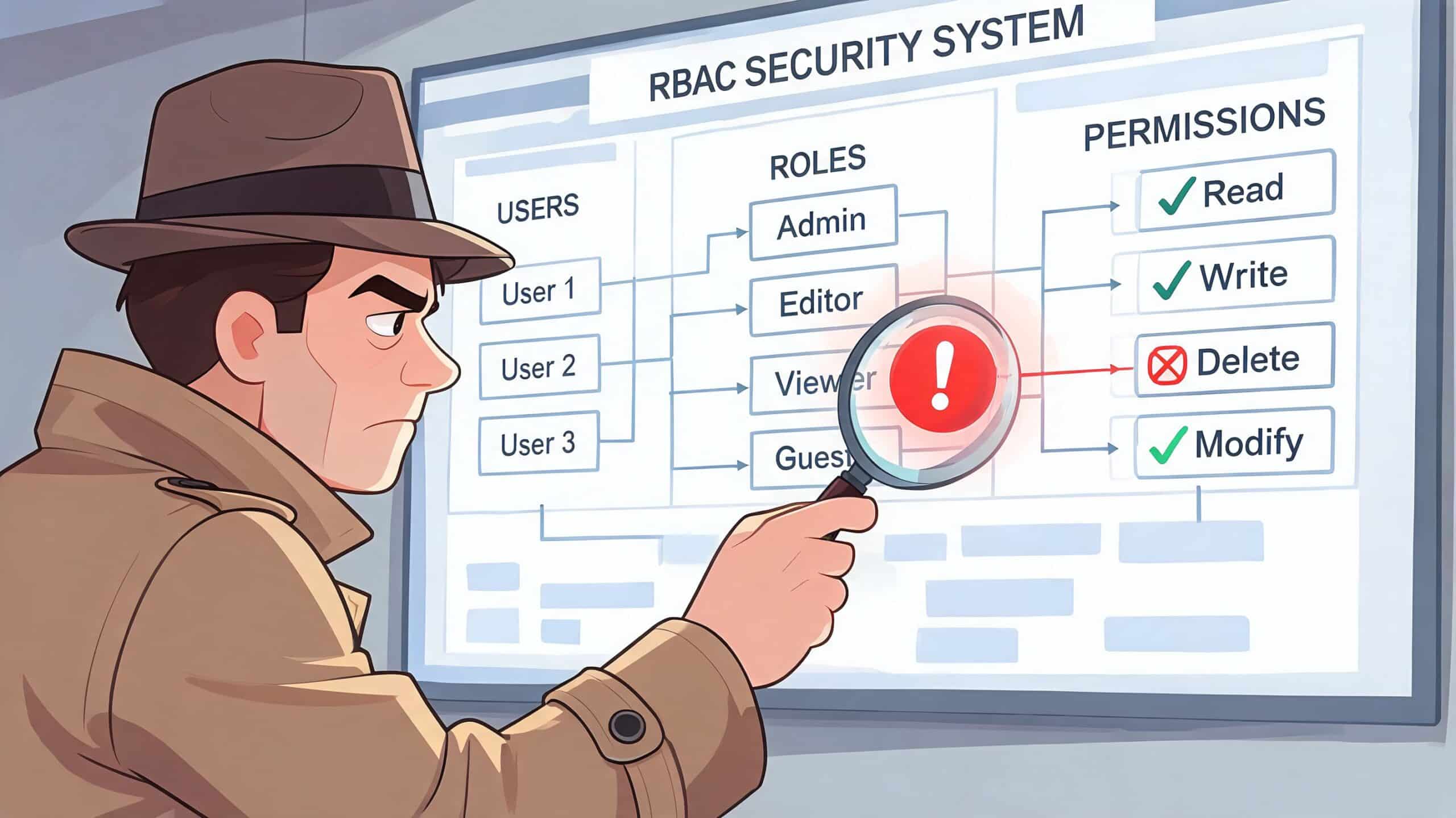
Audit logs are the proof layer
RBAC without auditability is incomplete. You need more than defined roles. You need evidence of assignments, changes, approvals, denials, and actions taken under those permissions.
Overprovisioning remains one of the biggest practical risks. According to IBM’s overview of RBAC, 70% of cloud breaches are caused by overprovisioning, and Lithuanian fintechs saw a 40% drop in unauthorized access attempts after proper RBAC rollout.
If your team can’t inspect access decisions quickly, overprovisioning tends to linger. Nobody knows exactly what to remove, so broad access remains in place “for safety”.
A useful troubleshooting routine
When access breaks, good teams don’t guess. They run a repeatable check:
Confirm identity
Verify which human or service account is making the request. SSO confusion and shared credentials still cause real mistakes.Check active role assignment
Confirm the role attached to that identity in the relevant environment. Don’t assume the role in staging matches production.Inspect underlying permission mapping
Roles can look correct while the actual action is missing. “Developer” may include log access but exclude deploy rights.Review policy constraints
Time windows, approval requirements, environment restrictions, or separation-of-duties rules can block access even when the role looks valid.Trace the audit event
Look for the exact deny or allow event and the surrounding changes. Most troubleshooting gets easier once you find the authoritative log line.
When access incidents take hours to diagnose, the problem usually isn’t the user. It’s fragmented visibility.
Why DIY setups become forensic exercises
In a homegrown environment, answers are usually scattered across cloud-native audit logs, CI/CD logs, identity providers, Terraform history, and internal chat approvals. You can get the answer, but you have to assemble it manually.
That creates a secondary cost. Senior engineers become part-time investigators. Instead of reducing risk, the access system creates another source of operational interruption.
A better RBAC setup doesn’t only deny the wrong actions. It lets the right people understand access decisions quickly, with enough context to fix issues without opening another broad exception.
How PushOps Enforces RBAC by Default
The fastest way to make RBAC expensive is to treat it like a side project. The platform has one model, CI has another, cloud accounts have a third, and every exception gets patched through with scripts or manual edits. Teams then spend months “standardising” access while delivery work competes for the same engineers.
A managed platform changes the shape of the problem. Instead of asking your team to invent and maintain the access layer, it gives you a default model that already maps to common workflows.

What default enforcement should look like
In practice, strong platform-level RBAC should do a few things well:
- Use roles people recognise: developer, release manager, billing admin, viewer.
- Separate environments clearly: staging access isn’t silent production access.
- Tie actions to audit logs: access decisions and user activity should be visible in one place.
- Support service identities cleanly: CI runners and deployment agents need first-class controls, not special treatment.
- Reduce custom glue code: fewer bespoke scripts means fewer fragile exceptions.
This is the core value of an internal developer platform. It doesn’t just centralise tooling. It turns repeated infrastructure decisions into defaults that teams don’t have to redesign every quarter.
The business case is usually simpler than the technical case
A CTO rarely needs another theory of access control. They need fewer bottlenecks, less policy drift, and less expensive engineering time tied up in cloud plumbing.
Managed RBAC helps in three practical ways:
| Area | DIY multi-cloud setup | Managed platform approach |
|---|---|---|
| Security posture | Depends on consistent custom maintenance | Enforced through standardised defaults |
| Delivery speed | Access work competes with product work | Teams inherit ready-made workflows |
| Cost control | Senior engineers maintain commodity infrastructure | Engineering time stays focused on product |
A sensible migration path
Teams moving from manual access control don’t need a dramatic rewrite. They need a staged clean-up.
- Start with role inventory: identify who currently has broad or unclear access.
- Map roles to real responsibilities: remove person-specific exceptions where possible.
- Separate human and machine access: developers, CI runners, and support staff shouldn’t share the same logic.
- Move approvals into the platform layer: avoid side-channel permission grants in chat or tickets.
- Review regularly: access models decay when nobody owns them.
The key point is simple. Your team shouldn’t have to become access-control specialists just to ship software safely across multiple clouds. That’s operational overhead masquerading as engineering maturity.
From Manual Chaos to Secure Velocity
A release is waiting on approval. An engineer has production access in AWS but not in GCP. Support needs temporary access during an incident, so the team grants it in Slack and plans to clean it up later. Nobody does. That is how access control turns into delivery drag, audit risk, and avoidable cloud exposure.
RBAC affects far more than security reviews. In a DIY multi-cloud setup, it slows releases, pulls senior engineers into repetitive permission work, and creates hidden operating cost. The technical model is usually clear. The expensive part is keeping roles, exceptions, approvals, and audit trails aligned across real teams and different cloud permission systems.
Leadership has a practical decision to make.
One path is to keep extending the internal setup. More Terraform modules. More approval logic. More one-off exceptions for contractors, CI jobs, and support access. Teams can make that work, but they should treat it honestly. They are building and maintaining an internal access product, with all the backlog, testing, review, and failure modes that come with it.
The other path is to standardise on a platform that already handles access control as part of delivery operations. That is why developer platform automation matters at the executive level. It reduces custom policy glue, shortens the path from request to approval, and gives teams one place to enforce access, audit changes, and keep deployment workflows consistent.
Secure velocity comes from removing repeated access decisions and manual fixes.
Teams that make this shift usually see the benefit in three places. Security improves because fewer privileges are granted through side channels. Delivery improves because engineers stop waiting on ad hoc approvals and environment-specific fixes. Cost improves because expensive platform time goes back into product work instead of maintaining commodity control planes.
If your team is tired of spending engineering time on access rules, cloud plumbing, and deployment tooling instead of product work, PushOps is worth a look. It gives you a production-ready platform across AWS, GCP, and Azure with RBAC, audit logs, policy enforcement, deployments, observability, and cost controls built in, so your developers can ship faster without carrying a DIY platform burden.

