

At its core, the debate between GitOps and traditional CI/CD boils down to one simple difference: how you deploy changes. Traditional CI/CD pushes application updates to your infrastructure with scripts. GitOps, on the other hand, uses an agent to pull declarative updates from a Git repository. This makes Git the single, undisputed source of truth for your entire system. That seemingly small shift—from an imperative push to a declarative pull—completely changes the game for deployment management, security, and reliability, especially for teams who want to build products, not manage infrastructure.
The Hidden Costs of Your Current CI/CD Pipeline
For any engineering leader at a fast-moving startup or scale-up, the mission is clear: ship great products, fast. The irony is that the very CI/CD pipelines meant to speed things up often become the biggest bottleneck. The problem isn't CI/CD itself, but the operational drag that comes standard with traditional, push-based systems. Too many teams over-invest in building and maintaining their own DevOps stack—Kubernetes, CI/CD, monitoring, security—when what they really want is a reliable platform to ship features.
Too often, these DIY pipelines morph into a tangled mess of bespoke scripts. They're brittle, a nightmare to maintain, and demand constant hand-holding. Your best engineers—the ones who should be building features that drive revenue—are instead stuck firefighting infrastructure, decoding cryptic pipeline failures, or frantically patching security holes. This isn't just an inconvenience; it's a direct tax on your innovation and a distraction from your core business.
Operational Drag and Fragility
The day-to-day reality for many teams is a constant battle against friction caused by the old CI/CD model. These hidden costs of a DIY DevOps platform are significant.
Fragile Deployment Scripts: Imperative scripts that dictate how to deploy are a ticking time bomb. They're nearly impossible to standardise across services, which leads to inconsistent environments and a massive maintenance burden.
Environment Drift: A manual tweak here, a script variation there, and suddenly your staging and production environments are distant cousins. This drift is the source of the dreaded "it works on my machine" saga, burning countless hours on debugging.
Scalability Ceilings: As your team and services expand, so does the pipeline chaos. Managing this "pipeline sprawl" quickly becomes a full-time job, putting a hard limit on how effectively you can scale without hiring more DevOps engineers.
The core business problem is clear: Your senior engineers are spending far too much time on infrastructure maintenance instead of product innovation. The complexity of a DIY DevOps stack directly translates into slower feature velocity and higher operational costs.
Security Risks and Manual Overhead
Beyond the operational headaches, traditional push-based pipelines are a security liability. To deploy code, your CI server needs powerful, long-lived credentials with broad access to your production environment. These credentials become a juicy target for attackers and a constant source of risk, especially in a multi-cloud setup spanning AWS, GCP, and Azure.
A modern, multi-cloud DevOps platform can help you build zero-maintenance CI/CD pipelines, eliminating the need for your team to manage this complexity and letting them focus on what matters.
The table below breaks down the key differences we'll explore throughout this guide. It shows how the GitOps vs. traditional CI/CD debate is really about solving these fundamental challenges.
| Feature | Traditional CI/CD (Push-Based) | GitOps (Pull-Based) |
|---|---|---|
| Deployment Trigger | An external event (e.g., code merge) pushes changes to the environment. | An in-cluster agent pulls changes from Git when a discrepancy is detected. |
| Source of Truth | The CI/CD pipeline's logic and scripts. | The declarative configuration stored in a Git repository. |
| Security Model | Requires exposing cluster credentials to the CI/CD system. | The in-cluster agent has limited permissions, and credentials never leave the cluster. |
| State Management | No inherent state tracking; relies on scripts to manage state. | Git tracks the entire desired state of the system, providing a clear audit trail. |
The Core Philosophies: Push vs. Pull
To really get a handle on the difference between GitOps and traditional CI/CD, you have to look past the tools and focus on the core philosophy. These aren’t just two paths to the same destination; they're fundamentally different ways of thinking about how you manage a production environment. Your choice here has major implications for your team's speed, system reliability, and overall security posture.
It all boils down to one simple, powerful concept: push versus pull. This single distinction shapes everything, from how a deployment gets started to how you recover when something inevitably goes wrong.
Traditional CI/CD: The Imperative "Push" Model
A traditional CI/CD setup runs on an imperative, push-based model. When a developer merges new code, a CI/CD server like Jenkins or CircleCI wakes up and kicks off a pipeline. That pipeline is a sequence of predefined scripts that builds an artefact, runs some tests, and then actively pushes that new version into your production environment.
Think of it as giving a chef a highly detailed, step-by-step recipe. The script explicitly tells the system what to do and in what order: "build the container," "run the tests," "log in to the server," "deploy the new image." The CI/CD pipeline holds all the power, directly commanding the environment to change. While this feels straightforward, it also means the correctness and state of your system depend entirely on those scripts being perfect—a common source of fragility in a home-grown DevOps stack.
GitOps: The Declarative "Pull" Model
GitOps flips that entire model on its head. It’s a declarative, pull-based system. Instead of writing scripts that do things, you declare the desired state of your entire system—applications, configurations, infrastructure—in a Git repository. You use declarative files like Kubernetes manifests to describe what the end state should look like. Critically, nothing outside the cluster has the credentials to make direct changes.
An agent running inside your environment continuously watches that Git repository. The moment it detects a drift—a difference between the state defined in Git and what's actually running—it automatically pulls in the necessary changes to bring the environment back into alignment.
It’s like giving the chef a photograph of the finished dish. You don’t tell them how to cook it step-by-step; you just show them the final result you expect. The chef (the GitOps agent) then uses their own skills to make reality match the picture (the Git repository), constantly correcting and self-healing.
This isn't just a minor technical tweak; it's a strategic shift toward more resilient and secure operations. A managed DevOps platform streamlines this entire process, giving you the power of a pull-based model without the complexity of building it yourself. You can read more about the GitOps adoption surge and its drivers.
This declarative "pull" approach is the true foundation of GitOps and the reason it shines in a cloud-native world. It makes Git the undeniable source of truth, creating a perfect, auditable history of every single change made to your system—something that's invaluable for security and compliance.
A Practical Comparison of Deployment Workflows
When we move from theory to practice, the day-to-day differences between GitOps and traditional CI/CD become crystal clear. For engineering leaders, this is where the debate really matters. The workflow you choose directly impacts your team's velocity, system reliability, and security posture. It’s not just about tooling; it’s about how your team builds, deploys, and maintains software in production without being bogged down by infrastructure.
The most fundamental difference is how deployments are actually triggered and executed—the classic "push vs. pull" distinction.
This image nails the core mechanical difference: traditional CI/CD pushes changes outward from a pipeline, while GitOps has an in-cluster agent that pulls changes inward from a version-controlled repository. This simple shift has massive implications for reducing operational overhead.
To dig deeper, let's break down how each approach handles core operational mechanics. The following table gives a high-level overview before we explore the specifics of security, state management, and incident response.
GitOps vs Traditional CI/CD: A Head-to-Head Comparison
| Operational Aspect | Traditional CI/CD (Push-Based) | GitOps (Pull-Based) |
|---|---|---|
| Source of Truth | The CI pipeline's last successful run. | A dedicated Git repository. |
| Deployment Trigger | An external event, usually a git push that runs a script. |
A continuous reconciliation loop inside the cluster. |
| State Management | Imperative; defined by scripts and manual changes. | Declarative; defined as code in Git. |
| Security Model | CI server holds powerful, long-lived cluster credentials. | In-cluster agent has limited, local permissions. |
| Rollback Process | Re-run a pipeline with an old artifact or run a rollback script. | A simple git revert command. |
| Drift Detection | Manual checks or separate tooling required. | Automatic and continuous; self-healing by default. |
This table highlights the profound operational shift that GitOps introduces. It’s not just a new way to deploy; it's a completely different way to think about managing production systems, prioritising reliability and security from the ground up.
Deployment Triggers and State Management
In a typical CI/CD setup, a git push to a specific branch kicks off a pipeline. This pipeline then runs a series of imperative scripts—a linear sequence of commands—that dictate the deployment. The "state" of your system is whatever that script last did, a reality that often lives outside version control and is a nightmare to audit.
GitOps flips this model on its head. The "trigger" isn't a one-off event but a continuous reconciliation loop. An in-cluster agent, like Argo CD, is always watching, constantly comparing the live state of your Kubernetes cluster with the desired state defined declaratively in Git. If it spots a difference—whether from a new commit or manual tinkering—it automatically pulls the necessary changes to make the live state match the declared state.
This declarative model is a game-changer. Your Git repository becomes the single source of truth, giving you a complete, version-controlled history of every single change made to your infrastructure.
The real power of GitOps isn't just automation; it's convergence. The system is always actively working to make reality match your repository. This self-healing nature eliminates configuration drift, a chronic source of pain in traditional, script-driven environments.
Security Models and Credentials
Security is one of the most compelling arguments in the GitOps vs. traditional CI/CD debate. Traditional pipelines force your CI server to hold powerful, long-lived credentials with wide-ranging permissions to access and modify your production environments (e.g., Kubernetes clusters across AWS, GCP, or Azure). This creates a massive and tempting attack surface. If the CI system gets compromised, so does your entire production infrastructure.
GitOps completely inverts this model, dramatically strengthening your security posture:
No External Credentials: The GitOps agent lives inside the cluster. It only needs permission to pull from your Git repo and manage resources within its own environment. That's it.
Reduced Attack Surface: Your CI system no longer needs any production access. Its only job is to build an artefact and push it to a registry. This clean separation of concerns massively shrinks the blast radius of a potential breach.
Pull, Don't Push: Because changes are pulled by an internal agent, your cluster's API server doesn't need to be exposed to a fleet of external CI/CD tools.
This shift means you can stop juggling and securing powerful credentials scattered across your DevOps toolchain. For teams building an internal developer platform, this reduction in complexity and risk is a huge win, saving countless hours on security engineering and compliance audits.
Rollbacks and Incident Response
When a bad deployment hits production, every second counts. The recovery process is where the two models show their true colours and highlights the operational tax of DIY DevOps.
In a traditional CI/CD world, a rollback usually means one of two things: frantically triggering another pipeline run with a previous version or, in a worst-case scenario, manually SSH-ing into servers to put out the fire. Both are slow, stressful, and dangerously error-prone. You're essentially fighting the system, praying the rollback script works as advertised.
With GitOps, a rollback is simply a git revert.
By reverting the bad commit in your configuration repository, you declare a new "desired state"—the last known good configuration. The GitOps agent sees this change, detects the drift, and automatically pulls the system back to the stable version. It's fast, predictable, and fully auditable. This turns a high-stakes emergency into a routine, version-controlled operation, empowering developers to fix issues safely without needing a dedicated DevOps engineer on standby.
Why Traditional CI/CD Fails at Scale
What works for a small, nimble team often shatters under the pressure of growth. Traditional, push-based CI/CD pipelines are a perfect example. While they seem straightforward enough for a single application, they become a massive operational bottleneck as your company scales, introducing complexity and risk that directly choke your ability to ship features.
This isn’t a failure of your team; it's an inherent limitation of an outdated model. The very architecture of push-based CI/CD creates scaling challenges that can’t be solved by just throwing more DevOps engineers at the problem. The issues are systemic, leading to slower delivery, mounting security risks, and endless frustration for developers.
The Problem of Pipeline Sprawl
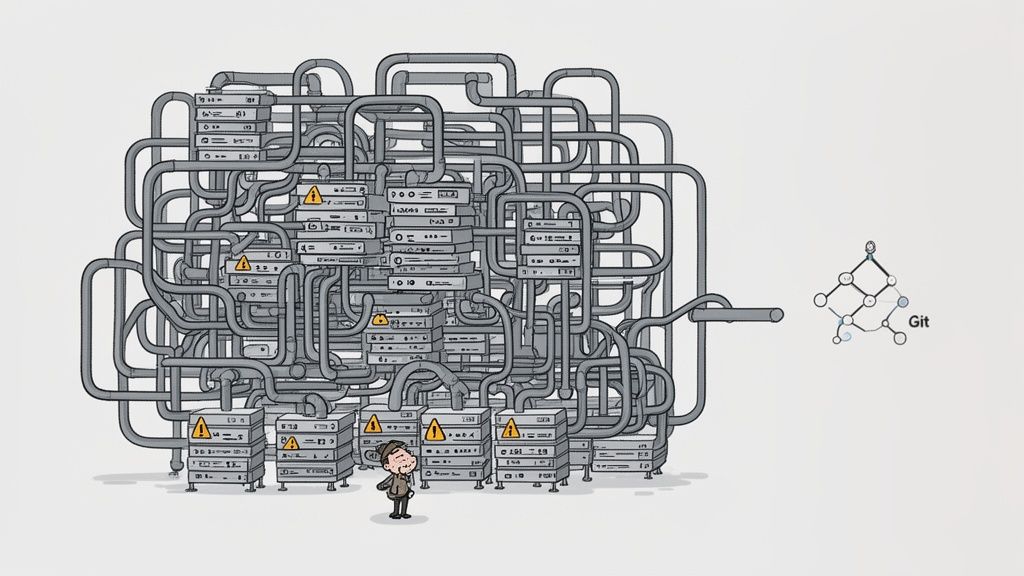
As your organisation grows from a handful of services to dozens or even hundreds, so does your collection of deployment scripts. This phenomenon, known as pipeline sprawl, forces engineering teams to manage a chaotic web of bespoke, brittle pipelines. Each one is a unique snowflake—difficult to standardise, impossible to maintain, and a constant source of failures.
This sprawl creates a vicious cycle. Engineers end up spending more time debugging esoteric pipeline YAML than writing product code. Instead of speeding up delivery, the CI/CD system becomes a productivity tax, requiring a dedicated team just to keep the lights on. This is a common pain point for teams building their own internal developer platforms on Kubernetes, where the complexity multiplies across multi-cloud environments like AWS, GCP, and Azure.
Multiplying Security Risks
In a traditional CI/CD model, the pipeline server needs direct, privileged access to your production environments to push out updates. As your team grows, more developers and services require these credentials, exponentially expanding your attack surface. A single compromised pipeline can become a gateway to your entire infrastructure.
This security model creates several critical vulnerabilities at scale:
Credential Management: Juggling secrets for dozens of services across multiple environments becomes an operational nightmare and a major security liability.
Wide Blast Radius: A breach in a single CI tool can expose the keys to the whole kingdom, as these systems often hold god-mode permissions.
Lack of Auditability: Tracing who deployed what and when becomes nearly impossible when deployments are driven by ephemeral scripts rather than a version-controlled source of truth.
The core issue is that traditional CI/CD conflates the Continuous Integration process with Continuous Deployment. It gives the CI system—whose job should be building and testing code—far too much power over production. This is a foundational flaw that GitOps is designed to correct.
Configuration Drift and the Reliability Gap
Perhaps the most frustrating challenge at scale is configuration drift. When deployments are executed by imperative scripts and engineers have the freedom to make manual hotfixes directly in production, your environments inevitably diverge. Before you know it, the staging environment no longer mirrors production, leading to that soul-destroying "it works on my machine" problem that kills developer productivity.
This inconsistency breeds unreliability. Deployments become a roll of the dice because you can never be sure that a change tested in staging will behave the same way in production. The system lacks a single source of truth for its desired state, relying instead on the last successful script run—a fragile and untraceable foundation. To learn more about navigating these challenges, check out our guide on migration and scaling strategies.
Ultimately, these scaling failures—pipeline sprawl, security risks, and configuration drift—are just symptoms of a model that wasn’t built for the dynamic, multi-cloud reality of modern software development. A modern multi-cloud DevOps platform solves this by providing a unified, declarative workflow that enforces consistency and security by default, letting your team focus on building products, not fighting infrastructure.
Choosing the Right Model for Your Organisation
Picking between GitOps and traditional CI/CD isn't just a technical detail—it's a strategic move that defines how reliably and securely you can ship code. For any CTO or VP of Engineering, the goal is to cut down on operational friction and give engineers their time back. While traditional CI/CD got us this far, GitOps has clearly become the better standard for modern, cloud-native applications running on Kubernetes.
Its declarative, self-healing approach was practically tailor-made for the dynamic world of microservices and multi-cloud setups. It doesn't matter if your infrastructure lives on AWS, GCP, or Azure; GitOps gives you a single, consistent way to manage deployments at scale. This is the shift from constantly fighting brittle scripts to a system where reliability is simply part of the architecture.
Key Drivers for GitOps Adoption
The move toward GitOps isn't just about chasing the new shiny thing; it’s driven by real business results. Projections show a massive industry shift, with the top reasons being faster software delivery (71%), improved configuration management (66%), and greater deployment consistency (66%). Security is right up there, too, with 69% of teams pointing to the removal of error-prone manual steps as a huge win. You can discover more insights about these DevOps trends to see how they're reshaping engineering velocity.
These numbers tell a clear story: organisations are turning to GitOps to fix the very scaling problems that old-school CI/CD creates. The benefits line up perfectly with what the business actually cares about:
Accelerated Delivery: When rolling back is as simple as a
git revertand you have a perfect audit trail, developers feel confident enough to deploy smaller changes, more often.Enhanced Reliability: The reconciliation loop is always running, automatically fixing any configuration drift. This guarantees your production environment always mirrors the desired state defined in Git.
Stronger Security Posture: GitOps removes the need for CI systems to hold production credentials. Right out of the box, this shrinks your attack surface and hardens your security model.
Situational Recommendations: When to Choose GitOps
Sure, traditional CI/CD might still get the job done for a simple monolith with rare deployments. But in a cloud-native world, its cracks start to show fast. Here’s a straightforward guide on when it’s time to make the switch.
You should be seriously considering GitOps if your organisation:
Runs on Kubernetes: GitOps is the native operational model for Kubernetes. Its declarative style is a perfect match for Kubernetes manifests, making it the most natural and efficient way to handle containerised workloads.
Manages Microservices: Trying to coordinate deployments across dozens of microservices with scripts is a recipe for disaster. GitOps provides that single source of truth needed to manage all that complexity without the chaos.
Operates in a Multi-Cloud Environment: Keeping things consistent across AWS, GCP, and Azure is a huge operational headache. GitOps enforces one uniform deployment process, getting rid of environment-specific scripts and snowflake servers.
Prioritises High Security and Compliance: If you need an unbreakable, auditable history of every change made to production, GitOps is non-negotiable. The Git history itself becomes your immutable log for any compliance or security review.
For any modern software company, the question isn't if you should adopt GitOps, but how. The operational tax of building and maintaining an internal GitOps platform can be just as draining as managing legacy CI/CD pipelines. This is where a managed platform becomes a strategic accelerator.
The Path Forward: From DIY to a Managed Platform
Adopting GitOps doesn't have to mean building another complicated system from scratch. A managed DevOps platform gives you all the power of a declarative, pull-based workflow without the painful learning curve and endless maintenance. It abstracts away the headaches of setting up and managing tools like Argo CD or Flux, not to mention the Kubernetes clusters, monitoring, security, and cloud cost controls that go with them.
With a managed solution, you get a secure, scalable, and production-ready GitOps workflow from day one. This lets your team get back to what they do best: shipping features, not becoming experts in cloud-native plumbing. You can learn more about how a DevOps cloud infrastructure platform streamlines this transition, turning what could be a complex architectural shift into a simple, powerful upgrade for your entire engineering organisation.
Frequently Asked Questions
As engineering leaders look at shifting their deployment strategies, a few key questions always come up. Here are some straight-talking answers to help you figure out where GitOps fits and how it compares to traditional CI/CD.
Can GitOps Replace My Entire CI/CD Pipeline?
Not quite. Think of GitOps as a powerful upgrade for the Continuous Delivery (CD) part of your pipeline, not a full replacement. Your Continuous Integration (CI) process is still absolutely essential.
Your CI server will continue to do what it does best: build your code, run all the tests, check for vulnerabilities, and push a container image to a registry. GitOps takes the baton from there. Instead of your CI tool pushing the new image to your cluster, it just updates a config file in your Git repo. The GitOps agent, which lives inside your cluster, then spots the change and pulls the new image in, managing the deployment automatically.
This creates a really clean separation of duties:
CI handles the build and test phase: It's all about preparing the application artefact.
GitOps handles deployment and reconciliation: It owns the release and makes sure the live state always mirrors what’s in Git.
What Are the Biggest Challenges When Moving to GitOps?
Switching from a push-based model is as much a cultural change as it is a technical one. The real hurdles are usually about adjusting processes and mindsets, not just swapping out tools.
First, your team has to fully commit to a Git-centric workflow for everything that touches infrastructure. No more quick hotfixes directly on the cluster. Every single change, big or small, has to go through a pull request. This requires serious discipline around Git practices and a deep buy-in to Infrastructure as Code (IaC).
Second, secrets management can be a tricky problem to solve. You can't just store API keys and other sensitive data in a Git repository—that’s a huge security no-go. Teams have to figure out a solid secrets strategy, bringing in tools like HashiCorp Vault or sealed secrets solutions that play nicely with the GitOps flow.
The most significant hurdle is often cultural. Engineers accustomed to imperative scripts must adapt to a declarative mindset, focusing on defining the 'what' (the desired state) rather than the 'how' (the deployment steps).
How Does GitOps Improve Security for Kubernetes?
GitOps fundamentally flips the traditional security model on its head, making your whole setup safer, especially in Kubernetes. Instead of handing over powerful, long-lived credentials to external CI servers so they can access your clusters, GitOps works on a least-privilege principle.
The main security wins are:
A Smaller Attack Surface: Your CI system doesn't need production credentials anymore. The GitOps agent operates from inside the cluster and only needs read-only access to your Git repo and the permissions to manage resources in its own environment.
No Exposed Cluster API: Since changes are pulled internally, you don’t have to expose your Kubernetes API server to a bunch of external systems. This closes off a major potential entry point for attackers.
A Perfect Audit Trail: Every change to your production environment is logged as a commit in Git. This gives you an unchangeable, fully auditable record of who changed what and when, making compliance checks and incident investigations much simpler.
This pull-based approach just wipes out an entire category of security risks tied to credential leaks, making it an inherently safer way to manage infrastructure across multi-cloud providers like AWS, GCP, and Azure.
When Does Building an In-House GitOps Platform Become Too Costly?
For most startups and scale-ups, the point where a DIY GitOps platform becomes more of a liability than an asset comes much faster than they expect. At first, spinning up an open-source tool like Argo CD or Flux seems easy enough. But the real cost isn't the initial setup—it's the relentless operational overhead that follows.
When you build it yourself, your team is on the hook for:
Tooling Integration: Patching together GitOps agents, monitoring, logging, security scanners, and cost management tools into a cohesive system.
Platform Maintenance: The endless cycle of managing, patching, and upgrading the Kubernetes clusters and all the DevOps tools running on top.
Developer Experience: Building a smooth, self-service workflow for developers is a massive undertaking—it’s basically a full-time product development effort in itself.
Once a team gets bigger than 10-15 engineers, the hidden costs of keeping this DIY stack running usually start to spiral. Your best engineers end up spending their days wrestling with infrastructure plumbing instead of building your actual product. This is the exact moment a managed DevOps platform stops being a cost centre and becomes a strategic investment in engineering velocity.
A modern, multi-cloud DevOps platform like PushOps gives you a secure, scalable, and production-ready GitOps workflow from day one, without the operational burden. Find out how you can streamline your deployments and get back to building features.

