


Deciding between blue green deployments vs canary deployments often feels like a straightforward technical trade-off. Do you want the fast, all-or-nothing switch of blue green, or the slow, methodical risk reduction of a canary release? For engineering leaders at fast-moving companies, the real choice isn't about the theory—it's about how to implement these strategies without derailing your product roadmap and burning out your best engineers.
The Hidden Costs of Modern Deployment Strategies
As a CTO or VP of Engineering, your mission is to ship features that create value, not to build and maintain a sprawling internal DevOps platform. The problem is that adopting advanced deployment strategies like blue green or canary often comes with a hidden tax on your most valuable resource—your engineers' time. The real challenge isn't grasping the concepts; it's the massive, often underestimated, effort required to build and maintain these complex systems in-house.
Too many teams get bogged down in a mire of Kubernetes configurations, brittle CI/CD scripts, and convoluted multi-cloud networking just to support a release. Instead of building their core product, their best engineers get pulled into constructing an internal developer platform—a project that’s never truly finished. This DIY approach quickly creates a fragile, high-maintenance ecosystem that bleeds resources, stifles innovation, and distracts everyone from the real goal: shipping great software.
The DIY DevOps Platform Trap
The complexity of building your own deployment tooling spirals out of control faster than you’d think. To implement these strategies reliably across multiple clouds, you have to solve several incredibly hard problems on your own:
- Automated Traffic Shaping: Engineering reliable, precise mechanisms to shift traffic between versions across AWS, GCP, or Azure is a non-trivial task that requires deep networking expertise.
- Deep Observability: You need to integrate and maintain a suite of monitoring tools capable of detecting subtle performance issues before they impact your entire user base.
- State Management: Handling database migrations and session persistence without data corruption or a terrible user experience is a major hurdle that can bring your entire release process to a halt.
- Automated Rollbacks: Creating scripts that can safely and instantly revert a failed deployment when the pressure is on is much harder than it sounds, and it's often the last thing teams build.
Each one of these is a significant engineering project in its own right. Tackling them all at once means you’re signing up for a full-time commitment that pulls focus from your actual business goals. The constant maintenance, security patching, and scaling of this bespoke platform becomes a serious operational burden and a major, often unbudgeted, expense. You can find more on keeping these costs in check in our articles on cloud cost management.
The decision to build your own deployment tooling is rarely just a technical one—it's a strategic one. You're implicitly choosing to invest in infrastructure over features, betting that your team can build and operate a world-class platform more efficiently than a dedicated provider.
This is where a modern multi-cloud DevOps platform fundamentally changes the game. It abstracts away all that complex plumbing, giving you battle-tested deployment automation right out of the box. Instead of hiring more DevOps engineers to reinvent the wheel, your team can simply define a release strategy and get back to what they do best: shipping code that delivers real customer value.
Blue Green vs Canary Deployments At a Glance
To help you make a quick assessment, here’s a high-level look at how these two popular deployment strategies stack up against each other.
| Characteristic | Blue Green Deployment | Canary Deployment |
|---|---|---|
| Release Speed | Fast. An instant switch routes 100% of traffic to the new version. | Slow & Gradual. Traffic is shifted incrementally over time. |
| Risk Profile | Higher. A failure impacts all users immediately after the switch. | Lower. Issues are detected with a small user subset, minimising impact. |
| Infrastructure Cost | High. Requires a full duplicate of the production environment. | Moderate. Requires managing multiple versions but hidden costs are in tooling. |
| Complexity | Simpler conceptually, but complex database and state management. | More complex, requiring sophisticated traffic shaping and observability. |
This table provides a starting point, but the best choice always depends on your specific application, risk tolerance, and whether you're building the tooling yourself or using a platform that makes both strategies simple.
Understanding Blue-Green Deployments: The Zero-Downtime Swap
Blue-green deployment is a classic release strategy built for one primary goal: achieving near-zero downtime with a simple rollback plan. The concept itself is straightforward. You run two identical production environments in parallel. “Blue” is your current, live version serving all user traffic, while “Green” is a complete clone where you deploy the new code.
After the Green environment is fully tested and ready to go, a simple router switch flips all traffic from Blue to Green. This happens in an instant.
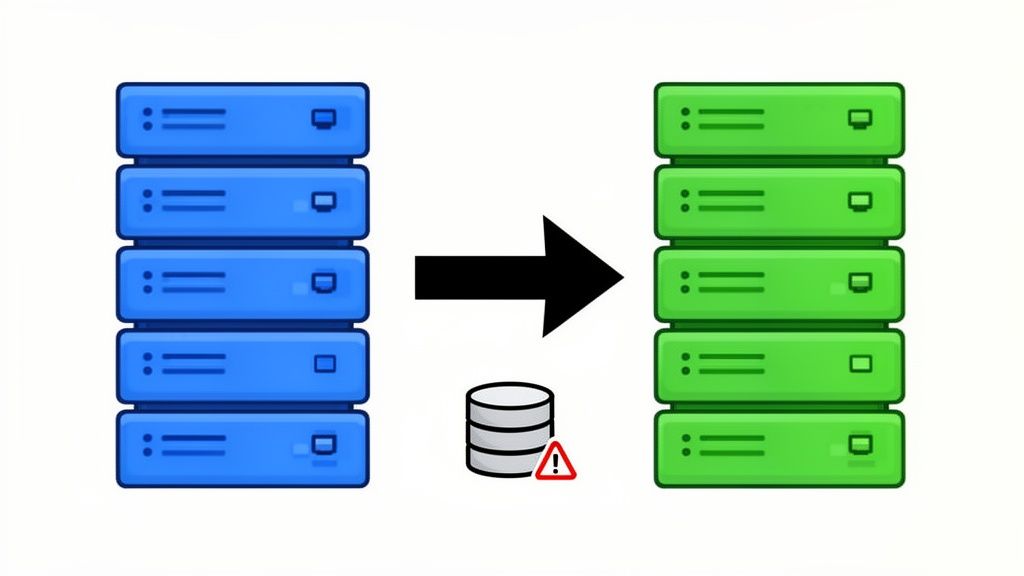
This all-or-nothing approach gives teams a strong sense of confidence. If something breaks, rolling back is as easy as flipping the router switch back to the Blue environment. But this conceptual simplicity hides serious operational and financial headaches that can quickly derail an engineering team. Most organisations find that building and maintaining this strategy in-house becomes a major distraction from their actual product roadmap.
The Hidden Infrastructure Tax
The first and most obvious challenge with blue-green deployments is the cost. To make it work, you have to duplicate your entire production stack—every server, database, load balancer, and network rule. For any growing company, this means you’re effectively doubling your production infrastructure costs for the entire deployment cycle.
This isn’t just a fleeting expense. The Green environment sits there, spinning up resources and racking up costs on AWS, GCP, or Azure, even when it’s not serving a single request. For a startup or a scale-up where every dollar matters, this built-in inefficiency is a tough pill to swallow. It forces a painful choice between release safety and cloud spend.
The real cost of a DIY blue-green deployment isn't just the doubled server bill. It's the engineering hours spent scripting, maintaining, and troubleshooting two parallel universes—a task that offers zero direct value to your customers.
The High-Stakes Cutover and Stateful Services
Imagine a fintech company in Singapore getting ready to push a critical regulatory update. Downtime is not an option. A blue-green strategy looks like the perfect fit. They build out the new version in the Green environment, run their integration tests, and prepare for the switch. This is where things get complicated.
Managing stateful services, especially databases, is a massive headache in a DIY blue-green model. The team has to guarantee that both the Blue and Green versions can talk to the same database without causing issues. This often demands complex, backward-compatible schema migrations, which are notoriously risky and require painstaking planning. One mistake here could corrupt data the moment the switch happens.
Beyond the database, the traffic cutover itself is a high-stakes, single point of failure. You’re moving your entire user base in one go. If there’s a subtle bug or a performance bottleneck in the Green environment that pre-release tests didn’t catch, 100% of your users are hit immediately. There's no middle ground; it's either a total success or a complete rollback.
The Multi-Cloud Management Nightmare
Trying to run a blue-green strategy across multiple clouds like AWS and GCP without a unified platform is a recipe for disaster. Each cloud provider has its own services for load balancing, DNS, and traffic management (think Amazon Route 53 versus Google Cloud DNS). Suddenly, your DevOps team is on the hook for:
- Writing and maintaining separate automation scripts for each cloud provider’s unique APIs.
- Ensuring configuration parity across totally different cloud environments, a process begging for human error.
- Orchestrating the traffic switch in a synchronised way across all clouds at the exact same moment.
Your deployment pipeline quickly turns into a sprawling, custom-built infrastructure project. Instead of shipping features, your best engineers are stuck debugging obscure multi-cloud networking problems. This is where a modern DevOps platform like PushOps becomes essential. It abstracts this entire mess away, giving your team a single, declarative way to run blue-green deployments on any cloud. It lets them get back to shipping code, not managing infrastructure.
Canary Deployments: The Gradual, Data-Driven Rollout
Where blue-green is a clean, decisive switch, a canary deployment is a much more cautious, methodical affair. The core idea is to release the new version to a tiny slice of your real users—the "canaries"—and watch them closely. You’re essentially testing in production, but with a safety net. This lets you gather hard data on performance and user behaviour before the new code ever touches the majority of your audience.
The promise here is huge: you can spot bugs, performance dips, or even negative impacts on business metrics while the blast radius is tiny. But for a team building this from scratch, what starts as a simple quest for safer releases often snowballs into a massive internal platform project. Senior engineers get pulled from building your product to instead build and maintain the complex machinery just to ship it.
The Hidden Engineering Cost of Precision Traffic Shaping
At its heart, a canary deployment is all about surgical traffic control. Nudging exactly 1%, then 5%, and later 25% of your traffic to the new version isn't a simple config change, particularly if you're running across multiple clouds. This level of precision demands sophisticated tooling that most teams end up having to build themselves.
- Wrangling a Service Mesh: Often, this means bringing in a service mesh like Istio or Linkerd. Suddenly, your DevOps team needs to become experts in deploying, configuring, and debugging a complex networking layer just to handle weighted traffic splitting.
- Stretching Ingress Controllers: Advanced ingress controllers like NGINX or Traefik can split traffic, but this requires deep configuration knowledge to weave canary rules into your existing routing logic without breaking something.
- The Stateful Service Headache: If your application is stateful, you have to worry about session affinity—making sure a user who hits the new version stays on it. Solving this in-house is a non-trivial engineering challenge that adds yet another layer of complexity.
Each of these pieces gets bolted onto your DIY DevOps stack, creating a fragile system of interconnected tools that your team is now on the hook to secure, update, and scale.
The Observability and Automation Tax
A canary deployment without robust observability is just a shot in the dark. Sending 5% of traffic to a new version is pointless if you can't tell whether it's performing better or worse than the old one. A successful canary strategy isn't just about traffic shifting; it's built on a mature observability and automation ecosystem, which represents a serious engineering investment.
Your team will find themselves building and maintaining:
- A Unified Monitoring Pipeline: This means pulling metrics from your APM, logs, and infrastructure tools into a single view where you can actually compare the canary's performance against the baseline in real-time.
- Automated Health and Business Checks: You need robust scripts that are constantly checking key business metrics—like conversion rates, latency, and error counts—not just basic application health.
- An Automatic Rollback System: The final piece is an automated system that can instantly kill the rollout and divert all traffic back to the stable version the moment any of your predefined performance thresholds are breached.
A successful canary deployment isn't just a release strategy; it's the final output of a highly automated, deeply observable platform. Without that foundation, it's just a riskier, more complicated way to break production.
This gets to the core dilemma for engineering leaders. The very features that make canaries so appealing—the gradual rollout, the real-world validation—are what make them so difficult to get right without dedicated tooling. While adoption rates and specific methods vary, the foundational tech needed for a safe rollout remains the same. You can find more on the technical underpinnings of these strategies on statsig.com.
Ultimately, your engineers end up spending their time building a deployment platform instead of building your product. This is the hidden tax of the DIY approach. A managed, multi-cloud DevOps platform like PushOps offers this entire ecosystem out of the box. It gives you pre-built automation for traffic shaping, integrated observability, and one-click rollbacks across AWS, GCP, and Azure. This lets your team get all the safety of canary deployments without the distraction and cost of building the complex machinery from the ground up.
How to Choose Your Deployment Strategy
Deciding between a blue-green and a canary deployment is one of those critical engineering choices that goes way beyond technical preferences. It’s a strategic call that directly shapes your risk tolerance, infrastructure spend, release velocity, and ultimately, the experience you deliver to your users. Forget simple pro-and-con lists; the right answer depends on a nuanced look at what your organisation can truly afford—not just in cloud costs, but in your engineers' time and focus.
At its core, the choice boils down to how you want to handle uncertainty. Blue-green deployments aim to eliminate uncertainty before the release by testing a complete, isolated replica of production. Canary deployments, on the other hand, embrace uncertainty by testing new code with real users in a controlled, observable way. Neither is better than the other; their value is entirely contextual.
Comparing by Risk Tolerance and Blast Radius
Risk management is probably the biggest factor in the blue-green deployments vs. canary deployments debate. A blue-green strategy has a very clear, binary risk profile: the deployment either works perfectly or it fails completely. If a bug slips past your tests, the blast radius is 100% of your user base the moment you flip the switch. Yes, the rollback is instant, but the initial impact is total.
Canary deployments are designed from the ground up to contain that blast radius. By gradually exposing a new version to just 1% or 5% of users at first, you firewall any unforeseen issues to a small, manageable group. This methodical approach is perfect for uncovering the "unknown unknowns"—those subtle, production-only bugs that even the most rigorous staging environments can miss.
The decision here is really a choice between two philosophies on failure. Blue-green says, "Let's prevent failure at all costs before release." Canary says, "Let's accept that some failures are inevitable and minimise their impact when they happen."
Evaluating Infrastructure Cost vs. Tooling Investment
The financial side of each strategy is profoundly different and often highlights the hidden costs of DIY DevOps. A blue-green approach comes with a clear, upfront infrastructure cost: you have to double your production infrastructure for as long as each deployment runs. That’s a significant line item on your AWS, GCP, or Azure bill, creating a direct trade-off between release safety and your operational budget.
Canary deployments have a much smaller direct infrastructure footprint but demand a steep investment in tooling and observability. To run canaries effectively, your team has to build and maintain a complex ecosystem for traffic shaping, real-time monitoring, and automated analysis. This isn't a one-time setup; it's a perpetual engineering commitment. While exact adoption numbers are hard to find, the tooling complexity is a well-known barrier, a topic experts at platforms like Octopus Deploy often discuss.
The flowchart below gives you a sense of the components your team would need to build just to support a basic canary release.
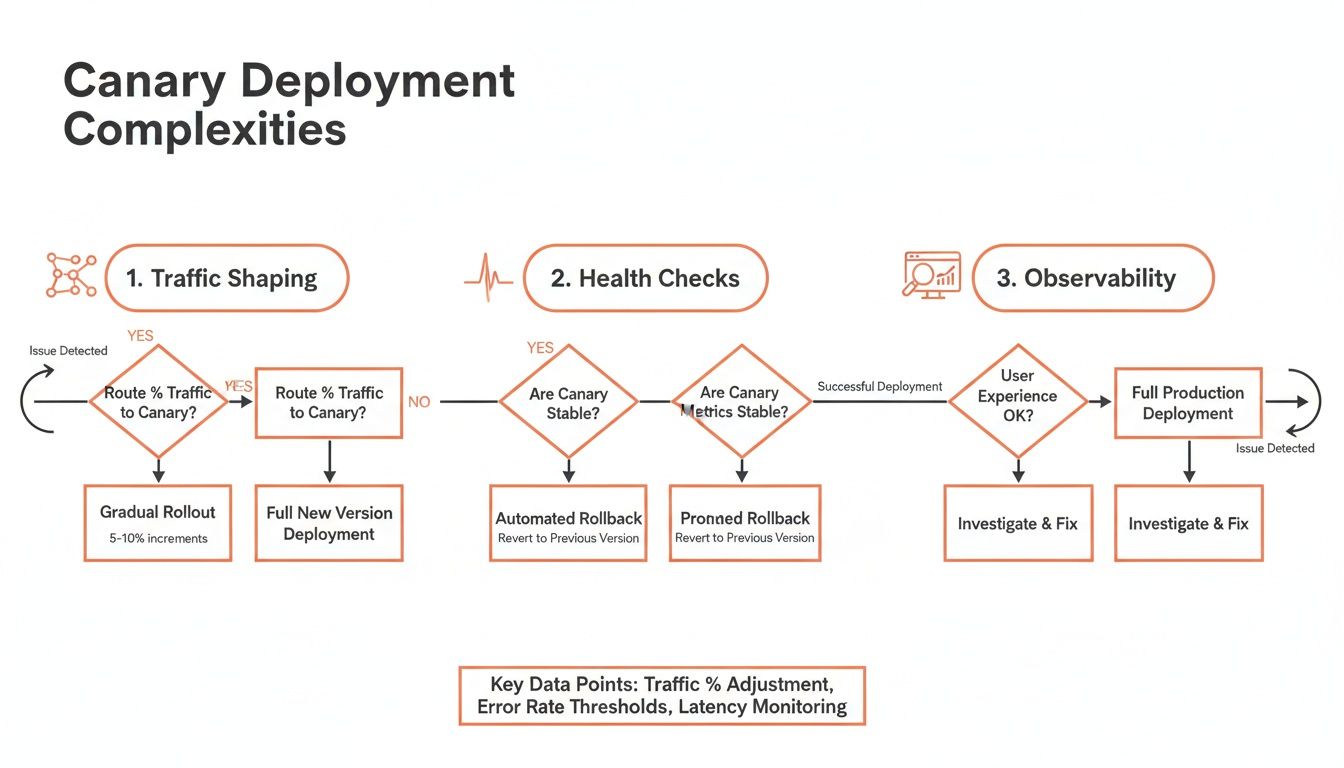
Each of those boxes—traffic shaping, health checks, observability—represents a significant engineering project that pulls your team away from building your actual product.
This is precisely where a managed solution changes the game. Instead of sinking months into building fragile, custom machinery, a unified DevOps cloud infrastructure platform gives you these capabilities right out of the box. It handles the complex traffic management and monitoring across multi-cloud environments, turning what was a massive DevOps project into a simple configuration choice. This lets your team reap the benefits of either strategy without the crippling maintenance burden, freeing them to focus on innovation, not infrastructure.
Strategic Trade-offs for Engineering Leaders
For leaders, the decision isn't just about technical implementation but about aligning deployment practices with broader business goals. The following table breaks down the strategic implications of each approach, especially when considering the all-too-common challenge of building and maintaining these systems in-house.
| Decision Factor | Blue Green Deployment Impact | Canary Deployment Impact | The DIY DevOps Challenge |
|---|---|---|---|
| Risk Philosophy | Preventative. Aims to eliminate risk before release. A failure impacts 100% of users but rollback is instant. | Mitigative. Accepts some risk is inevitable and contains the impact to a small user segment. | Building reliable rollback and fail-safe mechanisms is complex and often deprioritised until disaster strikes. |
| Infrastructure Cost | High & Predictable. Requires running double the production resources during deployments, a clear line item on the cloud bill. | Low & Incremental. Minimal extra infrastructure is needed, but hidden costs in tooling and engineering time are significant. | In-house solutions often lack cost optimisation, leading to forgotten environments and runaway cloud spend. |
| Release Velocity | Slower. Each release is a major, discrete event requiring full environment provisioning and extensive pre-release testing. | Faster & Continuous. Enables frequent, small, low-risk releases, supporting a true CI/CD workflow. | Maintaining custom deployment pipelines becomes a full-time job, slowing down the very velocity it was meant to enable. |
| User Feedback Loop | Delayed. Feedback is collected post-release, often through support tickets or monitoring alerts after a full rollout. | Immediate. Gathers real-world performance data from a subset of users during the release process itself. | Correlating user-facing metrics with deployment stages requires a sophisticated observability stack that is costly to build and run. |
| Operational Complexity | Lower. The concept is simple: build a new environment and flip a switch. Less moving parts to manage during the release. | Higher. Requires sophisticated traffic shaping, automated health analysis, and robust monitoring to be effective. | The "glue code" holding together traffic routers, monitoring tools, and CI/CD systems is brittle and a constant source of failure. |
Ultimately, both strategies offer powerful ways to de-risk software delivery. The key is to honestly assess your team's resources and priorities. A managed platform can abstract away the DIY challenges, letting you choose the right strategy based purely on your risk appetite and release goals, not on your capacity to build and maintain complex infrastructure.
Why Building Your Own Deployment Platform Is an Expensive Distraction
After digging into the nuances of blue-green and canary deployments, a frustrating pattern starts to show. The real conversation isn't about which strategy is technically better; it's about the massive operational weight you take on when you try to implement either one from scratch. The infrastructure cost of blue-green and the tooling nightmare of canary are just symptoms of a much bigger issue: the DIY platform trap.
For most growing companies in Europe, Singapore, the UK, and the US, building a robust, multi-cloud deployment system is a distraction, plain and simple. It pulls your best engineers—the ones you hired to build your actual product—into a black hole of infrastructure maintenance. Before you know it, they're stuck debugging CI/CD scripts, fighting with Kubernetes networking, and untangling cloud provider APIs instead of shipping features your customers will pay for.

The Hidden Headcount of a DIY Platform
The real cost isn't just your soaring cloud bill; it's the "hidden headcount" needed to keep a custom platform from falling over. To properly support advanced release strategies, you're not just hiring a DevOps engineer. You’re building an entire internal platform team.
Think about what it takes to do this right:
- A CI/CD Specialist: Someone has to own the complex web of scripts, integrations, and pipeline maintenance.
- A Kubernetes and Networking Expert: You'll need an expert to manage the service mesh, ingress controllers, and multi-cluster networking just to get precise traffic shaping.
- An Observability Engineer: This person is responsible for building the monitoring, logging, and alerting stack needed to make informed release decisions.
- A Security Engineer: Someone has to continuously patch, audit, and secure the sprawling collection of open-source tools you’ve stitched together.
Suddenly, you’re looking at a team of three to five highly skilled (and very expensive) engineers just to manage the deployment machinery. That’s a huge investment that could have been funnelled directly into your core product.
Every hour your senior developers spend configuring a service mesh or troubleshooting a pipeline is an hour they aren't solving your customers' problems. The opportunity cost of DIY DevOps is staggering.
This hard truth often gets lost in technical articles. While many guides explain how to implement these strategies, they conveniently forget to mention the staggering engineering effort required to do it reliably. The CNCF's blog offers a great technical overview, but the operational cost is a different story.
Abstracting Away the Complexity
This is where engineering leaders face a critical choice. Do you keep pouring money and talent into an internal platform that gives you zero competitive edge, or do you find a solution that just handles it for you? A modern multi-cloud DevOps platform like PushOps is built to eliminate this distraction.
It abstracts away all the undifferentiated heavy lifting involved in managing releases across AWS, GCP, and Azure. The platform gives you:
- Built-in Traffic Management: Execute blue-green or canary deployments with a simple configuration, not a six-month engineering project.
- Integrated Observability: Get the real-time health metrics and automated analysis you need for safe releases right out of the box.
- Automated Rollbacks: Instantly revert failed deployments without needing custom scripts or late-night manual interventions.
- Hardened Security: You get a secure, managed platform that handles patching, access control, and compliance by default.
When you adopt a managed platform, you’re not just buying a tool; you're buying back your team’s time and focus. You get all the power of sophisticated deployment strategies without the crippling cost of building the infrastructure yourself. This frees up your top engineers to do what they were hired for: building a better product. You can learn more about this approach in our guide to zero-maintenance CI/CD pipelines.
Frequently Asked Questions
When engineering leaders weigh the pros and cons of blue-green versus canary deployments, a few key questions always come up. The right answer really hinges on your application's architecture, your team's experience, and how much risk you're willing to take on. Here are some straight answers to the most common questions we hear.
These aren't just technical definitions; they're designed to show you the real-world impact on your engineers and the hidden traps of trying to build this all yourself.
Which Strategy Is Better for Monolithic Applications?
For most monolithic apps, blue-green deployment is the more practical and predictable choice. A monolith gets deployed as one big, inseparable unit, which makes the gradual, piece-by-piece rollout of a canary release incredibly difficult to pull off. Frankly, trying to canary a monolith often creates more problems than it solves.
The clean, all-or-nothing switch of a blue-green deployment is just a much simpler way to think about monolithic releases. It guarantees you're testing the complete, updated application in a production-identical environment before a single user sees it. This keeps the release process simple, makes rollbacks a non-event, and sidesteps the messy state management headaches that come with running two different versions of a monolith at the same time.
How Do Database Changes Work with These Strategies?
Database migrations are, without a doubt, the biggest hurdle for both strategies and the number one reason DIY deployment setups fail. Neither blue-green nor canary deployments magically solve the database problem—they just force you to deal with it in different ways.
- For blue-green deployments, both your blue and green environments need to work perfectly with the same database schema during the switch. This almost always means you have to design backward-compatible database changes (like adding new columns but not dropping old ones). Forward-incompatible changes are a recipe for disaster and usually require downtime.
- For canary deployments, the challenge is similar but drags on for much longer. You have to ensure that both the old and new versions of your code can run against the database at the same time for the entire canary rollout. This demands even more careful, multi-step schema changes and a ton of testing to avoid corrupting data.
Managing database state across different application versions is where most home-grown deployment platforms show their cracks. It’s a high-stakes problem that a managed platform is built to handle with battle-tested workflows, taking the riskiest parts of the process off your plate.
Can You Combine Blue-Green and Canary Deployments?
Yes, but it's not for the faint of heart. Advanced teams with really mature platform engineering capabilities sometimes mix these approaches to get the best of both. Be warned: this introduces the highest possible level of operational complexity and is nearly impossible to manage without a sophisticated, dedicated deployment platform.
A common hybrid pattern is using a blue-green swap to deploy a new version to a small slice of your production infrastructure. For example, you could spin up a full 'green' environment for just 10% of your capacity. Once that swap is done, you then use a canary approach to slowly send live traffic to that new segment, watching it closely before rolling it out to everyone else. This gives you the pre-release safety of blue-green with the controlled blast radius of a canary.
How Does a Managed Platform Simplify This Choice?
A managed DevOps platform completely changes the game by hiding the immense complexity of both strategies. Instead of your engineers burning months building custom scripts, fighting with service meshes, and glueing together a dozen different tools for traffic shifting, monitoring, and rollbacks, they just pick a strategy in a config file or a UI.
The platform takes care of the hard orchestration work across different clouds like AWS, GCP, and Azure. This means:
- No more DIY traffic shaping: The platform handles the complex load balancer rules or service mesh configs needed for a smooth canary rollout.
- Built-in observability: You get instant feedback on how a canary is performing without having to build a custom monitoring dashboard from scratch.
- One-click rollbacks: Failed deployments are automatically reverted based on health checks, with no one needing to jump in and fix it manually.
Ultimately, a managed platform lets your team use either strategy reliably and safely. It lets you choose based on your product's needs, not on your team’s ability to build and maintain a mountain of bespoke tooling.
Stop wasting your best engineers on building and maintaining a DIY deployment platform. PushOps gives you a production-ready, multi-cloud DevOps platform that handles everything from CI/CD and traffic management to monitoring and security. Let your team get back to shipping features that matter. Learn how PushOps can accelerate your delivery.

