
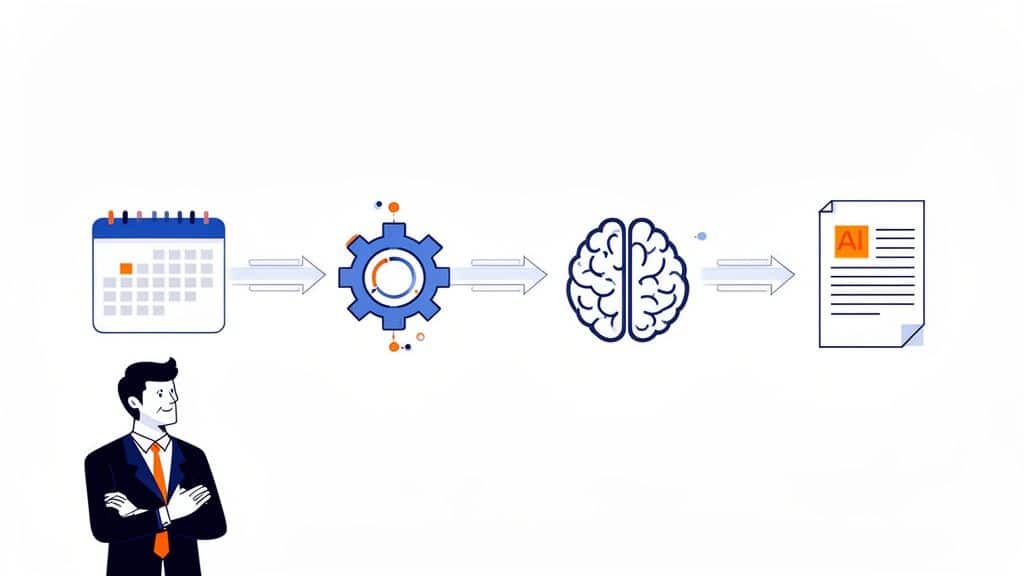
An n8n article generation AI pipeline seems like an efficient way to automate content, but the workflow isn't the hard part. The real challenge for any technical leader is the operational drag that follows.
Your engineers, who should be building product features, end up wrestling with servers, CI/CD pipelines, and brittle scripts just to keep an internal tool running. A simple automation task quickly balloons into a full-blown DevOps project, diverting your most valuable resources from what truly matters: your customers.
Stop Burning Engineering Resources On Content Operations
As a technical leader, your team's time is your most valuable asset. Yet, it's frequently squandered on fragile, home-grown content pipelines. Senior developers get sidetracked maintaining scripts for documentation or blog posts—work that adds zero direct value to your core product.
This DIY approach becomes a massive resource drain. What starts as a "quick script" spirals into a tangled web of dependencies, Kubernetes configurations, and constant manual fixes. When it inevitably breaks, it’s an all-hands-on-deck emergency to patch a system that has nothing to do with your business goals.
The Hidden Costs Of DIY DevOps
The true cost isn't just the hours spent debugging; it's the opportunity cost. It's the delayed features, the missed product deadlines, and a team distracted from innovation. Every minute an engineer spends on internal tooling is a minute they aren't improving the product.
And that’s before you even factor in the infrastructure overhead. Most teams over-invest in building and maintaining their own DevOps stack (Kubernetes, CI/CD, monitoring, security, cost control), when what they really want is a reliable platform to ship features. Consider the common pitfalls of a self-managed automation stack:
- Constant Maintenance: Servers need patching, dependencies need updating, and security holes must be plugged. This isn't a one-and-done setup; it's a perpetual operational burden that pulls your team away from product work.
- Zero Scalability: A workflow on a single VM will inevitably hit a wall. Scaling it requires deep expertise in Kubernetes, load balancing, and distributed systems—a complex project in itself.
- No Centralised Observability: Without a unified platform, monitoring your automation’s health or tracking costs across AWS, GCP, or Azure is a nightmare of digging through scattered logs and metrics.
You're not just building a script; you're accidentally building and maintaining an entire internal developer platform for a non-core function. This is exactly the kind of undifferentiated heavy lifting that a modern multi-cloud DevOps platform is designed to eliminate.
Your team doesn’t need another complex project on its roadmap. What you need is a reliable, automated system that just works, freeing your engineers to focus on what they do best. By running a tool like n8n on a managed DevOps platform, you reclaim your team's focus and drive product innovation instead of wrestling with infrastructure. To see how this impacts your bottom line, learn more about how to reduce DevOps overhead and get your engineering efforts back on product delivery.
Alright, let's move from theory to a hands-on design for a complete n8n article generation AI workflow. The real goal here isn't just to stitch a few APIs together. It's about building a solid, repeatable system that saves your team from the nightmare of maintaining brittle, custom scripts. This is how you win back valuable engineering hours.
An n8n workflow is essentially a visual map of nodes, where each node has a specific job. We’ll start by figuring out how to kick off the process, then walk through gathering data, feeding it to the AI, and structuring the output for publishing.
Kickstarting the Automation with Triggers
Every workflow needs a starting pistol. In n8n, this is your trigger—the event that sets the whole article generation process in motion. N8n gives you plenty of options, so you can slot this automation right into your existing operations without building custom listeners.
What trigger you choose really depends on your operational needs:
- Schedule Trigger: The most straightforward approach. Set the workflow to run on a timer—every morning at 9 AM to generate daily news summaries or once a week for a batch of SEO posts. Simple and predictable.
- Webhook Trigger: Perfect for creating content in real time. A webhook can listen for an event from another tool, like a new entry in your CMS (Contentful or Strapi), a new row added to a Google Sheet, or even a commit pushed to a Git repository.
- Database Trigger: If your source of truth is a database like PostgreSQL or MySQL, this is for you. The workflow can fire automatically when a new record is added or updated—ideal for generating product documentation straight from a features table.
This flexibility is a massive time-saver. It means your team doesn't have to waste time building and maintaining custom polling services just to run a script, avoiding another piece of brittle infrastructure.
Crafting Dynamic Prompts with N8n Expressions
Once the workflow is triggered, the next job is to pull in context and build a smart prompt for your AI model. A static, hard-coded prompt yields generic, low-effort content. The real power comes from using n8n's expression editor to dynamically build prompts from different data sources.
Think of it this way: your workflow can grab a target keyword from a spreadsheet, scrape the top three competing articles to analyse their structure, and fetch internal metrics from your company database. N8n expressions, which are based on JavaScript, let you merge all of that information into a single, highly-specific prompt.
For instance, a dynamic prompt expression could look something like this:"Write a 1500-word blog post about '${$json.keyword}'. Structure it with an introduction, three main sections based on these competitor headlines: ${$json.competitorHeadlines}, and a conclusion. Incorporate these key metrics: ${$json.internalMetrics}."
This approach ensures every article is tailored, relevant, and backed by data—all without anyone lifting a finger.
Connecting to AI Models and Structuring the Output
With a detailed prompt ready, the workflow sends its request to an AI model. N8n has built-in nodes for all the major players, including OpenAI (GPT-4, GPT-4o), Anthropic (Claude), and Google (Gemini). Connecting them is as simple as adding your API key to n8n's credential manager—a secure, encrypted vault that solves a common security headache found in DIY scripts where secrets are often hard-coded or poorly managed.
The infographic below highlights the hidden engineering costs you dodge by using a managed workflow instead of wrestling with brittle, in-house solutions.
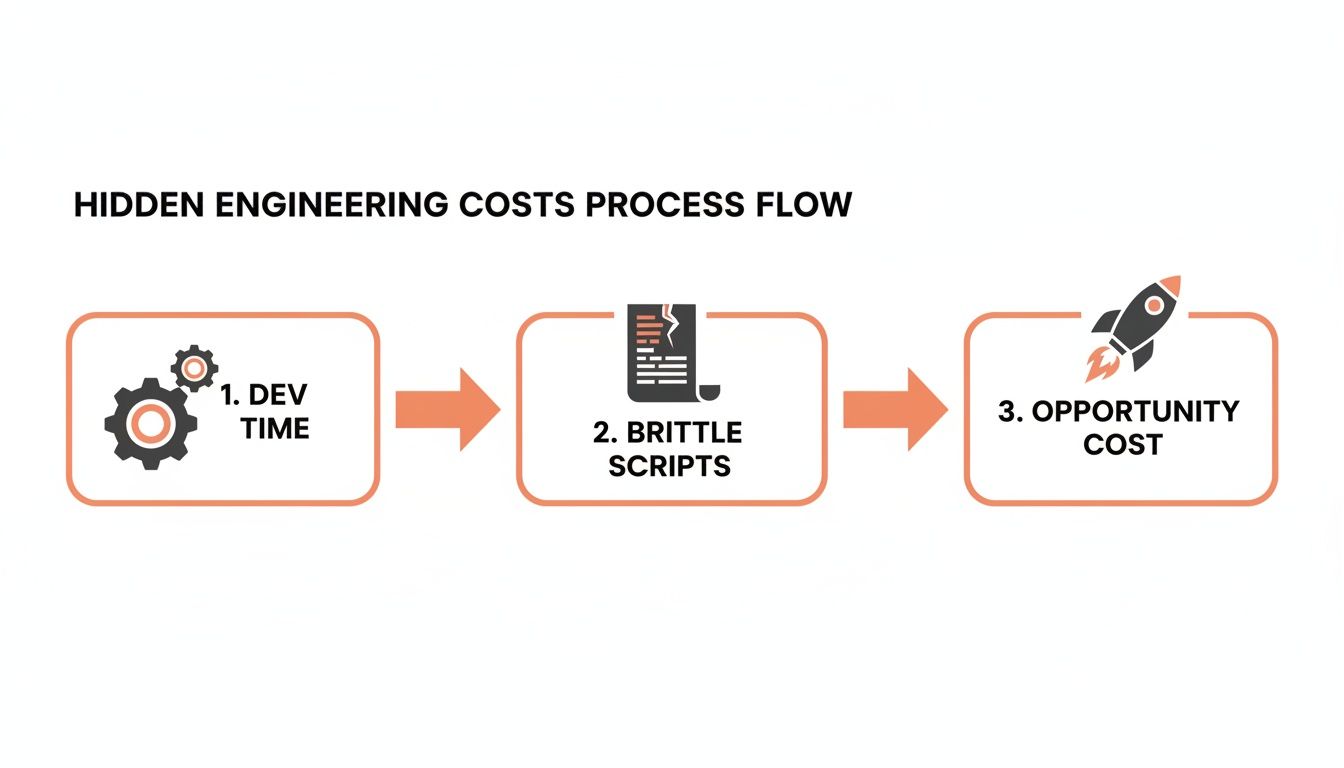
Every one of those boxes—dev time, fragile script maintenance, and opportunity cost—represents engineering cycles that are much better spent building your actual product.
After the AI model sends back its response, the last critical step is to structure the output. Raw AI-generated text is almost never ready for publishing.
The most effective method is to instruct the AI to return its response in a JSON format. By defining a clear JSON schema in your prompt, you ensure the AI delivers a structured object with fields like
title,metaDescription,bodyHtml, andimagePrompts.
This structured data can then be passed cleanly to the next nodes in your workflow, whether you're publishing to a CMS, saving to a database, or sending it for human review. It’s a far more reliable method than trying to parse a wall of text with regex, which is where many home-grown solutions fall apart and create maintenance nightmares.
We've seen this approach take off in tech hubs. In Lithuania's growing tech scene, for example, n8n's article generation AI workflows have been adopted at a blistering pace. Local analytics show a 6x year-over-year growth in active users, with many CTOs using n8n to slash content production costs by 70%. By integrating n8n with platforms like PushOps for seamless deployment on AWS, startups are automating everything from release notes to technical docs, cutting manual writing time by an estimated 85%. You can dig into more of these stats and trends over at Flowlyn.com.
Mastering Advanced Prompts For Quality Control
Anyone can generate text. The real work—and where most DIY solutions fail—is getting accurate, on-brand content you can trust without a human babysitting every output. This is where we go beyond basic prompts and build robust quality control directly into your n8n article generation AI workflow.
Getting this right separates a tech demo from a reliable content engine that genuinely saves engineering time. Instead of your team fighting unpredictable AI outputs, you’ll have a system that minimises oversight and delivers high-quality articles consistently.
Improving Logic With Chain-of-Thought Reasoning
A common headache with AI content is its tendency to make strange logical leaps or serve up shallow arguments. To fix this, you can use Chain-of-Thought (CoT) prompting, a technique that forces the AI to "think step by step" before delivering its final answer.
Instead of just asking for an article, your prompt instructs the model to first outline its reasoning, then analyse competitor content, and then draft the piece section-by-section. This builds a logical foundation, which drastically improves the depth and coherence of the final article. In your n8n workflow, this is as simple as chaining multiple AI calls, passing the output of one as context to the next.
Guiding Tone and Style with Few-Shot Examples
Your company has a unique brand voice. Getting an AI to nail that tone consistently is a classic challenge, often leading to tedious manual rewrites. This is what few-shot prompting was made for.
The technique is straightforward: provide the AI with a few examples of good (and bad) content right inside the prompt. By showing the model exactly what you want, you give it a clear stylistic target.
- Provide a "good" introduction: "Here is an example of a strong opening we use on our blog: '…'"
- Show an example of the right tone: "Write in a style similar to this paragraph: '…'"
- Include "bad" examples to steer it away from: "Do not use empty marketing fluff like this: '…'"
This moves beyond simple prompt engineering. You're effectively codifying your brand guidelines into an automated system. It turns a subjective task—maintaining brand voice—into a repeatable, programmatic step that reduces manual effort.
Building Automated Quality Gates in N8n
The most powerful feature of a tool like n8n is the ability to build automated quality gates right into your content pipeline. This is what elevates your workflow from a simple text generator to a self-regulating system, saving countless hours of manual review.
Imagine a process that not only creates an article but also validates it before anyone on your team even sees it. This is a world away from a simple script on a cron job that offers no safety net.
A few quality gates you can build right now include:
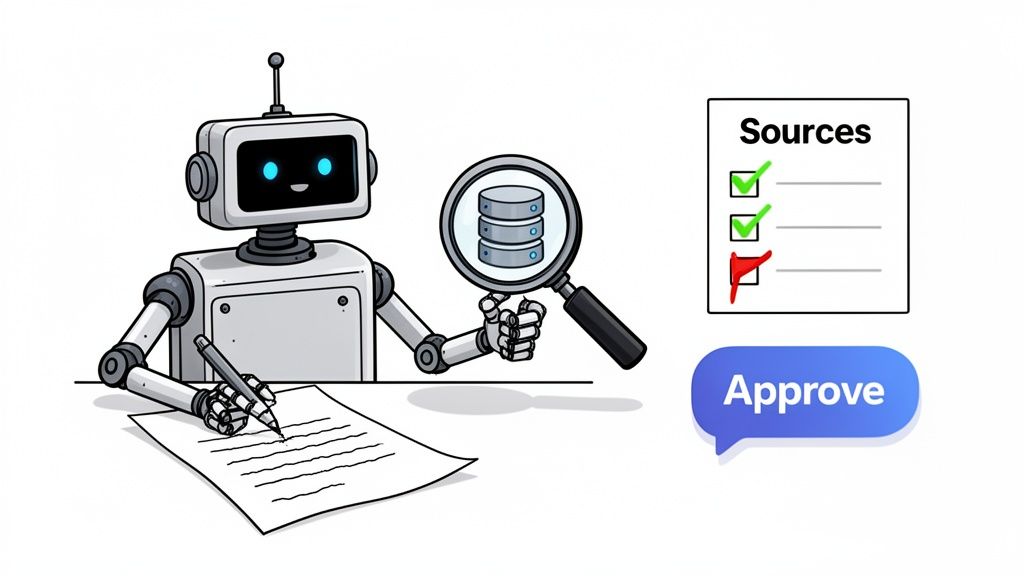
- Fact-Checking Against a Source: Use an HTTP Request node to fetch data from an internal database or a trusted external API. An n8n "If" node can then check claims in the generated text against this source of truth, flagging any mismatches.
- Plagiarism and AI Detection: Integrate with an API like Originality.ai. A dedicated node can send the finished article for analysis and only let the workflow continue if it passes your predefined originality score.
- Internal Linking Validation: Your workflow can be programmed to check that any internal links the AI adds are actually valid and don't return 404 errors. This small check prevents a common and unprofessional mistake.
Human-in-the-Loop Approval via Slack or Email
For your most important content, full automation isn't always the goal. A "human-in-the-loop" approval step blends the speed of automation with the critical judgment of a human expert—all without creating operational friction.
For example, after an article is generated and passes all its automated checks, your n8n workflow can automatically:
- Post a message to a dedicated Slack channel.
- Include a summary of the article, the target keyword, and a preview link.
- Add "Approve" and "Reject" buttons directly in the Slack message.
A team member can review the draft and approve it with a single click. That click triggers the final leg of your n8n workflow, pushing the article live to your CMS. It’s a seamless handoff that keeps your team in control without getting them stuck in endless copy-pasting or email chains.
Deploying Your N8n Workflow To Production
An automation workflow on a local machine is a great proof-of-concept, but it’s just a science project until it’s in production. This is where many engineering teams get stuck.
Getting your n8n article generation AI workflow running reliably isn’t just about putting it on a server; it’s about treating it with the same operational discipline as your main application. The temptation is to spin up a cheap VM, install n8n, and call it a day. But as any CTO knows, that "quick fix" is the first step on a long, painful road of infrastructure maintenance. Suddenly, you’re not just managing a workflow—you’re managing a server.
The Hidden Complexities Of Self-Hosting N8n
Once you decide to host n8n yourself, you’re on the hook for a whole list of operational chores. These are the thankless, heavy-lifting tasks that pull your senior engineers away from building valuable features and down into the weeds of infrastructure management.
Your team now owns:
- Server Uptime and Patching: Making sure the server running n8n is always on, secure, and up-to-date with the latest security patches. A single unpatched vulnerability can compromise your entire system.
- Persistent Storage: Workflows, credentials, and execution logs have to live somewhere durable. What happens if the VM’s disk fails? Without a proper persistent storage solution, you could lose everything.
- Managing Credentials Securely: Storing API keys for AI models and other services directly on a server is a huge security risk. You need a secure, encrypted vault and a real secrets management strategy.
- Scaling the Instance: As your automation usage picks up, a single n8n instance will become a bottleneck. Scaling it reliably requires expertise in load balancing and container orchestration with tools like Kubernetes, a project that can consume months of engineering effort.
This is exactly the pain a modern multi-cloud DevOps platform is designed to eliminate. It abstracts away the infrastructure nightmare, letting you focus entirely on the automation logic itself.
By trying to DIY the deployment, you accidentally start building your own internal developer platform—a costly and time-consuming project that has nothing to do with your core business. You’re trading feature velocity for infrastructure headaches.
To put this in perspective, here's a look at the trade-offs between building it all yourself and using a managed platform. The hidden costs and complexities of the DIY route often come as a surprise.
DIY DevOps Vs Managed Platform For N8n Deployment
| Aspect | DIY DevOps Stack (e.g., Kubernetes, Manual CI/CD) | Managed DevOps Platform (e.g., PushOps) |
|---|---|---|
| Initial Setup | Weeks to months of engineering time to design, build, and secure the stack. | Minutes to deploy a pre-configured, production-ready environment. |
| Ongoing Maintenance | Constant patching, updates, and troubleshooting for the OS, Kubernetes, and CI/CD tools. | Fully managed by the platform; zero maintenance overhead for your team. |
| Security & Compliance | Requires dedicated security expertise to configure secrets, networking, and access controls correctly. | Secure by default with built-in secrets management, IAM, and network isolation. |
| Scalability | Manual, complex process requiring expertise in cluster autoscaling and load balancing. | Automated, one-click scaling managed by the platform to handle growth. |
| Cost | High operational costs (engineer salaries) and the risk of cloud overspending. | Predictable subscription fee with optimised resource usage included. |
| Team Focus | Engineers spend significant time on infrastructure, not on product development. | Engineers focus on building workflows and features, not managing servers. |
The table makes it clear: while the DIY approach seems cheaper upfront, the long-term operational burden shifts your team’s focus away from what truly creates value.
Production-Ready N8n In Minutes
Instead of building and maintaining a fragile, custom DevOps stack, a managed DevOps platform gives you a production-grade environment for your tools right out of the box. Imagine deploying a secure, scalable n8n instance on AWS, GCP, or Azure in minutes, not weeks.
This approach completely changes the deployment game. You’re no longer worrying about configuring VPCs, setting up IAM roles, or patching operating systems. The platform handles all of that heavy lifting across any cloud, providing a turn-key solution that is secure and scalable by design. To see how this simplifies delivery, check out our guide on achieving zero-maintenance CI/CD pipelines.
This frees up your team to focus on what actually matters: building powerful automation. Best practices like setting up failure alerts and monitoring workflow performance become simple configuration steps instead of complex engineering projects. A managed platform like PushOps gives you all the power of n8n without the operational tax, letting your engineers get back to shipping features that customers actually pay for.
Optimising Costs And Monitoring Your AI Content Pipeline
An unmonitored n8n article generation AI workflow is a recipe for a budget disaster. The cost per token for powerful AI models looks negligible on paper, but it adds up frighteningly fast. For any engineering leader, this is a familiar challenge: how do you foster innovation without getting a nasty surprise on your next cloud bill?
Without proper financial governance and monitoring, you’re flying blind. You won't know if your workflow is cost-effective until that unexpectedly large invoice from OpenAI or Anthropic lands. This is precisely where core DevOps principles—cost control and observability—become critical. It turns your automation from a financial risk into a predictable, high-value asset.
Tracking Every Token And Cent
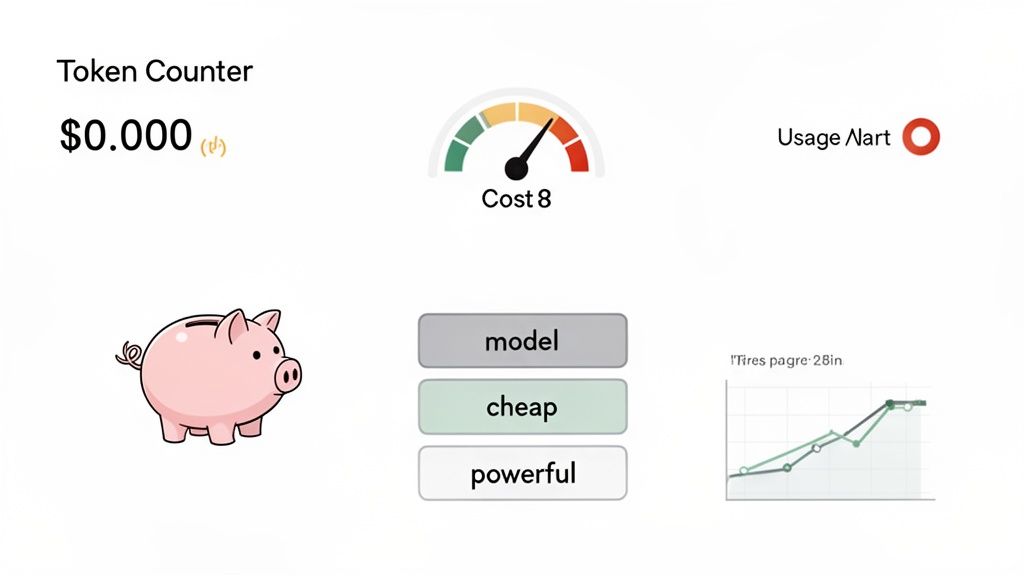
The first step to optimisation is visibility. You can configure your n8n workflow to be its own financial watchdog. Many AI model nodes in n8n, including the OpenAI node, return the number of prompt and completion tokens used in each API call.
You can grab this data right inside your workflow. After each AI generation step, add a node to calculate the cost by multiplying the token count by that model’s price per token.
From there, you can push this data wherever you need it:
- Google Sheets: A straightforward way to build a real-time cost dashboard. Log the article topic, token count, calculated cost, and timestamp for each run.
- A SQL Database: For more robust, long-term analysis, send your cost data to a PostgreSQL or MySQL database.
- Observability Platforms: For a complete picture, pipe this data into tools like Datadog or Grafana to correlate content costs with your other system metrics across AWS, GCP, and Azure.
This built-in accounting gives you total financial transparency, transforming AI costs from a vague operational expense into a predictable, line-item metric.
Implementing Smart Cost-Saving Strategies
Once you can see your spending, you can start reining it in. Proactive optimisation is where you’ll achieve serious savings without degrading content quality.
One of the most effective methods is model tiering. Not every task needs the most powerful (and most expensive) AI model. You can design your n8n workflow to intelligently switch between models based on the task's complexity.
For example, use a fast, inexpensive model like GPT-3.5-Turbo or Claude Haiku for simpler jobs like generating a rough outline. Then, only call on a premium model like GPT-4o or Claude 3 Opus for the heavy lifting of drafting the final article.
This tiered approach ensures you only pay for top-tier intelligence when necessary. Other powerful cost-saving techniques you can build into your workflow include:
- Request Batching: Instead of triggering the workflow for every single article idea, set it to process a batch of articles at once. This cuts down on overhead and can sometimes unlock more efficient bulk pricing.
- Intelligent Caching: Before generating anything, have the workflow check if a similar topic has been covered recently. Caching results for common queries stops you from paying to generate the same content over and over.
By building these strategies into your automation, you bring much-needed financial discipline to your AI operations. For a more in-depth look at managing these kinds of expenses across your entire tech stack, check out our guide on cloud cost optimisation for startups.
Monitoring Workflow Health And Performance
Cost isn't everything. You also have to monitor the health of the automation itself. A failed workflow is just as costly as an expensive one, especially if it breaks down silently. Thankfully, n8n’s built-in error handling lets you create robust monitoring and alerting systems.
Set up an error trigger in your workflow that fires whenever a node fails. That trigger can send an immediate notification to a Slack channel or an email to your on-call engineer, complete with error details. This changes your automation from a "black box" into an observable system your team can rely on, ensuring your AI content factory runs smoothly and predictably.
Common Questions About N8n AI Article Generation
Whenever engineering leaders start exploring an n8n article generation AI pipeline, the same practical questions come up. The discussion quickly moves past the potential and gets into the realities of security, genuine effort, and where this technology actually fits in a high-performing team. Here are the answers we find ourselves giving most often.
Can This N8n AI Workflow Actually Replace My Content Team?
No, and it absolutely shouldn't. The real value here is in augmentation, not replacement. Think of this AI workflow as a force multiplier for your marketing and content experts, taking repetitive, low-value work off their plates.
It’s brilliant at producing first drafts from detailed outlines, generating structured technical documentation from developer specs, or rapidly repurposing a single blog post for multiple social media channels. This frees up your human team to focus on strategic planning, original research, and adding the final polish that defines your brand voice. The goal is to make your team massively more productive, not obsolete.
How Do We Handle Proprietary Data In AI Prompts?
This is a critical security question. The golden rule is simple: never send sensitive intellectual property or customer data to public AI models unless you have a specific enterprise agreement, like one with Azure OpenAI Service, that guarantees data privacy. For most use cases, you can design the n8n workflow to rely entirely on public data for context.
When you absolutely must use proprietary information, the only safe solution is to deploy a self-hosted open-source model inside your own VPC.
This is where a managed DevOps platform becomes invaluable. It can drastically simplify the deployment and security of a private LLM across AWS, GCP, or Azure, ensuring your sensitive data never leaves your network perimeter. Trying to build and maintain this secure environment yourself is a significant, high-stakes infrastructure project.
What Is The Real Effort To Maintain This In Production?
Building the initial workflow in n8n is surprisingly fast—often a proof-of-concept is running in just a few days. The hidden cost that always bites engineering teams is the long-term operational burden of a self-managed, DIY deployment.
If you go it alone, your team is suddenly on the hook for server management, security patching, performance monitoring, and scaling infrastructure. It becomes a recurring tax on your most valuable engineering resources.
This is precisely the problem a managed platform like PushOps solves. By offloading all infrastructure management—setup, scaling, monitoring, and security—your team's effort shifts from "keeping the n8n server from crashing" to simply improving the workflow logic. That is a far more valuable use of your engineering talent and dramatically lowers the total cost of ownership. You get all the benefits of automation without the operational drag.
Ready to stop wasting engineering cycles on infrastructure and get back to building your product? PushOps gives you a production-ready, multi-cloud platform that deploys n8n and your entire application stack in minutes, not months. See how you can accelerate your team.

