
Teams usually start n8n self-hosted for the right reasons. They want control, lower recurring spend, cleaner data boundaries, and freedom to shape the platform around their own workflows. Then the build drifts. One engineer owns Docker Compose. Another adds Redis. Someone else patches TLS, rotates secrets, and writes a backup script nobody wants to touch. A month later, product work is queued behind infrastructure chores.
I’ve seen this pattern in startups repeatedly. What looked like a lightweight automation platform turns into a mini platform engineering programme. The trouble isn’t getting n8n running. The trouble is keeping it reliable when the business starts depending on it.
The hidden cost shows up quickly. In Lithuania, AWS EC2 t3.medium at roughly €30/month can rise to €50-100/month once PostgreSQL RDS and data transfer are included, and LT firms report 40% higher self-hosting costs due to manual GDPR-compliant backups according to n8n hosting guidance. That’s the part most tutorials skip. They show the container starting. They don’t show the operational drag after day one.
Introduction to n8n self-hosted
A familiar story starts with a CTO asking for one internal automation system. A developer spins up n8n self-hosted on a spare VM, adds a reverse proxy, and connects a few product and finance workflows. It works well enough that more teams pile in.
Then the requests change. Marketing wants reliability during launches. Finance wants auditability. Security wants tighter access control. Engineering wants separate environments. Nobody wants the person who originally set it up to be the only one who understands it.
That’s the true line between a demo and production. n8n self-hosted isn’t just an app container. It becomes a stack of responsibilities that includes database durability, queueing, TLS termination, upgrades, backups, secrets, monitoring, and recovery.
Practical rule: If a workflow triggers customer communication, billing action, or operational remediation, treat n8n like a production service, not a side utility.
The appeal of self-hosting is still legitimate. n8n’s own documentation states it is designed to be self-hosted and that self-hosted installations use the same core product. That gives teams control over workflows, data, and infrastructure. What catches leaders out is the amount of DevOps work attached to that control.
The best decision usually comes down to one question. Do you want to operate automation infrastructure, or do you want to operate the business processes that automation enables?
Architecture options and decision criteria
The right architecture for n8n self-hosted depends less on technical preference and more on operational appetite. Teams typically don’t fail because they chose the wrong container image. They fail because they chose an operating model they didn’t have the time or discipline to maintain.
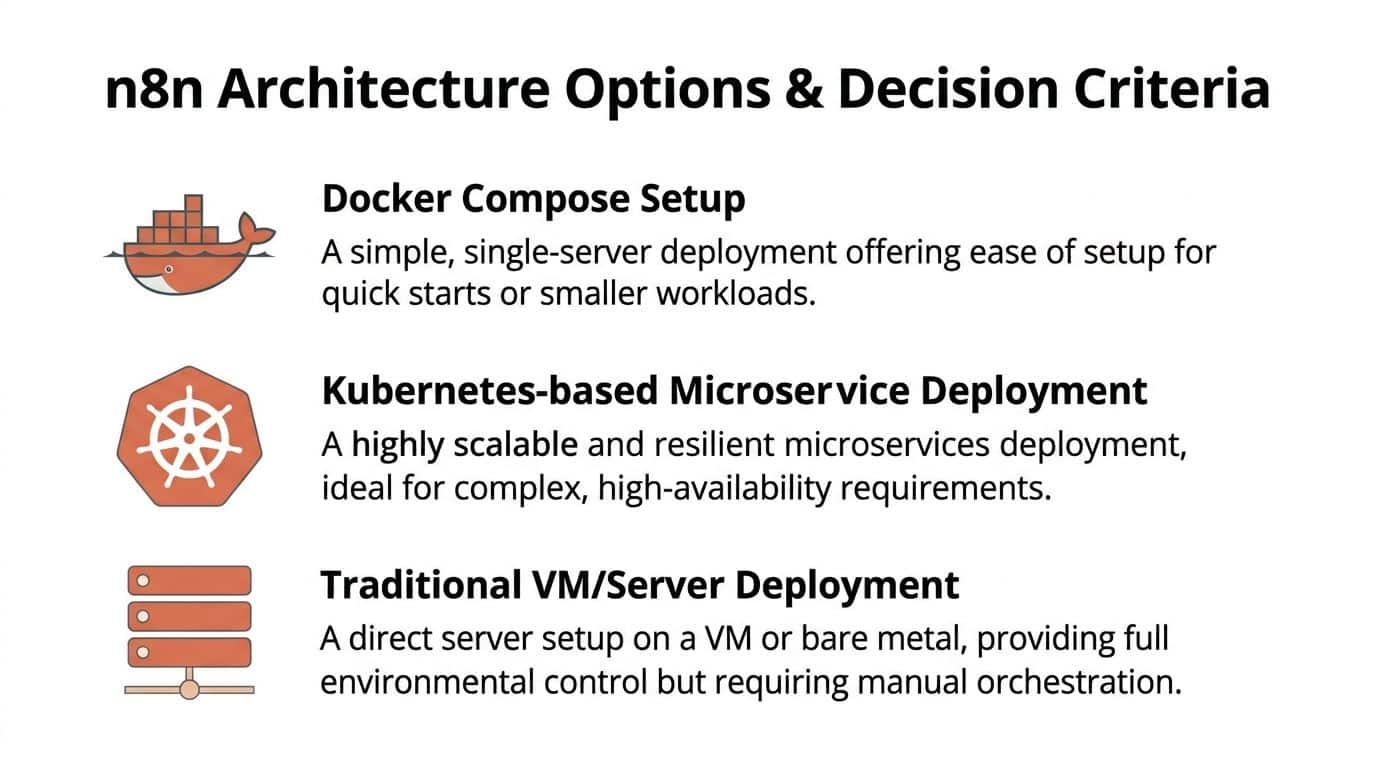
Docker Compose on a single host
This is the fastest path to a usable system. For an internal team, a single host with Docker Compose, PostgreSQL, Redis, and a reverse proxy is often enough to prove value without dragging in cluster management.
The upside is simplicity. You can inspect everything in one place, upgrades are straightforward, and failure domains are obvious. The downside is that every operational concern lands on your team. Storage, failover, host patching, backup validation, and secret handling don’t disappear because the stack is small.
This pattern works best when:
- You need a fast start and the platform team is small.
- Workflow criticality is moderate and short maintenance windows are acceptable.
- You want lower cognitive load than a full orchestrated platform.
Kubernetes for teams that already run Kubernetes
Kubernetes is attractive because it promises standardisation. In practice, it only pays off if your team already has cluster maturity. If you don’t, n8n becomes another workload sitting on top of a much bigger operational machine.
Kubernetes makes sense when you need strong environment isolation, worker scaling, and standard policy enforcement alongside the rest of your estate. It makes less sense when you’re using it only to avoid learning Docker Compose properly.
Kubernetes doesn’t remove toil. It changes the shape of toil.
For organisations evaluating tenant isolation, region separation, or client-specific runtime boundaries, this guide on multi-tenant n8n deployments is useful because it frames the design questions before you lock yourself into one topology.
Traditional VM or managed data services
A middle path often works well. Run n8n application containers on a VM, but move the stateful pieces to managed PostgreSQL and managed Redis. That reduces backup and failover burden where it matters most, while keeping app operations predictable.
This split model is often the most practical option for scale-ups. You avoid the complexity of a full cluster and remove some of the fragility around state management.
A quick comparison helps:
| Pattern | Best fit | Main advantage | Main risk |
|---|---|---|---|
| Docker Compose | Small team, fast rollout | Low setup friction | Single-host dependency |
| Kubernetes | Existing platform team | Better scheduling and scaling patterns | High operational overhead |
| VM plus managed DB/Redis | Growing team with limited ops capacity | Cleaner balance of control and reliability | Split responsibility across layers |
If you’re weighing AWS specifically, this walkthrough on deploying n8n self-hosted on AWS is a useful reference because it reflects the actual infrastructure choices teams face rather than treating deployment as a one-command exercise.
Production deployment blueprint
A production-grade n8n self-hosted install has a small number of moving parts, but each one matters. The target is boring reliability. That means a right-sized host, PostgreSQL for state, Redis for queue-backed execution, and a reverse proxy that terminates HTTPS cleanly.
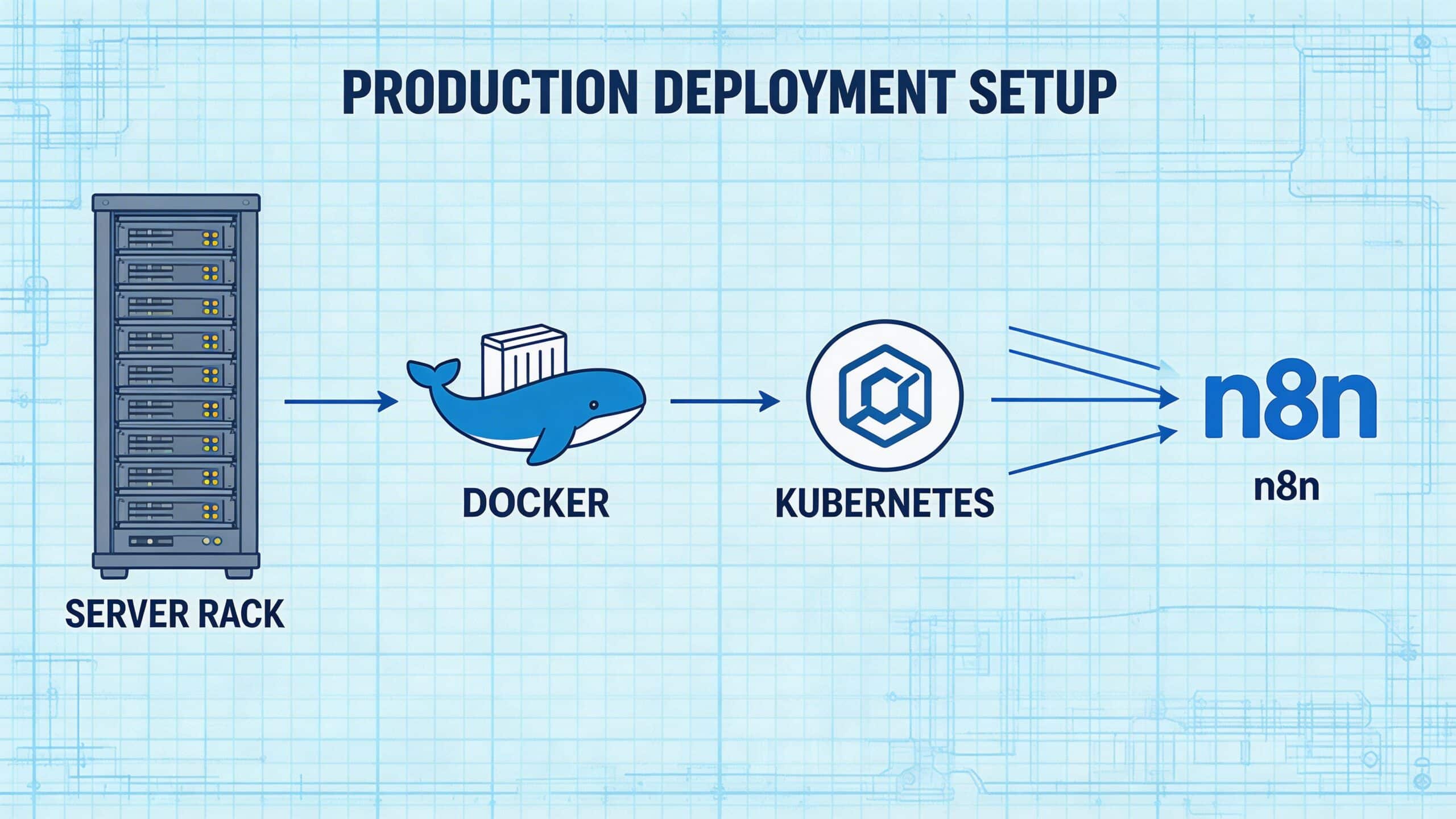
A practical baseline comes from field guidance around European deployments. On Hetzner CCX13 with 2 vCPU and 8GB RAM, underspecified 2GB RAM and 2 core setups saw 70-80% higher workflow failures, while PostgreSQL, Redis, and Caddy on the stronger spec delivered more than 95% success rates and 99% uptime benchmarks according to the Sliplane n8n self-hosting guide.
Start with the minimum serious stack
For most startup teams, the baseline should include:
One application host
Run n8n in Docker unless you already have a well-operated Kubernetes environment.PostgreSQL
Use it from day one if the instance will serve more than personal testing.Redis
Add it when you want queue-based execution and cleaner separation between web and worker concerns.A reverse proxy
Caddy is a solid default because it keeps HTTPS management straightforward.Persistent volumes
Application containers are replaceable. Your data is not.
A straightforward Docker Compose example
Keep the compose file legible. Production incidents get slower when configuration is clever.
version: "3.8"

services:
  postgres:
    image: postgres:16
    restart: unless-stopped
    environment:
      POSTGRES_USER: n8n
      POSTGRES_PASSWORD: change-me
      POSTGRES_DB: n8n
    volumes:
      - postgres_data:/var/lib/postgresql/data

  redis:
    image: redis:7
    restart: unless-stopped

  n8n:
    image: n8nio/n8n:latest
    restart: unless-stopped
    ports:
      - "5678:5678"
    environment:
      DB_TYPE: postgresdb
      DB_POSTGRESDB_HOST: postgres
      DB_POSTGRESDB_DATABASE: n8n
      DB_POSTGRESDB_USER: n8n
      DB_POSTGRESDB_PASSWORD: change-me
      QUEUE_BULL_REDIS_HOST: redis
      EXECUTIONS_MODE: queue
      N8N_ENCRYPTION_KEY: replace-with-long-random-value
    depends_on:
      - postgres
      - redis
    volumes:
      - n8n_data:/home/node/.n8n

volumes:
  postgres_data:
  n8n_data:
This isn’t complete production hardening, but it establishes the right shape. The key choices are the database backend, queue mode, persistent storage, and an explicit encryption key.
What to validate before calling it done
Don’t stop at “container is up”. Validate the service like an internal platform owner would.
- Check database persistence by restarting the n8n container and confirming credentials, workflows, and execution history remain intact.
- Check queue behaviour by running several workflows at once and watching whether web access stays responsive.
- Check proxy headers and HTTPS so callbacks, webhooks, and editor access behave correctly.
- Check restart behaviour by rebooting the host during a quiet window and confirming all services return automatically.
A lot of operational pain comes from skipping these tests. The deployment works once, but nobody has proved it recovers cleanly.
Security defaults worth applying early
Production n8n self-hosted should not be wide open just because it lives behind a login page.
Use a short hardening list:
- Restrict inbound access to only the ports your proxy and administration require.
- Store secrets outside compose files when your environment supports secret injection.
- Separate environments so staging tests don’t run against production credentials.
- Keep runtime versions current because dependency drift tends to surface during upgrades, not during calm periods.
If your n8n platform needs custom shell scripts for start-up order, secret hydration, certificate renewal, and backup execution, you’ve already started building an internal developer platform.
When to move beyond a single node
A single-node setup is fine while the service is still bounded. Move beyond it when one of these becomes true:
- Workflows overlap heavily and interactive usage degrades during execution spikes.
- Multiple teams depend on the same instance and outages now affect business operations.
- You need maintenance without service interruption.
- Recovery objectives matter enough that host-level failure is no longer acceptable.
That’s the point where the platform conversation gets serious. Not because n8n is unusually difficult, but because automation platforms sit close to business-critical processes. The cost of “good enough” rises fast.
Data persistence encryption and backup workflows
The fastest way to create long-term pain in n8n self-hosted is to treat persistence as an afterthought. Workflows feel disposable until one disappears, a credential store gets corrupted, or a rollback restores an environment that no longer matches what the business expects.
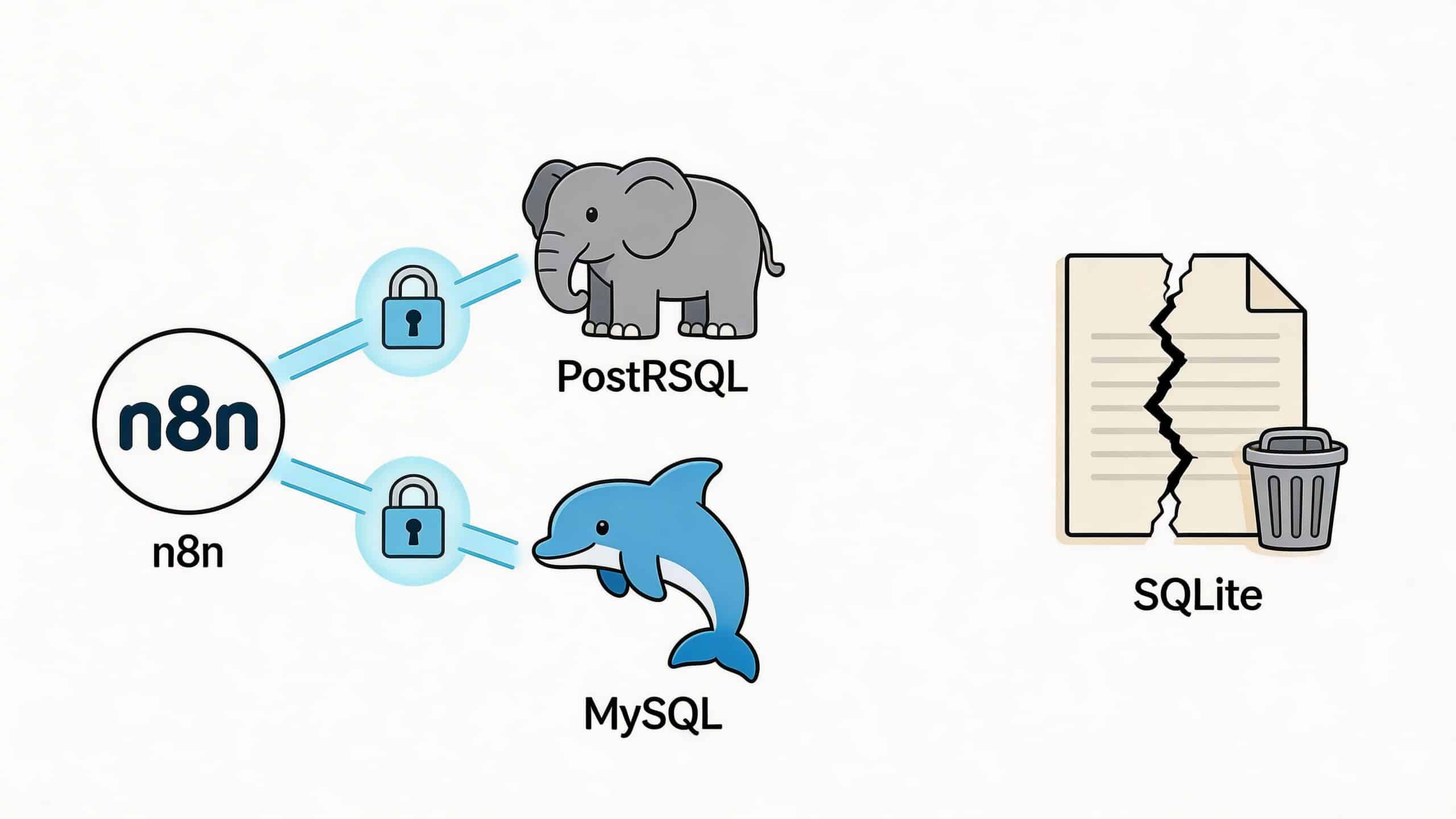
SQLite is for proving an idea
SQLite has value in a local setup. It keeps the first run simple and lowers the barrier to experimentation. It is not the database I’d want behind shared production workflows.
For production, use PostgreSQL. If your team has strong operational reasons for another supported relational database, keep the same principle. Put workflow state on an engine built for concurrency, backup discipline, and operational tooling.
A persistence model that survives operator error
A durable setup usually includes three layers:
- Database persistence for workflows, credentials, and execution state.
- Volume persistence for any local application data that must survive container replacement.
- Off-host backups so a host failure or mistaken deletion doesn’t become a business incident.
That last point matters most. A backup on the same host is closer to a convenience copy than a recovery plan.
Backup workflow design
Keep backup design boring and auditable.
A sound pattern looks like this:
- Run scheduled database dumps at a fixed cadence.
- Write backups to S3-compatible object storage or another off-host target under access control.
- Use retention rules that separate short-term restore convenience from longer-term compliance needs.
- Test restore procedures in a non-production environment.
A simple cron-driven shell script is often enough at small scale, provided the team monitors completion and storage health. The script itself isn’t the hard part. The discipline around verification is.
Backups fail quietly. Restores fail publicly.
Encryption and access control
Encryption at rest should follow the capabilities of the storage platform you choose. If you’re on managed PostgreSQL, use the provider’s encryption features and access controls. If you’re self-managing disks and volumes, enable encryption at the infrastructure layer and keep key handling separate from application configuration.
A few habits reduce risk quickly:
| Area | Good practice | Common mistake |
|---|---|---|
| Database access | Separate app credentials by environment | Reusing one credential everywhere |
| Backups | Store off-host with limited access | Leaving dumps on the app server |
| Secrets | Inject securely at runtime | Hard-coding in compose files |
| Restore testing | Rehearse on a schedule | Assuming backups are valid |
The operational lesson is simple. Teams generally don’t lose n8n because the application is unstable. They lose it because persistence, backup rotation, or secret handling was handled as a side task.
Scaling high availability observability
Single-node n8n self-hosted holds up longer than many teams expect. Then a few things happen at once. More workflows run concurrently. Code nodes process larger payloads. Retry storms start hiding the underlying issue. The editor remains technically available, but the service stops feeling dependable.
The operational fix is not “add more CPU” in isolation. It’s to separate execution paths, observe queue pressure, and scale where contention occurs.
What breaks first
Under moderate load, default sizing becomes a trap. Lithuania-based teams found default 2GB and 2 core specs caused 65% concurrency errors. By moving to 4 cores, 8GB, and Redis workers, they cut failure rates to under 1%, reduced OOM crashes by 30%, and achieved 99.5% uptime, according to n8n prerequisites guidance.
That lines up with what platform teams usually see. The first pain point isn’t elegant autoscaling. It’s memory pressure, worker contention, and queue lag.
A practical high-availability pattern
The most useful pattern for growing teams is to split responsibilities:
Web instance
Handles editor access, API interactions, and workflow management.Worker instances
Pull queued jobs and execute them independently.Redis
Coordinates queue-backed execution.PostgreSQL
Holds durable workflow state.
This separation gives you cleaner failure domains. If execution spikes, users can still access the interface instead of watching the whole service stall.
Observability that matters
You don’t need a giant monitoring estate to run n8n well. You do need the right signals.
Watch these first:
- Queue depth so you know whether demand is outrunning worker capacity.
- Container restarts because they usually signal memory stress or dependency instability.
- Host memory and CPU saturation to catch resource exhaustion before users report failures.
- Workflow error rates split by timeout, credential issue, and downstream dependency failure.
If you already run Prometheus and Grafana, expose container and host metrics there. If you don’t, even basic logs plus container metrics are better than “someone will notice”.
For teams building outbound content or operational automations, this example of an n8n SEO automation workflow is useful because it shows the sort of workflow mix that can create uneven load across queues and workers.
Monitor the queue, not just the container. A healthy container can still be attached to an unhealthy service.
Autoscaling without losing control
Autoscaling helps when your workload is spiky. It hurts when it’s opaque. If the team doesn’t understand why workers are scaling or what cost that introduces, elasticity becomes another source of surprise.
Use simple rules first:
- Scale workers from queue pressure, not from vague intuition.
- Keep the web tier steady unless interactive demand changes materially.
- Set alert thresholds around failed retries and sustained backlog, not just infrastructure utilisation.
- Review expensive workflows before scaling around inefficient design.
At that point, n8n self-hosted starts to behave like a proper service. It still needs stewardship, but the system becomes legible enough to operate without heroics.
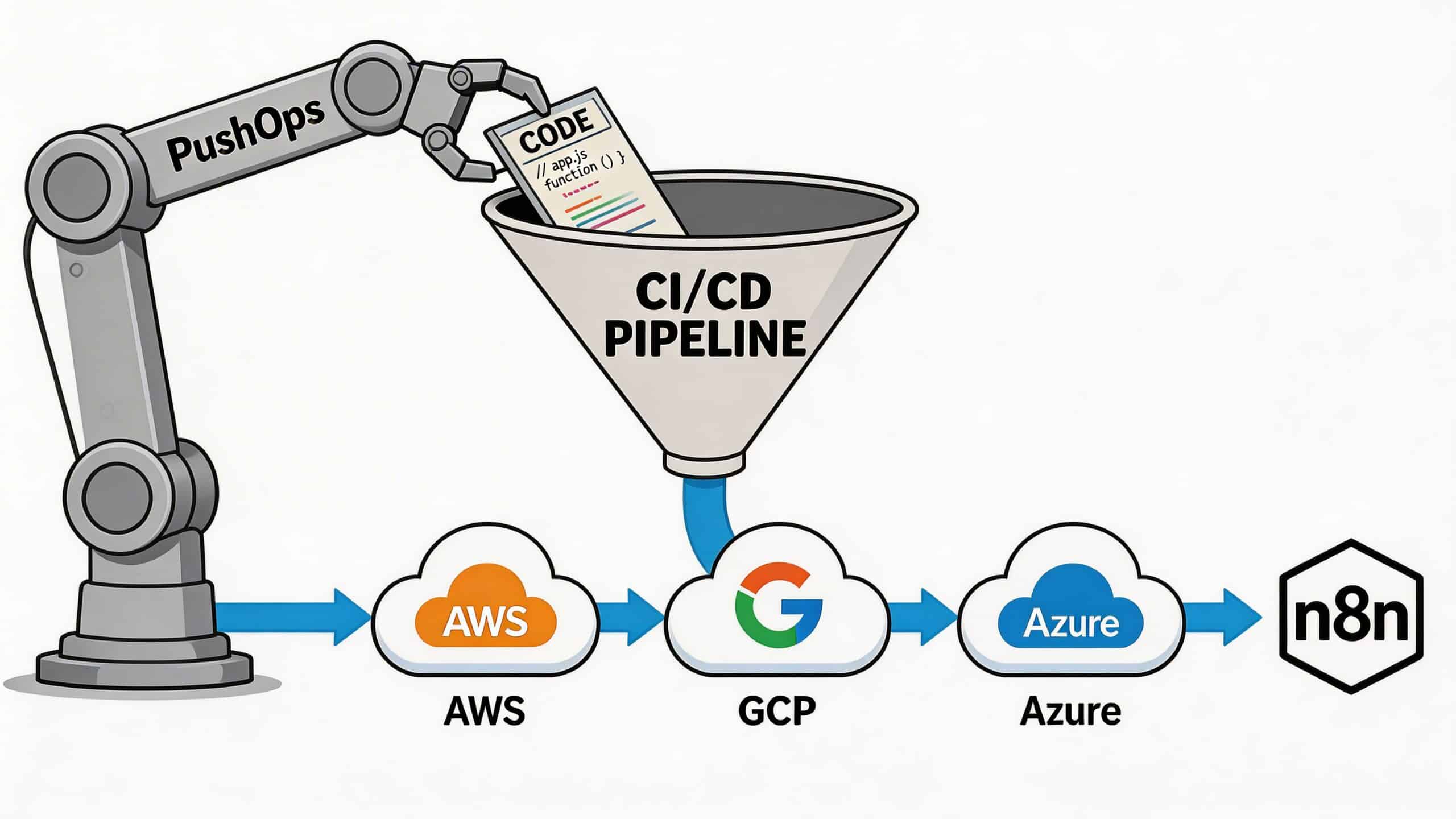
CI/CD automated workflows with PushOps
Teams seldom struggle because they can’t write deployment scripts. They struggle because they keep owning those scripts forever. What starts as one pipeline for n8n self-hosted becomes a mesh of environment variables, image tags, approval rules, rollback logic, and one-off fixes for staging drift.
That’s why CI/CD design matters more than the first deployment. A manual release process can survive one engineer and one environment. It breaks down when multiple teams need reliable change management across test, staging, and production.
What a sane delivery model looks like
For n8n self-hosted, CI/CD should handle both application delivery and infrastructure consistency. In practice, that means:
Infrastructure definition
Your runtime, network boundaries, secret references, and storage expectations should be repeatable.Environment promotion
Changes should move predictably from lower environments into production.Rollback discipline
Failed changes should be reversible without improvised shell access.Policy enforcement
Teams should not be manually remembering security and deployment standards on every release.
A good reference for the broader mechanics is this expert guide to CI/CD pipeline implementation. It’s useful because it focuses on pipeline design choices rather than pretending automation alone makes releases safe.
Why DIY pipelines get expensive
The first version of a hand-rolled pipeline often looks reasonable. Then reality arrives.
One environment needs a slightly different secret source. Another needs approval gates. A third needs a branch-based release strategy. Upgrades require sequencing around schema changes and worker restarts. Eventually, your team is maintaining a release framework in addition to the app itself.
That hidden cost rarely appears on a cloud invoice. It appears as:
- Engineering time spent debugging pipelines instead of shipping features
- Delayed releases because one person understands the deploy path
- Risky upgrades because rollback hasn’t been exercised
- Inconsistent controls across AWS, GCP, and Azure estates
The problem isn’t automation. It’s bespoke automation.
What changes when CI/CD is treated as a platform capability
A managed deployment platform changes the economics because it standardises the boring but critical layers. The team stops spending cycles on pipeline upkeep and starts spending them on workflow quality, product logic, and governance.
That matters especially for CTOs who are tempted to hire around the problem. In many scale-ups, the instinct is to add more DevOps headcount. Often the better move is to reduce the amount of undifferentiated platform work the organisation insists on owning.
A strong platform approach should give you:
- Repeatable environment provisioning
- Git-driven delivery
- Integrated health visibility
- Security controls by default
- Cloud cost guardrails
- A release path that doesn’t depend on tribal knowledge
For teams evaluating that route, zero-maintenance CI/CD pipelines is the right lens. The true value isn’t that pipelines exist. It’s that developers stop babysitting them.
The strategic decision CTOs actually need to make
There are two honest paths.
The first is to build and operate your own internal delivery capability around n8n self-hosted and everything attached to it. That can be the right choice if platform engineering is already a core function and the business benefits from that investment.
The second is to treat deployment, security baselines, observability integration, and release automation as solved operational layers. That’s often the better choice for product-led companies that need reliability but don’t need another internal platform to maintain.
Neither choice is morally superior. One is more expensive in engineering attention than teams often admit at the start.
Maintaining and Troubleshooting Your n8n Deployment
A lot of teams assume the hard part ends once n8n self-hosted is live. In production, maintenance is where the actual cost shows up. The platform doesn’t usually fail in dramatic ways. It degrades through version drift, queue issues, stale certificates, backup blind spots, and changes nobody documented.
The failures that show up most often
Look for these first:
Runtime mismatches
Older Node.js versions and inconsistent container tags often sit behind odd restart behaviour.Queue problems
Redis connectivity issues can look like workflow instability when the actual issue is worker coordination.Credential and secret drift
A rotated secret can break workflows until retries pile up.Storage pressure
Disk usage grows from logs, execution history, and backup residue faster than many teams expect.
A troubleshooting sequence that works
Start with order, not guesswork.
- Check service health across the web process, workers, database, and Redis.
- Read recent logs around the first visible symptom, not just the latest crash.
- Confirm recent changes in image versions, secrets, and infrastructure settings.
- Test one workflow path end to end before touching multiple systems.
- Validate backups and rollback options before larger remediation.
The fastest fix is often to narrow the blast radius, not to restart everything.
The deeper challenge is lifecycle ownership. Someone has to manage upgrades, patch dependencies, check backup jobs, and keep delivery workflows from decaying. If your engineering organisation keeps handling that through ad hoc scripts and whoever is free that week, the platform will keep stealing time from product work.
PushOps gives teams a production-ready path on PushOps without turning n8n self-hosted into an internal platform project. If you want reliable foundations across AWS, GCP, or Azure, automated deployments, built-in observability, security defaults, and tighter cloud cost control, it’s a practical way to stop spending senior engineering time on infrastructure glue and get back to shipping.

