

An n8n SEO automation workflow is a system that chains tools and APIs to automate the repetitive, manual tasks of search engine optimisation. For a technical leader, it’s a way to orchestrate everything from site crawls and SERP tracking to content operations from a central, version-controlled system.
The Hidden DevOps Tax on Your SEO Automation
As a CTO or engineering lead, you know the pain: every hour your team spends on internal tooling is an hour stolen from the core product. This is a tough pill to swallow, especially for something that seems as straightforward as SEO automation. The first instinct is often to get a developer to knock out a few custom scripts. For a week or two, it feels like a quick win.
But this is where the hidden DevOps tax starts to add up. That “simple” script is just the tip of the iceberg. Suddenly, your team isn't just automating an SEO task; they're stuck maintaining a fragile, high-maintenance internal product nobody asked for. It’s a classic trap for fast-growing startups and scale-ups I’ve seen time and again, whether in competitive European markets, Singapore, the UK, or the US. Most teams over-invest in building and maintaining their own DevOps stack—Kubernetes, CI/CD, monitoring—when what they really want is a reliable platform to ship features.
The Real Cost of DIY Automation
That initial script is deceptive. The real work—and the real cost—comes from the operational load needed to keep it running reliably. This means wrestling with Python dependencies, managing API rate limits for tools like Google Search Console or Ahrefs, and building resilient error handling so one failed request doesn't torpedo the whole process.
Your senior engineers, the ones who should be architecting your next major feature, get pulled into distracting work that has nothing to do with product innovation. They’re patching security holes in a homegrown tool, debugging timeout issues, and manually rerunning jobs that failed overnight. The complexity and hidden costs of DIY DevOps are a silent killer of productivity.
The core challenge for any high-growth company is getting powerful automation without the crippling DevOps overhead. The goal is to make your team more productive, not to saddle them with another internal system to maintain.
This problem has only gotten bigger with the fusion of AI and automation. The momentum is undeniable; as of March 2026, Large Language Model (LLM) integrations now make up over 75% of n8n workflows. This shift shows how quickly AI has gone from a side project to production-critical infrastructure, creating complex orchestration patterns that were once impossible without serious custom development and the associated maintenance burden.
DIY Scripts vs A Managed n8n Workflow Platform
When you look at the total cost of ownership, the choice between running your own scripts and using a managed DevOps platform becomes much clearer. It’s not just about writing the code; it's about the entire ecosystem of infrastructure, security, and maintenance that comes after.
| Operational Aspect | DIY Custom Scripts | Managed Platform (e.g., PushOps) |
|---|---|---|
| Initial Setup | Quick to write the first script, but slow to productionise with proper logging, security, and alerting. | Production-ready environment from day one. Connect your Git repository and deploy. |
| Ongoing Maintenance | Constant burden: dependency updates, API changes, security patches, and script failures. | Platform handles underlying infrastructure, updates, and security across AWS, GCP, and Azure. You focus on the workflow logic. |
| Scalability & Reliability | Fragile. Scaling requires significant re-engineering (e.g., moving to queues, load balancers). | Built to scale. Handles increased load, retries, and failures automatically. |
| Security | A significant risk. Requires manual credential management, network security, and vulnerability scanning. | Secure by design. Provides built-in secrets management, isolated environments, and compliance controls. |
| Error Handling & Monitoring | Requires custom code for retries, alerts, and logging. Often an afterthought. | Integrated observability. Centralised logging, monitoring, and alerting are part of the platform. |
| Developer Focus | Distracted from the core product. Becomes an ad-hoc DevOps and SRE team for internal tools. | Focused on building workflows that deliver business value, not managing infrastructure. |
Ultimately, DIY scripts create a shadow product that your engineering team has to support indefinitely. A managed DevOps platform, on the other hand, provides the guardrails and reliability needed to automate with confidence instead of hiring more DevOps engineers.
Shifting Focus From Infrastructure to Product
The root of the issue is that most engineering teams spend too much time building and maintaining their own DevOps stack. You create custom solutions for CI/CD, monitoring, and security because you need them, but what your company really wants is a reliable platform to ship features faster.
This is precisely where a modern multi-cloud DevOps platform becomes a strategic advantage. Instead of dedicating sprints to internal tooling, you can adopt a production-ready platform that streamlines setup, scaling, monitoring, security, and cloud costs across AWS, GCP, and Azure. You can see how this works in practice in our guide on how to reduce DevOps overhead.
A platform-based approach abstracts away the complexity. It gives you the secure, scalable environment needed to run an n8n SEO automation workflow without forcing your team to become Kubernetes experts. You get all the power of automation, but without the operational headaches and hidden costs that drain your most valuable resource—engineering focus.
Blueprint for a Scalable n8n SEO Workflow
When you move past a few fragile scripts and start building a real automation engine, you need a solid architectural blueprint. A production-ready n8n SEO automation workflow is more than just connecting a few nodes. For a senior developer, it’s about designing a system that’s reliable, scalable, and completely transparent—one that can handle failure, process large datasets, and make every execution observable.
The alternative is watching your engineering resources slowly bleed out on tasks that add zero product value. The time it takes to write that initial script is nothing compared to the ongoing burden of maintaining and troubleshooting it.
This is where the hidden costs of a DIY internal developer platform really start to pile up.
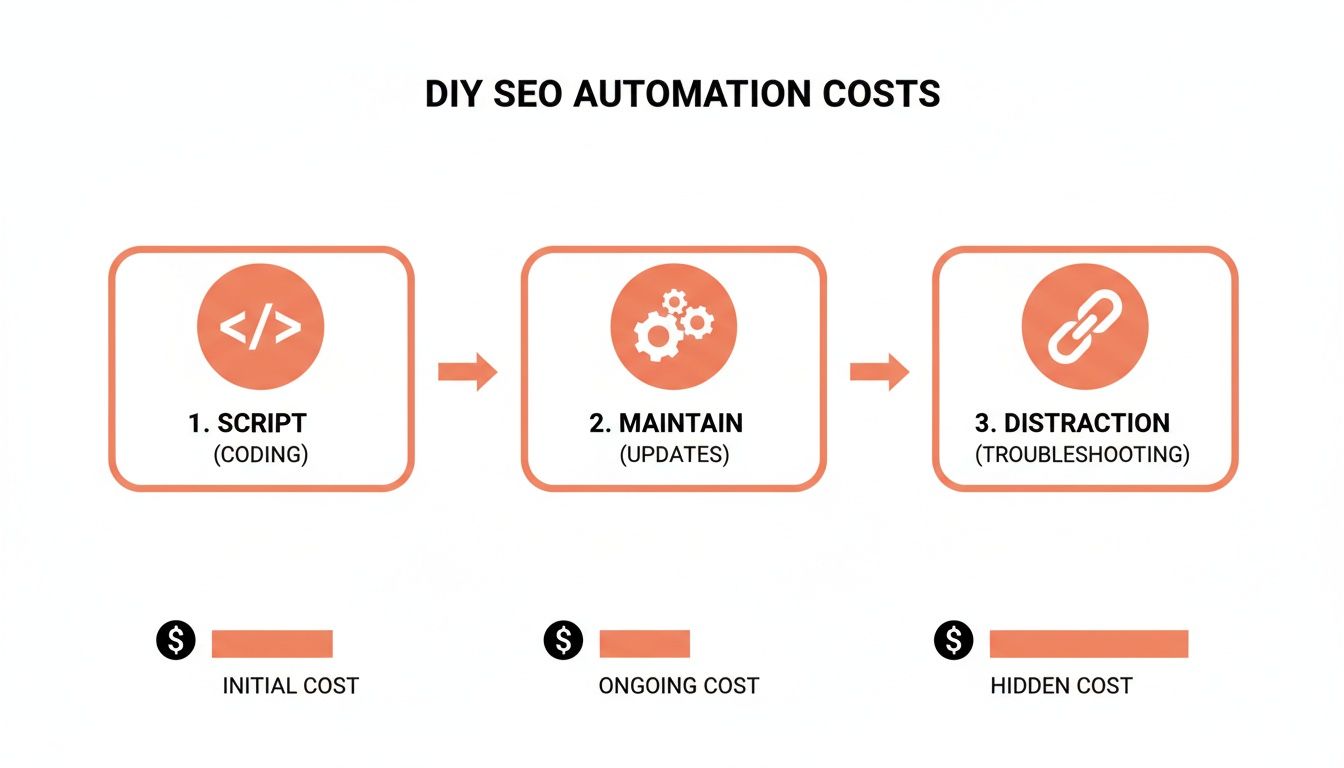
The initial scripting is just the tip of the iceberg. The real expense comes from the constant maintenance and the distraction of fixing things when they inevitably break, pulling your best engineers away from your core product.
Core Functions of a Production-Worthy Workflow
A scalable n8n setup for SEO needs to be modular. Think of it as a collection of specialised microservices, each with a clear job. This separation makes them far easier to manage, debug, and scale independently.
We’ll focus on three critical areas that deliver immediate, high-impact value:
- Technical Health Monitoring: Automatically crawling your site to catch broken links (404s), server errors (5xx), and nasty redirect chains that kill user experience and waste your crawl budget.
- Performance Tracking: Programmatically checking SERP positions for your target keywords and keeping an eye on Core Web Vitals to make sure your pages are hitting Google's performance benchmarks.
- Content Operations: Automating sitemap generation and submission, and dynamically updating
robots.txtfiles to guide search engine crawlers exactly where you want them to go.
For these tasks, the HTTP Request node is your workhorse; it’s how you’ll talk to pretty much any API. The Cron node is your scheduler, kicking off workflows automatically. You'll also lean heavily on Spreadsheet nodes for reading inputs and logging results, and increasingly, on LLM nodes for summarising data or generating quick insights.
Designing for Failure, Not Just Success
The real difference between a weekend project and a production system is how it handles failure. A workflow that dies silently or just times out is worse than having no automation at all. As a CTO or engineering lead, you have to be able to trust that these systems are running reliably without someone babysitting them.
A senior developer doesn’t just build a workflow that works; they build a workflow that doesn't break silently. Designing for failure with built-in retries, clear error notifications, and graceful handling of large datasets is non-negotiable.
This is where most DIY automation setups fall apart. They simply don't have the resilience you get from a managed DevOps platform. But with some smart architecture, you can make your n8n workflows incredibly robust.
Key Design Patterns for Reliability:
- Implement Error Branches: Every critical node, especially an API call, needs an error branch. If an HTTP request to check a URL fails, the workflow shouldn't just crash. The error branch should catch the failure, log the important details, and ping a Slack channel with the specific error message and the data that caused it.
- Use Conditional Logic for Retries: Network glitches are a fact of life. Instead of failing on the first try, use an
IFnode with a counter to retry a failed request two or three times with a short delay. This simple pattern solves a huge number of transient network issues. - Process Large Datasets in Batches: Don’t even think about trying to crawl 10,000 URLs in a single execution. It will time out. Instead, create a parent workflow that reads your list of URLs and passes them in smaller chunks (maybe 100 at a time) to a child workflow using the Execute Workflow node. This keeps individual runs short, sweet, and well within resource limits.
By adopting these patterns, your n8n SEO automation workflow transforms from a simple script into a dependable system. This is the kind of thoughtful engineering that prevents late-night alerts and gets your team out of the firefighting business. However, building and managing this level of resilience yourself still requires significant DevOps effort—effort that can be completely eliminated when you use a modern DevOps platform like PushOps designed for production workloads on AWS, GCP, or Azure.
Deploying Your Workflow Without DevOps Headaches
An n8n workflow running on your laptop is an interesting experiment. But an n8n SEO automation workflow integrated into a production environment is a genuine business asset. The jump from a local machine to a live deployment is where I’ve seen talented engineering teams get stuck for weeks, burning precious time on infrastructure instead of product.
You find yourself battling Dockerfiles, deciphering cryptic Kubernetes YAML, and wrestling with a tangled web of environment variables. It’s a frustrating pattern I’ve seen across startups from Europe to Singapore. The focus shifts from the workflow’s logic—the very thing that creates value—to the plumbing required to keep it running.
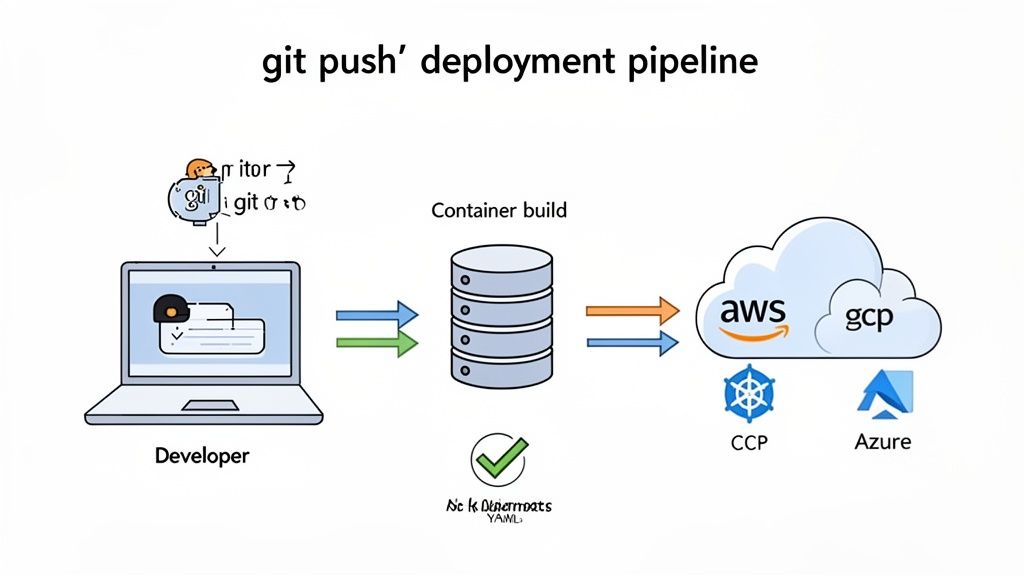
This operational drag is precisely why so many teams over-invest in building their own DevOps stack. They're forced to become experts in Kubernetes, CI/CD, and multi-cloud management when all they really want is a reliable platform to run their applications and ship features.
From Git Commit to Live Workflow
A modern multi-cloud DevOps platform completely abstracts this complexity away. Instead of you building the deployment pipeline yourself, you get one that is production-ready from day one. The entire process becomes refreshingly simple and centres around the tools your developers already use every day.
In fact, the entire deployment model boils down to a single, powerful action: a git push.
Here’s how it works:
- Connect Your Git Repository: You store your n8n workflow JSON files in a Git repository (like GitHub or GitLab). This treats your automation as code, giving you version control, history, and the ability to collaborate.
- The Platform Takes Over: When you push a change, the platform automatically detects it. It pulls the latest version of your workflow files and gets to work immediately.
- Automated Build and Containerisation: Without you ever writing a Dockerfile, the platform builds a containerised image for your n8n instance, handling all dependencies and configurations.
- Secure Deployment: It then deploys this container to a scalable cluster running on your preferred cloud—AWS, GCP, or Azure—using industry best practices.
This seamless experience is the core of what a managed DevOps platform provides. You can learn more about how this works in our guide to zero-maintenance CI/CD pipelines. It’s all about empowering your team to focus on workflow logic, not Kubernetes administration.
Managing Secrets and Environments Securely
One of the biggest headaches in any DIY deployment is managing secrets like API keys and database credentials. Hardcoding them is a major security risk, and building a secure secrets management system is a project in itself—another drain on engineering resources.
A managed DevOps platform solves this by integrating secrets management directly into the deployment process.
For a CTO, the real win is not just speed, but security by default. A platform approach moves secrets management from a developer’s local file to an encrypted, access-controlled system, dramatically reducing the attack surface.
You can define different sets of secrets for different environments. Your staging n8n instance gets test API keys, while your production instance gets the real ones. The platform injects the correct credentials at runtime, ensuring keys are never exposed in your codebase or build logs. This separation is critical for building a secure and reliable n8n SEO automation workflow.
This approach also aligns with the growing standardisation of n8n in enterprise environments. The tool's rapid adoption is clear; as of late 2026, n8n surpassed 230,000 active global users, marking a staggering 6x year-over-year growth. For infrastructure leaders, this validates n8n as a mature, market-tested solution increasingly found in production pipelines. You can explore more insights about n8n's impressive growth trajectory at Flowlyn.com.
Ultimately, a managed platform transforms deployment from a complex, error-prone manual task into a fully automated, secure, and repeatable process. It frees your senior developers from the undifferentiated heavy lifting of infrastructure management, allowing them to do what they do best: ship features.
Securing and Monitoring Your Automation Engine
Getting your n8n SEO automation workflow deployed is a great feeling, but the real work starts now. Once it's live, your attention has to turn to the crucial 'Day 2' operations. How do you keep this powerful new engine from turning into a security risk or an operational black hole? Without solid security and monitoring, you’re just one leaked API key or silent failure away from a massive headache.
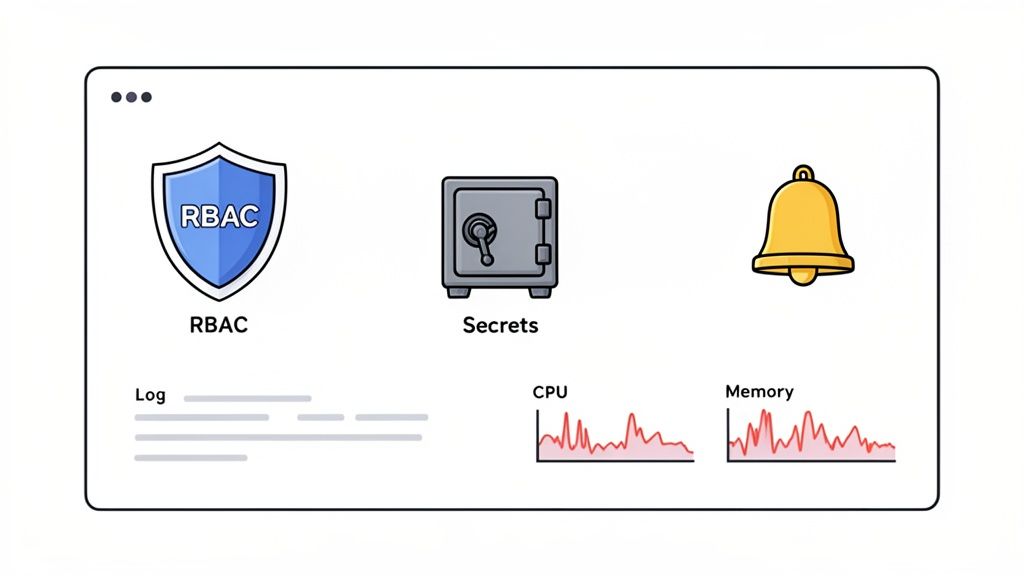
For any CTO or engineering lead, this is where the hidden cost of a DIY DevOps stack becomes a serious liability. You’re suddenly on the hook for building and maintaining separate systems for access control, secrets management, logging, and monitoring. All of that is a huge distraction from your actual product. This is another spot where a managed platform for your multi-cloud infrastructure (AWS, GCP, Azure) really pays for itself by handling all this out of the box.
Fortifying Access With RBAC and Secrets Management
Your n8n instance is going to be touching sensitive company data and third-party APIs. Leaving it wide open isn't an option. The first line of defence is simply controlling who can do what.
Setting up role-based access control (RBAC) is non-negotiable. This isn't just about who can log in; it's about defining granular permissions. For example, a junior marketer probably only needs view-only access to see workflow results. A senior developer, on the other hand, needs full permissions to edit and deploy the workflow's logic. In a DIY setup, this means you're stuck configuring and managing all these user roles and permissions at the infrastructure level—a task that's as complex as it is easy to mess up.
The second, and I’d argue more critical, security piece is how you manage your secrets. Hardcoding API keys for Google Search Console, your CMS, or a SERP tracking tool directly into your n8n workflow JSON is a complete disaster waiting to happen. If that code ever leaks, your keys are gone.
A professional DevOps platform bakes secrets management directly into your workflow. Instead of hardcoding credentials, you reference them as environment variables. The platform securely injects the right keys at runtime, so they never even touch your Git repository.
This approach makes it simple to rotate keys and maintain separate credentials for your development, staging, and production environments. You can manage everything from one central, audited interface. Trying to build this kind of secure credential handling yourself is a massive engineering project that gives you zero competitive advantage.
Achieving True Observability Into Your Automation
An automation you can't see is an automation you can't trust. When a workflow breaks, you need to know immediately why and where it failed. A "black box" system that just silently stops working throws your developers into a time-consuming forensic dig, sifting through raw server logs to figure out what went wrong.
This is exactly what observability solves. It’s about more than just basic monitoring; it's about having the rich, contextual data needed to actually understand your system's behaviour. A modern multi-cloud DevOps platform, like the one we provide at PushOps, builds this in from day one.
Key Observability Pillars for Your n8n Instance:
- Structured Logs: Forget messy text streams. You get structured, searchable logs for every single workflow execution. This lets you instantly filter by a workflow ID, node type, or error message to find the root cause of a failure in seconds.
- Real-Time Health Metrics: See live dashboards showing the CPU and memory usage of your n8n instance. This helps you spot performance bottlenecks—like a workflow hogging too many resources—before it takes the whole system down.
- Performance Dashboards: Track key metrics like execution duration, success rates, and error counts over time. This is perfect for spotting trends, like a specific workflow that’s getting slower or less reliable after a recent code change.
At the end of the day, this level of built-in security and observability is what separates a professional, production-ready n8n SEO automation workflow from a fragile, high-risk script. It turns your automation from a source of operational anxiety into a transparent, reliable, and secure asset your whole organisation can count on.
Optimising for Cost and Performance at Scale
Getting a powerful n8n SEO automation workflow up and running is a great first step. But making sure it doesn't silently eat away at your cloud budget is a whole different challenge. As a CTO or engineering lead, you know every automated task has a resource cost, and unmanaged automation can quickly turn into a financial black hole.
The real trick is to run these workflows efficiently without hamstringing performance when you actually need the power.
This problem gets even trickier in a multi-cloud environment. Whether you're on AWS, GCP, or Azure, the core ideas of cost optimisation are the same, but putting them into practice often means building yet another custom tool—a distraction your team just doesn't have time for.
Taming Cloud Spend with Intelligent Automation
The fundamental issue with most automation setups is their static nature. You spin up a beefy server instance to handle a massive site crawl, but it sits idle most of the time. Yet, you're stuck paying for it 24/7. It's like keeping a fleet of delivery trucks running all night just in case a single order comes through. It’s just wasteful.
A modern multi-cloud DevOps platform completely flips this model around. It bakes cost-control levers right into your operational workflow, shifting your infrastructure from a fixed-cost headache to a dynamic, on-demand asset.
- Smart Autoscaling: Forget guessing your resource needs. The platform automatically scales your n8n instance up for heavy-lifting jobs, like a full site crawl or crunching a huge batch of SERP data. As soon as the work is done, it scales right back down to a minimal footprint, so you only pay for what you use.
- Instance Right-Sizing: So many teams over-provision out of an abundance of caution, which results in chronically underused—and overpriced—instances. An integrated platform can analyse real usage patterns (CPU, memory) and suggest, or even automatically apply, the right instance size for the job, cutting out the waste.
This isn't just about looking at the bill at the end of the month. It's a move from reactive cost management to proactive cost optimisation.
Slashing Costs with Automated Environment Scheduling
One of the biggest, and most frequently overlooked, sources of cloud waste is your non-production environments. Your dev, staging, and QA instances are absolutely essential for testing your n8n workflows, but they're almost never needed outside of business hours.
This is where automated scheduling can deliver some serious savings.
A managed platform can automatically shut down all non-production n8n instances on nights and weekends. This one feature can cut their running costs by up to 70%, offering a huge and immediate ROI with zero manual effort from your team.
Trying to build this scheduling logic yourself is a classic DevOps trap. You end up writing custom scripts, wrestling with cron jobs, and managing state—all of which just adds to your team's maintenance backlog. A platform-based approach turns this into a simple toggle, giving you predictable costs and freeing up your engineers from managing infrastructure plumbing.
If you're looking to go deeper on controlling your cloud expenses, check out our guide on cloud cost optimisation strategies for startups.
Ultimately, a modern multi-cloud DevOps platform gives you the best of both worlds. You get the high-performance infrastructure you need to run a demanding n8n SEO automation workflow at scale, but with the intelligent controls to keep your cloud spend predictable and tied directly to business value. You no longer have to choose between performance and cost.
Frequently Asked Questions
When CTOs and engineering leads look at a platform-based approach for n8n automation, a few key questions always come up. Let's tackle the big ones: custom integrations, version control, and what the real operational cost looks like for your team.
Can We Integrate Our Private Tools and Internal APIs?
Yes, absolutely. While n8n comes with hundreds of pre-built nodes, the real power for a technical team comes from the HTTP Request node and the freedom to run custom code.
When you run n8n on a managed platform, your instance operates inside your own secure cloud environment (VPC). This means it can safely talk to internal databases, microservices, and proprietary APIs that aren't exposed to the public internet. All your credentials and access tokens are handled through the platform’s built-in secrets management, so your custom integrations stay both powerful and secure.
How Does This Approach Handle Workflow Versioning and Rollbacks?
This is a massive advantage over managing things manually and a point that really clicks with engineering leadership. By treating your n8n workflow JSON files as code inside a Git repository, you get all the benefits of proper version control.
Every tweak to a workflow—whether you're adding a node or changing API logic—becomes a commit with a clear author and message. If an update causes a bug or an unexpected result, rolling back is as simple as reverting the commit and pushing the change. The platform instantly picks up the update and redeploys the last stable version.
This Git-centric process completely does away with the risky practice of editing live workflows directly in a production UI. It gives you a full, undeniable audit trail for every change and lets your team experiment with confidence, knowing a one-click rollback is always there.
This kind of structured workflow is fundamental to modern software delivery and is exactly what you need to turn simple automation into a reliable, production-grade system.
My Team Is Stretched Thin. What Is the Real Overhead?
The entire point of a platform model like this is to get that overhead as close to zero as possible. We know your senior developers create the most value when they’re building your core product, not fighting with infrastructure.
The initial setup on a modern DevOps platform takes minutes, not the weeks or months it can take to build a DIY DevOps stack from scratch. Once you're up and running, the ongoing management is minimal.
Your team’s focus shifts away from tasks like:
- Patching operating systems and container images.
- Monitoring server health and resource usage.
- Configuring and maintaining CI/CD pipelines.
- Building and managing logging and alerting systems.
Instead, they get to concentrate only on what drives business value: defining and improving the logic inside the n8n SEO automation workflow itself. It's all managed through Git, letting your engineers build powerful automation without turning into a full-time DevOps team for your internal tools.
Stop wasting your best engineering talent on building and maintaining infrastructure. With PushOps, you get a production-ready, multi-cloud platform on AWS, GCP, or Azure that lets your team ship features faster. See how you can streamline your entire delivery process.

