
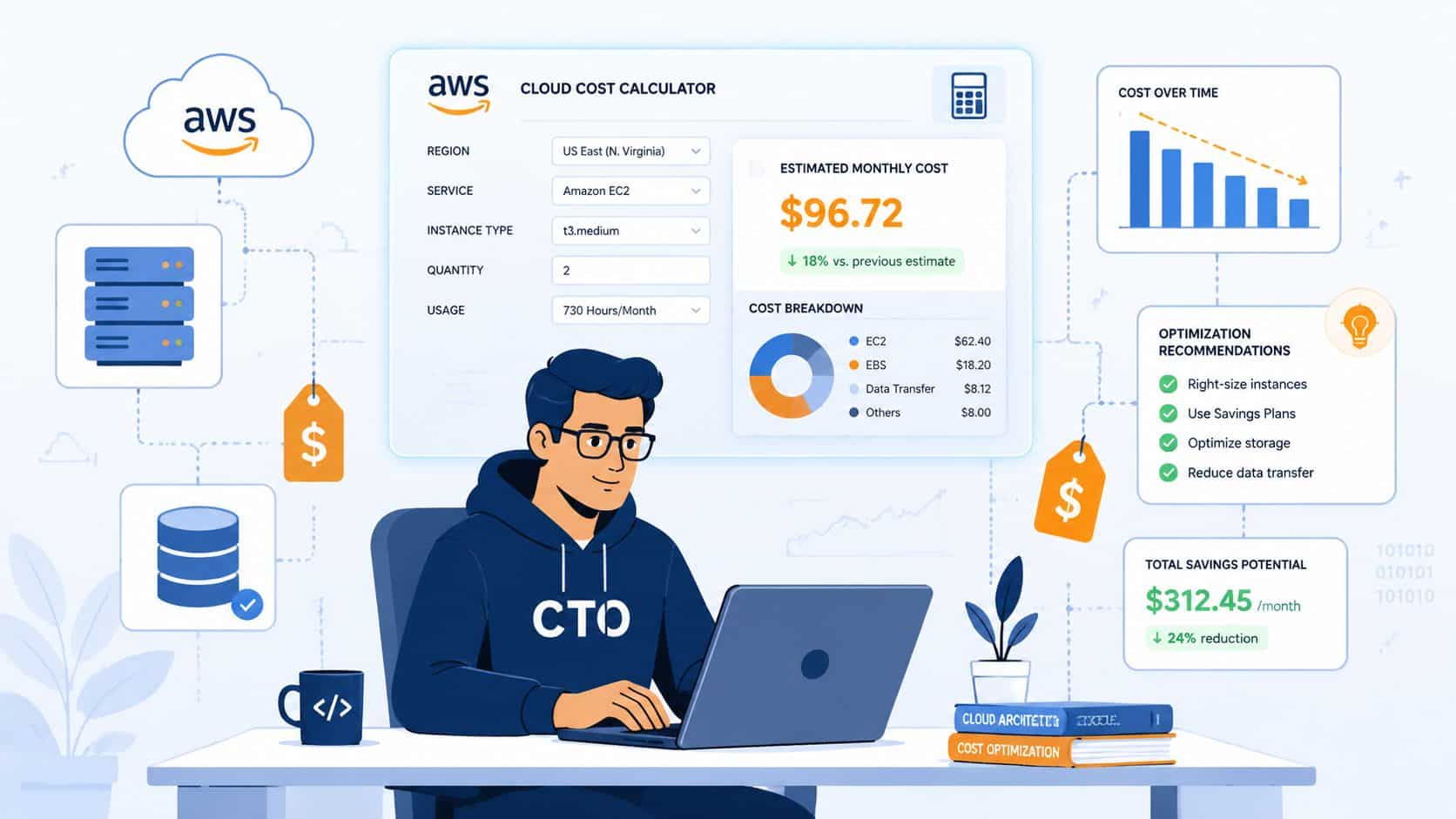

Most CTOs don't open the AWS Pricing Calculator because they enjoy infrastructure finance. They open it because a product decision suddenly needs a number attached to it. A new customer-facing feature needs a budget. A migration needs a business case. A team wants to know whether a workload belongs in one AWS Region or another.
That sounds straightforward until senior engineers start translating an architecture into billable units. Then the actual cost appears. Not just cloud spend, but engineering time, review cycles, spreadsheet churn, and the quiet tax of running a DIY platform. The AWS Pricing Calculator is useful. It is also a reminder that many teams are still solving cloud cost control manually, one estimate at a time.
Why Manual Cost Forecasting Is a DevOps Time Sink
The AWS Pricing Calculator is worth using. It replaced the older Simple Monthly Calculator, supports over 50 services, and can generate monthly estimates for supported AWS Regions while incorporating discounts and purchase commitments, as described in this overview of the newer AWS tool. For planning a new workload, that matters.
The problem isn't whether the calculator is legitimate. The problem is what it asks your team to do.
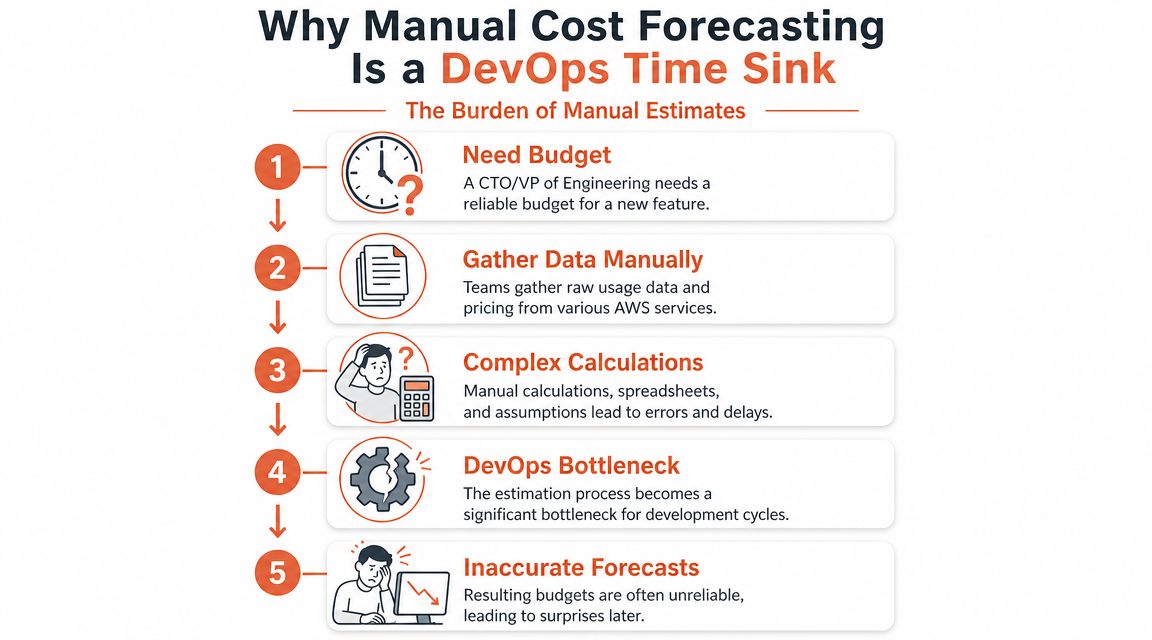
The budget request rarely stays simple
A CTO asks for a forecast for a new service. A senior developer has to define the workload shape. Someone else has to decide whether traffic is steady or bursty. Then another engineer fills in EC2, storage, load balancer, database, and transfer assumptions.
None of that is wasted effort in isolation. It becomes waste when the same thinking gets repeated for every feature, environment, region comparison, and architecture variant.
Practical rule: If your most expensive engineers are manually rebuilding cost models every sprint, you don't have a forecasting problem alone. You have a platform maturity problem.
Many companies find themselves drifting into accidental internal platform work. They don't mean to build a FinOps practice, a deployment standard, and a cost-governance layer. They just need reliable answers fast. Over time, that leads to spreadsheets, naming conventions, scripts, tagging rules, hand-maintained templates, and a growing backlog of cost questions no one wants to own.
A lot of teams recognise this pattern when they start exploring developer platform automation. The appeal isn't abstract. It's the chance to stop turning routine infrastructure decisions into senior-level manual work.
Planning is necessary, but the workflow is still manual
The AWS Pricing Calculator helps with scenario planning. It can be used for new workloads, changes to existing workloads, migration impact, growth planning, and commitment evaluation. But it still depends on people entering assumptions, validating them, and repeating the process when the architecture changes.
That tension matters for startups and scale-ups. You need cost predictability, but you also need product velocity. Manual forecasting gives you one at the expense of the other.
The calculator is best treated as a tactical instrument. Use it when you need to answer a concrete planning question. Don't mistake it for a scalable operating model.
Building Your First Estimate for a Web Application
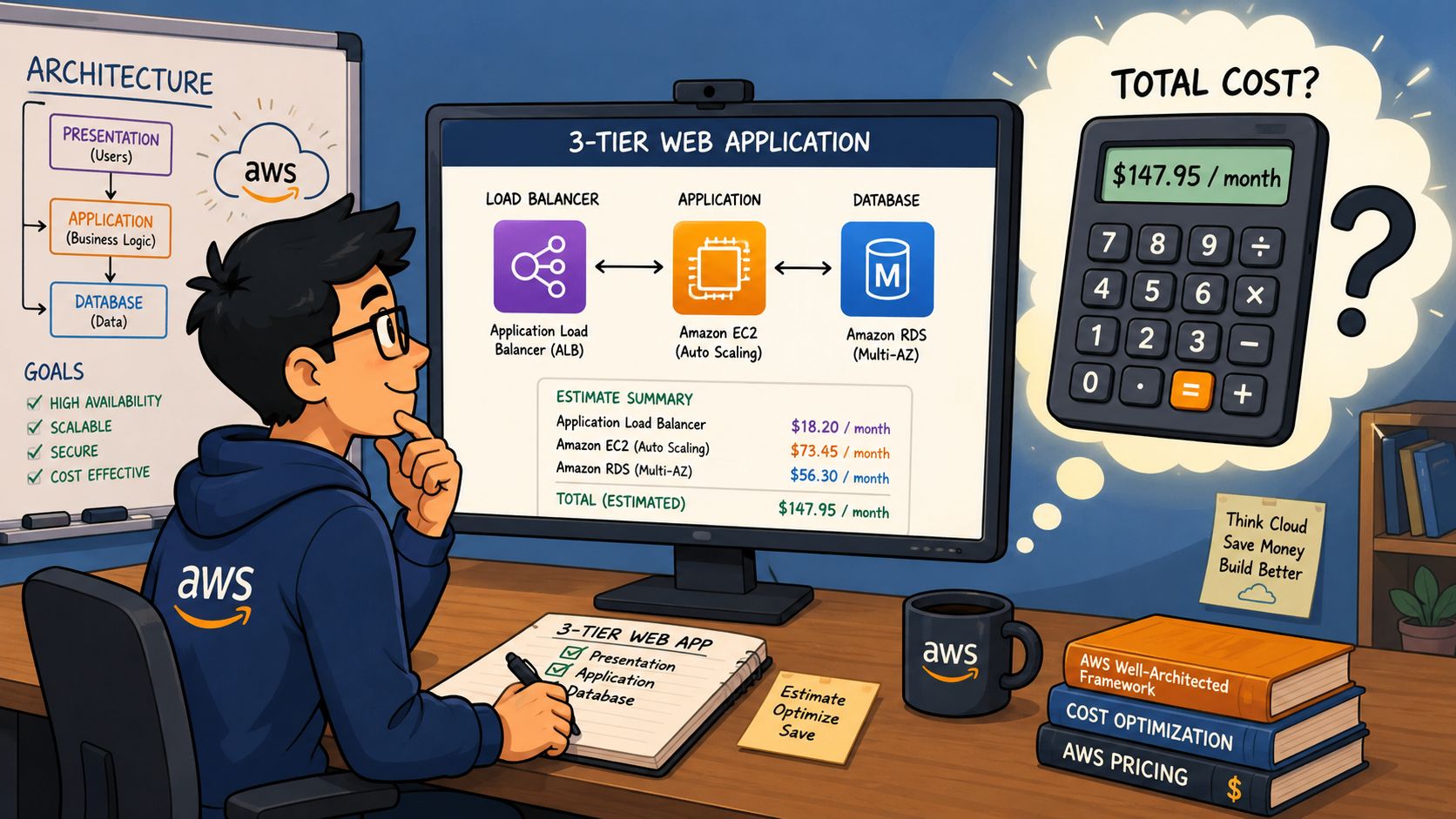
A good way to understand the AWS Pricing Calculator is to build a realistic estimate. Use a familiar workload. A simple web application with compute, a database, and an entry point is enough to expose where complexity sits.
Start with the workload, not the services
Don't begin by clicking EC2 because it's familiar. Start by describing the application:
- Presentation layer: Traffic enters through an Application Load Balancer.
- Application layer: Requests land on application servers, perhaps on EC2.
- Data layer: The app writes to a relational database such as Amazon RDS.
- Operational layer: Logs, storage growth, backups, and transfer patterns still need thought even if they aren't the first line items you add.
AWS documentation describes a standard workflow as defining the workload, selecting the AWS Region early, adding usage, then choosing service-specific configuration and pricing models. It also warns that using the wrong Region is a common source of major inaccuracies in estimates, as noted in the AWS Pricing Calculator user guide PDF.
That Region choice comes first for a reason. Pricing changes by Region. If your production stack will run in one place but your estimate is built in another, every downstream assumption is off.
Build the estimate in layers
For a three-tier web app, add the obvious services first.
Application Load Balancer
Model the front door before anything else. This forces a conversation about expected request patterns and whether you're exposing one service or several.EC2 for the application tier
For the application tier, many estimates become guesswork. You need to decide instance family, size, operating pattern, and whether you're modelling baseline capacity or growth headroom.RDS for the database tier
Database estimates aren't just about engine choice. Storage configuration, backup assumptions, and deployment style affect what the estimate means operationally.
Once those are in, review what's missing rather than assuming you're done.
The first estimate is rarely wrong because the calculator failed. It's wrong because the architecture was underspecified.
The real work is in the assumptions
The AWS Pricing Calculator interface is not the difficult part. The difficult part is knowing what to enter with confidence.
A senior engineer has to answer questions such as:
| Decision area | What you must decide |
|---|---|
| Compute shape | Which instance family fits the app's CPU and memory profile |
| Storage posture | Whether storage performance or capacity is the main driver |
| Resilience choice | Whether you're estimating a lean dev stack or a production-ready setup |
| Pricing model | Whether to keep the scenario on-demand or model commitments |
Those choices are why cost estimation is never just “pricing”. It is architecture review wearing a finance hat.
What works in practice
A reliable first pass usually follows a simple discipline:
- Model the production intent: Estimate the architecture you expect to run, not the temporary shortcut you might test with.
- Choose the Region early: Don't defer it. Region affects pricing and distorts every comparison if you set it late.
- Separate baseline from growth: One estimate for today's expected shape, another for the next operational step.
- Write down assumptions: If usage, throughput, or storage growth is uncertain, make that explicit so the estimate can be reviewed later.
This is why calculators help, but they don't reduce cognitive load. They expose it. The more bespoke your infrastructure is, the more your best engineers must stop building product and start acting like cost modellers.
Factoring in Savings Plans and Reserved Instances
Once the first estimate exists, the next question usually arrives quickly. Can we lower the projected cost with commitments?
The AWS Pricing Calculator can model discounts and purchase commitments, which makes it useful for forward-looking planning. AWS is also clear that the tool is stronger for scenario modelling than for answering what your bill will be once usage shifts, regional differences, and discount interactions hit real workloads, as explained on the AWS Pricing Calculator product page.
The calculator can include commitments
Savings Plans and Reserved Instances sit in the same executive conversation but they solve slightly different problems. Both are attempts to trade flexibility for better economics. The hard part isn't finding the toggle in the calculator. The hard part is deciding what degree of commitment your architecture can safely absorb.
For a startup with uneven growth, commitment planning is part finance and part product forecasting. If the application shape changes, your “optimised” commitment can become operational drag.
What to model and what to question
When you add commitments to an estimate, ask these questions before you trust the output:
- Is the workload stable enough: A commitment only helps if the underlying usage is durable.
- Are you standardising or still experimenting: Standardised workloads are easier to commit against. Constant redesign isn't.
- Will region choice stay fixed: Regional strategy affects whether a commitment remains useful.
- Does the team understand utilisation risk: A theoretical saving can disappear if the workload evolves differently than planned.
Commitments reward operational consistency. They punish architectural indecision.
Many teams discover that cloud cost management is not a side task. It is its own discipline. If your engineers are already maintaining Kubernetes, CI/CD, security controls, monitoring, and release automation, asking them to become part-time commitment strategists is rarely the best use of headcount.
What works and what doesn't
What works is using the calculator to compare a few plausible future states. On-demand versus commitment. Current footprint versus expected steady state. One region strategy versus another.
What doesn't work is treating the output as a faithful preview of your actual invoice. The calculator can help you make a decision. It cannot remove the need for ongoing cost governance once real usage starts moving.
Common Estimation Pitfalls and Hidden Costs
Most bad estimates don't fail on EC2 or RDS. They fail in the gaps between services.
That is why a server-only calculation is dangerous. Infrastructure bills are shaped by the connective tissue around the workload just as much as by the workload itself.
Costs teams often miss first
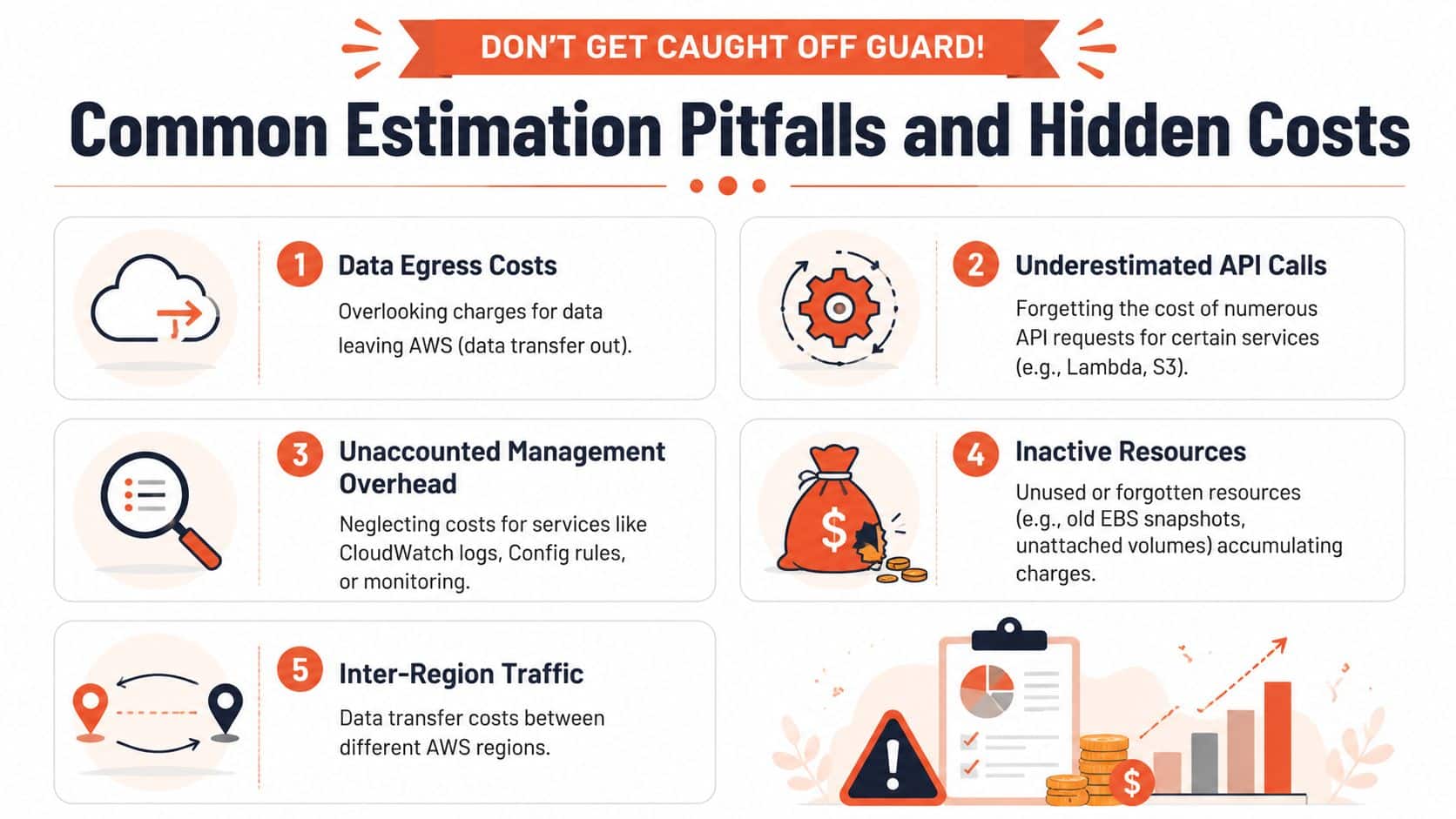
These are the blind spots that regularly weaken a manual estimate:
- Data transfer: Traffic out to users, traffic between components, and traffic across regional boundaries can change the economics of an otherwise sensible design.
- Operational telemetry: CloudWatch logs, metrics, alarms, and retention settings are easy to under-model because they don't feel like core product infrastructure.
- Persistent leftovers: Old snapshots, unattached volumes, forgotten environments, and dormant resources build up.
- Service request patterns: Some services generate meaningful cost through requests and API activity rather than obvious “server” spend.
If your team also compares cloud providers, it helps to study how pricing blind spots show up elsewhere. This breakdown of the Azure Pricing Calculator is useful because it highlights the same pattern across another major cloud. The calculator is never the whole story. The operating model is.
Hidden costs are often operational costs
There is another category that finance reviews often miss. The human layer.
A manual estimate has an engineering cost attached to it:
| Hidden cost type | Why it matters |
|---|---|
| Review overhead | Senior people need to validate assumptions and challenge omissions |
| Rework | Every architecture change can trigger another pass through the estimate |
| Environment sprawl | Temporary stacks linger because no one owns lifecycle discipline |
| Tool fragmentation | Monitoring, CI/CD, security, and cost controls each add their own overhead |
If your estimate excludes the time spent operating the stack, you're only pricing infrastructure, not delivery.
DIY DevOps gets expensive in ways that don't appear on the AWS bill. A team may think it is saving money by stitching together its own stack, but the actual result is that senior engineers become maintainers of platform glue.
A better way to read an estimate
Treat the AWS Pricing Calculator output as a floor, not a ceiling.
A credible review asks:
- What did we include?
- What did we intentionally exclude?
- Which line items are sensitive to region, transfer, or retention choices?
- Which costs will be introduced by our own operational model?
That last question matters most. The infrastructure may be affordable. The way your team manages it may not be.
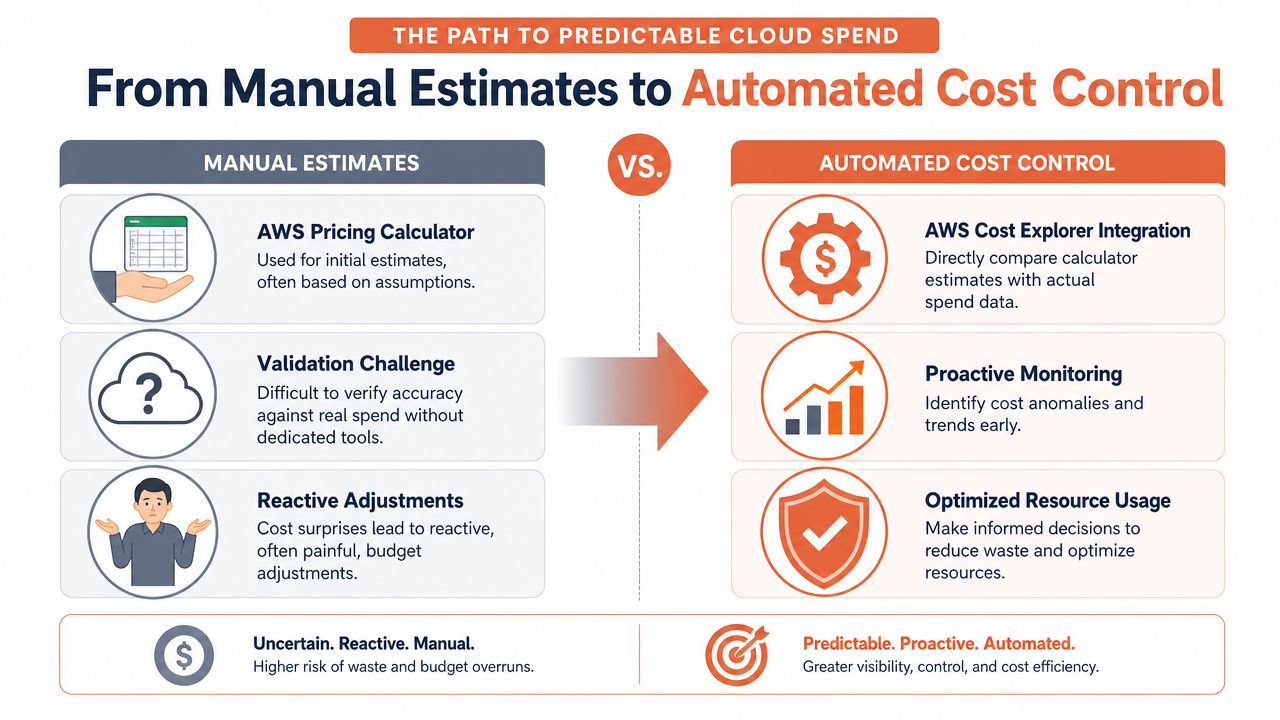
From Manual Estimates to Automated Cost Control
Manual estimates are useful at the start of a decision. They are weak as a control system.
AWS documentation makes the limitation plain. The in-console AWS Pricing Calculator gives users five free estimates per month, and after the fifth estimate in a calendar month, each additional estimate costs $2, according to the AWS pricing calculator user guide. For occasional planning, that may be fine. For teams comparing many variants, it reinforces that the workflow is built around interactive use, not high-volume operational modelling.
The scaling problem is not theoretical
AWS also notes that the calculator has no public API, which limits automation for teams that need versioned, machine-readable estimates or repeatable regional scenario testing, as described in the getting started guide for the AWS Pricing Calculator.
That limitation changes the conversation for engineering leaders. Once cost estimation becomes part of delivery planning, the lack of automation becomes a platform issue.
A mature team usually wants to do more than create a one-off estimate. It wants to:
- compare architecture variants consistently
- keep assumptions versioned
- connect estimates to delivery workflows
- validate forecast versus actual spend over time
The calculator helps with the first step. It doesn't solve the operating model around the rest.
Forecasting should lead to control
Many organisations then move from estimation to instrumentation. They compare the original estimate against actual spend in AWS billing tools, then try to understand where reality diverged. That exercise is necessary, but it's still reactive.
A stronger approach standardises the infrastructure decisions that create spend in the first place. The more bespoke every environment is, the harder it becomes to forecast and govern. Standardisation, right-sizing, scheduled environments, and integrated observability turn cloud cost from a periodic investigation into a controllable system.
For leaders thinking beyond cloud infrastructure alone, the same pattern shows up in analytics spending. This guide to mastering BIaaS for 2026 is useful because it frames cost not just as a purchasing question, but as an operational design choice. That's the mindset shift most engineering teams need.
Cost control gets easier when the platform removes variance before finance has to explain it.
What automation changes
An automated platform changes the economics in three ways:
| Manual model | Automated model |
|---|---|
| Engineers handcraft estimates | Teams work from standardised deployment patterns |
| Cost reviews happen after drift appears | Guardrails reduce drift before it spreads |
| Cloud spend is forecast manually | Resource behaviour is shaped continuously |
That is the strategic difference. Manual estimates tell you what a workload might cost. Automated cost control shapes what it is allowed to become.
Stop Forecasting Your Cloud Bill and Start Managing It
The AWS Pricing Calculator is a good planning tool. It helps teams sketch a future workload, compare options, and pressure-test architecture assumptions before committing to build. Used that way, it's valuable.
But it is still a manual instrument for a broader operational problem. If your company is growing, cloud cost management can't depend on engineers repeatedly opening a calculator, rebuilding assumptions, and debating spreadsheet deltas in planning meetings. That isn't lean. It's hidden platform work.
The goal is not a slightly better estimate. The goal is predictable infrastructure by design. That comes from standard environments, automated scaling policies, integrated observability, secure defaults, and cost controls that are built into delivery rather than bolted on afterwards. If you're also managing AI workloads, the same principle applies. Teams that want efficient OpenAI spending don't solve it with ad hoc forecasting alone. They solve it with operating discipline.
The better question for a CTO is simple. Do you want your engineers estimating cloud spend by hand, or do you want a platform that reduces the number of cost surprises worth estimating in the first place?
For teams evaluating that shift, this explainer on cloud cost optimisation is a practical place to start.
PushOps helps software teams stop rebuilding the same DevOps stack in-house. It provisions production-ready foundations across AWS, GCP, and Azure, then automates deployments, environments, observability, security controls, and spend optimisation so engineers can focus on shipping product. If you're tired of turning senior developers into part-time platform and cost managers, PushOps is worth a look.

