

As a CTO or engineering leader, your team's most valuable asset is time. You can absolutely automate your entire SEO blog post pipeline with n8n, turning a frustrating, manual chore into a smooth, hands-off workflow. This guide gets practical, showing you exactly how to build end-to-end automations that free your senior developers from content operations so they can get back to building your core product.
Stop Wasting Engineering Cycles on Manual Content Ops
How many hours do your best engineers lose to manual content tasks instead of shipping features? For most startups and scale-ups, the hidden cost of content and SEO operations is a massive, and often unrecognised, resource drain. This isn’t just a marketing headache; it's a DevOps problem in disguise.
Most teams instinctively over-invest in building and maintaining their own complex DevOps stack—wrestling with Kubernetes, CI/CD, monitoring, and security. What they really want is a reliable, production-ready platform to focus on product. The same is true for content. When your senior engineers are fighting with clunky CMS plugins, deciphering keyword spreadsheets, or manually fixing metadata, you’re looking at the operational equivalent of a DIY internal developer platform. You wouldn't ask them to hand-crank CI/CD pipelines, so why are they burning cycles on content logistics?
The True Cost of Inefficient Content Workflows
Just as a modern multi-cloud DevOps platform abstracts away the brutal complexity of setting up and scaling on AWS, GCP, or Azure, tools like n8n can automate your entire content pipeline. The objective here is simple: reclaim those valuable engineering hours. Let your team focus on shipping features, not battling WordPress.
Consider the competitive SEO landscape. In a market like Lithuania's, the average keyword ranking sits at a tough 42, signaling intense competition. To compete effectively, you need a content strategy that’s both fast and scalable, something a manual approach simply can't deliver without pulling your best engineers off their real jobs.
Here's a clearer picture of the complexity and hidden costs of a DIY approach to content.
The True Cost of DIY Content Ops vs an Automated Workflow
| Task | DIY Manual Approach (The Hidden Engineering Cost) | Automated n8n Workflow (The Strategic Advantage) |
|---|---|---|
| Keyword Research | Senior developers pulled from product to build fragile scripts for SEO tools. | A workflow automatically fetches keywords, volume, and difficulty from APIs. |
| Content Generation | Slow back-and-forth between teams in docs; developer time lost on reviews. | AI-powered drafting based on keyword briefs, generated in minutes, freeing up engineers. |
| SEO Optimisation | Manually writing meta titles, descriptions, and checking heading structures. | Automatically generates optimised SEO metadata and structures content correctly. |
| Schema & Linking | Tedious, error-prone manual implementation of schema and internal links. | Schema is generated and injected flawlessly; internal links are added based on rules. |
| Publishing | Copy-pasting into a CMS, fixing formatting, and scheduling by hand. | One-click or fully automated publishing to WordPress or a headless CMS via API. |
| Error Handling | Broken links, bad formatting, and inconsistent metadata slip through, creating tech debt. | Built-in validation and error notifications ensure quality and consistency. |
Ultimately, a manual process introduces risk and slows you down, while an automated workflow lets you scale content with the same rigour you apply to your codebase, without hiring more DevOps engineers or distracting your developers.
By treating your content pipeline with the same engineering discipline as your application deployment, you turn a cost centre into a strategic asset. Automation isn’t about replacing people; it’s about freeing your most expensive talent to do higher-impact work.
From Manual Drudgery to Automated Delivery
Automating SEO blog posts with n8n lets you apply DevOps principles directly to your content strategy. Think of it as “Content as Code.”
You define the entire workflow just once—from fetching keywords to AI-powered drafting and publishing to your CMS. Then you let the automation execute. It mirrors the exact benefits of a modern multi-cloud DevOps platform, which streamlines setup, scaling, monitoring, security, and cloud costs across all major clouds. You can learn more about reducing DevOps overhead in our article.
This guide will show you how to build that engine, step by step. We’re moving past theory and into practical, actionable workflows you can implement right away to stop wasting precious engineering time and finally scale your content efforts.
Designing Your N8n Automation Blueprint for Content
Before you drag a single node onto the n8n canvas, stop. Just as you wouldn’t build a production service without a design document, you shouldn't try to automate SEO blog posts with n8n without a clear architectural plan. Applying proper engineering discipline here is what separates a reliable, scalable content engine from just another piece of fragile internal tooling that breaks all the time.
This isn’t about just stringing a few APIs together; it's about designing a resilient, end-to-end system. The goal is a robust and maintainable workflow that avoids the common pitfalls of DIY internal developer platforms that demand constant attention. So many internal automation projects fail because they're built ad-hoc, quickly becoming a frustrating maintenance burden for the engineering team—the very problem you're trying to solve. A managed DevOps platform saves you from this headache; your content automation should too.
A solid design starts with mapping the entire process, from the initial trigger to final publication, and anticipating every potential failure point along the way.
Define Your Core Workflow Components
Think of your blueprint as defining a set of "content microservices." Each part of the workflow needs a distinct responsibility, making the whole system easier to build, test, and debug. A typical architecture for an automated SEO content pipeline will include a few key stages.
- Trigger Mechanism: How does the workflow kick off? A reliable trigger is your foundation. Common options include a webhook from a project management tool like Jira, a new row added to an Airtable base, or a simple manual execution for testing.
- Data Ingestion: Where does the initial topic or keyword come from? This could be from a simple text input or a more complex lookup from an SEO tool's API.
- Content Generation Engine: This is the heart of the operation. It involves selecting the right AI models—for instance, using one for creative outlining and another for its precision with technical details.
- Post-Processing and Optimisation: After the draft is generated, this stage handles creating SEO metadata, injecting schema markup, and placing internal links.
- Publishing and Notification: The final step pushes the finished content to your CMS via its API and sends a notification (e.g., to Slack) to confirm success or flag an error.
Building a content automation system is just like designing any other software pipeline. If you don’t plan for observability and error handling from day one, you’re just creating a new operational headache for your team. A well-designed workflow should run silently in the background, not become another source of PagerDuty alerts.
Architecting for Resilience and Observability
The biggest mistake engineering teams make is building only for the "happy path." What happens when an API call to your AI provider times out? Or when your CMS returns a 500 error during a publish attempt? A production-ready workflow must account for these realities, just like a proper internal developer platform. You can learn more about how this principle applies to wider systems in our guide on developer platform automation.
Your blueprint should explicitly include:
- Error Handling Paths: Use n8n's built-in error triggers. If an API call fails, the workflow shouldn't just crash. It needs to branch to an error path that logs the issue and sends a detailed alert to a designated Slack channel.
- Retry Logic: For transient network issues or API rate limits, build simple retry mechanisms with delays. The "Wait" node in n8n is perfect for implementing an exponential backoff strategy.
- State Management: Log key steps and outputs throughout the workflow's execution. If something fails, you need to know exactly where and why, without having to re-run the entire process just to debug it.
By treating your content automation with this level of architectural rigour, you build a system that delivers value consistently. This frees your engineers to focus on what they do best: building your core product. It's the same kind of reliability you'd expect from a managed multi-cloud DevOps platform, where setup, scaling, and monitoring are handled for you, letting your team ship features faster.
Building the Core Content Generation Workflow in N8n
Alright, we’ve laid out the theory. Now it’s time to get our hands dirty and build the n8n workflow that turns a single keyword into a fully-formed blog post.
Our goal here is to construct a content 'build' pipeline that's not just powerful, but also requires almost zero maintenance. It's the same principle behind a modern DevOps platform—build it once, and let it run. Think of it as creating zero-maintenance CI/CD pipelines, but for your content strategy. This is a far better investment of engineering time than building and maintaining your own stack.
This workflow will connect nodes to grab a keyword, use an AI model to draft a structured outline, loop through that outline to write each section, and generate all the crucial SEO metadata at the same time. You’ll have a practical system that turns abstract ideas into production-ready articles, completely hands-off.
The blueprint below shows exactly how a simple trigger can kick off an AI-driven process and result in a published asset across your platforms.
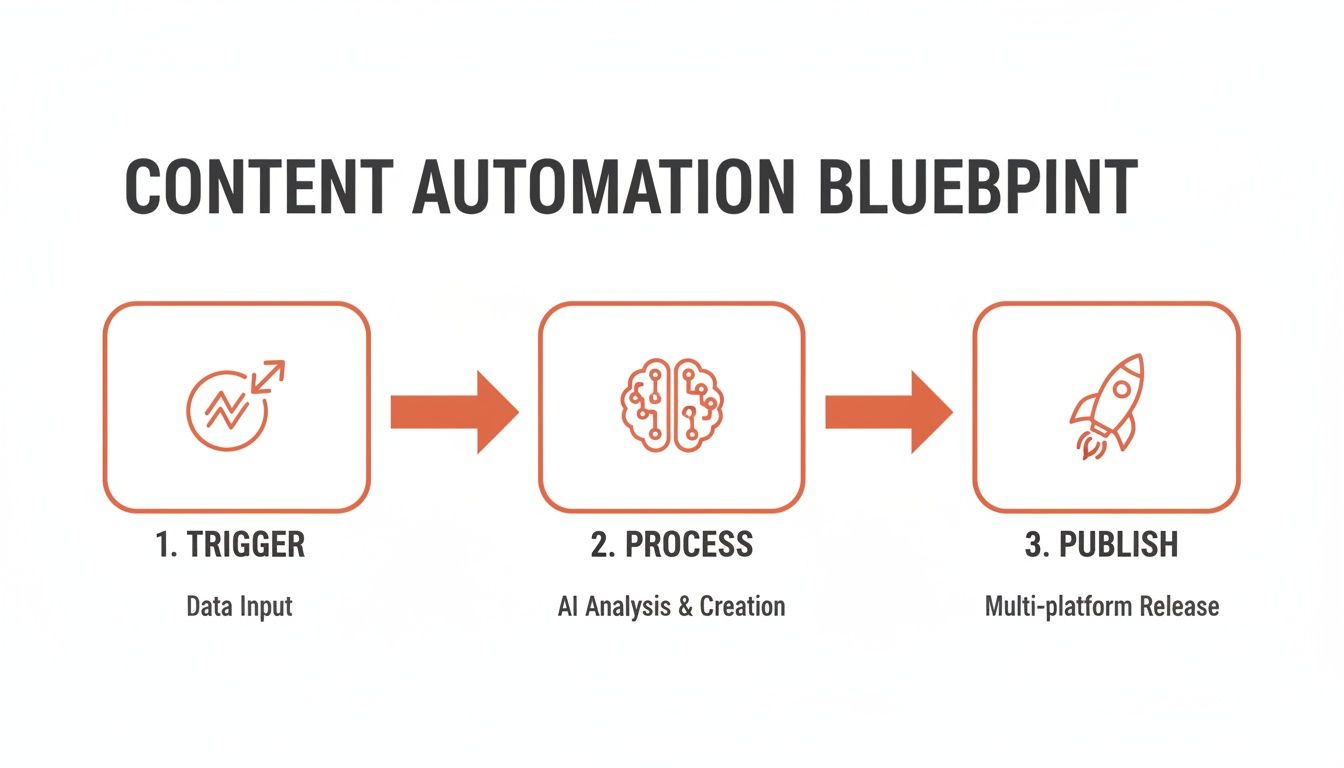
This breaks the logic down into three clear stages. It’s a simple, repeatable flow: one input travels through the system and produces a consistent, high-quality output every time, freeing your team from the manual grind.
Starting With the Trigger and Keyword Input
Every n8n workflow has to start somewhere. For development and testing, a Manual Trigger node is your best friend. It lets you kick off the entire process with a single click and feed it a target keyword on the fly. No complex setup needed.
Once you trigger the workflow, the first real step is handing that keyword over to an AI node. Your prompt is everything here. Don't just ask for an article—tell the AI exactly what role to play and what format to return.
Here’s a solid starting prompt:
"You are an expert SEO content strategist. Based on the target keyword '{{$json.keyword}}', generate a comprehensive, SEO-optimised blog post outline. The audience is CTOs and senior developers. The outline must include an H1, multiple H2 sections, and relevant H3 subheadings. Return the response as a clean JSON array of strings."
This forces the AI to give you a structured JSON array. Getting machine-readable output is non-negotiable, as it’s what fuels the rest of the automation and avoids the maintenance hell of parsing unstructured text.
Generating the Article Section by Section
With a clean JSON outline ready, we can tap into one of n8n’s most powerful features. Instead of asking an AI to write a whole article in one go (a recipe for generic, bland content), we’ll process it piece by piece.
This is where the Split in Batches node comes in. Configure it to process one headline at a time, which effectively creates a loop. Inside this loop, you’ll call your AI node again for each headline, but with a much more focused prompt.
This second prompt might look something like this:
"Write a detailed, engaging section for a blog post. The section's heading is '{{$json.headline}}'. The main keyword for the entire article is '{{$json.keyword}}'. Write in a clear, practical tone for a technical audience of CTOs and senior developers. Explain concepts clearly and avoid jargon."
This granular approach gives you far more control and consistently produces higher-quality, more relevant content. It’s the difference between slapping something together and true craftsmanship, just done at scale.
This automated approach is how you overcome the hidden costs of manual work. For instance, the Lithuanian technical SEO market has a 3.2 second average site speed and 15% organic traffic growth, but the average domain only has 1,150 indexed pages. That’s a huge competitive gap caused by manual content bottlenecks. An automated system like this is precisely what closes that gap, without distracting your core team. You can explore the data in this StateGlobe analysis of Lithuania's technical SEO landscape.
After the loop has finished generating all the sections, a Merge node brings everything back together, combining the individual outputs into a single, complete article draft.
Parallel Processing for SEO Metadata
Why wait for the full article to be written before handling SEO? A well-designed system works in parallel. While the main content generation loop is running, you can have a separate branch working on the metadata.
Branching off from the initial trigger, set up parallel tasks to handle:
- Meta Title Generation: Use an AI node with a prompt like, "Create 5 SEO-optimised meta titles under 60 characters for a blog post about '{{$json.keyword}}'."
- Meta Description Generation: Do the same for the description: "Write an engaging meta description under 160 characters for an article on '{{$json.keyword}}', encouraging clicks from a technical audience of senior developers and CTOs."
This parallel execution is far more efficient. You aren't stuck in a linear process, and all the essential components of your post are ready at the same time. The principles of efficiency are universal, whether you're building zero-maintenance CI/CD pipelines or automating content—the goal is always to deliver value faster and free up your team.
By structuring your workflow this way, you create a robust engine that acts as a core part of your content operations. It's a self-contained system that takes one keyword and reliably delivers a complete, well-structured, and SEO-ready article.
Taking Your Content from Draft to Published with Advanced Automation
Getting a raw text draft from an AI is just the first step. To make that content actually perform—to rank, drive traffic, and get indexed—it needs a solid layer of technical SEO and a seamless publishing process. This is where we’ll expand our n8n workflow to handle the final mile automatically.
Our goal is to take that generated text file and turn it into a live, optimised blog post without a single manual click. We’ll add nodes to handle things like FAQPage schema and find relevant internal links, and then use API connections to your CMS—whether it’s WordPress, Ghost, or a headless system—to build a true “commit to production” pipeline for your content.
This is a clean, API-first approach that stands in stark contrast to the fragile plugins and tedious manual checklists that bog down so many engineering teams. It shows the power of building a dedicated automation engine instead of over-investing in a DIY stack that you have to maintain forever.
Generating Schema and Structured Data
Structured data, or schema markup, is essentially the language search engines speak. It tells them what your content is about. Manually writing the JSON-LD script for every post is a pain and incredibly easy to mess up—another hidden cost of DIY. With n8n, you can generate it on the fly.
After your main article content is ready, simply add another AI node to the workflow. The key here is to give it a highly specific prompt.
For instance, to create FAQPage schema, your prompt might look like this:
"Based on the following article content, identify 3-5 relevant questions and answers for a technical audience. Format the output as a valid JSON-LD
FAQPageschema. The questions and answers should be direct and concise."
This is a perfect job for an AI. It can read the entire article, pull out the most relevant Q&A pairs, and format them directly into the JSON structure you need. That output can then be injected straight into your post’s <head> or body, immediately making your content eligible for rich snippets in search results. It’s a small addition that massively boosts SERP visibility with zero manual work.
Automating Intelligent Internal Linking
Everyone knows internal linking is critical for SEO, but doing it right is a manual nightmare. Most teams either skip it or have a senior developer spend hours digging through old posts to find relevant pages. We can automate this entire process right inside our workflow.
First, you need a list of your existing content. This could be a simple CSV or a database table with your site's URLs and their main keywords or titles. You could even have a separate n8n workflow that runs weekly to crawl your sitemap and keep this list updated.
With that data source ready, you can add a few steps to your main workflow:
- Fetch Linkable Pages: Start by loading your list of existing articles and their topics.
- AI Analysis Node: Pass the newly generated blog post and the list of potential internal links to an AI node.
- Use a Focused Prompt: Tell the AI exactly what to do. A prompt like this works well: "Read the following article for a technical audience. From the provided list of existing URLs and topics, identify 3 natural opportunities to insert internal links. Return a JSON object with the 'anchor_text' and the corresponding 'url' for each link."
The AI essentially acts as an SEO strategist, pinpointing the most contextually relevant spots to add links. The last step is a Code node that runs a simple find-and-replace to insert the HTML anchor tags directly into the article before it gets published.
This approach transforms internal linking from a manual, inconsistent task into a systematic, scalable process. It’s like having a DevOps pipeline that not only builds your code but also automatically optimises its dependencies before deployment. It's about building a smart platform, not just a set of scripts.
API-Driven Publishing to Any CMS
The final piece of the puzzle is getting the content live. The old process of copying, pasting, formatting, and scheduling posts in a CMS is a huge time-waster and a common source of frustration for engineers. An automated, API-driven approach is infinitely better.
N8n's HTTP Request node is your universal key. It can talk to the REST or GraphQL API of just about any modern CMS.
Here’s a breakdown of how the publishing sequence would work:
- WordPress: Use the WordPress REST API to create a new post. The node will send a
POSTrequest to the/wp/v2/postsendpoint, passing the title, content, and all your generated metadata as a JSON payload. - Ghost: The Ghost Admin API is just as straightforward. You'll authenticate with an API key and send your post content to its
/posts/endpoint. - Headless CMS (Contentful, Strapi, etc.): This is where an API-first mindset really pays off. Your headless CMS was built for this. You just need to structure the data to match your content model and
POSTit to the right API endpoint.
This method completely decouples your content creation from your CMS. You're no longer at the mercy of brittle plugins or clunky UIs. Instead, you're treating your content infrastructure as code—creating a reliable, repeatable process that frees up your team to focus on building your product, not managing its marketing content.
Monitoring Your Automated Content Engine
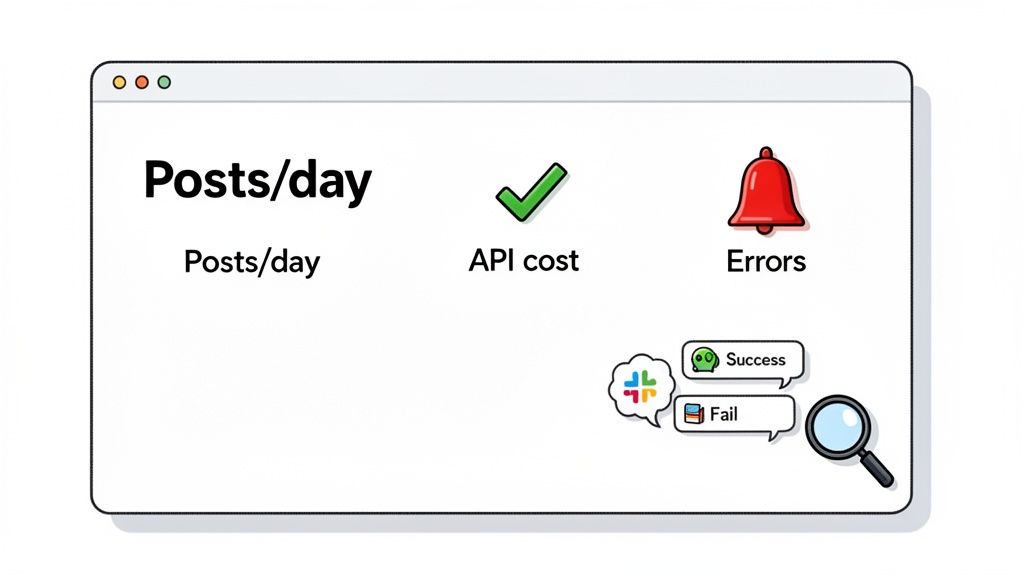
You wouldn’t run a production application without monitoring, and your content engine is no different. To truly automate SEO blog posts with n8n at scale, you need to treat it like any other critical piece of infrastructure—with complete observability.
This isn't about over-engineering. It's about building a system you can trust. Just like you need real-time health metrics for services on AWS, GCP, or Azure, you need visibility into your content machine. An unmonitored automation is a black box that becomes another piece of the DIY stack your team has to maintain. A modern DevOps platform provides observability out of the box; your automations should too.
By building monitoring into your n8n workflows from the start, you’re applying the same engineering discipline to content ops that you do to your core product. It’s what separates a fragile script from a resilient, production-grade system.
Building in Essential Error Handling and Alerting
The first rule of automation is to know immediately when something fails. A silent failure is the worst kind. Luckily, n8n has a straightforward way to handle this, preventing your automation from becoming another source of operational anxiety.
The "Error Trigger" node is your first line of defence. Instead of letting a workflow crash when an API call fails, you attach an Error Trigger to catch the failure and kick off a separate alerting path.
This error path becomes your notification system. A simple but highly effective setup looks like this:
- Catch the error: The Error Trigger node automatically provides data on which node failed and the reason why.
- Send an alert: Connect that trigger to a Slack or Microsoft Teams node.
- Craft a useful message: Configure the alert to include the workflow name, the exact node that failed, and the specific error details.
This setup takes minutes but delivers huge value. Instead of discovering content hasn't been published for a week, your team gets an immediate, actionable alert right where they handle other infrastructure incidents.
Automation without alerts isn't automation; it's a ticking time bomb. Integrating real-time notifications transforms your n8n workflow from a developer's side project into a reliable operational tool that the whole team can trust.
Tracking Key Performance and Cost Metrics
Beyond just knowing when things break, you need to track the performance and cost of your content engine. This is critical for managing the hidden costs of any internal system. The two metrics that matter most are usually content throughput and API costs. You can build a surprisingly effective dashboard with tools you already use.
For instance, add a final node to each successful workflow that logs key data. A Google Sheets node is perfect for getting started.
For each successful run, you can track several data points:
- Timestamp: When the post was published.
- Keyword: The topic of the generated article.
- Token Usage: The number of tokens consumed from your AI provider (many AI nodes in n8n expose this output).
- Execution Time: How long the workflow took from start to finish.
This simple log file quickly becomes a powerful dataset. Hook it up to a dashboarding tool like Google Data Studio or Grafana to visualise your metrics. Suddenly, you can answer critical questions: How many posts are we generating per week? What’s our average cost per article? Are execution times creeping up?
This approach brings the same kind of integrated observability you’d find in a modern multi-cloud DevOps platform, where performance and cost metrics are integral, not an afterthought. It gives you predictable, manageable control over your automated systems so they operate efficiently and within budget.
Frequently Asked Questions for Engineering Leaders
I get a lot of questions from other CTOs and VPs of Engineering when they're looking at how to automate SEO blog posts with n8n. Here are my thoughts on the most common ones.
How Much Maintenance Does an n8n Content Workflow Require?
Think of it like a well-managed CI/CD pipeline, not a DIY Kubernetes cluster. The real work is front-loaded in the architectural design and initial setup. Once you've built in robust error handling and logging, the workflow should require very little day-to-day maintenance.
The whole point is to build something that runs quietly in the background, not another fragile, in-house project that constantly needs a developer's attention. If your automation is creating more work than it saves, it's a sign the initial design needs another look. The goal is to reduce your maintenance burden, not add to it.
Can This Workflow Integrate with Our Custom Headless CMS?
Yes, absolutely. This is one of the main reasons to use n8n instead of trying to script this yourself. Its HTTP Request node is a game-changer, letting you connect to virtually any system with a REST or GraphQL API—and that covers nearly every modern headless CMS out there.
This allows you to treat your content pipeline as just another API-driven service. You're no longer locked into a specific CMS or its clunky admin panel. Instead, you build a flexible system that can push structured content to any destination. It's a much cleaner approach than wrestling with brittle plugins or manual data entry, which is the kind of complexity a managed platform helps you avoid.
Your automation tooling should integrate with your existing stack, not create new silos. The goal is to connect systems seamlessly, just like you’d expect from a modern DevOps platform that works across AWS, GCP, and Azure.
What Are the Hidden Costs of Running This Automation?
The operational costs are predictable and completely manageable, unlike the hidden costs of maintaining a complex DIY DevOps stack. You're mainly looking at two things:
- n8n Hosting: This is either your subscription for n8n's cloud service or the infrastructure costs if you decide to self-host on your own cloud.
- AI API Calls: You'll have usage-based costs from your AI provider, like OpenAI or Anthropic, based on how many tokens you consume.
A critical step is to build cost controls and monitoring into the workflow from day one. By logging API usage on every run, you can set up simple dashboards to track spending. This ensures your content engine operates efficiently and stays within budget, just like you'd monitor any other piece of cloud infrastructure with a proper cost control strategy.
How Do We Ensure the AI-Generated Content Quality Is High?
Quality control comes from smart prompting and breaking the task into smaller, manageable steps. Just asking an AI to write a 2,000-word article in a single pass is a recipe for generic, low-value content. It almost never works.
A much better, more architected approach looks like this:
- Generate a Structured Outline: The first AI call focuses solely on creating a detailed, logical structure for the post. This is your blueprint.
- Write Section by Section: The workflow then loops through each heading in that outline, generating content for one small part at a time with a highly specific, focused prompt.
This granular method gives you far more control over the tone, depth, and accuracy of the content. It’s the difference between a planned assembly line and just throwing parts in a box and hoping for the best. It delivers a consistent, high-quality result every time, allowing your team to focus on shipping features instead of worrying about content.

