
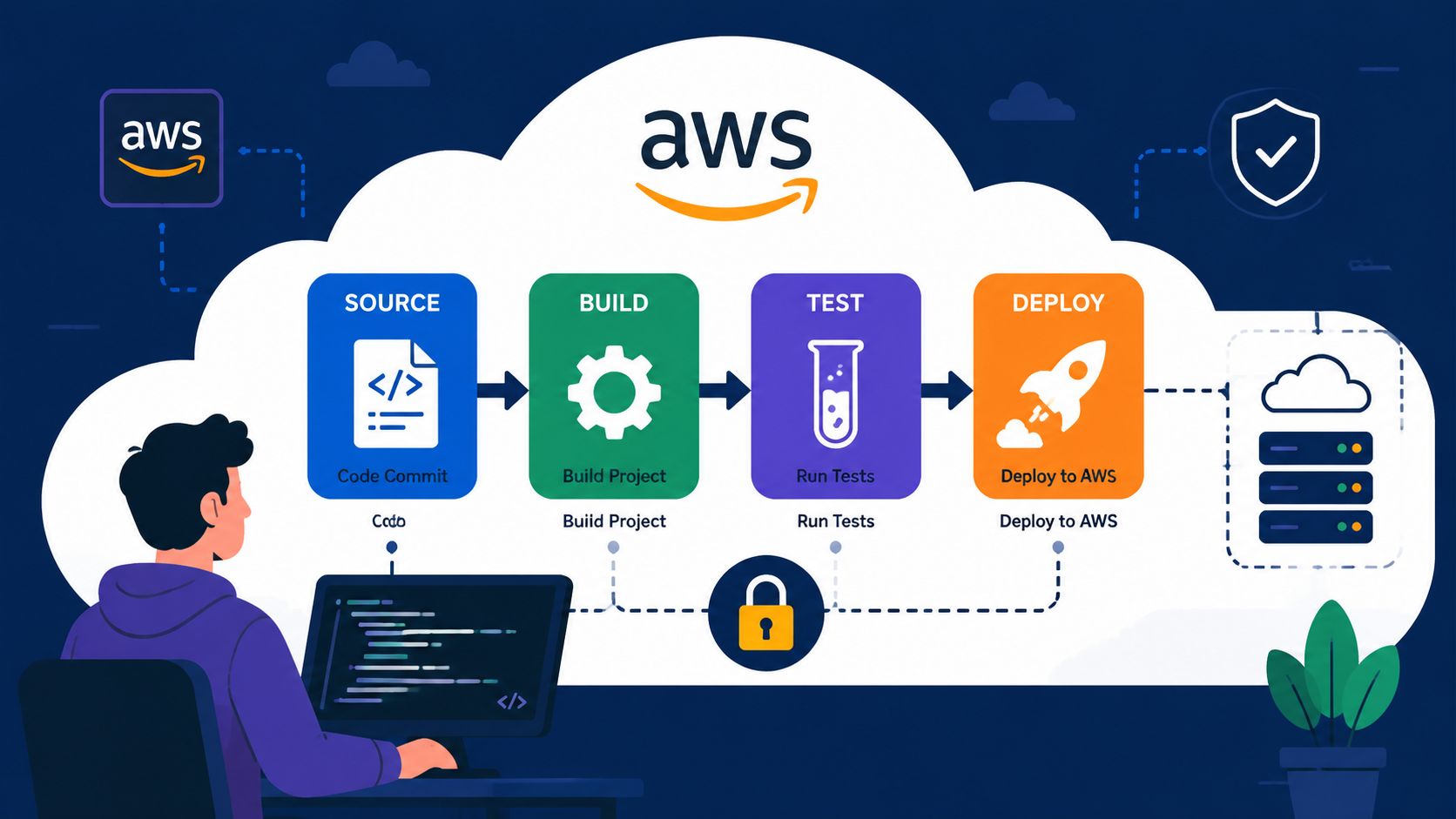
Your team's shipping, but the pipeline keeps asking for attention. A merge needs a YAML fix, a build agent needs a patch, a secret has to be rotated, and someone's spending half a day tracing a failed deployment through logs that don't quite line up. That's the hidden tax of a growing AWS CI/CD pipeline, and it's usually paid by the people you hired to build product, not by the toolchain itself.
For CTOs and VPs of Engineering, the question isn't whether AWS can run a pipeline. It can. The question is whether the team wants to own the whole operating burden, from permissions and artefact handling to observability and compliance, or whether it wants a production-ready platform that cuts out the recurring work. A useful lens on that trade-off is the broader technical debt problem, which Hire-a.dev on technical debt describes as something founders often underestimate until it starts slowing delivery.
This matters just as much for spend. If you're trying to optimise cloud usage while building a release system, the pipeline itself becomes part of the bill, not just the app. That's why cloud cost control and delivery engineering belong in the same conversation, especially when the internal platform starts acting like a product of its own, which is exactly where cloud cost optimisation guidance becomes relevant.
The Real Cost of Your In-House CI/CD Pipeline
The first trap is thinking of a CI/CD pipeline as a setup task. It isn't. It's an internal service with owners, upgrade paths, failure modes, security review, and a growing support queue every time the team adds a new application, environment, or compliance requirement.
A small startup can get away with a script-heavy pipeline for a while. Then the company adds staging, production approvals, isolated AWS accounts, branch protections, secrets handling, and release gates. At that point, the pipeline isn't just moving code. It's controlling risk, and any gap in its design becomes a release blocker or a security issue.
There's also the maintenance load that rarely shows up in architecture diagrams. Teams need to patch build images, adjust IAM policies, review logs, tune artefact retention, and fix brittle steps that only fail under load. That work competes directly with product delivery, which is why technical debt in delivery systems tends to compound unnoticed until it starts to shape roadmap decisions.
Practical rule: if your pipeline needs regular human intervention to stay reliable, it's already part of your product surface, whether or not anyone budgeted for it that way.
The business case for a managed platform starts here. You don't just want a pipeline that works today, you want one that keeps working after the tenth service, the third environment split, and the first serious security review. Teams that keep the release system in-house often discover they've built a second platform team by accident, only without the same headcount, roadmap, or tooling discipline.
Designing a Resilient Pipeline Blueprint on AWS
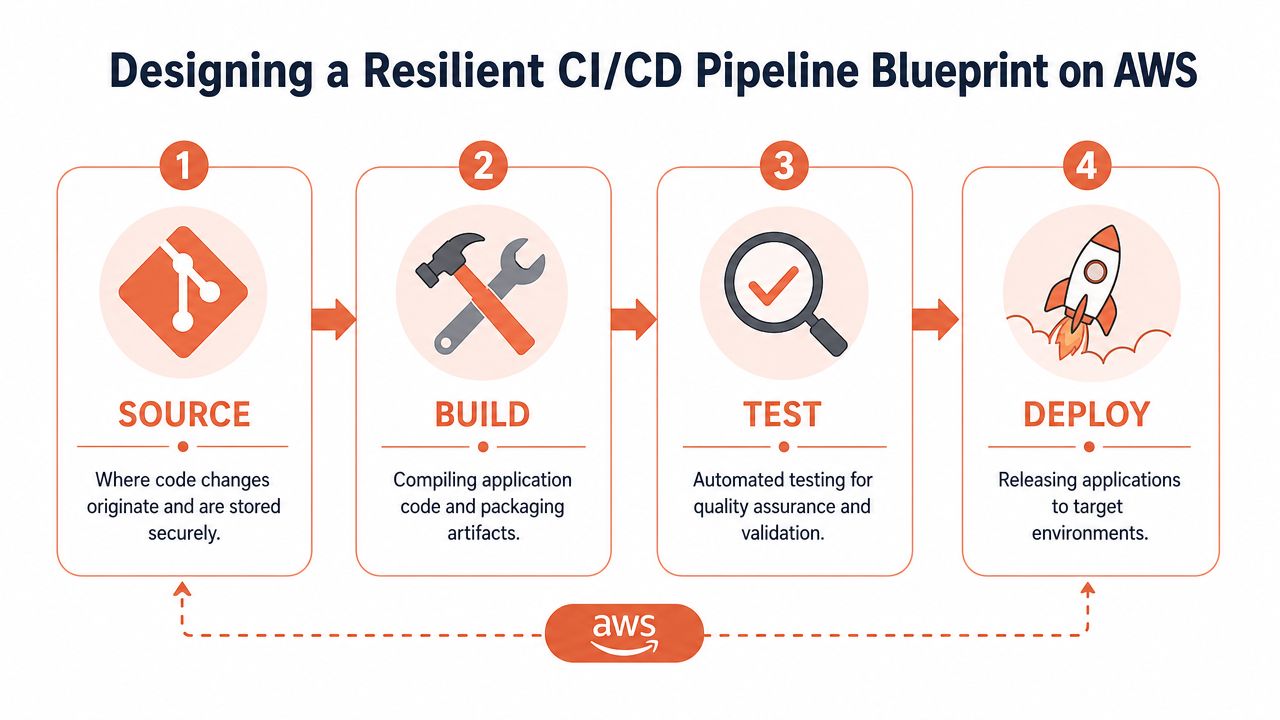
A solid AWS pipeline starts with the stages, not the tooling. AWS frames CI/CD around Source, Build, Test, and Deploy, and that sequence matters because each stage narrows risk before code reaches production. The same AWS guidance also treats lead time, deployment frequency, MTBF, and MTTR as the core metrics for measuring delivery health, with practical targets such as 1 hour to 1 day for lead time and deployment frequency ranging from multiple times each day to twice each week depending on the use case, which gives teams a concrete baseline for pipeline maturity AWS CI/CD metrics guidance.
Start With the Flow, Not the Service List
The mistake many teams make is choosing services before they've chosen the release model. If the source of truth lives in Git, the pipeline usually starts from a repository event. If infrastructure is part of the deployment, the team needs to decide whether application and infrastructure changes share a pipeline or remain separate. That decision affects blast radius, approval design, and rollback simplicity.
For orchestration, AWS CodePipeline fits the core release flow because it models the hand-off between stages instead of hiding it. Build work commonly lands in AWS CodeBuild, while deployment targets might be EC2, ECS, or another supported environment depending on how the application is packaged and run. AWS also describes code flowing through source, build, test, staging, and production, which reinforces that a pipeline is a quality gate as much as a delivery path.
Branching strategy matters too. A branch-per-environment model can look tidy on paper and still become painful when teams need to sync fixes across several long-lived branches. A smaller number of protected branches, clear promotion rules, and repeatable environment progression usually age better once the release cadence picks up.
One useful way to test the design is to ask what happens when a developer pushes a bad change at the end of a sprint. If the answer depends on manual cleanup, the blueprint isn't resilient enough yet. It should be able to fail safely, surface the problem quickly, and keep the rest of the delivery system moving.
For teams comparing GitOps and more traditional release orchestration, this GitOps versus traditional CI/CD comparison helps clarify where the control boundary should sit.
The best pipeline design is the one your team can explain to an auditor and still operate on a tired Friday afternoon.
Implementing the Core Pipeline Stages
Once the blueprint is set, the work turns into a chain of decisions about hand-offs, permissions, and artefact handling. Each stage looks manageable on its own. The cost shows up later when the surrounding assumptions are wrong and every change turns into a repair job.
Orchestration and Build
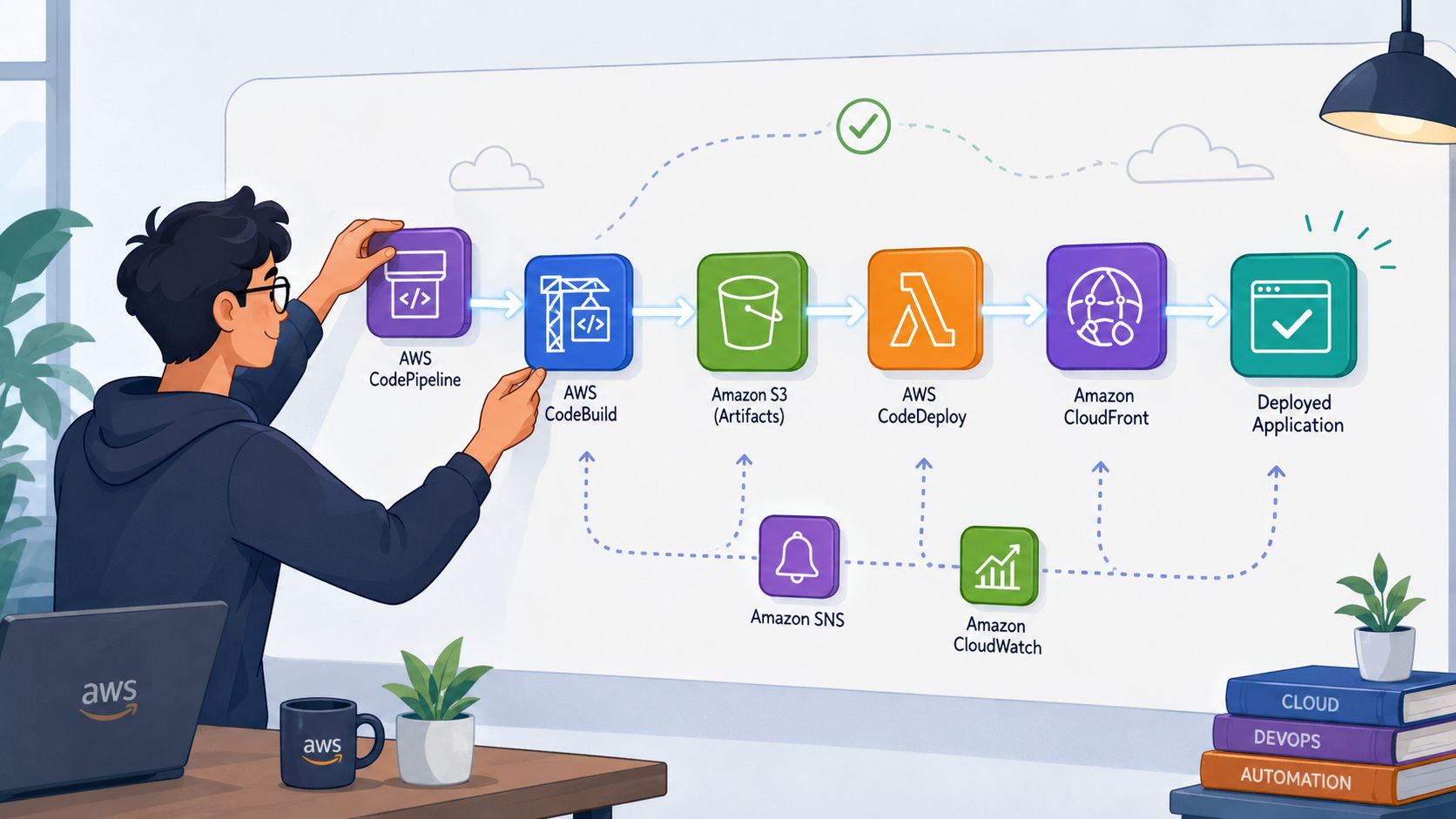
A typical AWS flow begins with CodePipeline coordinating the release path. It watches the source connection, starts the build, moves the output forward, and sends the package into deployment. That model is clear, but it also forces teams to decide where artefacts live, who can inspect them, and how the pipeline proves it is promoting the right version every time.
CodeBuild is where many DIY teams absorb hidden cost. The build specification, usually a buildspec.yml, has to define the environment, commands, cache behavior, and output paths in a way that survives change. If the build is slow, opaque, or tied to a specific machine state, engineers end up debugging the pipeline instead of the application. The practical fix is rarely cosmetic, it usually means tightening the build image, removing unnecessary steps, and making artefact handling explicit so the build is easier to maintain over time.
S3 often becomes the artefact store in AWS-native designs because it gives the pipeline a durable hand-off point. That hand-off still needs naming rules, retention policies, and access control, or version drift and failed deployments become hard to trace. If the deployment target is EC2 or ECS, CodeDeploy can manage the rollout, but the right choice depends on how much control the team wants to keep in the pipeline versus the application layer. For a cleaner operating model, some teams compare that DIY setup with a managed approach such as zero-maintenance CI/CD pipelines, especially when release work starts competing with feature delivery.
The Part Nobody Budgets For
The expensive work is usually not the happy path. IAM permissions between CodePipeline, CodeBuild, S3, and the deployment target can turn into a maze of trial and error, especially if the team starts with broad permissions and plans to tighten them later. That later stage often never happens, because the pipeline is “working” enough to ship.
A better pattern is to treat the pipeline as infrastructure code from day one and keep the configuration reviewable. That does not remove complexity, but it keeps the complexity visible, which is the only way a small team can keep it under control. If the build keeps taking too long, the answer is usually in parallelisation, caching, or the compute shape of the build environment, not in more manual retries.
The hidden maintenance bill also shows up in security review, secret rotation, and access audits. Teams that want to understand where credential exposure can start should also look at detecting dark web exposures, because pipeline risk is not limited to what happens inside AWS. For teams that want a managed workflow instead of assembling each piece by hand, PushOps is one option that connects AWS accounts and Git repositories, then automates build and deployment stages with integrated controls. It is most relevant when the internal team wants the outcome of a production pipeline without turning the release system into another product to support.
Engineering note: if a build succeeds only after someone runs it twice, it is not reliable enough for production, even if the dashboard looks green.
Embedding Security and Secrets Management by Default
Security can't sit beside the pipeline. It has to be inside it. A fast delivery system that leaks credentials or shares deployment rights too broadly is just a faster way to create an incident.
Least Privilege Should Shape the Architecture
AWS guidance for secure delivery is blunt, separate environments into distinct AWS accounts and keep production access narrow AWS CI/CD best practices. The account-per-environment model reduces blast radius and makes change history easier to audit. It also keeps pipeline credentials from becoming a single point of failure across development, staging, and production.
A more technical pattern tightens that further with OIDC-backed, branch-pinned IAM roles and permission boundaries, so the trust boundary is the role, not the repository or pipeline file least-privilege CI/CD on AWS. That matters because pipeline definitions change. If the authorization logic lives in YAML instead of IAM, a bad edit can turn into privilege escalation.
Secrets and Supply Chain Controls
Hard-coded credentials are still one of the most common avoidable mistakes in delivery systems. Secrets belong in a managed secret store, and the pipeline should retrieve them at runtime rather than embedding them in code or environment files. That keeps the release path cleaner and makes credential rotation less painful.
Security also extends to what gets deployed. Artefact scanning, static analysis, and runtime checks all belong in the flow before production, not after. The more regulated the environment, the more important it becomes to treat validation as a release requirement rather than a best-effort quality signal.
For dark web monitoring and external exposure tracking, teams often pair pipeline hardening with services like detecting dark web exposures, especially when secret leakage is a concern. That doesn't replace IAM discipline, but it does add another layer of visibility around what might already be compromised.
Security rule: if production can be reached with the same credentials used to build a feature branch, the pipeline is too permissive.
The hidden cost of doing this in-house is that every new service, account, and environment increases the number of policy edges the team must understand. That's manageable for a dedicated platform group. It's much harder for a five-person startup trying to ship product and keep compliance happy at the same time.
Achieving Operational Excellence with Automation and Monitoring
A production pipeline doesn't end when code lands in the target environment. It keeps producing signals, and those signals need to be visible enough to drive decisions. Without observability, the pipeline becomes a black box that only gets attention when releases slow down or fail.
AWS says pipeline observability should be a first-class concern, and it gives a concrete example of why. Teams have reduced build time from 45 minutes to under 15 minutes by monitoring and optimising the delivery system itself through parallelisation, caching, and larger CodeBuild instances AWS CI/CD pipeline overview. That's not just a speed improvement, it's developer time returned to the product team.
Measure the Delivery System Itself
The important shift is to treat the pipeline as its own workload. CloudWatch logs, metrics, and alarms should show where the time goes, which stages fail most often, and which changes create the most churn. If builds are slow, the data should point to a specific bottleneck rather than producing a vague sense that “CI is flaky”.
Automation also changes the release strategy. Blue/green and canary deployments reduce the risk of pushing a bad change all the way through the fleet. They also add steps, which means more moving parts and more surfaces to observe. That trade-off is acceptable when the team can see whether those extra steps are improving stability.
Mature pipelines need tuning. Caching rules go stale, test suites grow, permissions drift, and release logic accretes special cases for one team or one product. That's why pipeline ownership often turns into a maintenance role unless the organisation deliberately invests in simplification.
If the team is already spending more time on controls, dashboards, and rollouts than on features, a managed platform can absorb a lot of that operational load. The value is not just faster setup, it's reducing the number of everyday decisions your engineers need to make before they can ship.
The Build vs Buy Decision When Scaling Your Team
At some point the release system stops feeling like a tool and starts looking like a liability review. The team can keep building more internal tooling, or it can decide that its edge is in the product, not in maintaining delivery infrastructure. That choice gets sharper as the pipeline footprint spreads across environments, services, and regions.
DevOps implementation cost analysis notes that 15-25% of DevOps engineering capacity is often consumed by maintaining existing pipelines, IaC templates, and monitoring configurations rather than improving them. That is the TCO problem in one line. The cost is not just the initial build, it is the ongoing drag on skilled engineers who could otherwise be improving product, reliability, or customer-facing features.
A build-versus-buy decision is not a judgement on engineering quality. It is a prioritisation decision. If the company needs a secure, observable, multi-cloud release system, it can either assemble and maintain it in-house or adopt a managed platform that handles the plumbing while the team focuses on shipping. The trade-off is straightforward: DIY gives more control, but it also adds more code, more permissions work, more review overhead, and more recovery paths to own when something breaks.
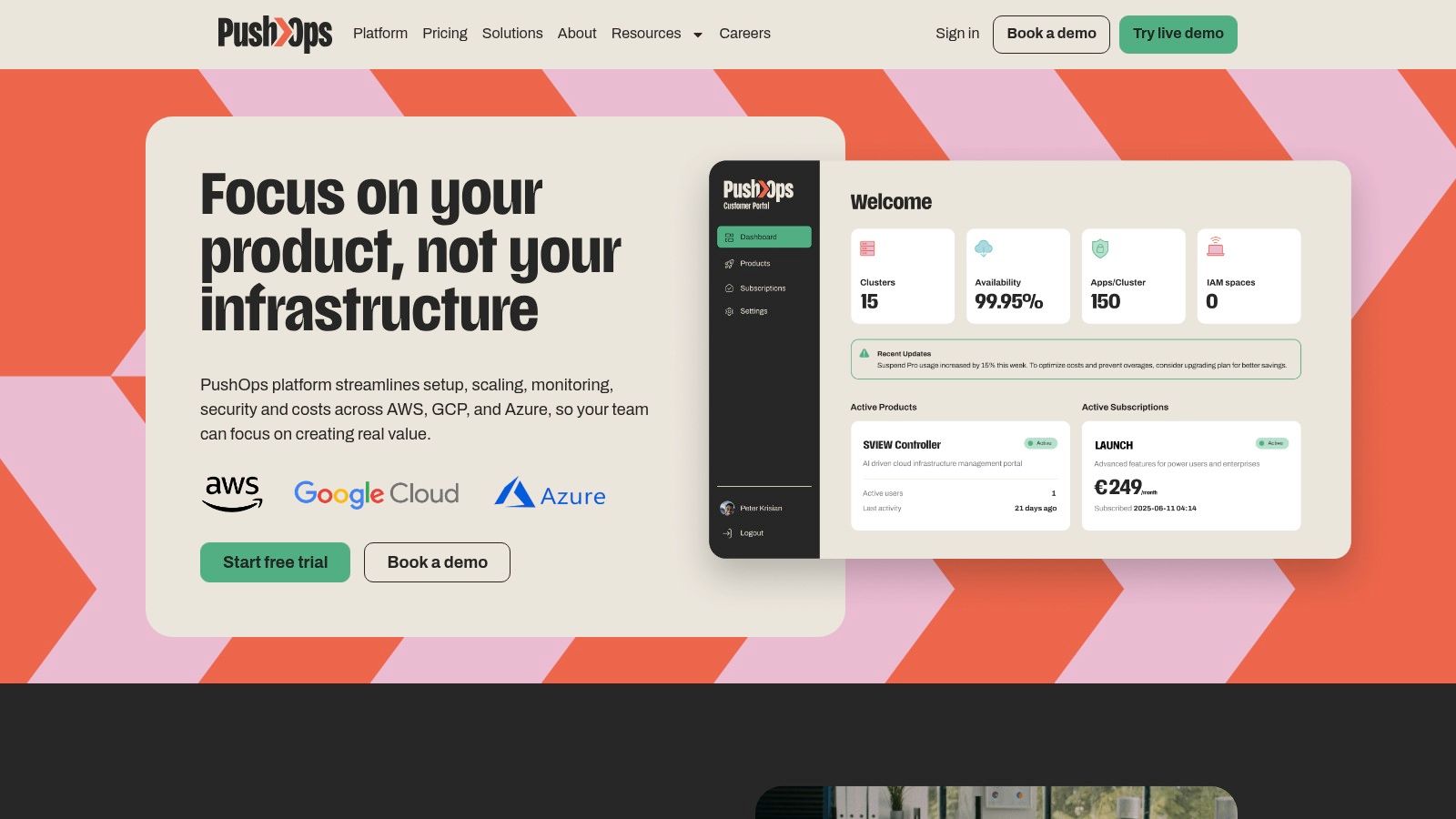
That is where a platform like PushOps fits. It centralises deployment workflows, observability, access control, and cloud operations across AWS, GCP, and Azure, which is the kind of scope that becomes expensive to recreate internally. For a growing team, the question is rarely whether the internal team can build it. It is whether they should keep paying for that build every month.
If your team is spending more time keeping releases safe than improving the product, compare the operating cost of DIY delivery with a managed alternative. Start by mapping your current AWS pipeline, count the hand-offs, the approval points, and the maintenance tasks, then talk to PushOps and see whether a production-ready platform would give your engineers their time back.

