
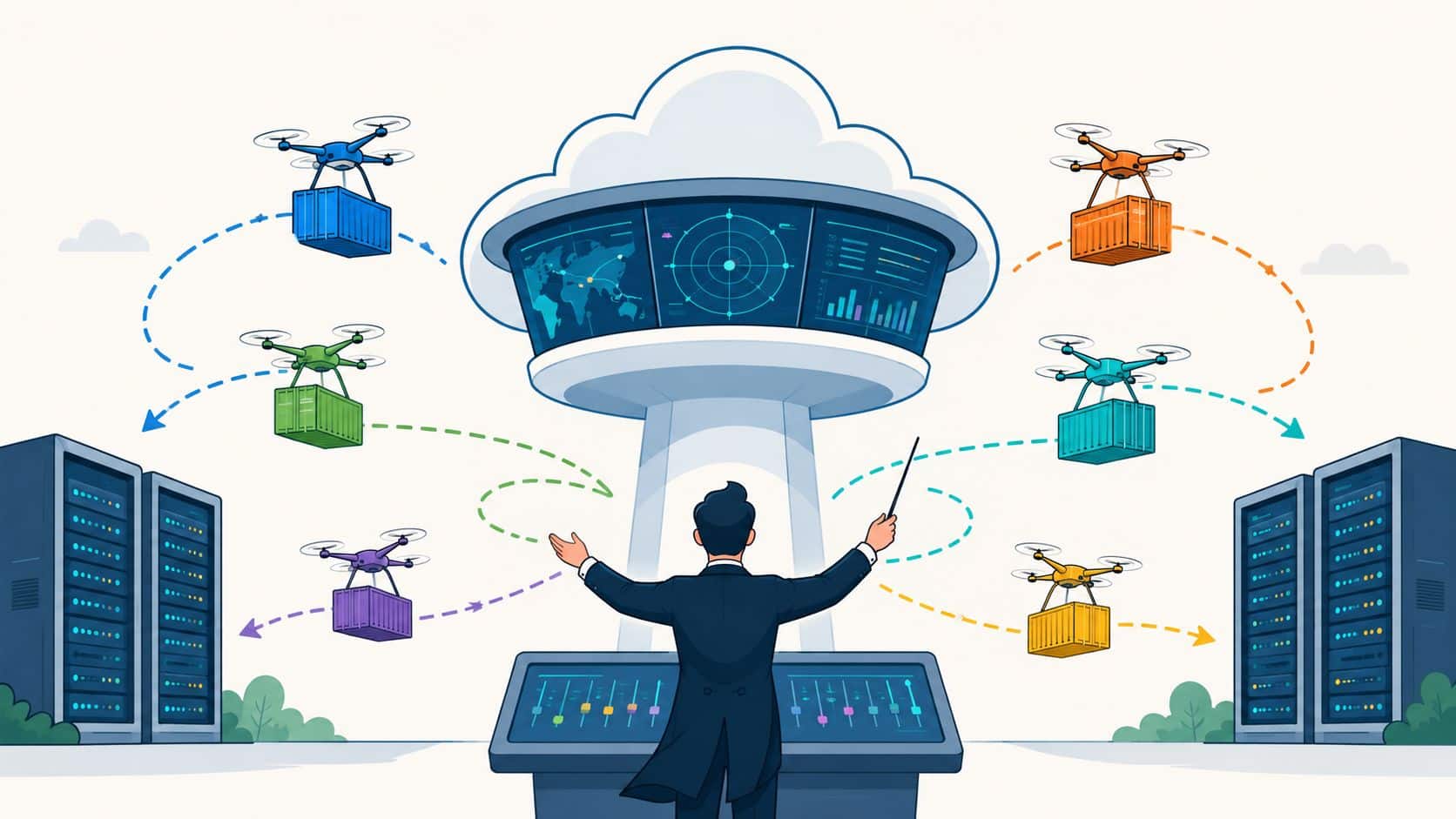

Your application team didn't ask for a cluster. It asked for a fast path from commit to production.
Yet many startups and scale-ups end up in the same place. Senior engineers spend mornings untangling failed CI jobs, afternoons patching ingress rules, and evenings trying to work out why one environment behaves differently from another. Product deadlines slip, not because the team can't build, but because too much of its attention is trapped in platform work.
That's the tension behind container orchestration. Containers promised portability and speed. In practice, they also introduced a new operating model, one that can absorb an alarming amount of engineering time if you build it yourself. The question for a CTO isn't whether orchestration matters. It does. The core question is whether your team should own that complexity directly.
Why Your Team Is Stuck on Infrastructure Not Product
A familiar pattern shows up once a team moves past a few services. Docker worked well at the start. Shipping a container felt clean, repeatable, and far simpler than managing long-lived servers by hand. Then production arrived with more environments, more deployments, more secrets, more services talking to each other, and more expectations around uptime.
That's when your best product engineers start becoming accidental platform engineers.
One developer is maintaining Helm charts. Another is fixing a brittle deployment pipeline. Someone else is trying to make logs, traces, and metrics line up across staging and production. The engineering manager calls it “temporary platform work”. Six months later, it's still on the roadmap, and feature delivery is slower than anyone expected.
Practical rule: if your roadmap depends on engineers repeatedly solving the same deployment, access, and observability problems, you're already running an internal platform team, whether you've named it or not.
The trap is easy to miss because each infrastructure task looks reasonable in isolation. Set up cluster access. Add monitoring. Harden workload permissions. Improve rollback safety. Optimise cloud spend. None of those sounds excessive on its own.
Together, they create a second product inside your business.
What this looks like day to day
- Senior developers debug delivery tooling instead of customer features.
- Release confidence drops because every environment has its own quirks.
- Operations knowledge concentrates in a few people who become bottlenecks.
- Hiring gets distorted because you start adding platform headcount to compensate for platform drag.
The result isn't just technical complexity. It's opportunity cost. Your team might be shipping software, but too much of its effort is going into the machinery around software delivery.
Understanding Core Container Orchestration Concepts
At its best, container orchestration is an automated control system for running applications in production. A useful mental model is air traffic control. Planes still fly themselves through many phases of a journey, but without a system coordinating routes, spacing, priorities, and recovery when conditions change, the whole airport becomes chaotic.
Applications behave the same way at scale. Containers are easy to start. Running many of them reliably across multiple machines is where orchestration earns its place.
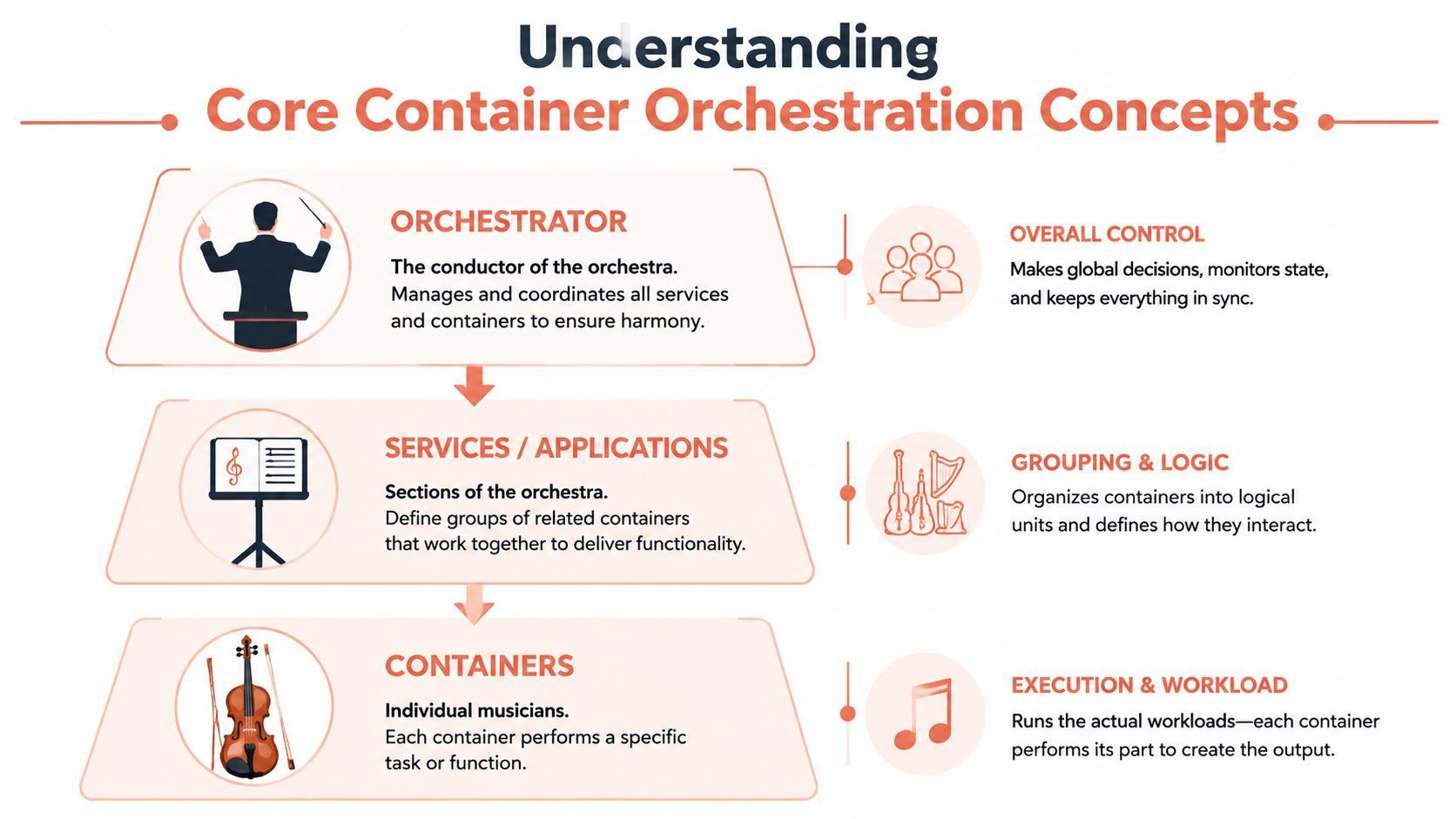
By 2025, orchestration had moved into the mainstream. IBM reported that 70% of surveyed developers were using orchestration solutions, and the CNCF noted that 84% of organisations were actively using containers in production, as summarised by Nutanix's overview of container orchestration adoption.
Scheduling and placement
The orchestrator decides where workloads should run.
That sounds simple until you consider resource constraints, node failures, region placement, and noisy neighbours. Good scheduling prevents one machine from becoming overloaded while another sits mostly idle. It also gives teams a consistent way to express workload requirements without manually choosing hosts.
Service discovery and networking
Modern applications rarely run as one service. They're a web API, background workers, queues, internal services, caches, and scheduled jobs. Those pieces need a dependable way to find and talk to each other.
The orchestrator provides that internal map. It replaces fragile host-level assumptions with a stable service model, so teams don't need to hard-code machine locations into application logic.
A similar design challenge appears in AI system orchestration architectures, where multiple components need coordinated execution, routing, and control rather than ad hoc point-to-point wiring.
Load balancing and scaling
When demand changes, the orchestrator can distribute traffic across healthy instances and adjust capacity.
People often reduce orchestration to “autoscaling”, but the value is broader. Load balancing keeps traffic away from unhealthy instances. Scaling ensures capacity can change without someone logging in and making manual adjustments during an incident.
Desired state and self-healing
This is the part many leaders value most once they've run production systems for a while.
You declare how the system should look. The orchestrator keeps trying to make reality match that declaration. If a container crashes, it gets replaced. If a node disappears, workloads are rescheduled. If a deployment changes, the control plane reconciles the new desired state.
According to Mirantis' explanation of container orchestration operations, this continuous health monitoring and rescheduling improves resilience while reducing manual intervention during failures.
Reliable delivery doesn't come from perfect containers. It comes from a control plane that keeps restoring the service you intended to run.
Why this matters to delivery speed
The immediate gain isn't elegance. It's reduced operational friction.
When scheduling, networking, scaling, and recovery are handled consistently, teams spend less time on deployment-specific workarounds. That's also why many engineering leaders look closely at the surrounding delivery stack, including CI/CD approaches for Kubernetes teams, because orchestration only helps when the path into production is equally disciplined.
The DIY Dilemma Comparing Orchestration Platforms
The usual platform comparison starts with features. That's rarely the right starting point for a CTO.
The better question is this: what operating burden are you taking on when you choose a platform? Most orchestration decisions look sensible during evaluation and become expensive during year two, when upgrades, policy enforcement, access control, incident response, and developer enablement all land on your team.
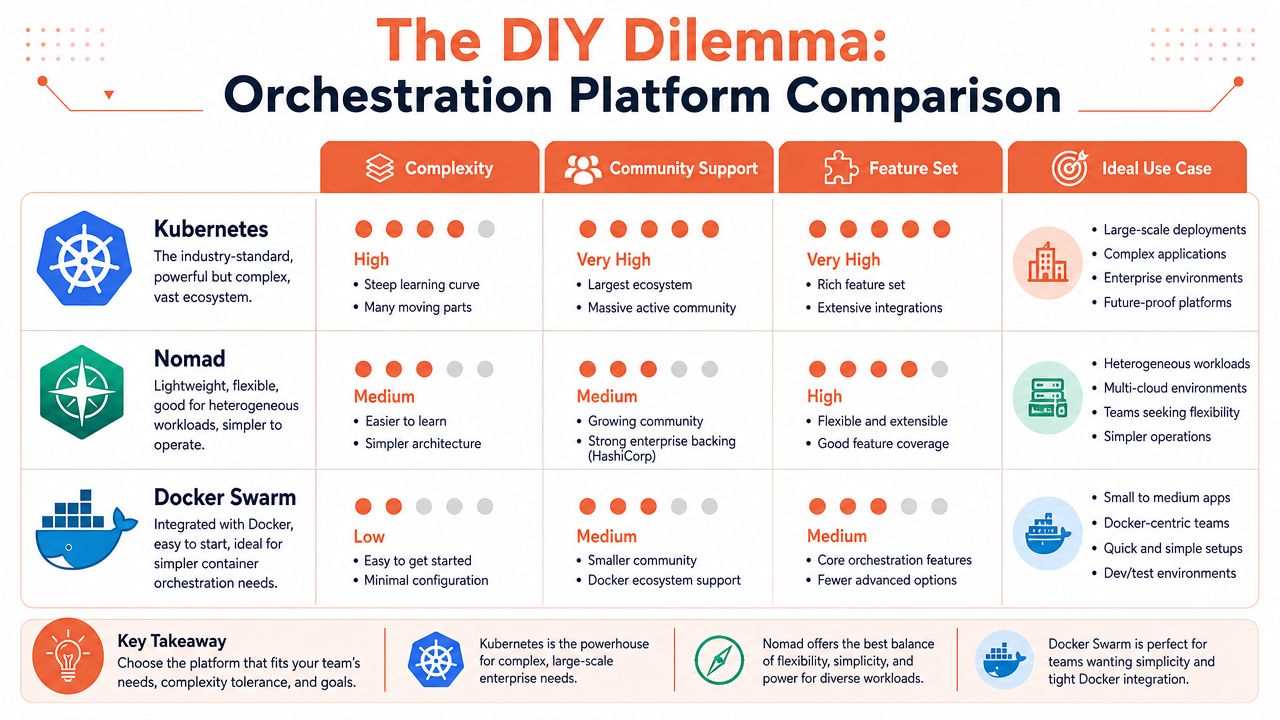
A practical comparison
| Platform | Complexity | Community support | Feature set | Best fit |
|---|---|---|---|---|
| Kubernetes | High | Broad | Extensive | Teams that need deep control and can support the operating model |
| Nomad | Lower | Smaller | Flexible, especially for mixed workloads | Teams that want simpler orchestration and heterogeneous scheduling |
| Docker Swarm | Lower | More limited | Simpler core capabilities | Smaller setups with straightforward container operations |
Kubernetes gives you power and work
Kubernetes became the default for good reasons. It's flexible, widely adopted, and backed by a large ecosystem. If you need broad integration options and fine-grained control, it's hard to ignore.
It also asks a lot from the team operating it.
Raw Kubernetes is not just “run a cluster”. It's API conventions, manifests, controllers, ingress choices, secrets handling, policy layers, upgrade planning, and a long list of adjacent tools. Even if you use a managed control plane, your engineers still own much of the day-two reality.
Nomad is simpler, but not free
Nomad appeals to teams that want a lighter operational footprint. It can be a strong option when you're scheduling a mix of containers, virtual machines, and standalone applications. That flexibility matters in organisations with less standardised estates.
But simpler doesn't mean trivial. You still need production practices, access control, observability, rollout discipline, and reliable workflows around the orchestrator. Nomad reduces some Kubernetes overhead. It doesn't remove platform ownership.
Docker Swarm is easy to start and easy to outgrow
Swarm's attraction is obvious. If your team already understands Docker, the entry point feels approachable.
That's useful for straightforward workloads, but many teams discover that what feels simple in the beginning becomes limiting once they need richer policy controls, more mature ecosystem support, or a broader operating model.
The cheapest platform to start is often the most expensive platform to evolve.
The alternatives question matters more than many teams admit
Kubernetes is often treated as mandatory. It isn't.
As Wiz's review of Kubernetes alternatives notes, options such as AWS Fargate, Azure Container Instances, and HashiCorp Nomad can suit teams that want orchestration benefits without taking on the full Kubernetes operating model.
That doesn't mean alternatives are always better. It means the default assumption is often wrong. If your business wins by shipping product faster, then the ideal platform may be the one that removes infrastructure decisions from the daily flow of engineering work, not the one with the longest feature matrix.
What actually works in practice
For most startups and scale-ups, a few patterns hold up:
- Kubernetes works well when you already have serious platform expertise or very specific control requirements.
- Nomad can work well for teams with mixed workload types and a strong preference for lower operational overhead.
- Swarm can work well early when needs are modest and speed matters more than ecosystem depth.
- Managed abstractions work best when the business wants the outcomes of orchestration without turning engineers into cluster operators.
The mistake isn't choosing Kubernetes, Nomad, or Swarm. The mistake is pretending the orchestrator is the whole platform decision.
The Hidden Costs of Building Your Own Platform
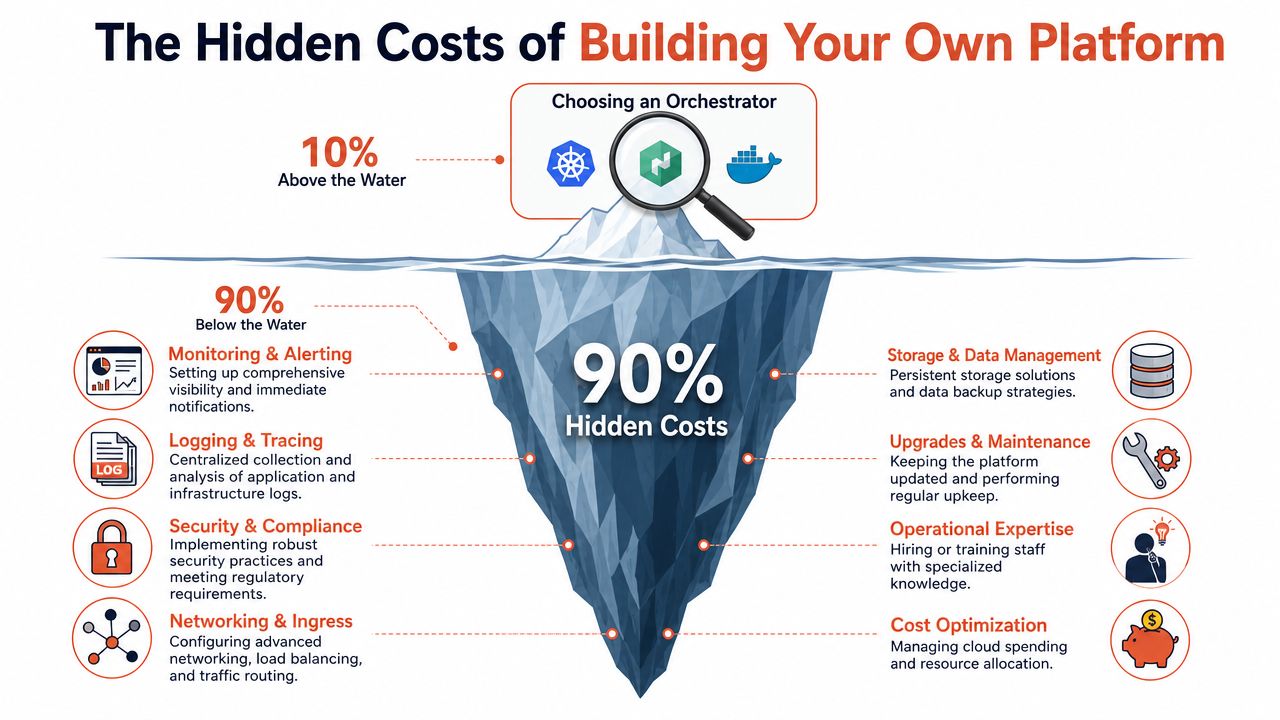
The hard part is often perceived as getting workloads onto an orchestrator.
It isn't. The hard part is making the platform safe, observable, maintainable, and cost-aware after the first successful deployment. That's where DIY efforts gradually expand from an infrastructure project into a permanent engineering commitment.
Security is a control problem, not a checklist
In production, orchestration becomes an enforcement layer.
RBAC controls who can change workloads. Network policies restrict pod-to-pod communication. Pod Security Standards, or OpenShift SCCs in some environments, can stop privileged containers and root execution by default. Wiz's guide to container orchestration security controls explains why these controls matter: they reduce the blast radius of a compromised workload by constraining lateral movement at the cluster level.
That's the good news.
The difficult part is maintaining those controls consistently as teams, services, and environments multiply. Security failures in container platforms usually come from drift, exceptions, unclear ownership, or rushed delivery under pressure.
Observability is where DIY platforms become products
A cluster that runs isn't the same as a platform your developers can trust.
You need logs that are easy to search, metrics that describe service health, sensible alerts, deployment visibility, audit trails, and enough context during incidents to understand whether the problem sits in application code, cluster behaviour, or cloud infrastructure. Teams often assemble this from Prometheus, Grafana, logging back ends, tracing components, alerting tools, and home-grown conventions.
That stack can work. It also needs care.
- Dashboards need ownership or they become stale.
- Alerts need tuning or engineers start ignoring them.
- Tracing needs adoption or service-to-service issues remain opaque.
- Retention and access rules need governance or observability creates its own security and cost problems.
Teams rarely underestimate how hard it is to install monitoring. They underestimate how hard it is to keep monitoring useful.
A lot of this burden shows up in delivery workflows too. If your release process still depends on brittle scripts and hand-maintained tooling, your platform isn't reducing complexity, it's relocating it. That's why mature teams push towards automated deployments for microservices rather than letting each service invent its own path to production.
Cost control is more nuanced than autoscaling
Cloud waste in orchestrated environments often comes from small decisions that accumulate. Idle environments stay online. Requests and limits are poorly set. Jobs leave behind artefacts. Nodes are shaped for convenience rather than efficiency.
That's one reason the cost story around orchestration is often oversimplified. It isn't just about scaling up and down. The resource optimisation research on orchestration patterns points to more specific mechanisms such as Preemptive Scheduling, Service Balancing, and Garbage Collection as practical ways to improve utilisation and reduce waste.
Those patterns sound operational because they are operational. Someone has to design them, test them, and keep them aligned with real workload behaviour.
Upgrades, maintenance, and human dependency
A DIY platform ages quickly.
Kubernetes versions move on. Dependencies deprecate. Admission policies change. Cloud integrations evolve. Plugins that looked harmless become upgrade blockers. The more custom glue you write, the harder upgrades become because every change creates another compatibility surface.
The hidden risk isn't only technical debt. It's people debt.
When one or two engineers understand the whole platform, they become gatekeepers by accident. They review every risky change, unblock incidents, manage upgrades, and answer every “how does deployment work here?” question. That's expensive, slow, and fragile.
The real TCO question
When leaders discuss total cost of ownership, they often focus on infrastructure spend. That matters, but the bigger cost is usually engineering focus.
Ask what happens if those same people stop stitching together cluster operations and spend that time on pricing logic, onboarding, search quality, reliability features, or customer-facing automation. That's the true comparison. Not DIY versus vendor line item. Product work versus platform maintenance.
The Strategic Shift to a Managed DevOps Platform
A managed platform becomes attractive when you stop viewing orchestration as a tool choice and start viewing it as an operating model.
Most product teams don't want to become experts in cluster lifecycle management, policy design, CI/CD plumbing, runtime security, rollback mechanics, incident routing, and cloud cost governance. They want a production-ready foundation that handles those concerns well enough that engineers can get back to building.
What the strategic change looks like
The shift is not “we no longer care about operations”. It's “we stop rebuilding standard platform capabilities in-house”.
A strong managed DevOps platform should give you:
- A production foundation quickly across AWS, GCP, and Azure.
- Standardised deployment workflows so every service doesn't invent its own pipeline.
- Built-in observability that developers can use without needing to assemble a monitoring stack first.
- Security guardrails by default through role-based access, permissions, policy enforcement, and auditability.
- Cloud cost controls such as right-sizing, autoscaling, and environment scheduling without requiring a separate FinOps programme to get started.
Why this is often the better executive decision
Managed platforms aren't just about convenience. They change the economics of software delivery.
Instead of hiring more platform specialists to maintain a bespoke stack, you adopt a system that already bundles the common operational patterns. That's especially relevant for organisations that run multi-cloud estates or expect to move across providers over time. The business keeps flexibility without making every engineering team absorb provider-specific deployment complexity.
If you're evaluating how much provider-specific Kubernetes work you really want to own, Applied's Amazon EKS resources are useful background reading. They help clarify just how much implementation detail still sits with your team, even when the control plane itself is managed.
The outcome CTOs usually care about
This is less about replacing one dashboard with another and more about changing the default allocation of engineering time.
A managed platform gives developers a self-service path to build, deploy, observe, and operate services without waiting for a small infrastructure group to handcraft each environment. That shortens feedback loops. It reduces one-off scripts. It keeps standards consistent. It also lowers the chance that your company ends up carrying a fragile internal developer platform no one intended to build.
For leaders comparing approaches, it helps to think in terms of platform maturity rather than cluster features. A modern DevOps cloud infrastructure platform is valuable because it collapses setup, deployment, monitoring, security, and spend controls into one operating layer, rather than asking your team to integrate and maintain that stack from scratch.
How to Choose the Right Path for Your Team
The decision usually becomes clear when you remove ideology from it.
If infrastructure is part of your product, building extensively in-house can make sense. If your business sells developer tooling, regulated platform capabilities, or infrastructure-heavy systems as a competitive advantage, owning more of the stack may be justified.
Most startups and scale-ups aren't in that position.
Questions worth asking in the next leadership meeting
- Do we have dedicated platform engineering capacity with enough time to own upgrades, security policy, observability, and developer workflows properly?
- Is platform engineering a core competency of the company or are we creating it because our tooling choices forced us into it?
- What's the opportunity cost of having senior application engineers maintain delivery systems instead of shipping roadmap work?
- Do our developers have self-service workflows or do releases still depend on a few people who know the infrastructure?
- Are we solving a durable strategic problem or stitching together tools because that feels cheaper in the short term?
A simple rule of thumb
If you're not in the business of selling infrastructure, don't casually build an infrastructure product inside your company.
Container orchestration matters. Reliable deployment, scaling, security, and resilience matter. But owning every layer yourself is often the slowest and most expensive way to get those outcomes. The smart move for many teams is to adopt a managed platform that provides a solid operating model from day one, then let engineers focus where the business wins.
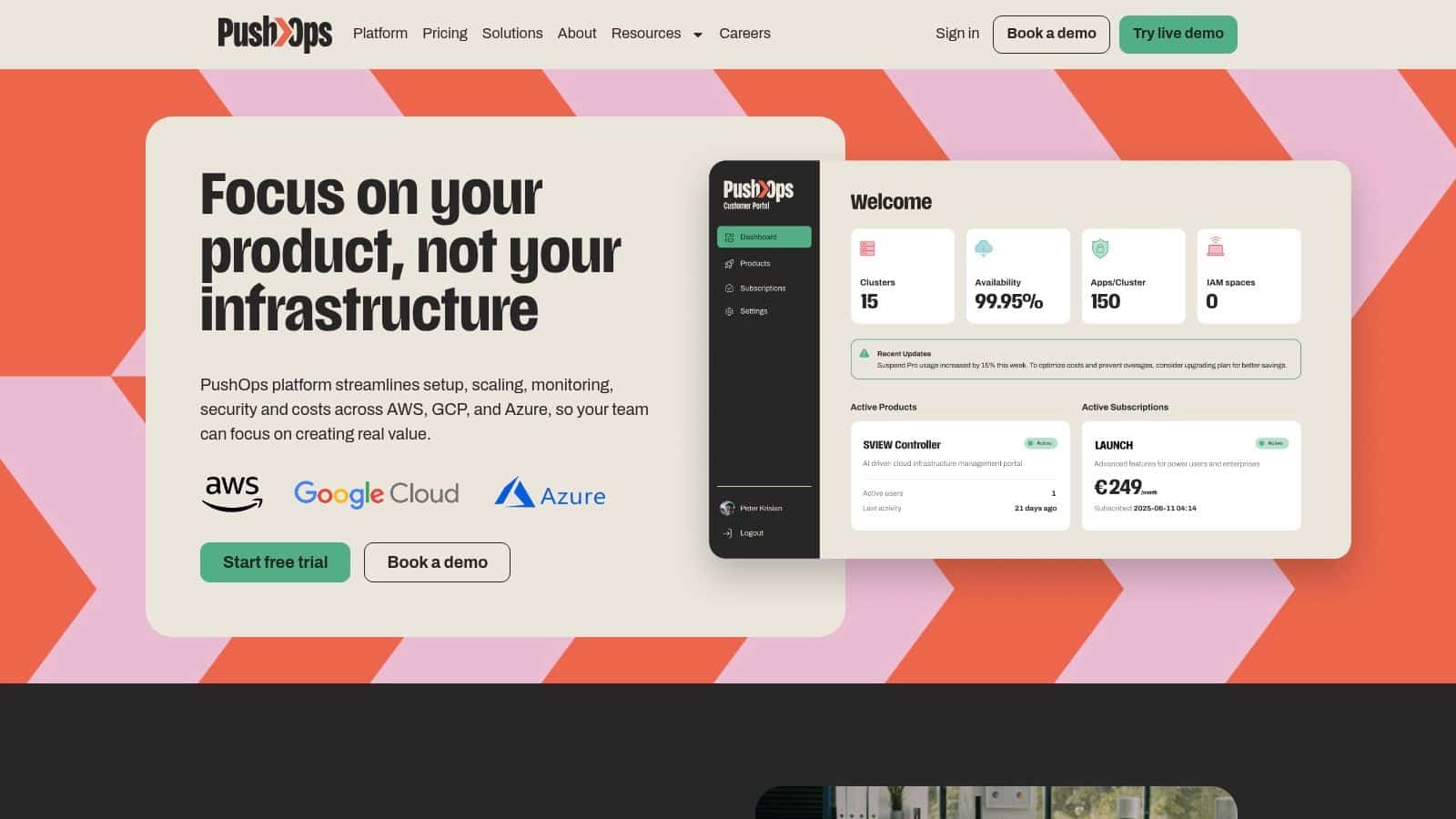
If your team is spending too much time on clusters, pipelines, monitoring, and cloud clean-up instead of shipping product, take a look at PushOps. It gives you a production-ready DevOps platform across AWS, GCP, and Azure, with deployments, observability, security controls, and cost optimisation built in, so your engineers can get back to building the software customers pay for.

