
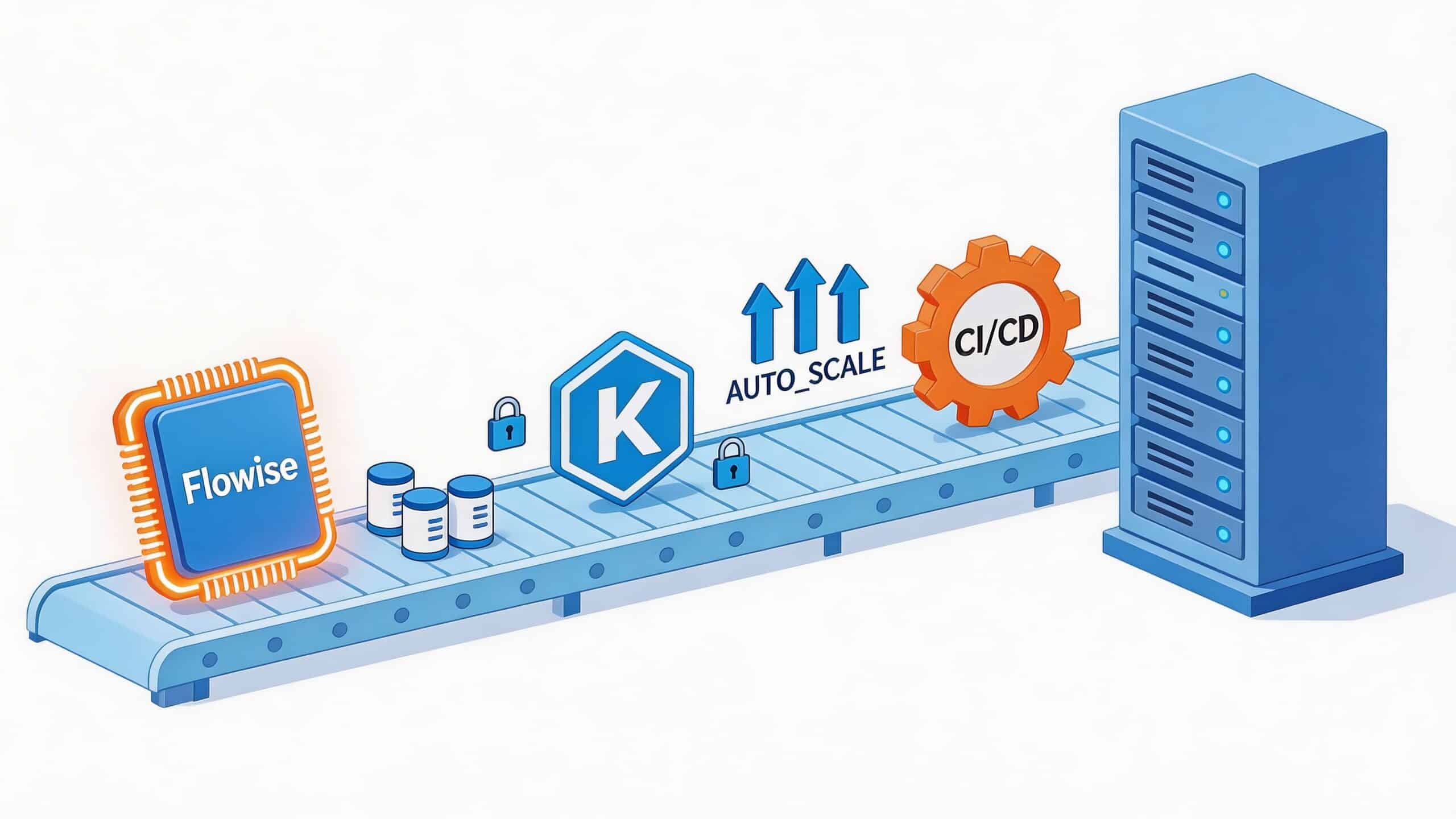

Your team got Flowise working in a day. The demo impressed everyone. A product manager can drag nodes around, connect an LLM, expose an endpoint, and suddenly the company has an AI feature worth talking about.
Then reality lands. To deploy Flowise AI for real, you need a durable database, secrets management, HTTPS, monitoring, backups, scaling rules, release automation, and a way to keep all of that organised across environments. What looked like one application becomes a small platform.
That’s the part many teams underestimate. They think they’re shipping a visual AI workflow tool. In practice, they’re taking on a production service with the same operational demands as any customer-facing system. If your team is already stuck in the usual cycle of “just one more infra task before launch”, this guide on how to deploy to production is worth reading alongside the Flowise-specific work.
From Prototype to Production The AI Deployment Gap
A local Flowise proof of concept is easy to love. It runs on a laptop, talks to a model API, and gives the business a fast path from idea to working workflow. That speed is real. It’s also deceptive.
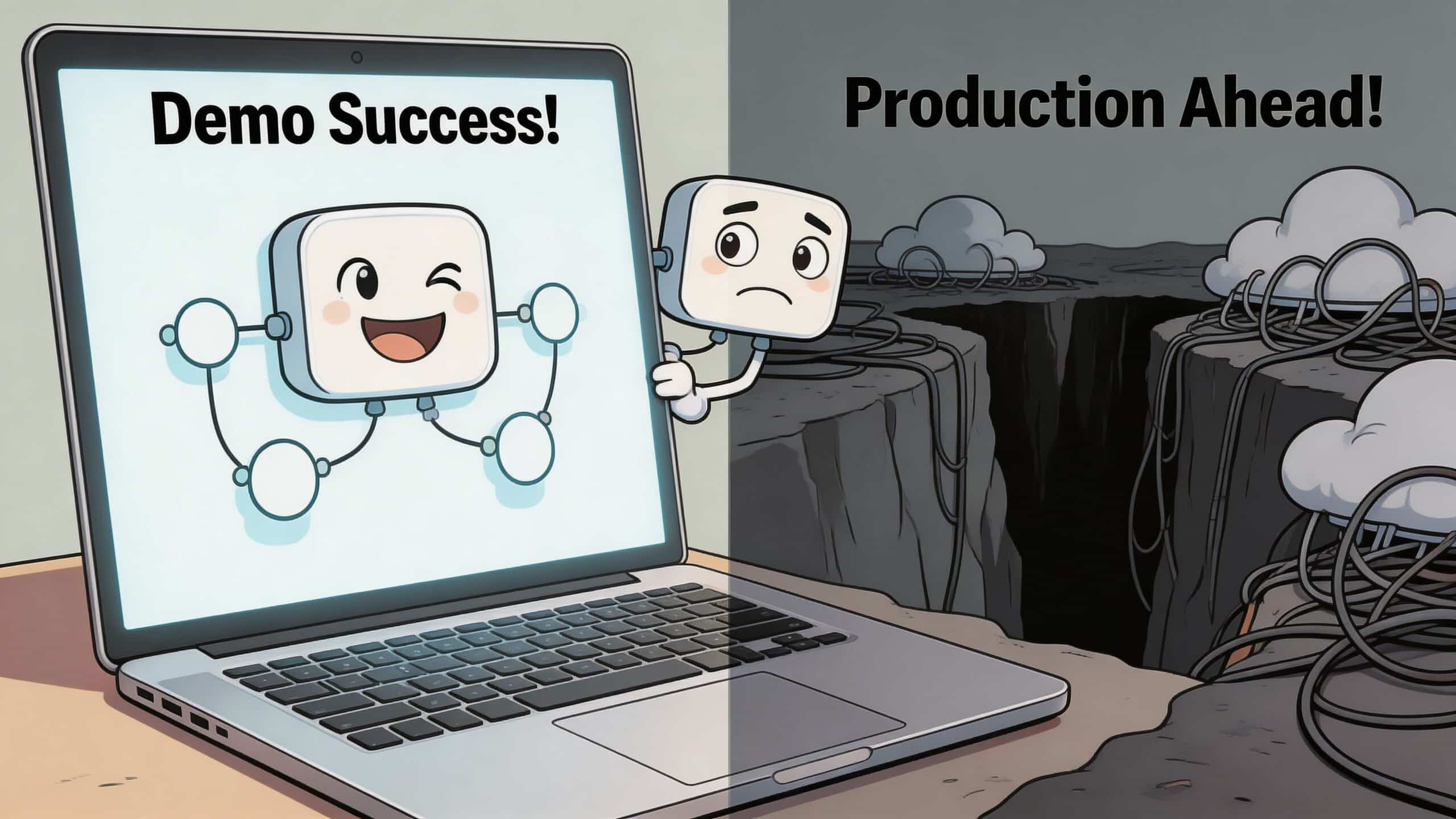
Production asks different questions.
What changes after the demo
In a demo, a restart is harmless. In production, a restart can wipe state if persistence wasn’t designed properly. In a demo, a shared admin login is convenient. In production, it’s a security incident waiting to happen.
The gap usually opens in these areas:
- Persistence becomes mandatory. Workflows, credentials, configuration, and execution state can’t live in a disposable container forever.
- Operations become continuous. Someone has to handle upgrades, logs, alerts, recovery, and environment drift.
- Security gets layered. App authentication alone isn’t enough. You also need network boundaries, secret rotation, access controls, and auditability.
- Cost starts moving. AI workloads don’t just cost money in model calls. They cost money in idle environments, overprovisioned containers, and hasty cloud decisions.
The hidden platform work
Teams often think they’re choosing between “self-hosted” and “managed”. That framing is too shallow. The fundamental decision is whether you want to own a stack around Flowise.
That stack usually includes container runtime, database operations, ingress, TLS, monitoring, backups, rollout strategy, and CI/CD. None of those tasks is exotic. Together, they consume engineering time that should be going into product.
The first deployment is rarely the expensive part. The expensive part is owning every deployment after that.
This is why the prototype-to-production jump feels bigger with AI tools than expected. Flowise itself is approachable. The operational envelope around it isn’t.
Why DIY drags on
The first week goes into setup. The next weeks disappear into fixing assumptions.
A team starts with a simple container. Then they realise they need PostgreSQL. Then they realise local secrets handling won’t pass review. Then they need a proper release path. Then they need dashboards because nobody knows whether latency spikes come from Flowise, the model provider, or the database. The work expands sideways.
That’s the AI deployment gap. It isn’t caused by Flowise being hard to use. It’s caused by production engineering being hard to shortcut.
Laying Your Production-Ready Foundation
Before you write deployment manifests or build pipelines, you make infrastructure choices that shape everything after them. Teams often lose time in architecture debates that feel strategic, because they are.
Your first real decision is not Flowise
It’s the foundation under Flowise.
Do you place it on AWS, GCP, or Azure? Do you run on your own Kubernetes cluster, or a managed service? Do you put databases and services in the same region? How much isolation do you need between staging and production? These aren’t one-off decisions. They create operating habits.
A weak foundation creates recurring friction:
| Decision area | What seems easy at first | What becomes expensive later |
|---|---|---|
| Cloud provider | “Use the one we already have” | Inconsistent IAM, networking, and team knowledge |
| Region choice | “Pick any EU region” | Higher latency, compliance questions, and awkward data placement |
| Compute model | “We’ll just run containers” | Unclear scaling behaviour and manual service management |
| Environment design | “Staging can wait” | Release risk and config drift |
Region selection affects more than speed
One practical example is region placement. Managed deployment guidance from Northflank notes that choosing a region close to users matters directly to latency. Their benchmarks say deployments complete in under 5 minutes with 99.9% uptime, while a region mismatch can add more than 200ms of latency, and choosing EU or US regions explicitly keeps it under 50ms in their benchmark context (Northflank deployment guide).
That matters for AI apps because latency compounds. Your users already wait on model inference. If your app layer and data layer are also badly placed, the interface feels sluggish even when the workflow itself is fine.
Practical rule: choose the region closest to your users first, then check compliance and cost implications before locking it in.
Standardisation beats cleverness
The more clouds and teams you support, the more damaging bespoke setup becomes. A one-off VPC layout or hand-built cluster might impress internally, but it raises the support burden every time someone else has to touch it.
A platform approach is useful here because it gives teams a repeatable starting point across cloud providers without rebuilding the same base layer for every service. If you want a clean framing for that model, this overview of a DevOps cloud infrastructure platform is a useful reference.
Foundation work that should be boring
The best production foundation is boring in the right way. It should be predictable, documented, and easy to reproduce.
That usually means:
- Consistent environments so development, staging, and production don’t drift into separate worlds.
- Managed persistence so app restarts don’t become data recovery exercises.
- Simple network exposure with controlled ingress rather than ad hoc public services.
- Clear access boundaries so operators, developers, and applications don’t all share the same powers.
When teams skip this discipline, Flowise becomes another special-case system. When they get it right, Flowise is just another app to operate. That’s exactly what you want.
Containerising and Deploying Flowise
Once the base is ready, teams often move straight into containers. That’s sensible. It’s also where long-term maintenance starts.
A container image is not the hard part. The hard part is everything you have to keep correct around it.
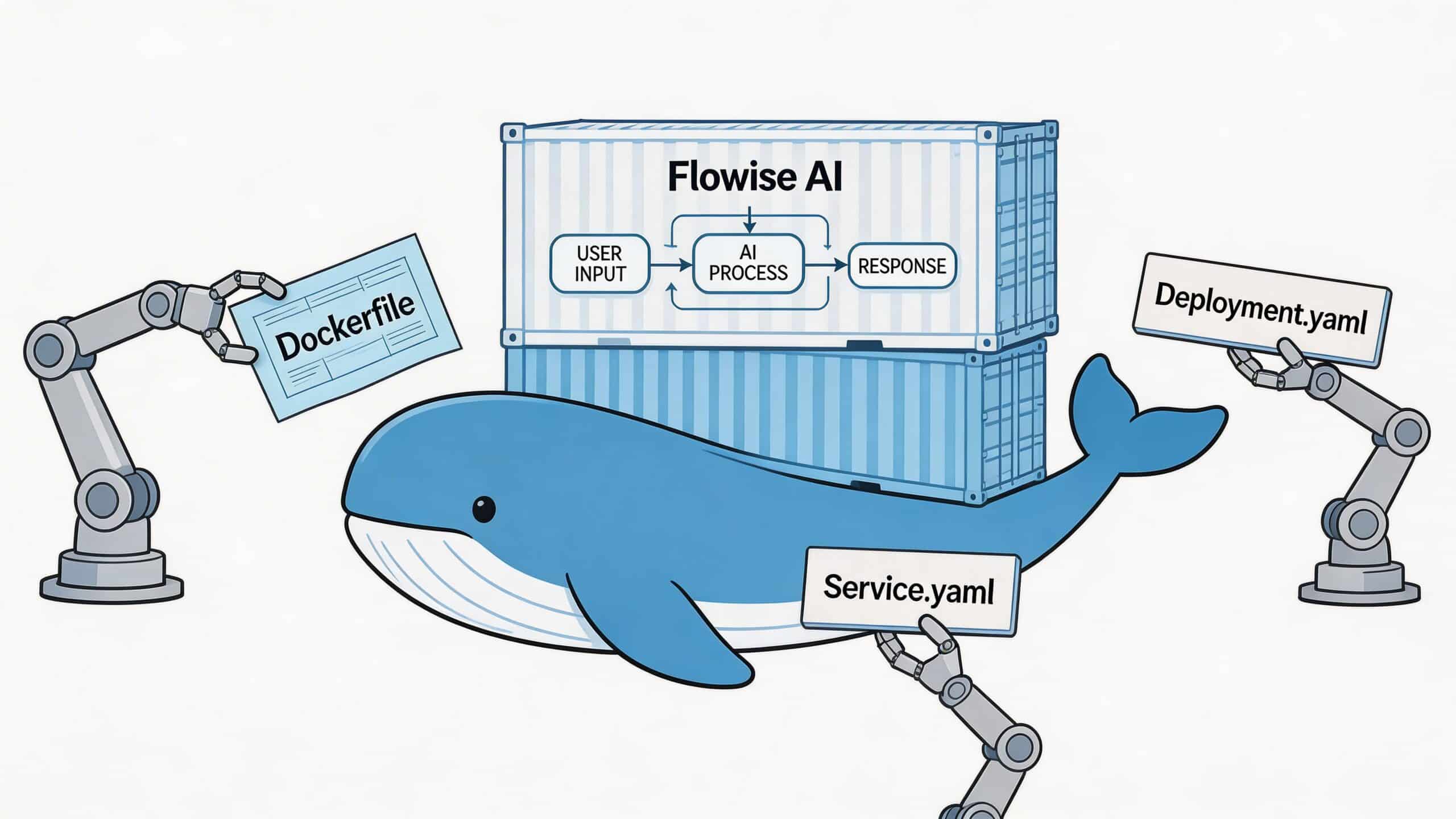
A baseline Docker Compose setup
For development or an early internal environment, a Compose file is a reasonable starting point:
version: "3.8"

services:
  flowise:
    image: flowiseai/flowise:latest
    ports:
      - "3000:3000"
    environment:
      PORT: 3000
      DATABASE_URL: postgres://flowise:password@postgres:5432/flowise
      FLOWISE_USERNAME: admin
      FLOWISE_PASSWORD: change-me
    volumes:
      - flowise_data:/root/.flowise
    depends_on:
      - postgres

  postgres:
    image: postgres:15
    environment:
      POSTGRES_DB: flowise
      POSTGRES_USER: flowise
      POSTGRES_PASSWORD: password
    volumes:
      - pg_data:/var/lib/postgresql/data

volumes:
  flowise_data:
  pg_data:
This is enough to get a working service. It is not enough to call the deployment production-ready.
Where manual deployments fail
Manual Docker Compose deployments break in predictable ways. Platform logs cited in a deployment guide show that 65% of initial failures come from a missing DATABASE_URL, and community forum data suggests 30% of self-hosted instances are exposed because of insecure default passwords (manual deployment notes).
That tells you something important. The risk isn’t exotic infrastructure failure. It’s routine configuration error.
Kubernetes helps, but adds ownership
A more production-leaning deployment often moves to Kubernetes. A minimal deployment might look like this:
apiVersion: apps/v1
kind: Deployment
metadata:
  name: flowise
spec:
  replicas: 2
  selector:
    matchLabels:
      app: flowise
  template:
    metadata:
      labels:
        app: flowise
    spec:
      containers:
        - name: flowise
          image: flowiseai/flowise:latest
          ports:
            - containerPort: 3000
          env:
            - name: PORT
              value: "3000"
            - name: DATABASE_URL
              valueFrom:
                secretKeyRef:
                  name: flowise-secrets
                  key: database-url
            - name: FLOWISE_USERNAME
              valueFrom:
                secretKeyRef:
                  name: flowise-secrets
                  key: username
            - name: FLOWISE_PASSWORD
              valueFrom:
                secretKeyRef:
                  name: flowise-secrets
                  key: password
          readinessProbe:
            httpGet:
              path: /
              port: 3000
          livenessProbe:
            httpGet:
              path: /
              port: 3000
This is cleaner operationally, but now your team owns YAML, rollout behaviour, probe tuning, resource sizing, secret references, ingress, and cluster-level policy. The files are short. The responsibility is not.
The real TCO problem
The hidden cost of DIY deployment isn’t writing the first manifest. It’s maintaining every revision after that.
You’ll update image tags, patch security settings, tune probes, revisit memory limits, clean up drift between environments, and explain the setup to every new engineer who inherits it. That’s why “we’ll just containerise it” often turns into months of incremental platform work.
If you’ve seen that pattern in other workflow tools, this comparison of self-hosting automation software on AWS mirrors many of the same operational trade-offs.
Keep the first deployment simple, but don’t confuse simple with finished. A baseline Compose file is a starting point, not an operating model.
Securing Your Endpoints and Secrets
A lot of teams think security starts once HTTPS is on. It doesn’t. HTTPS protects transport. It doesn’t fix weak authentication, leaked credentials, or overexposed admin surfaces.
Public access is where small mistakes turn serious
A global security scan found around 1,000 internet-exposed Flowise instances. Of those, 15.6% allowed unauthenticated access to business logic, and 91 of those exposed instances showed signs of active production use (Flowise monitoring documentation).
That’s the risk profile of DIY deployment in one snapshot. The problem isn’t that teams forgot TLS. The problem is that they exposed application logic and operational surfaces in ways they didn’t fully understand.
Secrets are an operational system
If you deploy Flowise, you’re handling model provider keys, database credentials, application logins, and often additional API tokens for integrations. Storing them in environment files is common. Managing them safely across environments is the hard part.
A secure setup usually needs:
- Central secret storage so keys aren’t copied across laptops, CI jobs, and wikis.
- Access control by role so not everyone can read production credentials.
- Rotation discipline when providers, staff, or environments change.
- Auditability so you can answer who accessed what and when.
That’s why security architecture matters more than one secure-looking config file. If your team needs a clean non-vendor explanation of the concepts, this primer on Authentication and Authorization is a useful refresher.
TLS is table stakes, not the finish line
Use HTTPS. Use managed certificates where possible. Terminate traffic predictably. But don’t stop there.
The bigger security questions are usually these:
| Security area | Weak approach | Stronger production approach |
|---|---|---|
| Admin access | Shared login | Individual access and role separation |
| Secrets | Flat env files in multiple places | Central secret management with controlled access |
| Exposure | Public service by default | Restrictive ingress and explicit publishing |
| Change tracking | Untracked manual edits | Auditable configuration changes |
Security incidents in self-hosted AI tools often begin as convenience decisions. A shared password, a public endpoint, a copied secret. None of them looks dramatic until they combine.
What works in practice
The teams that stay out of trouble make security boring. They reduce ad hoc decisions. They remove manual secret handling where they can. They avoid public exposure unless there’s a clear reason. They separate access cleanly between operators and applications.
That discipline matters more with Flowise because the tool often contains prompt logic, routing logic, and integration details that the business would rather not expose. Protecting that logic is part of protecting the product.
Achieving Scalability and Observability
A deployed Flowise service that nobody can observe is only half deployed. You need to know when it’s healthy, when it’s overloaded, and when infrastructure choices are wasting money.
Scaling is easy to request and hard to tune
Flowise supports self-hosted monitoring with Prometheus through its metrics endpoint and Grafana dashboards for tracking API requests, chatflow and prediction counts, plus heap, CPU, and RAM usage. That gives you the raw material for day-two operations. It doesn’t remove the work of wiring it together or deciding what to act on.
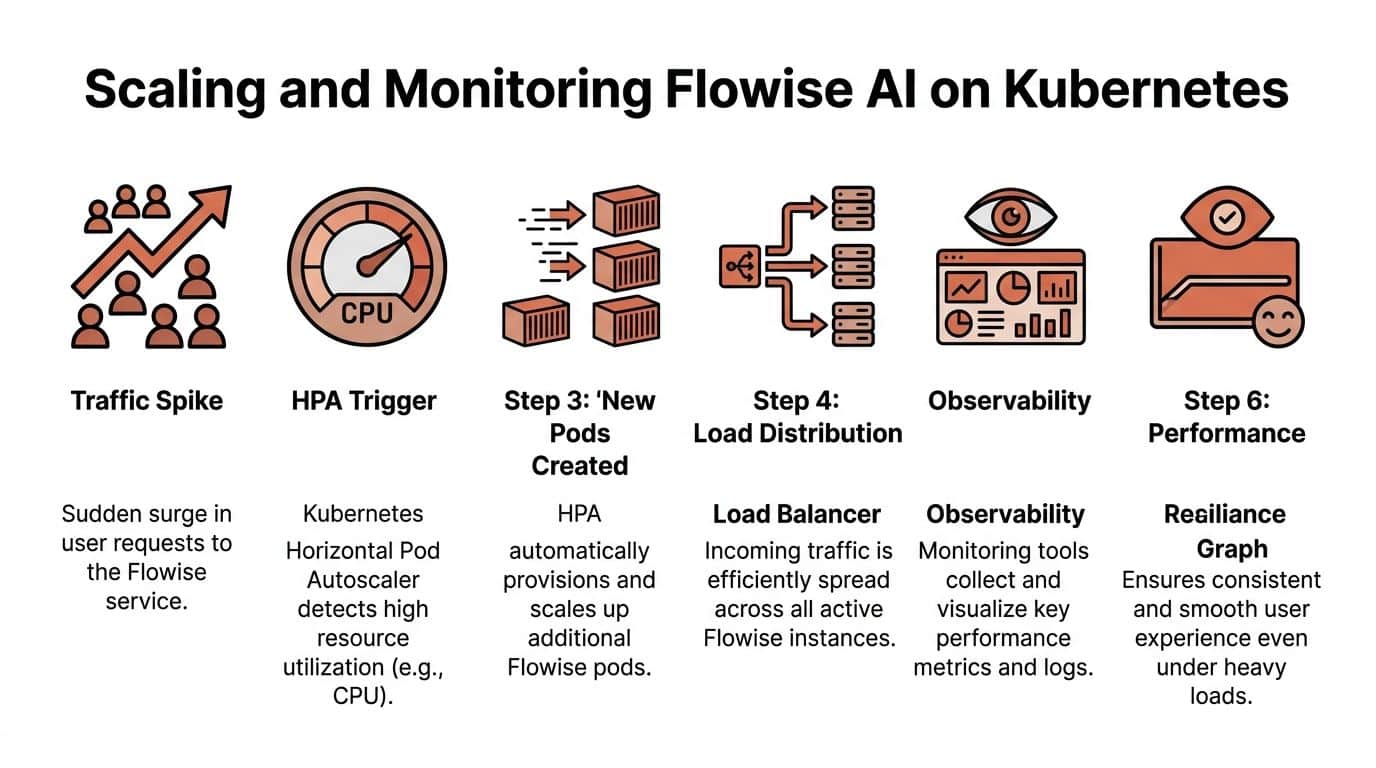
Autoscaling sounds straightforward. Add an HPA, scale on CPU, done. In practice, poor observability creates bad scaling decisions. You can’t tune thresholds confidently if you don’t know whether the bottleneck is app memory, model latency, request bursts, or a noisy downstream dependency.
Cost and performance are linked
One blind spot in many deployment guides is cost optimisation. Guidance on Flowise deployment notes that cloud spending in some European regions has surged 45% year-over-year, and 62% of developers struggle with unpredictable AI infrastructure bills because tutorials ignore autoscaling costs and region-specific pricing nuance (deployment discussion).
That’s not just a finance issue. It’s an observability issue.
If your dashboards don’t show how request patterns map to resource consumption, teams usually overcompensate. They provision too much memory, leave extra environments running, or scale conservatively because they don’t trust the signals.
What to monitor first
Don’t start with a giant observability programme. Start with a small set of indicators you will use.
- Application health: basic service availability and restart behaviour.
- Resource pressure: CPU, memory, and storage utilisation.
- Workflow activity: request volume and prediction counts.
- Failure signals: authentication errors, failed requests, and dependency timeouts.
Why DIY observability expands fast
Prometheus and Grafana are excellent tools. They also require care. Someone has to expose metrics safely, manage retention, keep dashboards current, and decide which alerts deserve attention.
A logging stack adds another layer. So does incident handling. So does cost reporting. None of it is impossible. The issue is cumulative burden.
If you can’t see resource use, you can’t scale cleanly. If you can’t correlate traffic with spend, you can’t control cost.
Stable performance comes from joined-up operations
The strongest Flowise deployments treat scaling, visibility, and cost as one system. They don’t tune autoscaling in isolation. They connect runtime metrics to release decisions and spending decisions.
That’s the difference between a service that merely stays online and one that remains economical and predictable as usage grows.
Automating It All with CI/CD
By the time a team reaches CI/CD, they’ve usually accepted that manual deployment won’t hold. The trouble is that DIY pipeline work often becomes its own infrastructure project.
A basic pipeline is easy to sketch
A typical Flowise delivery path looks like this:
name: deploy-flowise

on:
  push:
    branches: [main]

jobs:
  build-and-deploy:
    runs-on: ubuntu-latest
    steps:
      - uses: actions/checkout@v4
      - name: Build image
        run: docker build -t registry.example/flowise:${{ github.sha }} .
      - name: Push image
        run: docker push registry.example/flowise:${{ github.sha }}
      - name: Deploy
        run: kubectl set image deployment/flowise flowise=registry.example/flowise:${{ github.sha }}
That pipeline is fine as a sketch. It is not the whole operating picture.
Pipelines create another layer to maintain
Now you need secure registry credentials, environment-specific deploy logic, branch rules, rollbacks, secret injection, and some confidence that runners themselves aren’t becoming a weak point. If you support multiple environments or cloud targets, the matrix grows quickly.
The result is familiar. Your application repo now contains not just app code, but deployment code, pipeline code, and environment assumptions. Every future change has more places to break.
The synthesis most teams eventually reach
There’s a pattern here. Foundation, containerisation, secrets, scaling, monitoring, and CI/CD all start as sensible engineering choices. The burden comes from owning all of them at once.
That’s why integrated delivery platforms are gaining ground. They remove repeated glue work. The useful comparison isn’t “managed versus manual” in abstract terms. It’s whether your senior engineers should spend their time maintaining deployment machinery or improving the AI product itself.
If you want a good benchmark for what a lower-maintenance workflow should feel like, this explainer on zero-maintenance CI/CD pipelines captures the operational direction many teams are trying to move towards.
The strongest teams still understand what their platform is doing. They just don’t volunteer to rebuild every component of that platform themselves.
If your team wants to deploy Flowise AI without turning into an internal platform team, PushOps is worth a look. It gives you a production-ready foundation across AWS, GCP, and Azure, then handles deployments, environments, observability, security controls, and cost optimisation in one place. That means less time stitching together Kubernetes, CI/CD, monitoring, and cloud tooling, and more time shipping the AI features your users care about.

