
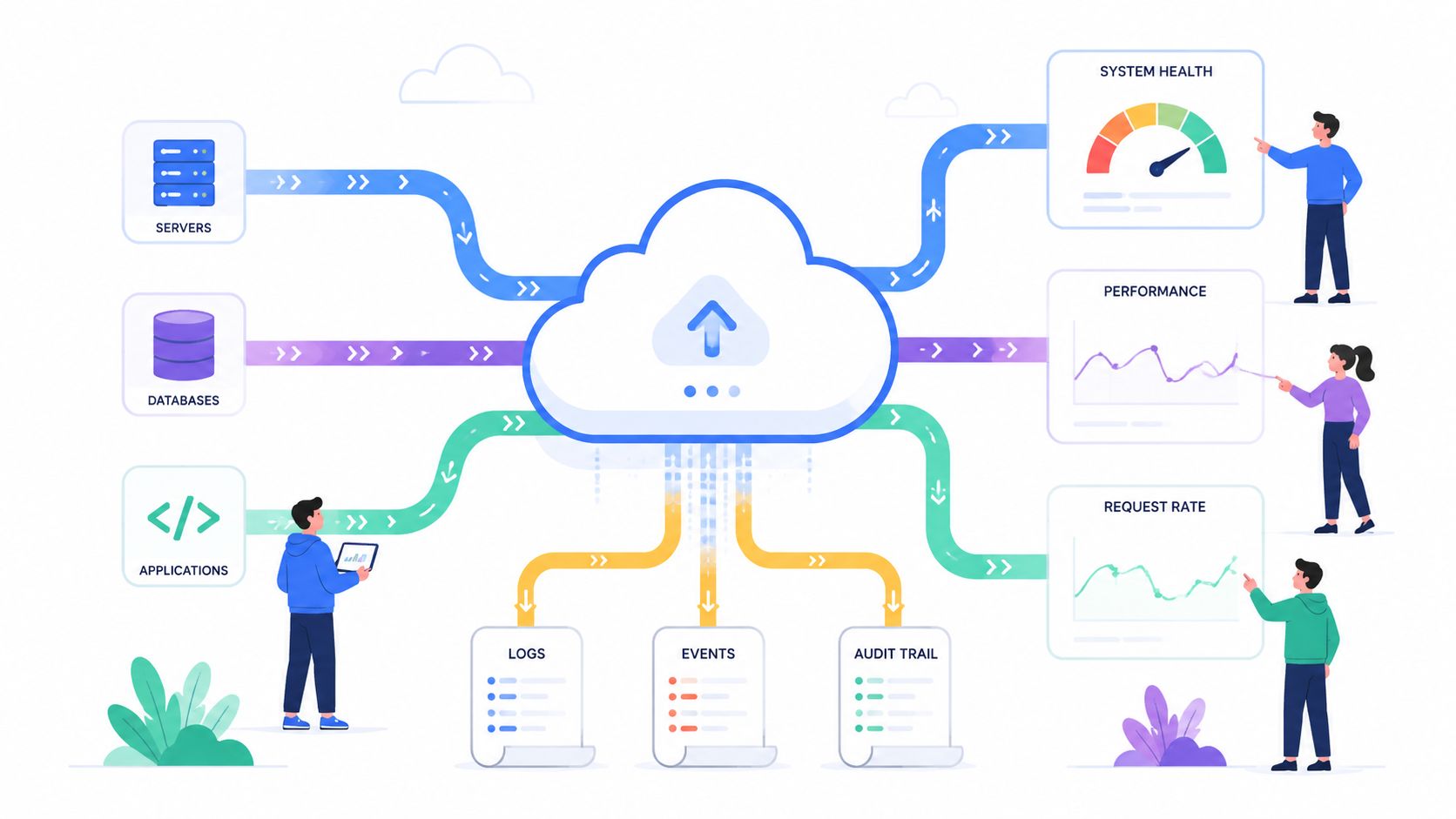
A customer-facing service slows down during a release window. Support sees complaints first. Engineering opens one dashboard for infrastructure, another for logs, a tracing tool in a separate tab, and a cloud console that tells a slightly different story again. One person blames the database, another suspects a noisy neighbour in Kubernetes, and someone else notices a recent configuration change in the load balancer. The team spends the next hour trying to line up timestamps across tools instead of fixing the issue.
This is often the case in many startups and scale-ups. The problem usually isn't a total lack of monitoring. It's fragmented monitoring, partial visibility, and a stack that became an internal platform project by accident.
For most product teams, performance monitoring should reduce operational drag. Too often, a DIY stack does the opposite. You add Prometheus, then Grafana, then Loki or ELK, then tracing, then alert routing, then retention policies, then cloud cost dashboards. Before long, senior engineers are maintaining plumbing instead of shipping customer value.
Why Your Team Spends More Time Debugging Than Shipping
The common failure mode isn't that teams ignore monitoring. It's that they treat it as a set of disconnected tools rather than an operating system for decision-making.
An outage rarely arrives with a neat label. A checkout flow feels slow. Background jobs start backing up. API timeouts rise in one region but not another. The first few minutes matter, and that's exactly where fragmented setups fall apart. Teams lose time asking basic questions. Is this app code, infra capacity, a downstream dependency, or customer-side network conditions?
The debugging scramble
In practice, the scramble usually looks like this:
- One engineer checks host metrics and sees CPU looks fine, so they assume the platform is healthy.
- Another opens application logs and finds error messages, but can't tell whether they're the cause or a symptom.
- A third inspects traces and spots a slow database call, but there's no clean link back to the deployment or infrastructure event that triggered it.
- The engineering lead asks for impact and nobody can answer clearly which customers are affected, or whether this is a release blocker.
That's not just a tooling problem. It's a coordination tax.
One industry survey highlighted how weak ad hoc monitoring remained even in data-heavy environments. 58% of companies still relied on basic spreadsheets for tracking, while only 6% said their review processes were effective, according to DataForest's summary of performance monitoring adoption. That gap explains why many teams still react to issues manually even after they've adopted cloud-native tooling.
Fragmented monitoring turns every incident into a debate about where truth lives.
Shipping product versus maintaining plumbing
A lot of startups make an expensive mistake. They hire smart engineers to build product, then slowly redirect them into maintaining observability, CI/CD, Kubernetes operations, security controls, and cost governance. The stack grows because each part looks reasonable on its own. The combined operational burden doesn't.
If you're trying to reduce that burden, platform automation matters more than another dashboard. A practical starting point is developer platform automation, because significant gain comes from making environments, deployments, and monitoring work together instead of as separate projects.
There's also a customer signal that infra-first teams often miss. During beta programmes and staged rollouts, direct user feedback can reveal performance issues long before a threshold alert fires. Structured workflows like PinDrop beta feedback solutions are useful because they surface friction that pure system telemetry won't always explain.
Understanding What Performance Monitoring Really Is
A service slows down during peak traffic. CPU looks normal. The database dashboard looks normal too. Support starts reporting failed checkouts, engineers open three different tools, and the first 40 minutes of the incident go to stitching together a timeline instead of fixing the issue.
That is the difference between having telemetry and having performance monitoring.
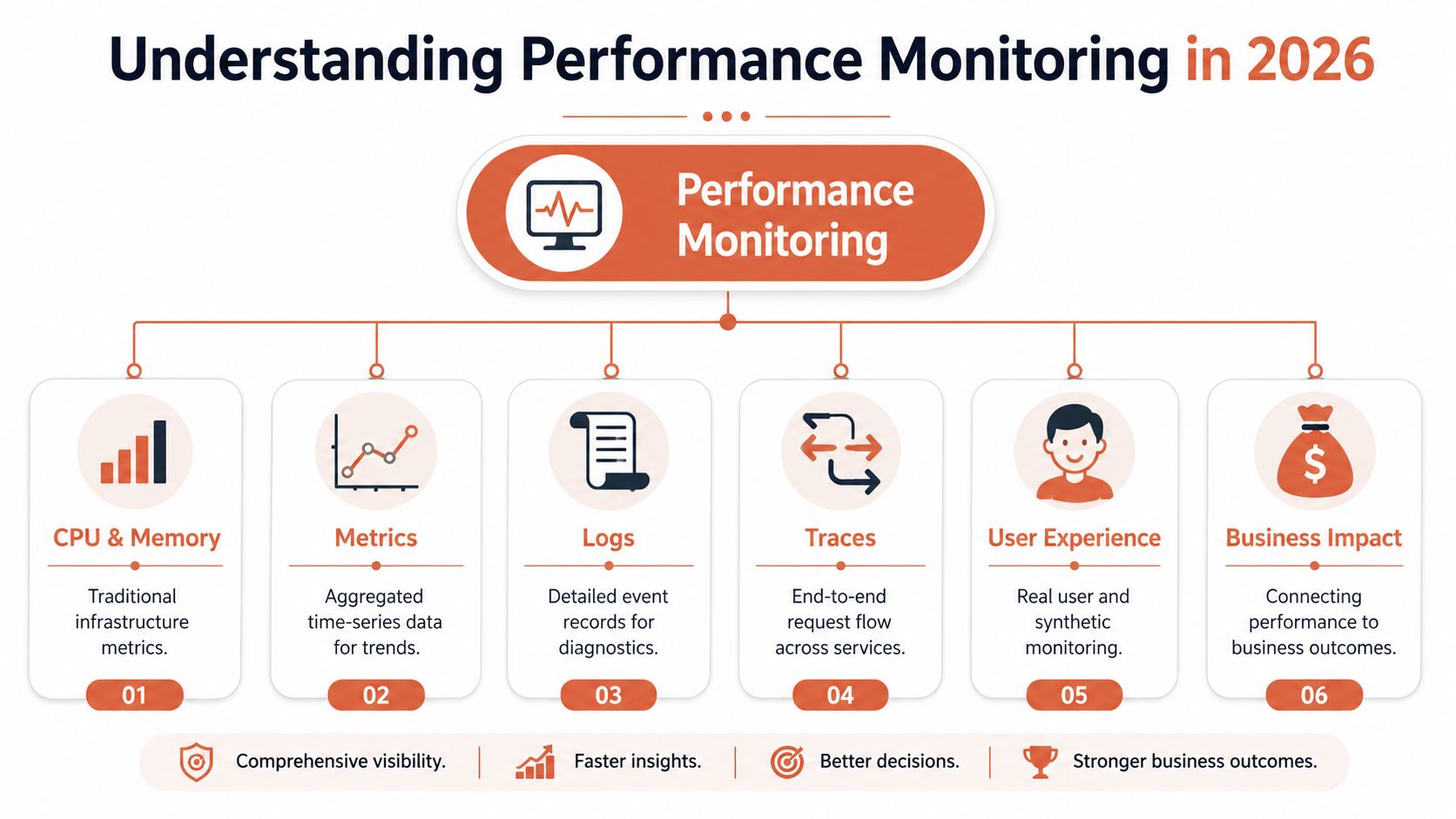
Performance monitoring is the operating system for incident response. It gives engineers one usable picture of system behaviour, request flow, and customer impact so they can answer three questions quickly. What changed, where is the bottleneck, and how much of the business is affected?
That requires correlating metrics, logs, and traces in the same workflow.
The three signals in practice
Metrics show patterns over time. They help teams spot drift, compare normal versus abnormal behaviour, and see whether a change introduced risk. They are efficient to store and easy to graph, which is why every stack starts there. They are also incomplete. A latency spike on its own does not explain whether the problem came from one noisy dependency, a bad deployment, or a retry storm.
Logs provide event-level detail. They capture the timeout message, the failed SQL query, the auth error, or the container restart that explains what the system did. The trade-off is cost and noise. Log volume grows fast, retention gets expensive, and weak structure turns search into guesswork during an incident.
Traces connect the request path across services and dependencies. They show where time was spent and which downstream call held up the transaction. In distributed systems, traces are often the shortest path to root cause because they expose waiting, retries, fan-out behaviour, and service-to-service latency that infrastructure charts hide.
Performance is about user impact, not server health
Infrastructure telemetry still matters. Teams need CPU, memory, disk, and network data to catch capacity issues and saturation. But system health alone does not tell you whether customers had a slow session, a broken checkout, or a page that looked loaded while key content stalled in the browser.
That is why real-user monitoring belongs in the picture. Client-side timing and session data show whether performance problems were visible to customers, not just to the platform team. For a practical breakdown of that layer, this guide on demystifying RUM for better SEO explains how front-end experience complements backend telemetry.
Correlation is the hard part, and DIY makes it expensive
Collecting signals is the easy phase. Keeping them aligned is where teams start paying the actual bill.
A DIY stack usually means separate components for collection, storage, querying, dashboards, tracing, alerting, access control, retention policies, and instrumentation standards. Each tool can be a sensible choice on its own. The problem is the operational tax created by all the joins between them. Engineers end up managing label cardinality, schema changes, sampling rules, storage growth, permissions, upgrades, and cross-tool context propagation. None of that ships product.
A simple test helps. If an incident starts with “which system has the answer,” the monitoring stack is still making engineers do correlation work by hand.
Managed platforms earn their keep here. They reduce setup time, cut maintenance overhead, and give teams a single path from symptom to cause. The win is not nicer charts. The win is fewer engineer-hours spent maintaining observability infrastructure and fewer incidents where the team loses time before diagnosis even begins.
The Key Signals and Metrics That Actually Matter
At 2 a.m., nobody wants a dashboard full of charts with no clear next step. The useful metrics are the ones that narrow the search space fast and tell an on-call engineer where to look first.
Two framing models still hold up because they force discipline.
Use the USE method for resources
The USE method asks three questions about each resource: is it being used, is it saturated, and is it returning errors?
For compute nodes and containers, utilisation usually means CPU, memory, disk, and network usage. Saturation is different. It shows up in queue depth, thread pool exhaustion, lock contention, or I/O wait before anything has failed outright. Errors cover the obvious failures, but also lower-level faults such as failed reads, packet loss, or storage issues that can turn a small slowdown into a broader incident.
Managed services need a more careful read. A Redis cluster can show low CPU and still be in trouble because connections are pinned, commands are backing up, or evictions are rising. A database can have spare host capacity while request latency climbs because one connection pool is exhausted or one class of query has gone pathological.
Use the RED method for services
The RED method shifts the focus to the service boundary:
- Rate shows traffic volume.
- Errors show failed work.
- Duration shows latency.
For customer-facing systems, this is usually the fastest path to an accurate picture of service health. If traffic is steady, errors are flat, and duration is climbing, users are already paying the price even if every node still looks "green."
A mature monitoring setup will collect a large volume of metrics across infrastructure, services, managed dependencies, and user-facing paths. That is normal. The expensive part is deciding which signals belong in paging alerts, which should guide investigation, and which are only worth keeping for capacity planning or cost review.
A practical shortlist for cloud-native apps
For a fast-growing SaaS team, I would start here:
| Area | Signal to prioritise | Why it matters |
|---|---|---|
| API services | Rate, errors, duration | Maps directly to user-visible reliability |
| Databases | Query latency, connection pressure, error events | Surfaces bottlenecks hidden behind healthy host metrics |
| Queues and workers | Backlog growth, processing time, failure patterns | Shows whether async systems are falling behind |
| Deployments | Deployment frequency, lead time for changes, time to restore service | Links delivery speed to operational stability |
| Edge and front end | Real-user experience, synthetic checks | Catches issues backend metrics will miss |
This shortlist also helps control spend. Teams that collect everything at high cardinality usually end up paying twice: once in infrastructure and again in engineer time spent cleaning up noisy data, dropped labels, and expensive queries. A tighter metric set makes alerting easier to trust and keeps storage growth closer to the signals that matter for uptime and cloud cost optimization in production systems.
The hard part is consistency across Kubernetes workloads, serverless functions, managed databases, CDN edges, and third-party APIs. Naming drifts. Labels drift. One team records latency in milliseconds, another in seconds, and a third samples traces so aggressively that the service looks healthier than it is.
That is why DIY observability usually breaks down at the team boundary before it breaks down technically. The challenge is not producing more telemetry. The challenge is keeping signals comparable, trustworthy, and cheap enough to retain as the architecture changes. Managed platforms are usually the better trade. They reduce the amount of custom plumbing your engineers have to own and give the team a shorter path from symptom to cause.
The Hidden Costs of Building a Monitoring Pipeline
Most engineers think about monitoring as a visualisation problem because dashboards are the visible part. The expensive part sits underneath.
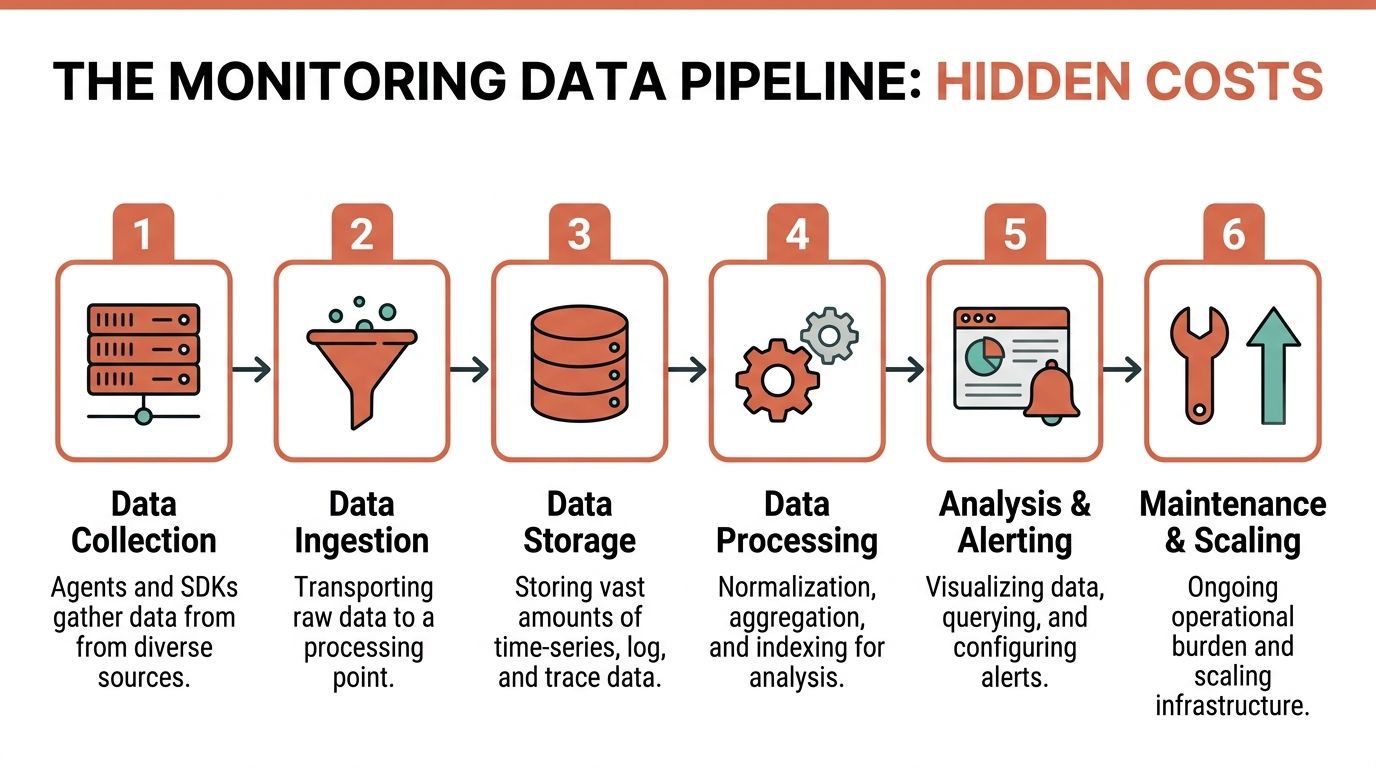
Mature performance monitoring is a pipeline. It has to collect, transport, aggregate, store, query, visualise, and alert on data from many sources so teams can correlate CPU, response time, error rates, and other signals with user-visible slowdowns, as explained in MetricFire's introduction to performance monitoring metrics.
Where DIY stacks become full-time work
At each stage, there's real operational burden:
Collection
Agents and SDKs need to run everywhere. Hosts, containers, apps, managed services, front-end sessions, scheduled jobs. Instrumentation standards drift fast when teams move quickly.Ingestion
Data has to arrive reliably under load. Bursts during incidents are exactly when ingestion pipelines get stressed. Sampling and backpressure choices suddenly matter.Storage
Time-series data, logs, and traces have very different retention and query patterns. Long retention improves debugging and trend analysis, but storage design becomes a cost and performance problem.Processing
Aggregation, indexing, cardinality control, and normalisation aren't glamorous tasks. They're still necessary if you want queries to complete and bills to stay sane.Alerting and visualisation
Dashboards are the easy part to demo and the hardest part to operationalise well. Every alert becomes an implicit promise that someone can act on it.
The cost isn't only cloud spend
DIY stacks also create internal labour costs that rarely appear in the architecture diagram. Senior engineers get pulled into upgrades. Someone owns access control. Someone maintains collectors. Someone cleans up label explosions after a new release. Someone explains why traces disappeared during a noisy deploy.
Running your own monitoring stack means you're building a product whose users are your own engineers.
That can make sense for very large platform organisations. It's often a poor trade for startups that need reliable operations without creating another team to support them.
The same pattern shows up in spend management. Performance and cost data are tightly linked, but DIY environments often keep them in separate systems. If you're already trying to reduce waste from oversized services or idle environments, cloud cost optimisation works much better when it uses the same telemetry foundation rather than a disconnected finance view.
The hidden design decisions
Sampling frequency is one example teams underestimate. Collect too slowly and you miss short latency spikes. Collect too granularly and you increase storage and analysis overhead without improving decisions. Retention windows create similar trade-offs. Keep less data and root-cause analysis gets weaker. Keep more and you inherit a scaling problem.
Those aren't side issues. They are the monitoring system.
Designing SLOs and Alerts That Arent Just Noise
Most alerting fails because it watches component distress instead of user impact. CPU at a high threshold can matter. Often it doesn't. A queue depth increase can be urgent. Sometimes it's expected. Engineers burn out when every alert demands context before action.
The better model is to define service level objectives around user-visible outcomes, then alert when you're burning through reliability tolerance in a way that threatens those outcomes.
Alert on symptoms, not every internal wobble
A useful SLO is specific enough to protect experience and broad enough to guide priorities. For example, a team might define an objective around homepage speed or API success for a core customer path. The point isn't the wording. The point is that the alert should fire because users are being hurt, not because an internal metric moved on its own.
That approach changes behaviour immediately:
- Threshold alerts become secondary and support diagnosis rather than paging.
- Engineers get fewer, sharper alerts tied to customer impact.
- Reliability work competes fairly with feature work because the trade-off is visible.
Fast telemetry matters when you care about the edge of failure
There's a practical reason high-frequency telemetry matters here. In Schneider Electric's industrial monitoring documentation, trend configuration can update measurements at a 3-second interval, combining real-time and historic data for detection and analysis in critical systems, as shown in the Power Monitoring Expert documentation. The lesson applies well beyond industrial infrastructure. If your refresh and aggregation windows are too coarse, you won't catch short-lived regressions that still damage user experience.
Good alerting notices a bad minute before it becomes a bad afternoon.
What good alerting looks like
A practical alerting model usually has three layers:
- User-facing SLO alerts for paging and executive visibility.
- Service-level symptom alerts for engineering response, such as latency or error regressions on critical paths.
- Infrastructure diagnostics for investigation, not immediate escalation.
That hierarchy matters. It keeps your team focused on outcomes.
A unified observability platform makes SLOs much easier to run because service metrics, infrastructure signals, and deployment context already sit together. In a stitched-together stack, the SLO is often just another dashboard. In a mature setup, it becomes the operating contract between product speed and reliability.
A Practical Guide to Troubleshooting and Cost Control
A useful monitoring system should do two jobs at once. It should help engineers resolve incidents faster, and it should help the business spend less on infrastructure that isn't buying customer value.
That only works when telemetry leads to action. Research from Harvard Business School found that monitoring can raise productivity, but only when managers turn added visibility into targeted improvements. Otherwise it becomes data collection rather than improvement, as discussed in the HBS paper on performance monitoring and productivity.
One workflow for diagnosis
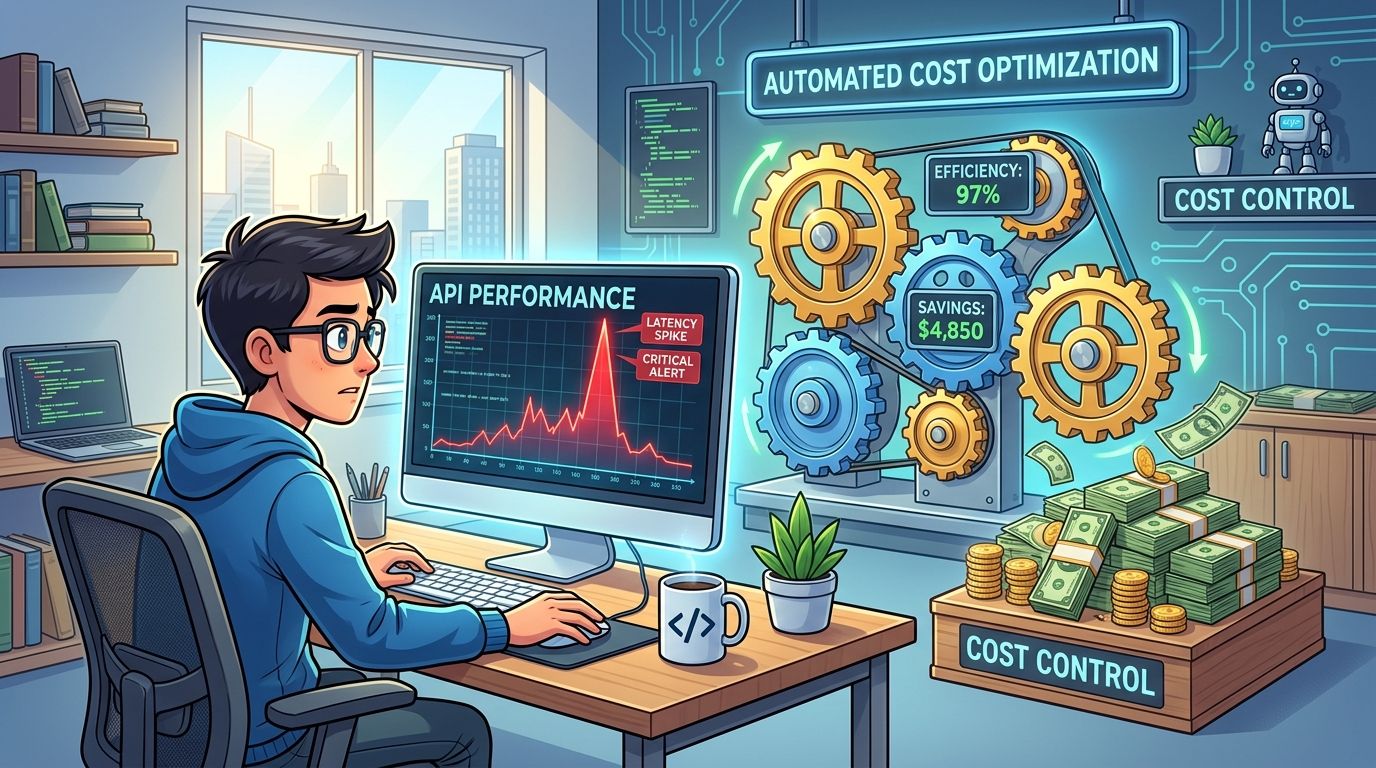
Take a spike in API latency after a deployment. In a well-integrated environment, the path to diagnosis is straightforward:
- Start with the alert and confirm which user-facing service degraded.
- Open the correlated service view and check whether rate, errors, or duration changed first.
- Jump into traces for affected requests and isolate the slow span.
- Inspect logs for the same path to confirm whether the slowdown came from a code regression, query pattern, or dependency timeout.
- Compare against deployment events to see whether the issue aligns with a release or configuration change.
Sometimes the final step includes digging through query behaviour. If your team still relies on manual database inspection during incidents, these Server Scheduler ad hoc query tips are a practical reference for structuring one-off analysis without making the situation worse.
The same data should drive cost decisions
The same signals that help you debug should also guide infrastructure efficiency. If a service rarely uses the resources it reserves, that's a cost issue. If a database runs hot only during predictable windows, that's a scheduling and scaling issue. If preview environments sit idle, that's waste hiding in plain sight.
A strong engineering organisation doesn't separate reliability from spend. It asks whether the system is fast enough for users and lean enough for the business.
That's also why deployment quality belongs in the conversation. If poor releases cause rollbacks, incidents, and excess capacity buffers, your monitoring strategy is incomplete. Reducing change-related instability is part of cost control, and this guide on how to reduce deployment failures connects that operational loop clearly.
The most useful dashboard is the one that helps you decide what to fix, what to scale down, and what to stop paying for.
The Fast Path to Production-Ready Observability
Building reliable observability in-house sounds manageable when you list the components. It becomes much harder when you count the ongoing work. Instrumentation standards, agent rollout, storage tuning, retention policies, trace sampling, dashboard ownership, alert hygiene, access control, cloud integration, and cross-team support all need active maintenance.
That's why many startups end up over-investing in internal DevOps capability before they've earned the complexity. The problem isn't ambition. It's allocation. Your strongest engineers should spend more time on product behaviour, release safety, and customer value than on keeping the observability substrate alive.
What a managed path changes
A managed platform changes the economics because it removes categories of engineering work, not just individual tool choices. Instead of assembling and maintaining separate monitoring, deployment, security, and cost controls, teams work from a production-ready baseline.
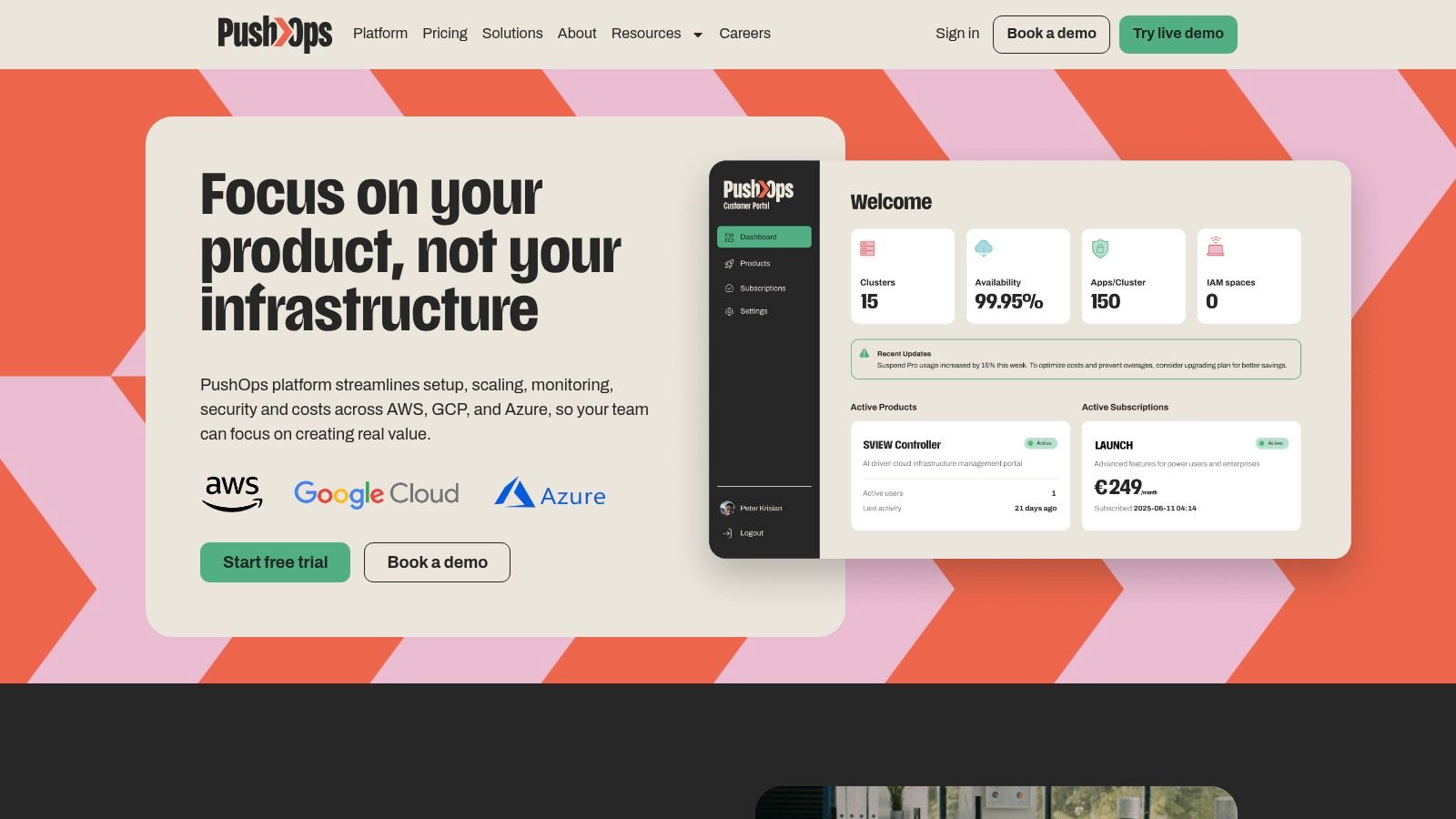
In that context, PushOps is one practical option. It provides cloud infrastructure and deployment automation across AWS, GCP, and Azure, with integrated observability, security controls, and cost management built into the platform layer rather than added later as separate projects.
Less stack ownership, more shipping
For CTOs and VP Engineering leaders, the decision usually comes down to this. Do you want your team to own a monitoring estate, or do you want them to use observability as part of a platform that already supports deployment, scaling, security, and cost control?
If the answer is speed with operational discipline, the fast path is rarely another home-grown layer. It's a platform that gives developers enough visibility to ship safely without turning them into part-time infrastructure operators.
If your team is spending too much time stitching together monitoring, deployment, and cloud operations, it's worth looking at PushOps as a way to get production-ready observability and platform automation without building the whole stack in-house.

