
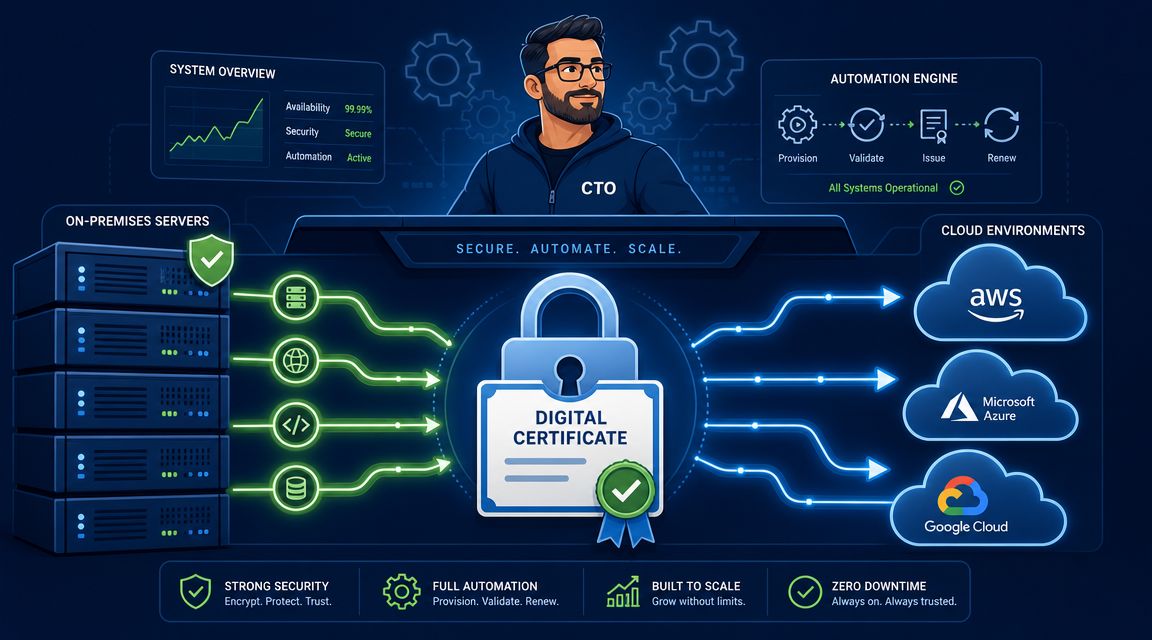

A lot of CTOs first notice SSL certificate management when nothing else seems wrong.
The application is up. The database is healthy. The deploy from yesterday passed. Then a customer opens the product, the browser throws a warning, API calls start failing, and someone gets pulled into an incident channel because a certificate expired on a load balancer, ingress, gateway, or forgotten subdomain. It feels small until it takes production down.
That's why certificate work keeps turning into executive pain. It looks like a routine admin task, but in a growing company it becomes a distributed operational problem across cloud accounts, Kubernetes clusters, CI/CD pipelines, CDNs, proxies, and vendor-managed services. Teams start with a few manual renewals, add a calendar reminder, then a shell script, then a Slack alert, then a second script to patch the first one. Before long, senior engineers are maintaining certificate plumbing instead of shipping product.
Introduction Why Certificate Management Belongs on Your Radar
SSL certificate management matters because the business impact is rarely limited to encryption alone. The primary problem is continuity. A valid certificate is what lets a client verify it is talking to the intended server and not an impostor, which is why certificate handling belongs inside your wider PKI and security model rather than sitting in a forgotten wiki page or a spreadsheet.
The operational drag shows up in places leadership usually underestimates:
- Renewal ownership gets fuzzy: Nobody knows whether platform, security, or application teams own a given endpoint.
- Cloud sprawl makes visibility worse: Certificates end up attached to ingress controllers, managed load balancers, CDN edges, service meshes, and internal tools.
- Every exception becomes bespoke work: One app uses Let's Encrypt, another uses a commercial CA, and a third depends on a vendor appliance no one wants to touch.
Practical rule: If a certificate outage can wake an engineer at 2 a.m., it's no longer a minor admin task. It's an operational reliability problem.
For many teams, SSL fires are really a symptom of a broader platform issue. They've built just enough internal DevOps tooling to keep things moving, but not enough to make the system dependable. If your engineers are stitching together renewal scripts, secret handling, ingress changes, and cloud-specific certificate logic by hand, you're paying for infrastructure twice. Once in salary, and again in lost focus.
This is also where outside security context can help. If you're evaluating process gaps around inventory, controls, and incident prevention, a practical benchmark such as Austin cybersecurity services can be useful for comparing how infrastructure risks are usually handled when teams need stronger operational discipline.
Understanding the Full SSL Certificate Lifecycle
Most leaders hear “renew the cert” and think the job is obvious. It isn't. Certificate management is a lifecycle, not a one-off task.
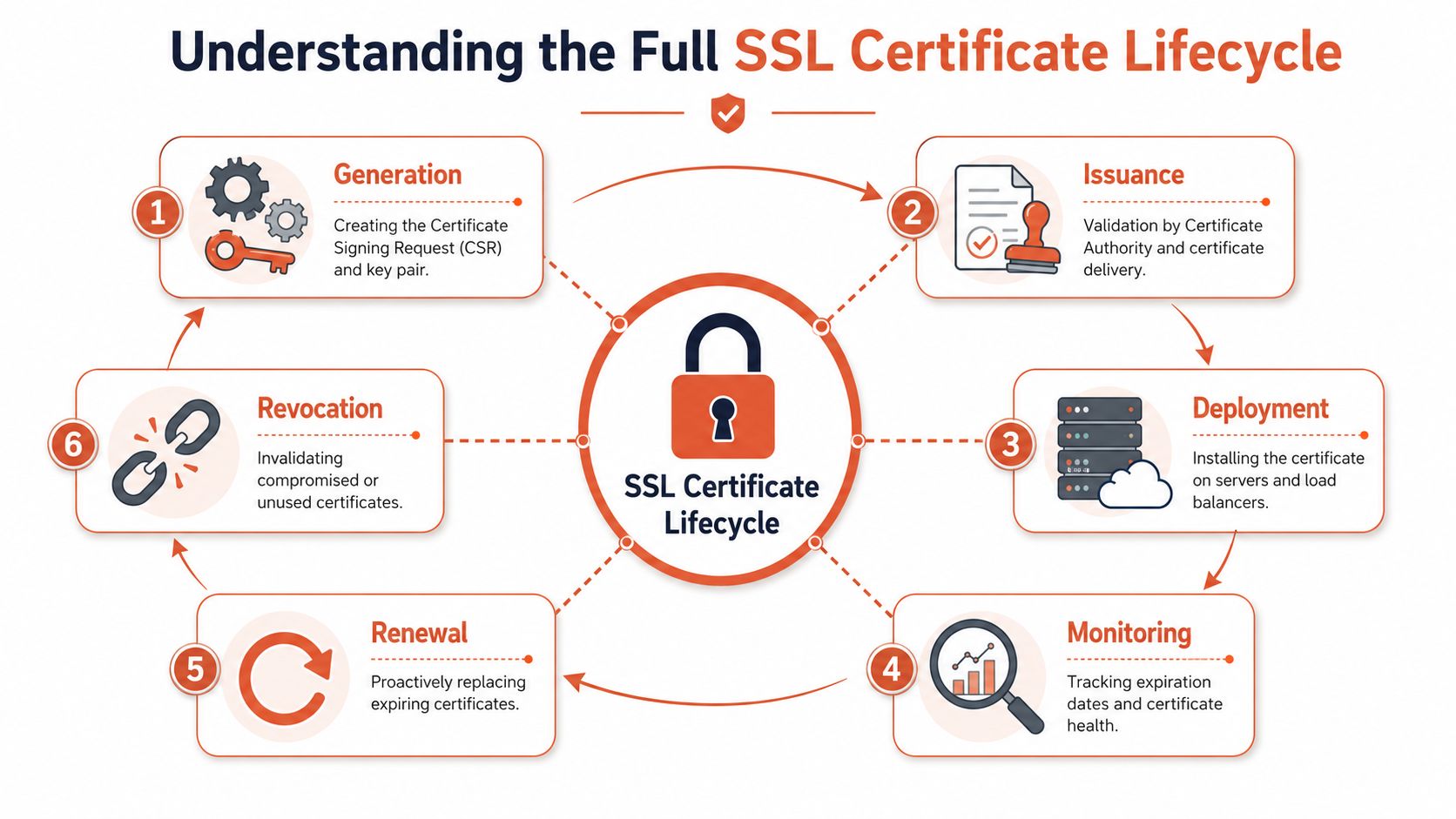
A good mental model is a passport. You request it, prove identity, receive it, use it within a validity window, renew it before it expires, and invalidate it if it is lost or compromised. SSL certificates follow the same pattern, except they're spread across systems, automation, and teams.
The lifecycle sits inside Public Key Infrastructure, and the certificate's primary job is to let clients verify they are connecting to the intended server and not an impostor, as explained in this SSL.com guide citing NIST TLS server-certificate guidance.
Issuance starts long before deployment
The first step is generating a key pair and a certificate signing request. Teams often rush this part, but the choices made here affect everything later. Which CA will issue the certificate? Who approves it? Where will the private key live? What naming convention will be used so someone can identify ownership later?
That sounds procedural, yet here, DIY setups begin to drift. One team stores keys in one system, another team leaves them in a build runner, and a third keeps them in a shared secret store with unclear permissions.
Deployment is where complexity becomes real
A certificate isn't useful until it's installed correctly in the right place. That may be a web server, reverse proxy, API gateway, Kubernetes ingress, cloud load balancer, CDN, or several of them at once.
Common friction points include:
- Wrong attachment point: The certificate exists, but it's not installed on the public entry point customers hit.
- Chain issues: The leaf certificate is present, but intermediates are missing or misconfigured.
- Private key handling mistakes: The certificate and key don't match, or the key is copied more widely than policy should allow.
Monitoring, renewal, and revocation decide whether the process works
Most failures happen after the initial deployment. Monitoring means tracking validity windows, status, ownership, and location. Renewal means replacing the certificate before there's customer impact. Revocation means invalidating a certificate when a key is compromised, a service is retired, or trust has changed.
A practical lifecycle usually includes:
- Procurement or issuance through an approved CA.
- Provisioning of keys and certificate material into a controlled store.
- Deployment to the exact endpoints serving traffic.
- Monitoring for expiry, configuration drift, and status.
- Renewal on a repeatable schedule.
- Revocation and cleanup when the certificate should no longer be trusted.
A certificate program fails when teams only remember the install step and ignore everything after it.
The Hidden Risks of DIY Certificate Management
The biggest risk in DIY certificate management isn't incompetence. It's false confidence.
Most internal approaches work while the environment is small. A few public endpoints. A handful of services. One cloud account. Then the company adds staging environments, internal APIs, customer-specific domains, more regions, and a second cloud. The same manual process that felt “good enough” starts generating outages, audit issues, and blind spots.
A major industry survey found that 71% of organisations don't know how many certificates and keys they have, and 61% lack confidence they can secure those assets for the full lifecycle, according to industry coverage of the survey findings. That matters because the survey also points to the operational problem being larger than pure encryption. It's about inventory visibility, renewal control, and compliance readiness.
Spreadsheets fail before teams admit they've failed
DIY certificate management usually relies on partial inventories. One team tracks certs in a spreadsheet. Another relies on CA emails. Someone else assumes Kubernetes or Terraform will make the issue disappear. None of that gives leadership a live answer to a simple question: what certificates do we have, where are they, who owns them, and which ones are at risk?
Certificate sprawl gets worse in shadow IT and cloud-heavy environments. DevOps workflows can create certificates without central awareness, especially when teams deploy quickly across managed services and ephemeral infrastructure.
That's why platform leaders increasingly focus on broad automation rather than one-off scripts. If your team is already trying to reduce manual engineering toil, developer platform automation is the more useful frame. The point isn't just to renew certs faster. It's to stop creating classes of infrastructure work that only your own engineers can maintain.
The real business risks are operational
Certificate problems usually show up in three places:
| Risk area | What actually happens | Why leaders should care |
|---|---|---|
| Service availability | A cert expires on a public endpoint or API path and traffic fails | Revenue, trust, and on-call load take the hit |
| Security posture | Weak crypto, unmanaged keys, or unknown certificates remain in service | Security teams inherit hidden exposure |
| Compliance readiness | Ownership, lifecycle evidence, and policy enforcement are inconsistent | Audits become expensive, slow, and embarrassing |
Manual renewal looks cheap until the first time it interrupts a customer-facing service.
The painful part is that DIY systems age badly. The original script author leaves. The cron job runs on a server no one wants to patch. A cloud provider changes behaviour. A CA integration breaks. Your team doesn't just own certificates anymore. It owns a fragile mini-platform built around them.
Best Practices for Automated Certificate Management
The teams that stop fighting certificate fires usually do one thing first. They stop treating SSL certificate management as a collection of renewal reminders and start treating it as a control system.
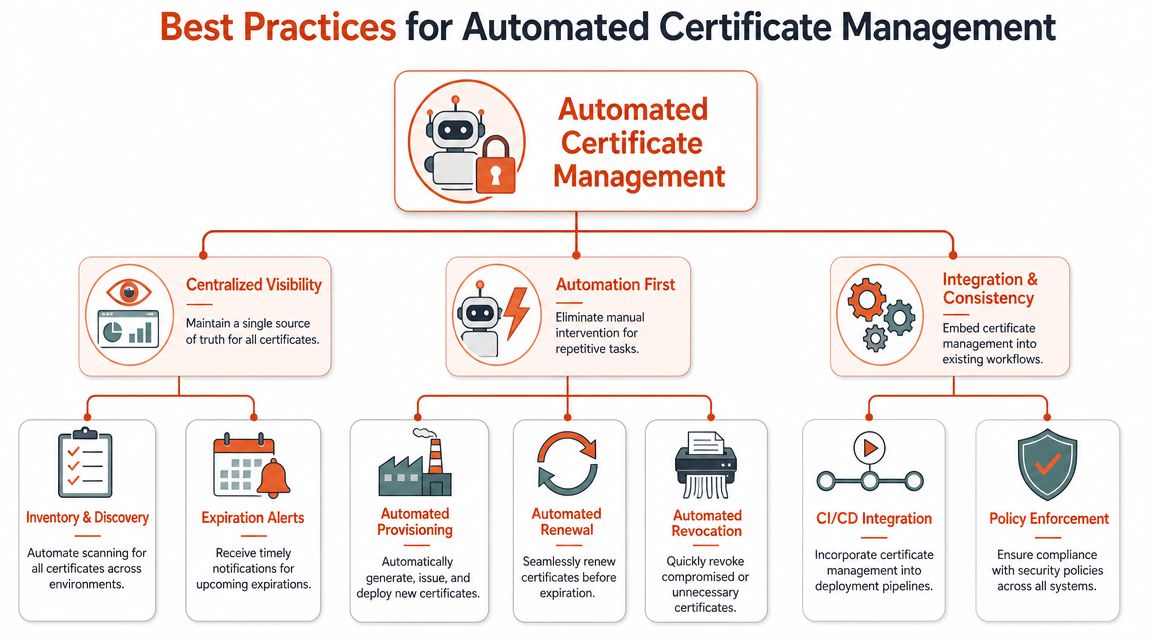
Automation is the centrepiece, but not because automation is fashionable. It's because certificates now move too often and exist in too many places for manual handling to stay reliable. A sound operating model combines visibility, policy, and repeatable execution.
Start with inventory and discovery
The first control isn't renewal. It's discovery.
If you can't identify all certificates across your environment, every other process becomes partial by definition. That includes public endpoints, internal services, load balancers, Kubernetes ingress resources, cloud-managed certificates, appliances, and certificates created by application teams outside the platform path.
A usable inventory should give you one place to see:
- Where each certificate lives
- Which CA issued it
- When it expires
- Which private key and algorithm it depends on
- Who owns it operationally
NIST-linked best-practice material highlighted by Keyfactor emphasises that shadow IT and cloud assets create certificate sprawl, and that inventory and discovery are the first controls to implement because teams often don't know where certificates are installed or whether they comply with policy, as described in this certificate management guidance.
Automate the lifecycle, not just the reminder
A lot of teams say they've automated certificates when they mean they've set an alert for sixty days before expiry. That's not lifecycle automation. That's an early warning that a human still needs to do the work.
Modern workflows use ACME to discover, renew, deploy, and revoke certificates without manual intervention, while keeping centralised inventory of expiry dates, issuing CAs, server locations, and private-key metadata, as described in Dotcom-Monitor's overview of SSL certificate management practices.
That changes the workflow in practical terms:
- Provisioning becomes repeatable: New services can request certificates through an approved path.
- Renewal becomes routine: The system renews before expiry instead of waiting for a person.
- Revocation becomes possible under pressure: You can respond to compromise without improvising.
Operator's view: If renewal requires a ticket, a runbook, and a named engineer, it isn't automated enough.
This is also why “zero maintenance” infrastructure matters more than teams initially expect. Once certificate handling is embedded in delivery workflows, the burden of maintaining bespoke glue code falls away. That's the same principle behind zero-maintenance CI/CD pipelines. Remove the scaffolding, and the team gets time back.
Standardise crypto and policy enforcement
Automation without standards just helps teams repeat weak decisions faster. Strong practice means enforcing approved key types and disabling outdated protocol versions. Guidance recommends using RSA 2048-bit or ECC and disabling TLS 1.0/1.1 across the environment to avoid weak-crypto exposure, as noted in the same Dotcom-Monitor guidance already cited above.
That policy layer matters because certificate management often drifts at the edges. One inherited service keeps an outdated protocol. One legacy system uses an exception no one wants to revisit. One internal endpoint never got brought into the same controls as customer-facing traffic.
A mature setup doesn't leave those decisions to chance. It encodes them.
Integrating Management into CI/CD and Multi-Cloud
Certificate work gets harder the moment infrastructure becomes dynamic.
In a modern stack, applications are deployed through pipelines, environments are recreated, services are short-lived, and traffic is distributed across AWS, GCP, Azure, CDNs, and managed network layers. The old model of “install a cert on the server once a year” doesn't map cleanly to that world.
Since September 2020, major browsers have limited publicly trusted certificate validity to 398 days instead of 825 days, and industry reporting says validity is expected to shrink further to six months in 2026 and eventually to 47 days by 2029. The same industry summary reports 88.08% of websites using HTTPS, with the United States at over 25 million SSL certificates and Germany at nearly 12 million, according to this SSL/TLS trends overview. For engineering leaders, the takeaway is simple. Shorter lifecycles and broad HTTPS adoption make manual renewal a poor fit for modern delivery.
What the DIY path usually looks like
Many teams wire certificate actions into CI/CD with a mix of scripts, secrets, provider APIs, and tool-specific conventions. It works, but only if you keep feeding it engineering time.
A typical in-house setup includes:
- Pipeline logic to request or locate certificates during deploys
- Cloud-specific code for attaching certificates to AWS, GCP, or Azure resources
- Secret management glue for private keys and CA credentials
- Validation jobs to catch incorrect installation after release
- Separate monitoring for expiry and renewal failures
Each piece sounds manageable. Together they form an internal platform that somebody has to own.
Why multi-cloud magnifies the burden
Cloud providers don't expose certificate workflows in exactly the same way. Managed load balancers, ingress products, certificate stores, and IAM controls all differ. If your strategy is “we'll just script it,” the actual requirement is “we'll build and maintain abstractions over multiple vendor APIs forever.”
That's where platform strategy matters more than another hire. If your company wants genuine multi-cloud management, certificate handling can't remain a pile of cloud-native exceptions. It has to become part of a consistent deployment model.
The expensive part of DIY DevOps isn't the first script. It's the years of maintenance after the script becomes business-critical.
The better pattern is embedded automation
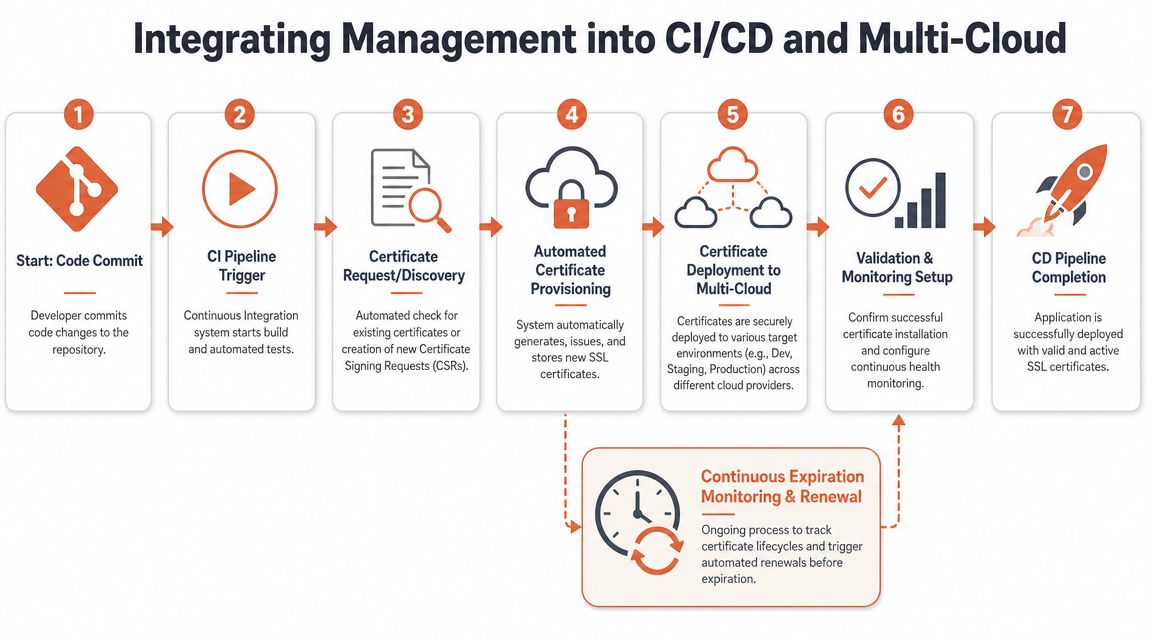
In healthy environments, certificate operations are integrated into delivery rather than bolted on beside it. A new service doesn't trigger a side quest for the platform team. The deployment path already knows how to request, deploy, validate, and renew certificates in the target environment.
That gives CTOs something they usually want more than another feature checkbox. Predictability.
When certificate management is part of CI/CD and multi-cloud operations by design, teams spend less time debugging edge cases between tools and more time shipping product. That's the actual strategic win.
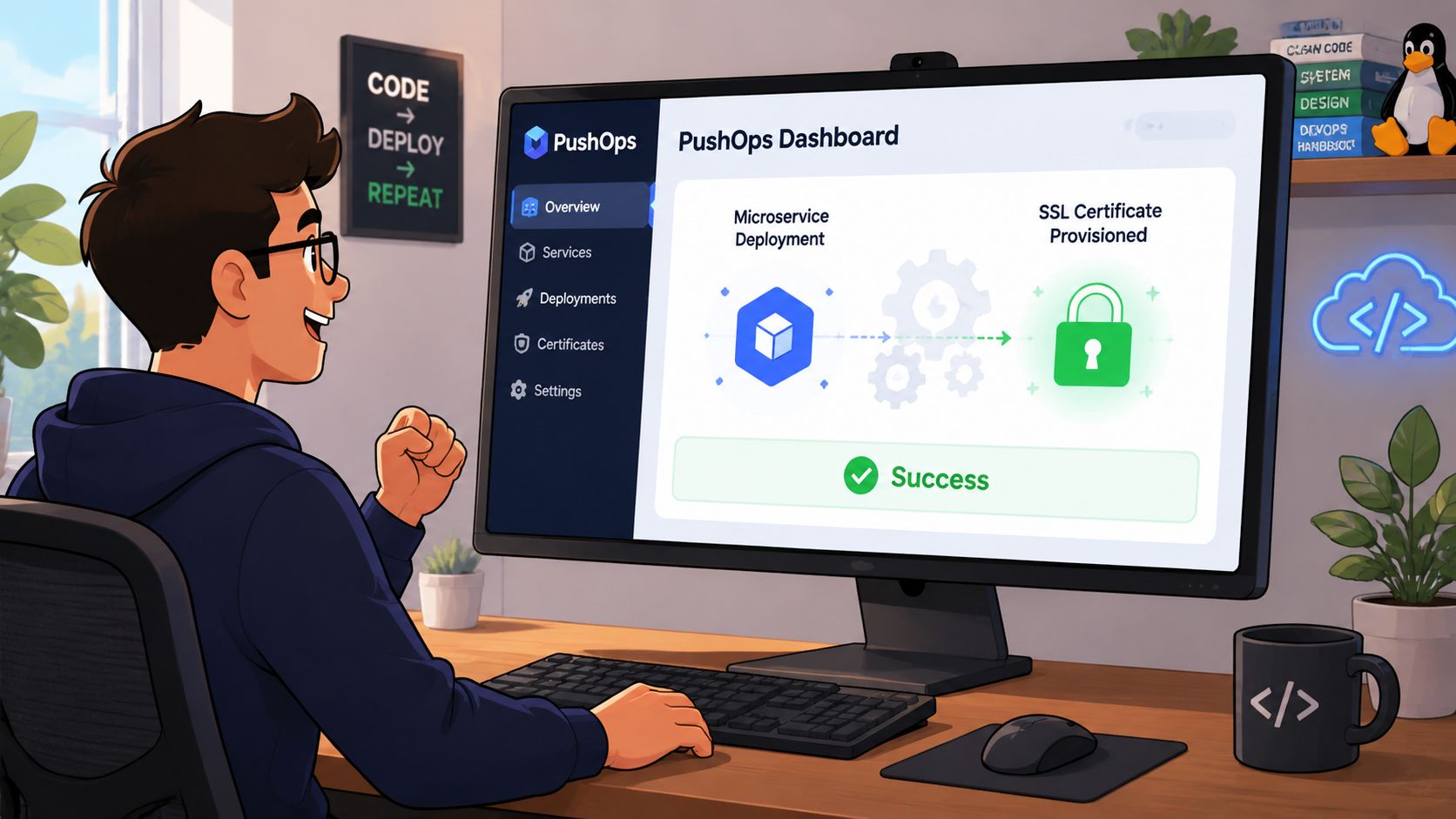
An Automated Workflow Example with PushOps
The easiest way to judge certificate automation is to follow a new service from commit to production.
A developer creates a microservice that needs a public HTTPS endpoint. In a DIY setup, that usually opens a chain of platform tasks. Someone has to decide where the service will terminate TLS, request a certificate, store the private key, attach the certificate to the ingress or load balancer, validate the chain, and then remember to own renewals later.
With a managed platform workflow, those steps are folded into the delivery path instead of handled as tickets and side scripts.
What the developer experiences
The developer pushes code, defines the service, and declares the exposure they need. The platform provisions the underlying infrastructure, configures the environment, requests the certificate through the approved path, and attaches it to the correct edge component.
From the engineer's point of view, the workflow feels close to this:
- Commit and deploy the service through the normal pipeline.
- Declare the endpoint that needs public TLS.
- Let the platform provision the supporting cloud resources.
- Issue and attach the certificate without hand-written scripts.
- Validate the deployment so the endpoint goes live in a known-good state.
The important detail is what the developer doesn't need to do. They don't have to learn provider-specific certificate APIs, patch ingress manifests by hand, or maintain renewal cron jobs somewhere outside the pipeline.
What the platform team and leadership get
A strong workflow doesn't just automate installation. It continues operating after release.
That means:
- Ongoing expiry monitoring across environments
- Automatic renewal before customer impact
- Consistent policy enforcement for approved certificate handling
- Audit trails showing what was issued, deployed, changed, and renewed
This matters even more when the same service pattern is deployed across different cloud providers. If teams can publish on AWS and GCP without redesigning certificate operations each time, the platform is doing what an internal developer platform is supposed to do. It removes repetitive infrastructure decisions from the feature delivery path.
Good platform design hides complexity from developers without hiding control from operators.
That's the difference between tooling and strategy. Tooling gives you components. A platform gives you a dependable workflow.
Conclusion Stop Building Infrastructure Start Shipping Product
SSL certificate management is a useful test for how your engineering organisation spends its energy.
If your team still handles certificates through reminders, spreadsheets, shell scripts, and scattered cloud-specific processes, the problem isn't just certificates. It's that too much of your delivery capability depends on brittle internal scaffolding. That's expensive to build, expensive to maintain, and easy to underestimate because the work is spread across incidents, exceptions, and background toil.
Leadership teams often frame this as a technical choice. Build more automation internally or hire more DevOps engineers to keep up. In practice, it's a focus choice. Every hour spent repairing certificate workflows, tracking shadow assets, or untangling multi-cloud TLS behaviour is an hour your senior people aren't spending on product, customers, or differentiation.
The companies that move faster usually aren't the ones with the most bespoke infrastructure. They're the ones that decided routine operational work should be automated, standardised, and removed from the critical path.
SSL certificate management belongs in that category.
If you want your team to spend less time maintaining deployment plumbing and more time shipping features, PushOps gives you a production-ready platform across AWS, GCP, and Azure with automation, security controls, observability, and delivery workflows built in by default. It's a practical way to replace fragile in-house infrastructure with a system your developers can rely on.

