
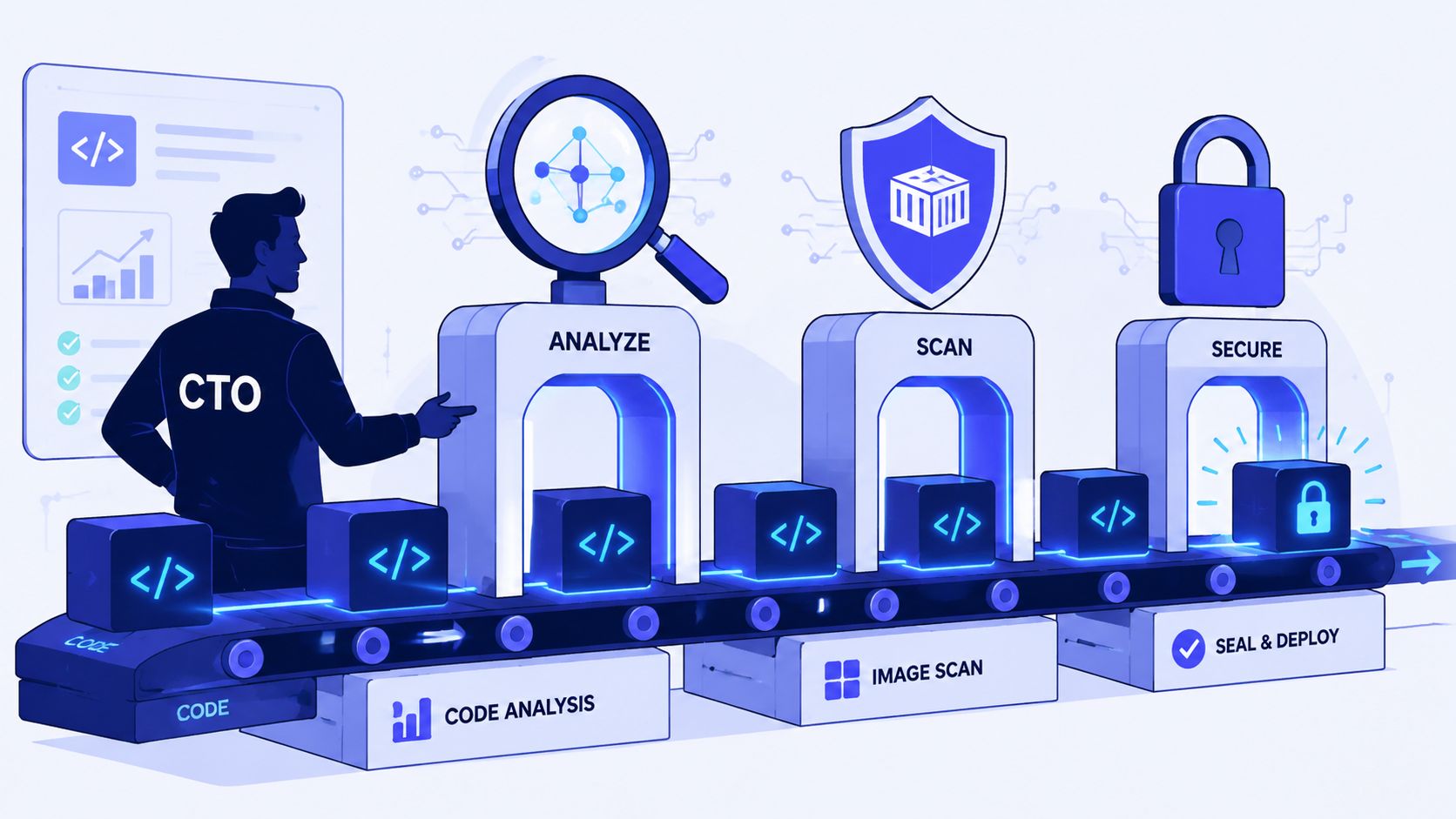

A lot of engineering leaders end up in the same trap.
The team starts with a sensible goal. Add vulnerability scanning. Catch obvious issues earlier. Stay out of trouble. A few quarters later, that “small security improvement” has turned into a patchwork of CI jobs, container checks, registry hooks, exception spreadsheets, Slack alerts, and a standing argument about which findings matter.
Meanwhile, product work slows down.
That's the part people understate. Vulnerability scanning isn't expensive because scanners are hard to buy. It's expensive because once you treat it as an internal build project, you inherit every integration problem, every tuning problem, and every workflow problem that comes with it. The scanner isn't the system. The system is everything around it.
For a CTO, that distinction matters. The question isn't whether vulnerability scanning is necessary. It is. The question is whether your engineers should spend their time constructing and maintaining the machinery for it, or whether they should inherit that capability as part of a platform and get back to shipping.
Your Engineers Did Not Sign Up to Be Security Analysts
It usually starts in the middle of something important.
A release is close. The team is already balancing bug fixes, customer commitments, and the usual deployment risk. Then a scanner lights up with a wave of “critical” findings. Suddenly backend engineers are digging through package trees, platform engineers are adjusting build steps, and somebody has to explain to leadership why a sprint built around product delivery has turned into a remediation exercise.
That pattern is common because raw vulnerability output rarely arrives with the context a product team needs. It tells you something might be wrong, but not whether the affected asset is exposed, whether the package is reachable, whether the fix is safe, or whether the result is a false positive. So the cost lands on your most expensive people. Developers investigate. DevOps patches pipelines. Platform teams build exception handling. Nobody ships much that week.
DIY scanning creates product drag
The hidden cost isn't just scanner maintenance. It's the fragmentation that follows.
One team wires a container scanner into CI. Another adds dependency checks. Someone else adds a scheduled runtime scan in production. Each step looks reasonable in isolation. Together they create another internal platform to own, document, support, and debug.
Practical rule: if a security control regularly pulls application engineers out of roadmap work to interpret tooling, the problem isn't only security. It's platform design.
The backdrop makes this harder. A vulnerability trend summary published by Pentest-Tools reported 404 high-risk vulnerabilities with CVSSv3 10.00 and remote-code-execution access in 2022, up from 363 in 2021, which is roughly 11.3% year over year, according to their penetration testing statistics roundup. When severe disclosures keep arriving at that pace, infrequent or manual scanning turns into backlog generation, not risk reduction.
The morale problem leaders miss
Engineers don't mind fixing real risk. They do mind chasing noise with no clear payoff.
A badly tuned scanning setup has the same effect as a flaky deployment process. It teaches the team that alerts are interruptions rather than useful guidance. That's one reason deployment reliability and security operations are tied together more closely than many teams admit. If your release flow already has friction, security tooling multiplies it. This is also why teams working on reducing deployment failures often discover that poor security integration is part of the same operational mess.
Vulnerability scanning belongs in the delivery system. It should not become a side career for your engineers.
What Vulnerability Scanning Is Really For
Organizations often describe vulnerability scanning as a way to “find security issues”. That's true, but it's too shallow to be useful at leadership level.
Its purpose is to maintain a live view of what you run, where you run it, and which parts of that estate create avoidable exposure. Without that, security becomes guesswork. You can't prioritise well if you don't know your assets, your dependencies, your external footprint, or which findings map to systems that are critical.
Four lenses, not one tool
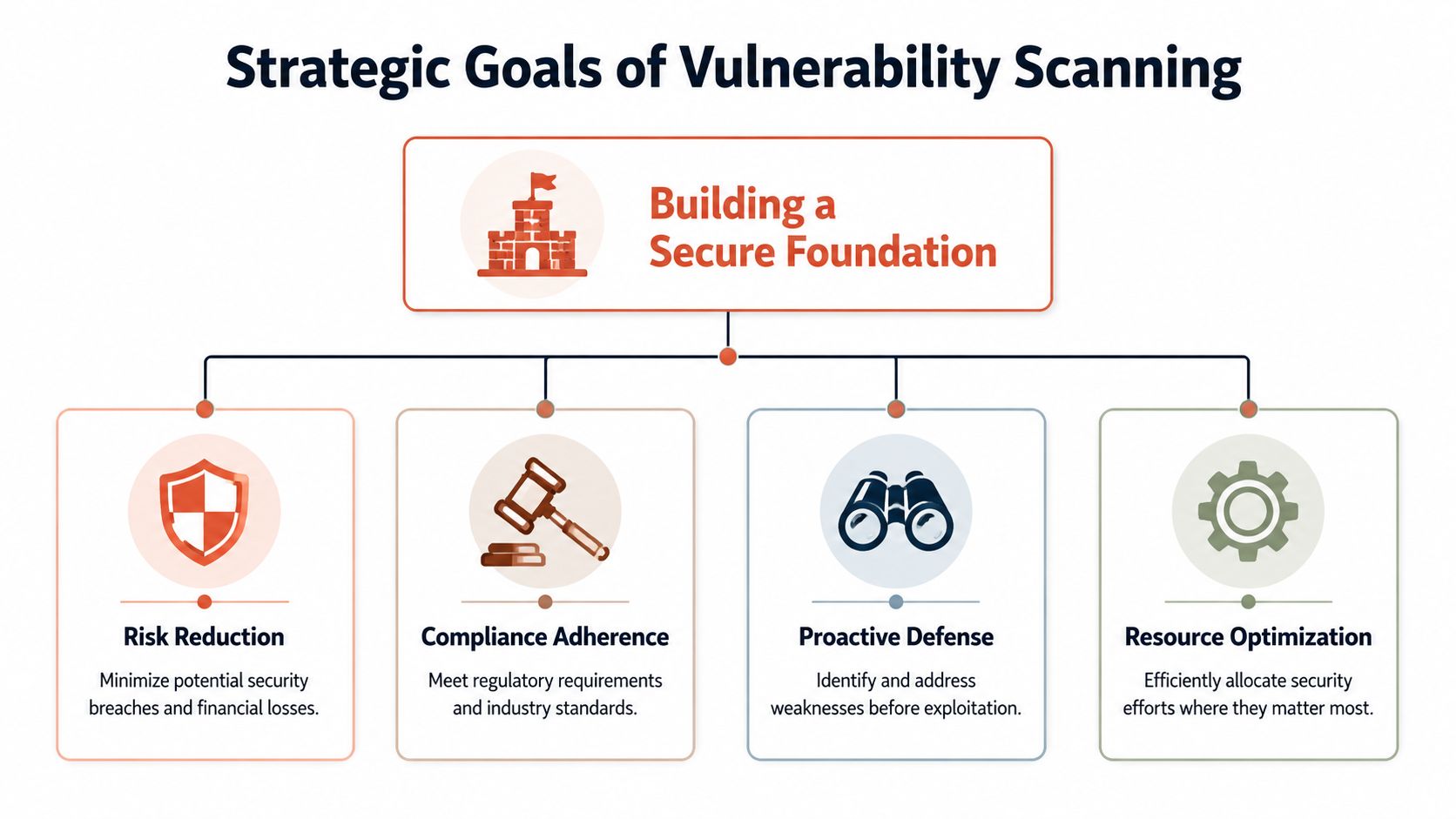
A useful scanning programme usually combines several views of risk:
- Network and surface scanning checks exposed services, reachable ports, and externally visible configuration weaknesses.
- Host and infrastructure scanning looks at operating systems, installed packages, and baseline misconfigurations inside running environments.
- Application scanning covers code and running app behaviour, often through static and dynamic techniques.
- Container and artefact scanning inspects images and dependencies before they ever reach production.
None of those replaces the others. A clean code scan won't tell you that an old administrative endpoint is exposed. A runtime host scan won't explain that the risky component entered through a transitive dependency in your build. A single scanner can be useful, but a complete picture requires orchestration.
The point is attack surface clarity
This is why the better framing is exposure management, not report generation.
Lithuania's National Cyber Security Centre reported 1,628,255 cyber incidents in 2024, up from 3,874 in 2019, and noted that DDoS incidents dominated at 1,597,250, according to this overview of vulnerability scanning tools and why they matter. That mix matters because a scanning programme focused only on malware signatures misses the operational reality. Teams also need to identify exposed services, weak authentication, and internet-facing paths that attackers can abuse.
If you want a practical complement to that view, InsecureWeb has useful insights on managing your attack surface that line up well with how engineering leaders should think about scanning: as visibility into exposure, not just a list of defects.
Why this becomes a platform problem
Buying one scanner is straightforward. Making multiple scanners behave like one coherent system isn't.
You need common asset identity. Common severity policy. Common ownership mapping. Common ways to suppress, re-open, and verify issues. You also need the results to reach developers in the tools they already use, without forcing them to learn five dashboards.
Vulnerability scanning works when developers receive a short list of relevant fixes in the flow of delivery. It fails when security output becomes a separate universe.
That integration layer is where many startups build an internal security platform by accident. They didn't intend to. They just kept solving the next missing piece.
Integrating Scanning into Your SDLC and CI/CD Pipeline
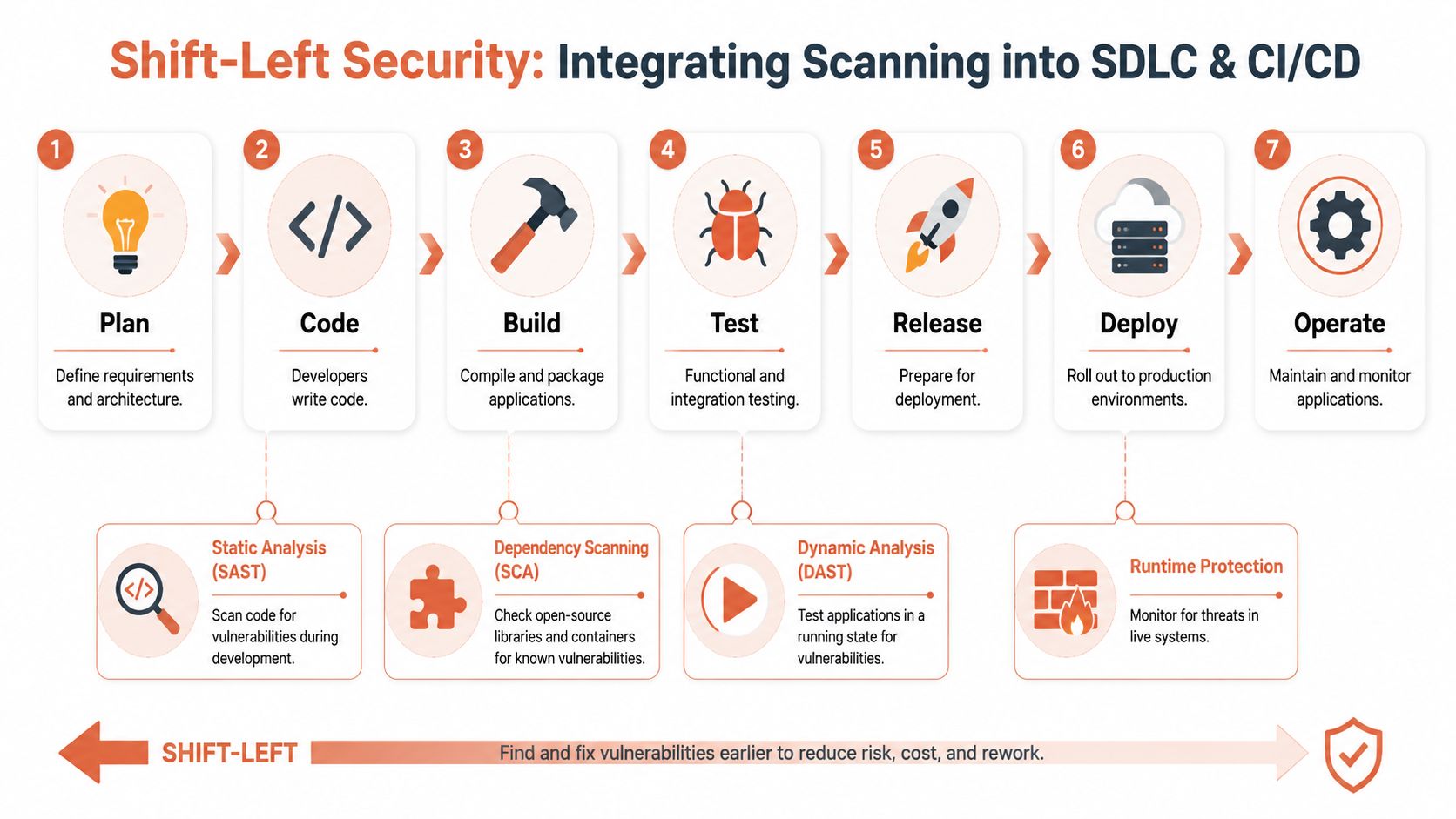
The phrase “shift left” gets overused, but the underlying point is simple. If the first time you discover a vulnerability is after deployment, you've already chosen the most expensive place to deal with it.
Effective vulnerability scanning has to sit across the delivery path, not at the end of it.
Where scanning actually belongs
A practical setup usually includes several checkpoints.
During coding
Developers need feedback while they still remember the change. That may mean IDE feedback, pre-commit checks, or lightweight static analysis that catches obvious issues before code even reaches CI.During build
Dependency and package checks usually fit best at this stage. Open-source libraries, base images, and build artefacts all need inspection before they move further down the pipeline.Before release
Candidate images, manifests, and deployable bundles need another pass to confirm that what you're about to ship still meets policy.After deployment
Runtime visibility still matters because environments drift, new vulnerabilities are disclosed after release, and infrastructure changes outside normal app workflows.
The mistake is treating any one of those as sufficient.
Runtime alone leaves blind spots
Wiz makes this point clearly in its discussion of modern vulnerability scanning in cloud-native environments. Runtime scans are not enough. Modern threats also enter through code dependencies and ephemeral infrastructure, so effective coverage needs automated checks before deployment, including container image analysis and Software Composition Analysis.
That sounds sensible because it is. It's also where the engineering burden escalates.
The integration tax nobody budgets for
Once you spread scanning across the lifecycle, you inherit a long list of implementation details:
- Credential handling for private registries, cloud accounts, repositories, and build runners
- Performance tuning so scans don't make every build painfully slow
- Branch and environment logic so the right policy applies at the right stage
- Developer feedback loops that return useful results inside pull requests or issue trackers
- Exception workflows for findings that need temporary acceptance rather than immediate blocking
- Re-scan logic to confirm that a fix worked
None of that is conceptually difficult. All of it takes time. And once it's built, it needs ownership.
The fragile middle layer
This is why so many internally built pipelines age badly.
At first, the setup is a few scripts and vendor plugins. Later, one scanner changes its API, another starts failing on ephemeral runners, a third produces results in a format your ticketing integration can't parse cleanly, and someone on the platform team becomes the unofficial maintainer of a security pipeline nobody planned to own.
A secure pipeline should feel boring. If it needs constant care, you've built a product inside your product.
This is exactly the sort of operational burden teams are trying to avoid when they move towards zero-maintenance CI/CD pipelines. The value isn't just fewer YAML files. It's fewer bespoke systems where security, delivery, and infrastructure all depend on tribal knowledge.
For a CTO, the takeaway is blunt. Vulnerability scanning inside the SDLC is necessary. Building the integration fabric for it from scratch usually isn't a good use of engineering time.
From Noise to Signal Turning Scan Data into Action
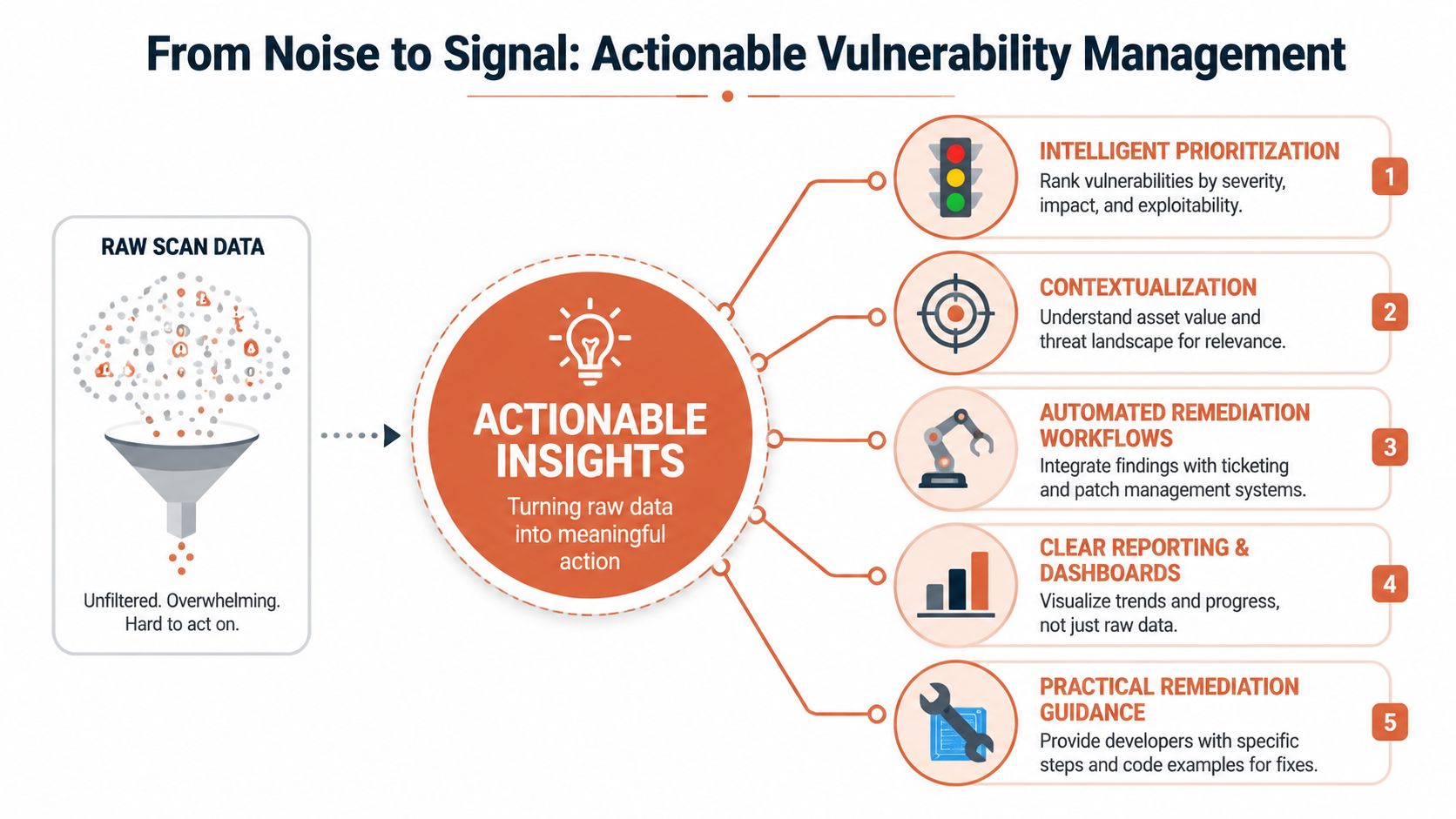
A scanner that produces more findings doesn't automatically produce more security.
Most organisations hit the same wall after rollout. Coverage improves, scans run more often, dashboards fill up, and nobody feels more confident. The team just has more output to triage. Consequently, vulnerability scanning programmes either mature into something useful or become a permanent source of operational drag.
Why raw severity doesn't help enough
CVSS matters, but it isn't enough to drive day-to-day engineering decisions on its own.
A “critical” issue in an isolated internal tool does not deserve the same urgency as a lower-scored issue on a public-facing asset with a clear attack path. Teams need context around exposure, exploitability, asset importance, and fixability. Without that, every alert competes for the same attention and engineers stop trusting the queue.
That trust problem gets worse when scanner quality is inconsistent.
Accuracy is part of the product
The UK NCSC explicitly notes in its guidance on vulnerability scanning tools and services that scanner accuracy is a primary concern because tools can generate both false positives and false negatives. Their guidance also reinforces the point that analysts still need to verify whether findings are genuine threats. That's the operational issue many teams underestimate. The job isn't just to scan widely. It's to generate signal that busy engineers can act on confidently.
Key judgement: the best scanner isn't the one that finds the most things. It's the one that helps your team fix the right things quickly.
What useful prioritisation looks like
In practice, good triage tends to answer a short set of questions:
- Is the asset exposed? Public-facing systems deserve faster attention than isolated internal services.
- Can the vulnerable component be reached? A package can exist in a build without being meaningfully exploitable in that application path.
- Who owns the fix? Findings without clear ownership age badly.
- What is the safest remediation path? Some fixes are straightforward version bumps. Others need testing, config changes, or staged rollout.
- Has the issue been verified after remediation? Closing a ticket is not the same as confirming the risk is gone.
This is why a giant PDF report is almost the worst possible output format. It creates a handoff problem. Security tools dump findings. Engineers interpret. Managers chase updates. Nobody gets a clean operational loop.
Measure remediation, not discovery theatre
Leaders often ask how many vulnerabilities were found. That isn't the most useful question.
A healthier conversation is about whether the team can consistently move high-confidence findings from detection to remediation without derailing delivery. That includes ownership assignment, ticket routing, suppression hygiene, and revalidation after the fix.
A mature system also separates categories of work:
| Work type | What the team should do |
|---|---|
| Newly discovered and relevant | Triage quickly and route to the owning team |
| Likely false positive | Verify, suppress with rationale, and track recurrence |
| Known but accepted temporarily | Time-box the exception and review it |
| Fixed in code or config | Re-scan and confirm closure |
This is not glamorous work. It is platform work. If your developers are manually doing it across multiple tools, you've effectively assigned security analysis as a side job to people hired to build product.
Enforcing Security with Platform Automation
Finding vulnerabilities is only half of the job. The harder part is making sure known bad states don't keep moving forward through the delivery system.
That's where many teams still rely on process. A report gets generated. Someone reads it. Someone decides whether the issue matters. Someone asks the team to fix it before release. That model works when the company is small and the right people happen to be in the room. It breaks as soon as delivery scales across services, teams, and environments.
Manual enforcement doesn't scale
The problem with manual review is inconsistency.
One release gets blocked because a senior engineer spots an issue. Another goes through because the alert was buried, misunderstood, or waived informally. After a while, your security posture depends less on policy and more on who happened to be available that day.
A better model is policy enforcement inside the platform itself.
Policy should live in the delivery path
When vulnerability scanning is treated as a platform capability, the workflow changes:
- Build systems evaluate artefacts automatically against the security rules your organisation cares about.
- Deployments can be blocked or gated when findings cross a defined threshold.
- Exceptions become explicit and auditable instead of living in chat threads.
- Re-checks happen automatically after fixes, so teams aren't manually proving closure.
This matters for compliance as well as engineering hygiene. FedRAMP Rev. 5 treats vulnerability scanning as a continuous-monitoring control, not an occasional activity. CSPs must scan operating systems, web applications, and databases monthly, and the guidance states that the entire inventory within the boundary must be scanned at the OS level at least once a month. FedRAMP also requires each unique vulnerability to be tracked as a separate POA&M item, as described in the FedRAMP Rev. 5 vulnerability scanning guidance. Even if you're not targeting FedRAMP directly, that discipline is a good benchmark. It turns scanning from a best practice into an auditable operating model.
Automation makes the secure path the easy path
For this reason, platform automation earns its keep. Instead of asking every team to remember the right sequence of checks, the platform bakes the checks into the default path.
That can include rules such as:
- Block risky releases when an artefact violates policy.
- Apply the same baseline everywhere across development, staging, and production.
- Record approvals and exceptions so audits don't depend on memory.
- Standardise enforcement across clouds so AWS, GCP, and Azure don't each become their own security workflow.
The strongest security controls are the ones developers don't have to negotiate with every release.
The broader idea is familiar to anyone building an internal developer platform. You want a paved road. Security should be part of that road, not a checkpoint bolted on afterwards. Teams exploring developer platform automation usually come to the same conclusion: enforcement works better when it is systemic, default, and boring.
That approach also protects delivery speed. A well-designed platform doesn't slow teams down by adding meetings and manual sign-offs. It speeds them up by reducing uncertainty. Engineers know what will pass, what will fail, and what to fix before they waste time on a release that was never going to be allowed through.
DIY versus Managed Platform A Practical Comparison
The debate usually sounds technical, but the decision is financial and organisational.
A DIY approach can look cheaper at first because each piece seems modest. A scanner licence here. A CI plugin there. A few scripts. Some Terraform. But the true cost sits in maintenance, ownership, false positive handling, exception management, cross-cloud inconsistency, and the steady drain on engineering time.
A managed platform changes the shape of the problem. You stop buying components and start inheriting a working operating model.
Vulnerability Management DIY vs. Managed Platform
| Aspect | DIY Approach | Managed Platform (PushOps) |
|---|---|---|
| Initial setup | Select tools, integrate them, define policies, wire into CI/CD, registries, environments, and cloud accounts | Security capabilities are part of the platform setup rather than a separate project |
| Ongoing maintenance | Internal teams maintain scanner configs, plugins, scripts, credentials, and workflow logic | Platform provider maintains the underlying operational layer |
| Developer experience | Findings often arrive through multiple tools and dashboards with uneven context | Security feedback can be standardised inside the delivery workflow |
| Policy enforcement | Teams rely on conventions, manual checks, and custom gating logic | Policy can be applied consistently as part of the platform |
| Multi-cloud consistency | AWS, GCP, and Azure often end up with different controls and different exceptions | A single platform can enforce the same approach across environments |
| Operational burden | Platform and application engineers spend time owning scanning infrastructure | Engineering time stays focused on product and delivery |
| Auditability | Evidence collection often becomes manual and fragmented | Audit trails and enforcement history are easier to centralise |
| Risk of drift | Custom pipelines tend to diverge over time as teams patch around edge cases | Standardised defaults reduce variation and surprise |
The practical call
If security scanning is becoming an internal build project, you're paying twice. First in engineering effort, then again in slower product delivery.
Most startups and scale-ups don't need to prove they can assemble their own vulnerability management stack from parts. They need a reliable way to inherit scanning, enforcement, observability, and deployment controls without spinning up a shadow platform team around them.
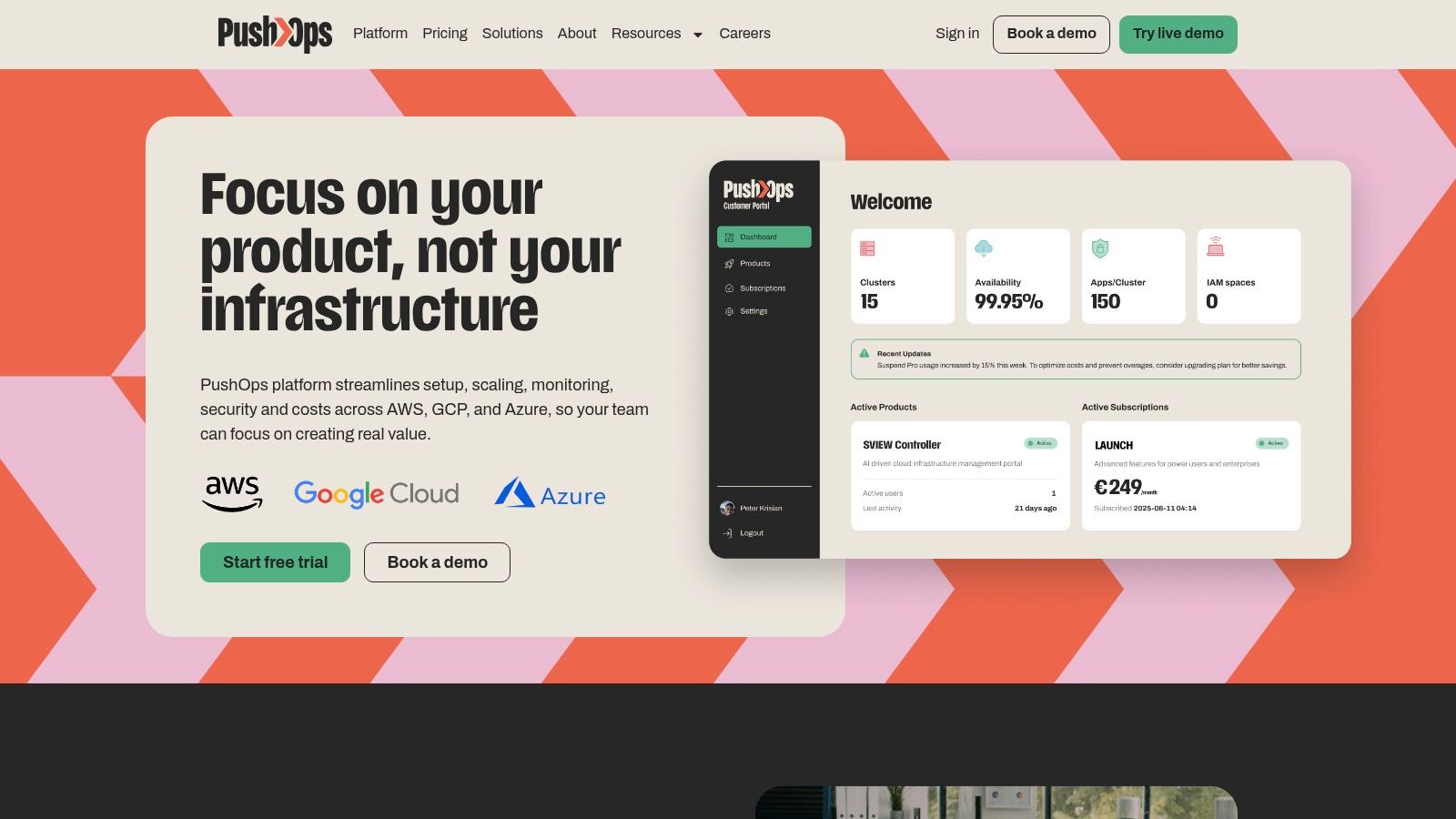
If your team is spending too much time stitching together CI/CD, cloud infrastructure, observability, and security controls, PushOps is worth a look. It gives engineering teams a production-ready platform across AWS, GCP, and Azure, so vulnerability scanning, delivery automation, and operational guardrails become part of the foundation instead of another in-house system to build and maintain.

