
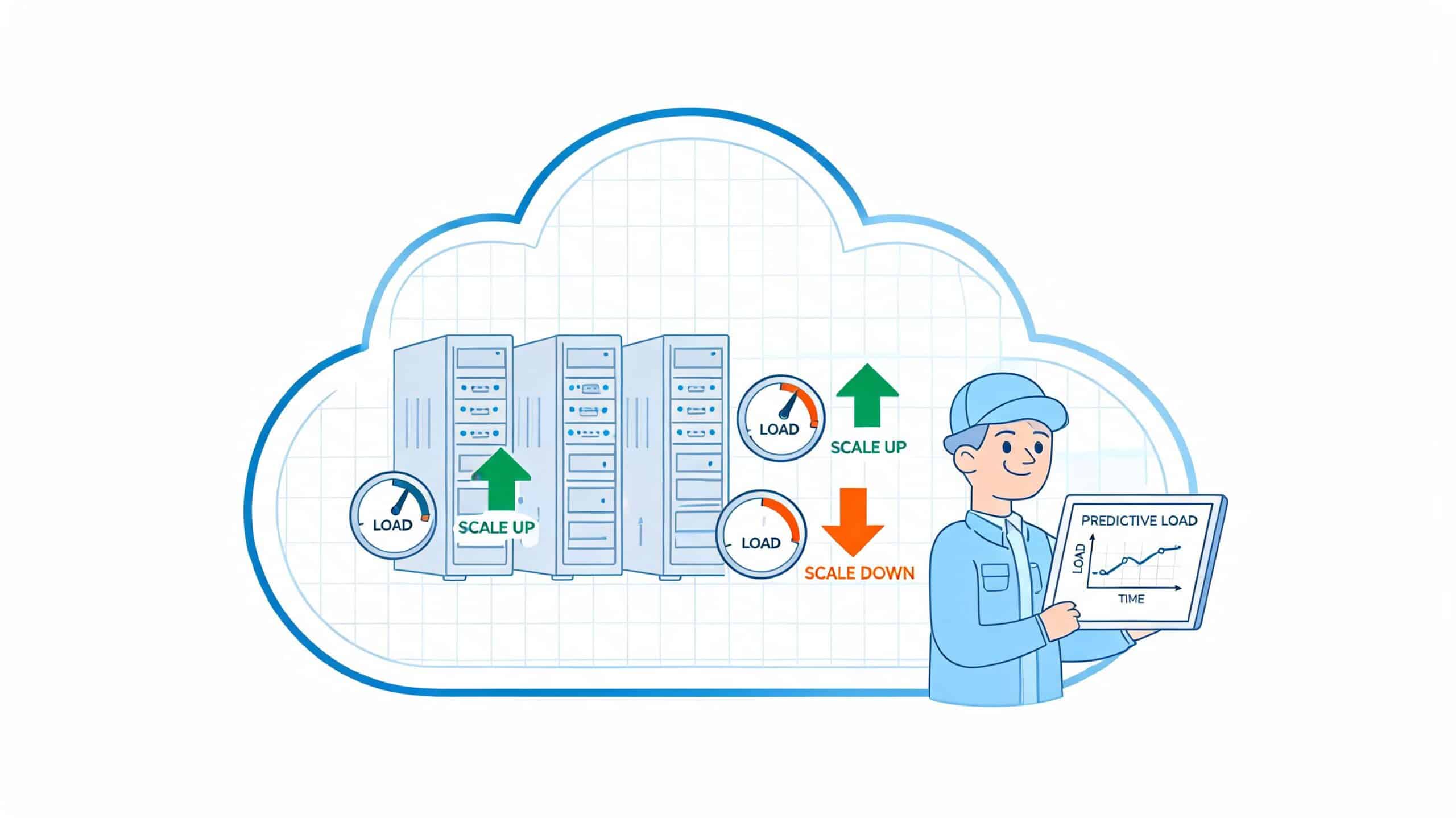

At some point, most engineering leaders hit the same wall. A release is ready, demand is climbing, and the team still ends up in a late-night incident because the platform guessed wrong. The app didn't fail because the code was bad. It failed because capacity planning was treated like a background task until traffic, queue depth, or database load forced everyone to care at once.
That's why capacity planning matters far beyond infrastructure. It decides whether engineers spend their week shipping features or tuning autoscaling rules, chasing noisy alerts, and explaining cloud bills. In startups and scale-ups, that trade-off shows up quickly because the same few people are usually carrying product delivery, operations, cost control, and reliability all at once.
The Real Cost of Guesswork in Capacity Planning
The familiar version of this story starts at 3am. A traffic spike lands. CPU climbs, pods queue, the database starts dragging, and the team discovers that the autoscaling rule they set months ago only works for one kind of load. Someone opens Grafana. Someone else checks Kubernetes events. A third person tries to work out whether the problem is compute, memory, connection limits, or a runaway job. By sunrise, the service is back, but the cost is bigger than one outage.
The hidden damage comes from all the wrong bets made before the incident. Teams often overprovision because underprovisioning feels riskier. Then they still get outages because spare capacity was allocated in the wrong place. That combination is expensive and demoralising.
A 2024 Synergy Research Group study found that Latin American firms wasted 32% of their cloud budgets on idle resources due to poor forecasting, and after adopting observability-integrated planning, they saw a 41% improvement in utilisation rates (capacity planning analysis). That's the cost of guesswork in one sentence. You can pay for unused capacity, and still not have enough of the right capacity when it matters.
Where the waste usually starts
Many teams don't make one catastrophic mistake. They accumulate small ones:
- Static thresholds: CPU-based scaling looks sensible until memory, queue depth, or connection saturation becomes the primary bottleneck.
- Fragmented tooling: AWS metrics live in one place, GCP dashboards in another, Azure alerts somewhere else, and nobody trusts a single source of truth.
- Manual scripts: A shell script that worked for one service gets copied across five more, then gradually becomes production infrastructure.
- Cloud cost review after the fact: Finance sees the bill long after engineering made the decisions.
Practical rule: If your team discovers capacity issues mainly through incidents or billing surprises, you don't have a planning process. You have a detection problem.
Cloud spend tends to drift when capacity decisions are reactive. That's why it helps to pair planning with ongoing cloud cost optimisation rather than treating cost as a separate monthly exercise. The same signals that protect uptime also tell you where you're paying for waste.
What good teams do differently
Strong teams don't try to predict every spike perfectly. They build a system that notices change early, scales with intent, and gives engineers enough context to act fast. Capacity planning is the discipline of making those choices before the incident channel lights up.
Defining Your Goals Before You Size Infrastructure
Most capacity plans fail before anyone opens Terraform, Kubernetes manifests, or a cloud console. The failure happens when infrastructure is sized without a clear operational goal. “We need to scale” is not a goal. “Checkout must stay responsive during the launch window” is a goal.

A useful capacity planning process starts with the business event that matters. For an e-commerce team, that might be a seasonal campaign. For a SaaS company, it might be a customer onboarding push or a product launch. For a fintech, it might be month-end settlement activity. The question isn't “how many nodes do we need?” It's “what must stay fast, available, and predictable when demand changes?”
Turn business promises into technical targets
The cleanest way to do this is to define service-level objectives that engineers can measure.
For example, an e-commerce scale-up might translate a launch target into:
- Availability: Checkout stays available during the promotion window
- Latency: Key customer paths remain responsive under load
- Throughput: Order processing and payment events keep moving without backlog
- Recovery: If scaling fails, the team knows how fast it must respond
Those aren't abstract reliability slogans. They shape concrete decisions about compute, database headroom, queue processing, caching, and deployment safety.
Pick the metrics that map to user pain
A lot of teams watch infrastructure metrics that don't line up with customer impact. CPU is useful, but CPU alone doesn't tell you whether users are waiting to log in, search, or pay.
The better approach is to combine system and product signals:
| Goal | Metric to watch | Why it matters |
|---|---|---|
| Protect customer experience | Request latency on key routes | Users feel slow systems before teams see node pressure |
| Preserve transaction flow | Queue depth or processing lag | Backlogs often expose hidden capacity shortages |
| Avoid database collapse | Connection saturation and query behaviour | Databases usually fail differently from app tiers |
| Keep releases safe | Error rate during deploy windows | New code changes demand shape and resource usage |
Capacity planning gets easier when every scaling discussion starts with a customer path, not an instance family.
Avoid the common planning trap
The trap is treating all workload as equal. It isn't. Search traffic, background jobs, analytics pipelines, image processing, and scheduled syncs all pull on infrastructure differently. If you flatten that into one “average load” number, you end up with a plan that looks tidy and fails under real conditions.
A practical planning session usually works better in this order:
- List the critical user journeys. Start with the paths that make or lose revenue.
- Identify the workload behind each path. Web requests, asynchronous jobs, database writes, third-party API calls.
- Define acceptable behaviour. What slowdown is tolerable, and what counts as failure.
- Map dependencies. One service may have spare headroom while a queue worker or datastore is already near its limit.
- Set alerting around the target, not just the server. Alert on degraded outcomes, not only raw resource usage.
The reason many DIY setups struggle here isn't lack of effort. It's instrumentation drag. Someone has to wire the dashboards, shape the alerts, maintain the exporters, and keep the definitions consistent across environments. That work rarely ships product, but it effectively becomes a permanent engineering tax.
Forecasting Demand Without a Crystal Ball
Forecasting demand sounds harder than it is. You don't need a perfect prediction model. You need a disciplined way to combine historical usage, known business events, and current system behaviour into a reasonable capacity decision.
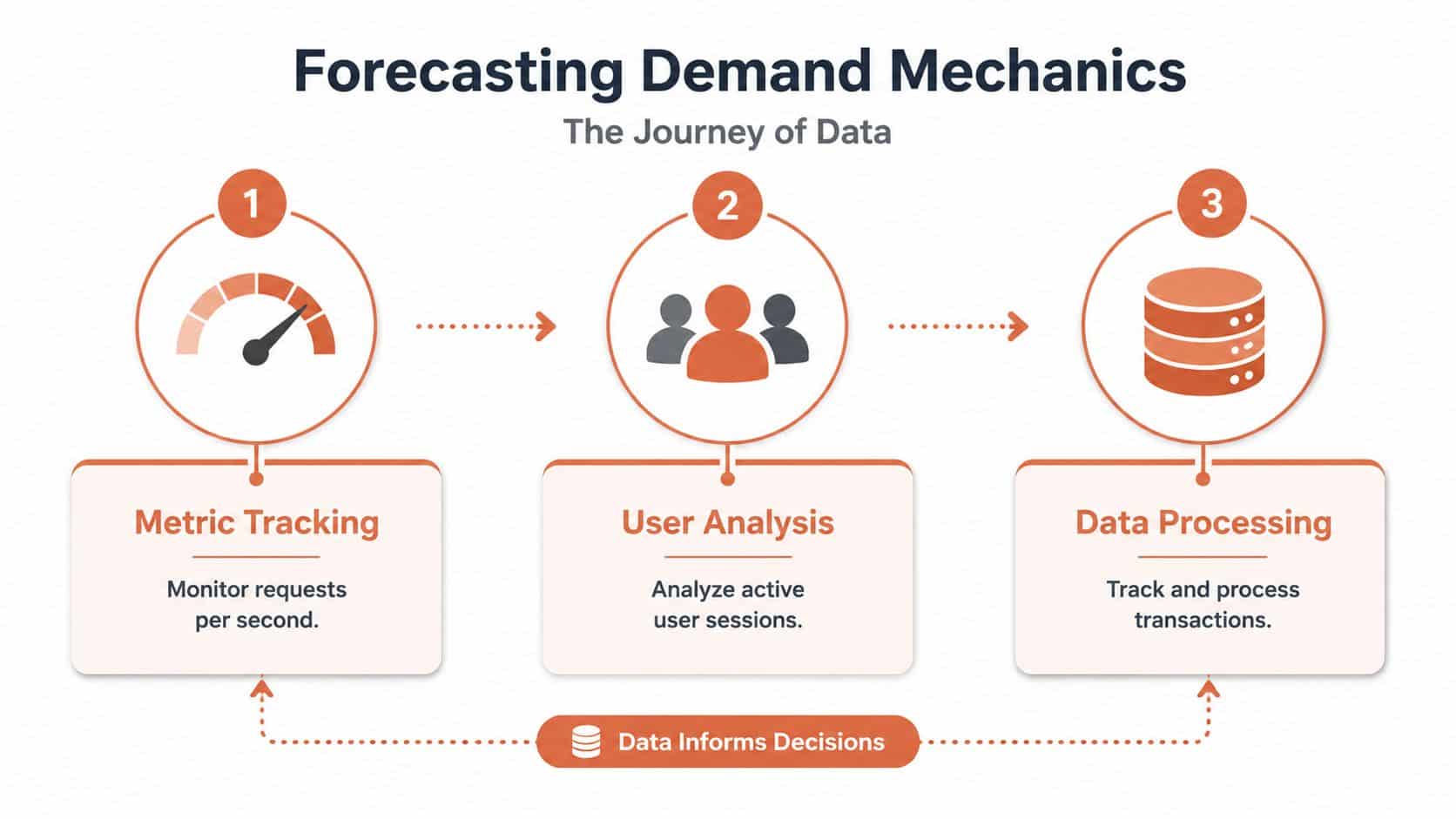
Teams usually get into trouble when they forecast from one narrow signal. They look at average CPU over the last month and assume next month will be similar. That ignores deployment changes, customer growth, scheduled imports, billing runs, marketing campaigns, and plain old seasonality. Infrastructure doesn't care whether the spike came from success or surprise. It still has to absorb it.
Start with workload shape, not just volume
In practice, I'd separate demand into a few categories before trying to size anything:
- Steady growth: Gradual increases in baseline traffic, jobs, or storage use
- Cyclical demand: Predictable weekly, monthly, or seasonal patterns
- Event-driven spikes: Product launches, campaigns, customer imports, regional expansions
- Change-induced shifts: New features, new queries, new dependencies, new deployment behaviour
That last category gets missed often. Capacity planning isn't only about customer demand. Your own architecture changes demand too.
The metrics that usually matter
A forecast becomes useful when it follows the path of actual system load. Most cloud-native teams should watch a blend of front-end and back-end signals such as:
- Requests per second on critical services
- Active sessions or concurrent users where session state matters
- Database transaction behaviour and connection pressure
- Queue depth for asynchronous work
- Deployment frequency when frequent releases alter resource patterns
- Resource saturation trends across CPU, memory, and storage throughput
If you're running across multiple providers, the hard part isn't collecting raw metrics. It's normalising them. AWS, GCP, and Azure expose similar concepts in different ways, and a DIY toolchain often turns that into a spreadsheet exercise nobody enjoys maintaining.
Why fragmented data breaks forecasting
Forecasting fails less because teams lack intelligence and more because their data is scattered. One dashboard covers Kubernetes. Another shows cloud billing. Another captures application traces. Someone exports CSV files and tries to reconcile the story manually.
That's exactly where newer planning workflows are shifting. According to a 2026 Gartner LT DevOps Report, 61% of CTOs cite 'AI forecasting gaps' as a top barrier, and pilot data from platforms like PushOps shows that match strategies enhanced by ML outperform traditional methods by 40% in pipeline throughput (AI forecasting gaps in DevOps planning).
If forecasting depends on one staff engineer who understands every dashboard, the process won't survive growth.
For smaller teams, it also helps to look at adjacent planning disciplines. This guide to server planning for small businesses is useful because it shows how infrastructure decisions quickly become business decisions when teams don't have deep platform coverage.
A practical forecasting loop
You can keep forecasting grounded with a simple operating rhythm:
- Review historical demand by service, route, worker type, and datastore.
- Overlay known events such as launches, campaigns, migrations, or customer imports.
- Model failure points rather than average behaviour. Ask where saturation appears first.
- Adjust scaling inputs based on live observability rather than static assumptions.
- Re-check cost impact before rollout, especially in multi-cloud environments.
For teams already juggling delivery pressure, manual modelling across providers becomes a poor use of senior engineering time. That's where tools that combine observability with cost insight help, especially when you need one place to estimate infrastructure choices. Even a simple Azure cost calculator explainer becomes more valuable when cost and capacity are planned together rather than in separate meetings.
The Hidden Costs of a DIY DevOps Stack
A lot of startups tell themselves the same story. We'll stand up Kubernetes, bolt on Prometheus, add Grafana, write a few autoscaling policies, and iterate from there. It sounds lean. It sounds engineering-led. It sounds cheaper than buying into a managed approach.
Then the actual work begins.
Capacity planning on a DIY stack isn't one task. It's a pile of connected chores that never really end. Someone has to maintain cluster versions, tune metric retention, keep exporters healthy, patch dependencies, secure access, review cloud spend, test failover assumptions, and explain why one autoscaler behaves differently in staging and production. None of that is glamorous, and all of it steals time from product delivery.
Where DIY gets expensive
The first cost is attention. The second is coordination.
When your stack spans Kubernetes, CI/CD pipelines, cloud-native monitoring, policy tooling, custom right-sizing scripts, and home-grown deployment logic, each improvement creates new dependency work. Add multi-cloud complexity and the burden rises again. A 2025 Baltic Tech Hub survey found that 72% of software firms in the region report multi-cloud capacity mismatches causing 25-40% overspend, with only 18% using integrated autoscaling platforms (multi-cloud capacity mismatches and overspend).
That gap is easy to recognise in the field. Teams don't overspend because they're careless. They overspend because every part of the planning loop lives in a different system, owned by a different person, with a different definition of “healthy”.
The work nobody budgets for
The hidden backlog usually includes things like:
- Tool integration work: Wiring metrics, logs, traces, and cloud billing into a coherent view
- Operational drift: Revalidating thresholds after every architecture or workload change
- Specialist dependency: Needing one or two people who thoroughly understand the stack internals
- Security maintenance: Keeping access controls, policy checks, and auditability current
- Runbook debt: Discovering incident steps are tribal knowledge instead of documented process
DIY platforms often start as a way to save money. They become a way to create permanent internal platform work.
DIY versus managed platform for capacity planning
The clearest way to evaluate this is task by task.
| Task | DIY Approach (Kubernetes + Open Source) | Managed Platform (PushOps) |
|---|---|---|
| Configure multi-cloud autoscaling | Combine cloud-native policies, Kubernetes autoscalers, and custom rules. Validate each environment separately. | Use a unified control plane with standardised scaling behaviour across AWS, GCP, and Azure. |
| Monitor utilisation | Stitch together Prometheus, Grafana, cloud dashboards, and billing exports. | View operational and cost signals in one place with less manual correlation. |
| Right-size instances | Export usage data, analyse trends manually, then adjust carefully to avoid regressions. | Apply built-in guidance and workflow support for safer rightsizing decisions. |
| Environment scheduling | Build scripts or cron-based logic, then maintain exceptions manually. | Use policy-driven scheduling with fewer one-off scripts. |
| Secure access and policy enforcement | Configure RBAC, secrets handling, audit paths, and compliance controls across tools. | Rely on platform-level security defaults and consolidated controls. |
| Support self-service for developers | Build internal abstractions, templates, and docs, then maintain them. | Give teams a ready-made workflow instead of asking platform engineers to build one. |
The ROI question leaders should ask
The right question isn't whether your team can build this. Most strong teams can. The better question is whether they should.
If your senior engineers are spending their time tending a bespoke control plane, debugging pipeline glue, and reconciling cloud cost anomalies, they aren't working on the product roadmap. That's the trade-off many companies ignore until they feel it in missed milestones, slower releases, or burnout among the people everyone depends on.
If this problem sounds familiar, it's worth looking at how developer platform automation changes the equation. The value isn't only technical convenience. It's reclaiming engineering time that would otherwise disappear into platform upkeep.
Implementing Smart Scaling and Cost Controls
Good capacity planning becomes real when scaling rules and cost controls are tied to actual workload behaviour, yet many teams often overcorrect. They either scale too aggressively and accept waste, or they optimise for cost so tightly that reliability becomes fragile.

The safer approach is to use multiple scaling patterns, each matched to a specific kind of demand.
Use more than one scaling trigger
CPU remains useful, but it shouldn't be the whole strategy. Different workloads need different triggers.
- Request-driven services: Scale on throughput, latency, or queueing behaviour when customer-facing performance matters most.
- Background workers: Scale from queue depth, processing lag, or job age instead of front-end resource use.
- Predictable peaks: Use schedule-based scaling for business hours, launches, or known batch windows.
- Event-heavy systems: Add event-driven policies when jobs arrive in bursts and resource pressure rises suddenly.
A 2023 Gartner report highlighted that enterprises adopting advanced capacity planning strategies, like predictive autoscaling, achieved 28% lower infrastructure costs and a 35% reduction in overprovisioning waste (advanced capacity planning and predictive autoscaling). That's why scaling policy design matters. Better triggers improve both resilience and spend.
Pair scaling with rightsizing
Autoscaling doesn't fix bad sizing. If the instance type is wrong, your system scales the wrong thing faster.
A practical review usually asks:
- Are services constrained by CPU, memory, storage, or network behaviour?
- Are worker pools sized for average load when their real job is handling bursts?
- Are development and preview environments running longer than needed?
- Are databases and managed services carrying hidden idle headroom?
These checks are easy to describe and tedious to do manually. Teams often leave them half-finished because rightsizing across environments feels risky when no one wants to trigger a regression.
The cheapest infrastructure is not the smallest footprint. It's the footprint that matches real demand without forcing engineers into daily babysitting.
Add cost controls that don't create operational fear
The strongest cost controls are the ones teams trust enough to keep enabled. In practice, that usually means:
- Environment scheduling: Shut down non-production environments when nobody needs them.
- Policy-based guardrails: Prevent resource drift before it becomes a finance issue.
- Safe use of spot or preemptible capacity: Reserve it for workloads that can tolerate interruption.
- Regular review of burst behaviour: Make sure one-off incidents don't become permanent overprovisioning.
A good parallel exists outside core infrastructure too. These autonomous support team scaling strategies are useful because they frame scaling as a systems problem, not a headcount reflex. The same principle applies in cloud operations. You want flexible capacity rules before you reach for more people.
Teams that do this well don't chase the absolute minimum bill every week. They build controls that keep spend predictable while preserving room to ship safely.
Your Capacity Plan as a Living Production Runbook
The best capacity plan is not a slide deck and not a spreadsheet parked in a shared drive. It's a living production runbook tied to observability, deployment behaviour, and clear response steps. When systems change, the runbook changes. When incidents reveal a blind spot, the runbook gets sharper.
That matters because real incidents rarely ask permission. They arrive as messy combinations of traffic growth, code change, queue backlog, third-party slowdown, and human uncertainty. A static plan won't help much in that moment. An operational runbook will.
What the runbook should contain
At minimum, a strong runbook should answer these questions:
- What signals indicate the system is approaching a limit
- Which services or dependencies usually saturate first
- What scaling actions are safe to apply immediately
- When to pause deploys, disable workloads, or shed non-critical traffic
- Who owns each decision during an incident
The 2025 State Enterprise 'Infostruktūra' Cloud Capacity Report found that teams using a structured methodology with real-time data hit 85% efficiency, and it identifies a technical benchmark of 70% CPU and 75% memory autoscaling thresholds for GCP/Azure to handle regional traffic spikes. As required, that source was cited earlier in the article, so the point here is simple: structured thresholds and live data beat improvisation.
Turn planning into repeatable response
A living runbook usually works best when organised around common scenarios rather than abstract policies.
| Scenario | Immediate question | Runbook action |
|---|---|---|
| Autoscaling reaches its limit | Is the bottleneck compute, memory, database, or queue depth? | Triage by bottleneck type, then apply the pre-approved scaling or load-shedding step |
| Traffic jumps unexpectedly | Is the spike legitimate demand or abusive traffic? | Verify source pattern, protect critical paths, then expand safe capacity |
| New release changes workload shape | Did latency or resource pressure shift after deploy? | Compare against baseline and roll back or rebalance as needed |
| Cost rises sharply | Is this temporary burst capacity or persistent waste? | Review utilisation, environment schedules, and sizing assumptions |
A runbook should reduce decision time. If it only documents theory, it won't help during an incident.
The operational payoff
Capacity planning stops being an infrastructure exercise and becomes a business lever. A team with a reliable runbook spends less time debating basic actions under pressure. Engineers recover faster, leaders get cleaner information, and product work resumes sooner.
The deeper win is focus. Startups and scale-ups don't need more heroic platform work. They need less accidental platform work. The point of a solid capacity planning practice is not to turn every product team into infrastructure specialists. It's to keep production stable enough that your best engineers can spend their time building what customers pay for.
If your team is tired of stitching together Kubernetes, CI/CD, observability, security controls, and cloud cost tooling just to achieve reliable capacity planning, PushOps is worth a look. It gives software teams a production-ready platform across AWS, GCP, and Azure, so they can standardise scaling, deployments, monitoring, and spend control without building an internal platform team first.

