
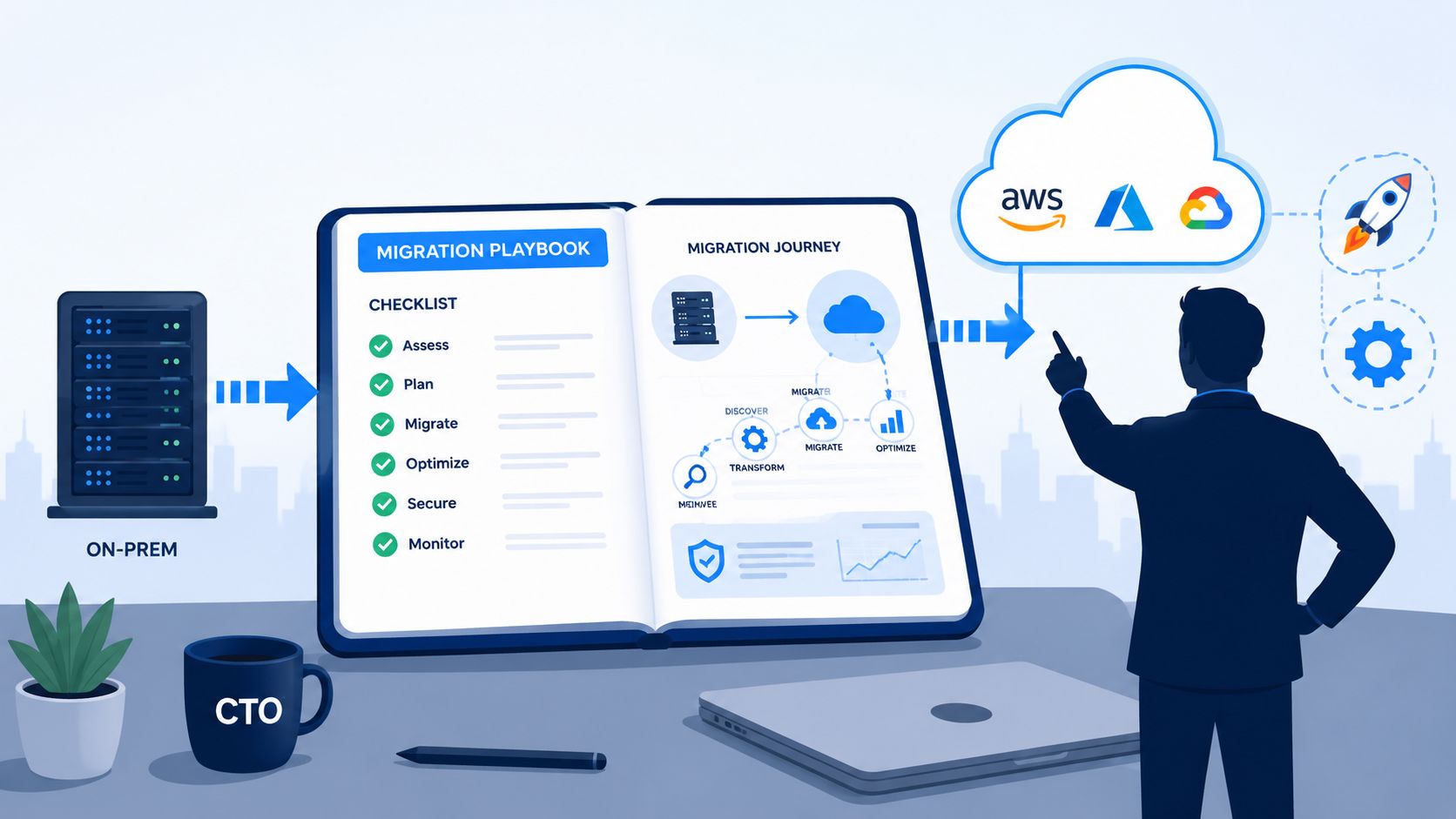
Your product roadmap looks healthy. Your engineering team does not.
Feature work keeps slipping because senior developers are maintaining Kubernetes clusters, fixing brittle CI jobs, reviewing IAM changes, and chasing cost anomalies across AWS, GCP, and Azure. The migration conversation often starts as an infrastructure decision, but for most startups and scale-ups, it's really an operating model decision. Who should spend time on platform work, and how much of that work should exist at all?
That tension is showing up everywhere. Cloud computing is already the default for enterprise IT, with 94% of enterprise organisations using cloud computing and 75% of technology leaders building all new products and features directly in the cloud according to Pump's cloud migration statistics roundup. The shift is broad, but broad adoption doesn't make execution simple. Teams still get trapped building internal platforms they never intended to own.
Stop Building Infrastructure Start Building Product
A familiar pattern plays out in growing engineering organisations. The team moves one service to the cloud, then another. Soon someone is maintaining Terraform modules, someone else is patching runners, and your most experienced backend engineer has become the unofficial Kubernetes support desk.
That work feels strategic at first. It rarely stays that way.
European and UK engineering teams often over-invest in internal DevOps stacks, and DuploCloud's analysis cites studies showing that 45% of a developer's week is lost to infrastructure management, tooling configuration, and other non-productive operational tasks. If you lead a product company, that number should bother you. Not because infrastructure work lacks value, but because it usually expands to fill every gap in process, tooling, and ownership.
The migration decision is really a focus decision
Cloud migration is often framed as “moving servers”. That's too narrow. For a CTO or VP Engineering, the harder question is whether the migration leaves your team with less operational drag or a newer version of the same burden.
A DIY stack usually grows in layers:
- Compute choices multiply when you add Kubernetes, managed databases, container registries, ingress, and release tooling.
- Security ownership spreads across IAM, secrets, patching, audit trails, and policy enforcement.
- Cost control becomes reactive because developers can provision quickly, but few teams build equally strong guardrails.
- Developer experience degrades when every environment, pipeline, and deployment path depends on bespoke scripts.
Practical rule: If your migration plan still assumes your product team will design, build, and maintain the platform underneath it, you haven't reduced complexity. You've relocated it.
This matters beyond software delivery. Many organisations modernising infrastructure also need a clean path for retiring legacy hardware, especially in regulated sectors. Teams handling bank infrastructure transitions often benefit from guidance on secure IT asset disposition for banks so old systems don't become a compliance blind spot after workloads move.
What good looks like
A strong cloud migration programme gives developers a production-ready environment and clear self-service workflows. It doesn't ask them to become part-time platform engineers just to ship features. Reliable setup, standardised deployments, built-in monitoring, sensible security defaults, and predictable cloud spend should be the baseline, not a side project.
That's the difference between “we're in the cloud” and “we operate well in the cloud”.
Migration Phase 1 Discovery and Assessment
The biggest mistakes in cloud migration happen before a single workload moves. Teams rush into target architecture diagrams, provider selection, or migration tooling without understanding what they run today.
That shortcut is expensive. Organisations that skip the Discovery phase face a 30 to 40% higher probability of project failure, and 29% of cloud migrations fail primarily because of poor planning and unidentified technical debt, according to the cited benchmark in this cloud migration failure statistics reference.
A disciplined discovery phase isn't paperwork. It's where you find the application dependency nobody documented, the licensing constraint hidden in a legacy component, and the environment drift that breaks your “simple” lift-and-shift plan.
Audit what exists, not what people assume exists
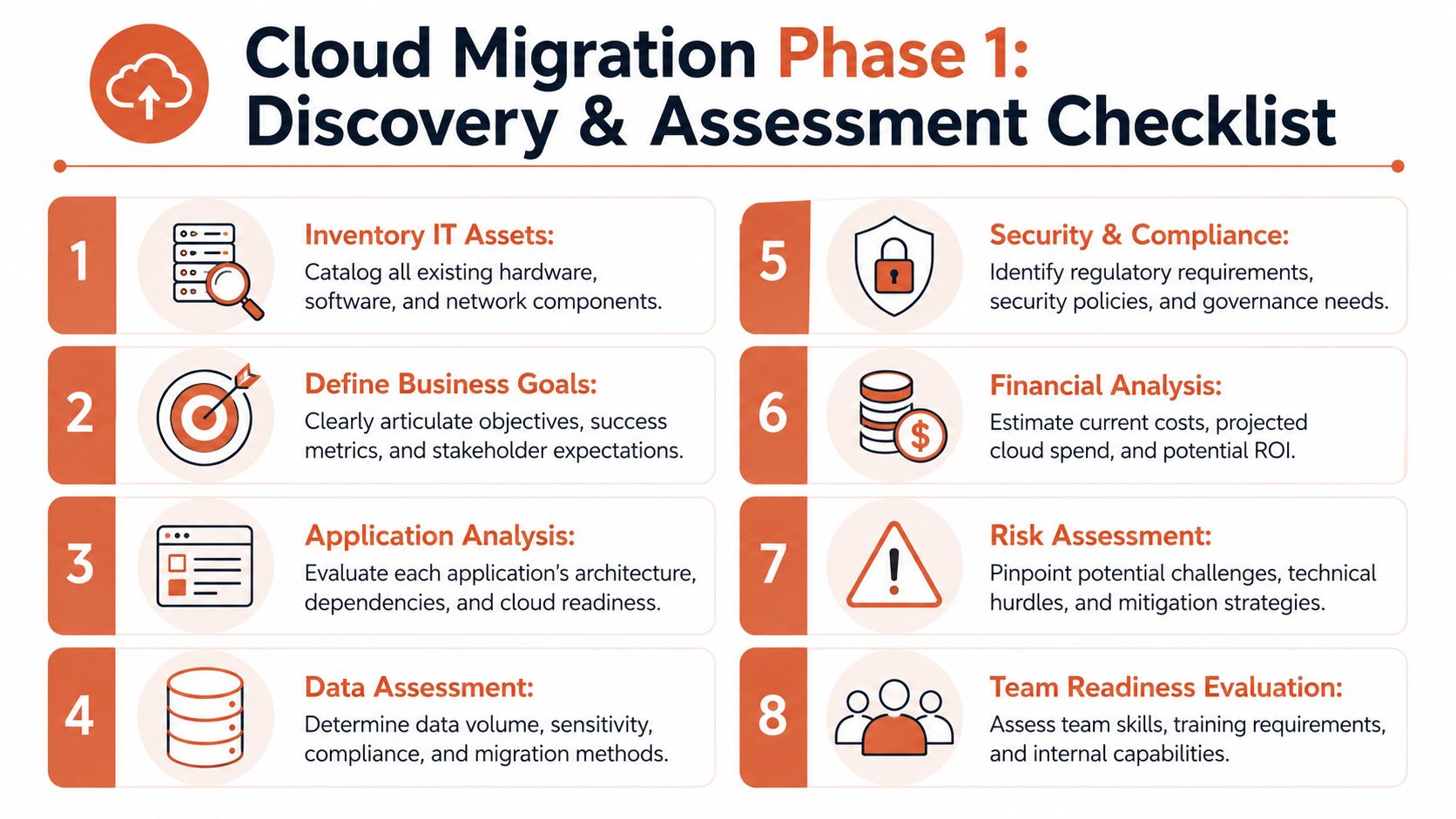
Start with an inventory, but don't stop there. A spreadsheet of servers and services won't help if it ignores traffic patterns, data sensitivity, integration points, and operational ownership.
Use discovery to answer questions like these:
- Which applications matter most: Identify revenue-critical, customer-facing, and internally critical systems. Migration order should follow business importance and operational risk, not whoever shouts loudest.
- What depends on what: Map databases, queues, file stores, third-party APIs, identity systems, and scheduled jobs. Legacy applications often look isolated until cutover week proves otherwise.
- Where the technical debt sits: Old runtime versions, hard-coded configuration, unsupported libraries, and manual deployment steps should be documented early.
- Which constraints are mandatory: Data residency, auditability, access control, and recovery requirements shape the target environment from day one.
Build the business case in engineering terms
Most cloud business cases fail because they're too abstract. “Modernise infrastructure” isn't a decision framework. Compare today's operational reality against a future state your team can maintain.
Include:
- Current cost structure across hosting, licences, support, backup, observability tooling, and the engineering time spent keeping it all alive.
- Migration complexity by workload, especially where refactoring, data movement, or compliance reviews will slow progress.
- Operational model after migration, including who owns the platform, deployments, security controls, and cost governance.
- Exit criteria for each migration wave so teams know what “done” means before production traffic shifts.
For teams weighing providers, services, and migration partners, this guide to compare cloud migration options is useful because it pushes the conversation beyond generic vendor claims and into execution trade-offs.
Cost modelling also belongs here, not after go-live. Pre-migration planning is where you decide what should scale, what should sleep, and what should be re-architected before it starts burning budget. A practical starting point is this PushOps explainer on cloud cost optimisation for startups, especially if your current estimates still rely on broad instance matching rather than workload behaviour.
Discovery should produce decisions, not documentation. If the output doesn't change sequencing, architecture, or ownership, the team hasn't gone deep enough.
Assess the team, not just the systems
A migration plan that assumes ideal cloud expertise is usually fiction. Look closely at who will own IAM design, networking, cluster operations, CI/CD, incident response, and post-migration tuning. If nobody clearly owns those areas today, they'll become schedule risk later.
The technical estate matters. The delivery capability matters just as much.
Migration Phase 2 Choosing Your Strategy
Not every workload deserves the same migration path. The mistake I see most often is strategic laziness disguised as pragmatism. Everything becomes rehost because rehost looks fast on a planning slide.
Sometimes it is the right call. Often it just postpones the actual work.
Studies show that 45% of organisations encounter significant delays because they migrate complex, interdependent legacy applications without first refactoring or replatforming. The same benchmark says a refactor strategy yields a 35% better long-term performance ROI, yet 60% of teams initially choose rehost because it feels faster in this summary of refactor versus rehost migration statistics.
Use the 6 Rs as a portfolio tool
The 6 Rs are useful when treated as business decisions, not certification vocabulary. One company can use all six at once.
| Strategy | Description | Best For | Risk/Hidden Cost |
|---|---|---|---|
| Rehost | Move the workload largely as-is to cloud infrastructure | Stable apps that need a fast move | Carries technical debt forward and often creates cloud bills that look better on paper than in production |
| Replatform | Make limited changes, such as containerising or swapping to managed services | Apps that need operational improvement without a full rewrite | Can stall if teams underestimate integration and runtime changes |
| Refactor | Redesign for cloud-native patterns | Strategic products with long roadmap life | Higher upfront effort and stronger platform expectations |
| Repurchase | Replace with a SaaS product | Commodity capabilities like support tools or back-office systems | Data migration and process change can disrupt teams more than expected |
| Retire | Decommission the application | Duplicated, obsolete, or low-value systems | Political resistance often keeps dead systems alive |
| Retain | Leave it where it is for now | Workloads with timing, compliance, or contractual blockers | Temporary decisions have a habit of becoming permanent |
Match strategy to business value
A useful filter is simple.
- If the app differentiates your business, invest more heavily in replatform or refactor.
- If the app supports the business, optimise for reliability and operational simplicity.
- If the app no longer matters, retire it instead of paying to move it.
- If the app can be replaced by SaaS, don't migrate old complexity into new infrastructure.
The cheapest migration is often the one you don't do. Retiring a system removes future hosting, patching, access reviews, backups, and deployment work in one decision.
Don't confuse speed with progress
Rehost gets chosen because it reduces early friction. That can be sensible for low-risk services, but it becomes costly when teams use it as the default for monoliths, stateful services, or applications with ugly dependency graphs. You reach the cloud quickly, then spend the next year tuning around architectural limits you already knew existed.
Replatforming is usually the middle path worth serious attention. It keeps the application recognisable while moving the operational foundation closer to managed services, standard containers, and repeatable deployments. For startups and scale-ups, that often provides the best balance between delivery speed and long-term maintainability.
If credits affect your provider timing, the Credit for Startups directory can help evaluate AWS-related funding programmes without letting credits dictate your entire architecture.
A practical decision lens
Ask four questions for every workload:
- Does this application still deserve investment?
- Will it still matter in two years?
- What operational burden does it create after migration?
- Can our current team support the target state without becoming a platform team?
Those questions usually produce a better strategy than any blanket “cloud first” directive.
Migration Phase 3 Provisioning the Cloud Foundation
Many migrations tend to slow down at this juncture. Teams have a target cloud, a rough workload plan, and momentum from discovery. Then they hit the foundation layer and realise they're not just moving applications. They're building a platform.
That means network boundaries, identity design, access policies, secrets handling, runtime standards, logging paths, cluster hardening, backup patterns, and compliance controls. Across one cloud, that's substantial. Across AWS, GCP, and Azure, it becomes a serious platform engineering effort.
The 2025 Cloud Skills Report by IDC says 35% of organisations cite lack of internal cloud expertise as the primary barrier to migration, and 62% of CTOs identify skills shortage as their top challenge, as referenced in this IDC cloud skills report search reference.
The hidden scope of “just set up the cloud”
Leaders often underestimate how much work sits underneath a production-ready environment.
A credible cloud foundation includes:
- Network design: VPCs or equivalent constructs, subnets, routing boundaries, ingress, egress controls, and private service connectivity.
- Identity and access: least-privilege roles, environment boundaries, audit trails, service identities, and emergency access rules.
- Runtime standards: cluster configuration, container policies, image provenance, scaling behaviour, and patch management.
- Governance controls: tagging, policy enforcement, approval workflows, and visibility into who changed what.
- Repeatability: infrastructure that can be recreated consistently across environments without hand-built exceptions.
None of this is glamorous. All of it matters.
Why DIY platform work drifts
Most startup and scale-up teams don't begin by saying, “let's build an internal developer platform”. They get there gradually. One engineer adds Terraform. Another standardises GitHub Actions. Someone introduces Helm charts. Security asks for tighter permissions. Finance asks for cost allocation. SRE wants standard monitoring. Six months later, the company is maintaining a fragile platform assembled from good intentions.
A cloud foundation fails slowly first. It shows up as manual approvals, inconsistent environments, unclear ownership, and engineers who can deploy only with platform help.
That's why the “we'll just hire more DevOps engineers” plan often disappoints. More people can reduce immediate pain, but they can also deepen the bespoke stack if the model stays unchanged.
Standardise the foundation or inherit the burden
The better approach is to reduce the amount of custom platform work your team owns. Standard landing zones, repeatable permissions, built-in observability hooks, and environment templates give developers something stable to build on. The point isn't to remove control. It's to stop rebuilding the same undifferentiated cloud machinery in every company.
If you're evaluating what a production-ready alternative to hand-built platform engineering looks like, this PushOps page on a DevOps cloud infrastructure platform gives a concrete view of the model. The key idea is straightforward. Provision the cloud foundation as a reliable product, then let engineers focus on application behaviour instead of infrastructure assembly.
That shift matters most when your team is small, your roadmap is crowded, and your strongest engineers are too valuable to be buried in cloud plumbing.
Migration Phase 4 Automating Pipelines and Deployments
Two teams can finish the same infrastructure setup and end up with completely different delivery outcomes.
The first team builds its own pipeline chain. Code lands in GitHub, a CI tool kicks off a build, container images are pushed to a registry, a deployment job updates manifests, and somebody eventually patches the release script that broke during the last dependency upgrade. The system works, but only when the few people who understand it are available.
The second team gives developers a clear path from commit to production. Build rules are standard. Environments are created the same way every time. Deployments use repeatable release strategies. Nobody spends Friday afternoon debugging pipeline YAML unless they've chosen platform engineering as their actual job.
The long route most teams accidentally take
A DIY pipeline stack usually grows from tool selection rather than workflow design. Jenkins, GitHub Actions, GitLab CI, Argo CD, Spinnaker, Helm, custom scripts, secrets plugins, approval gates, and notification glue can all be valid choices. Together, they also create many places where releases stall.
The problems are rarely dramatic at first:
- One environment behaves differently because it was patched manually.
- Rollback isn't predictable because release artefacts aren't versioned cleanly.
- Pipeline ownership is unclear when application teams and platform engineers both edit the same workflow.
- Security checks drift because they were bolted on after the delivery flow already existed.
The better model is boring by design
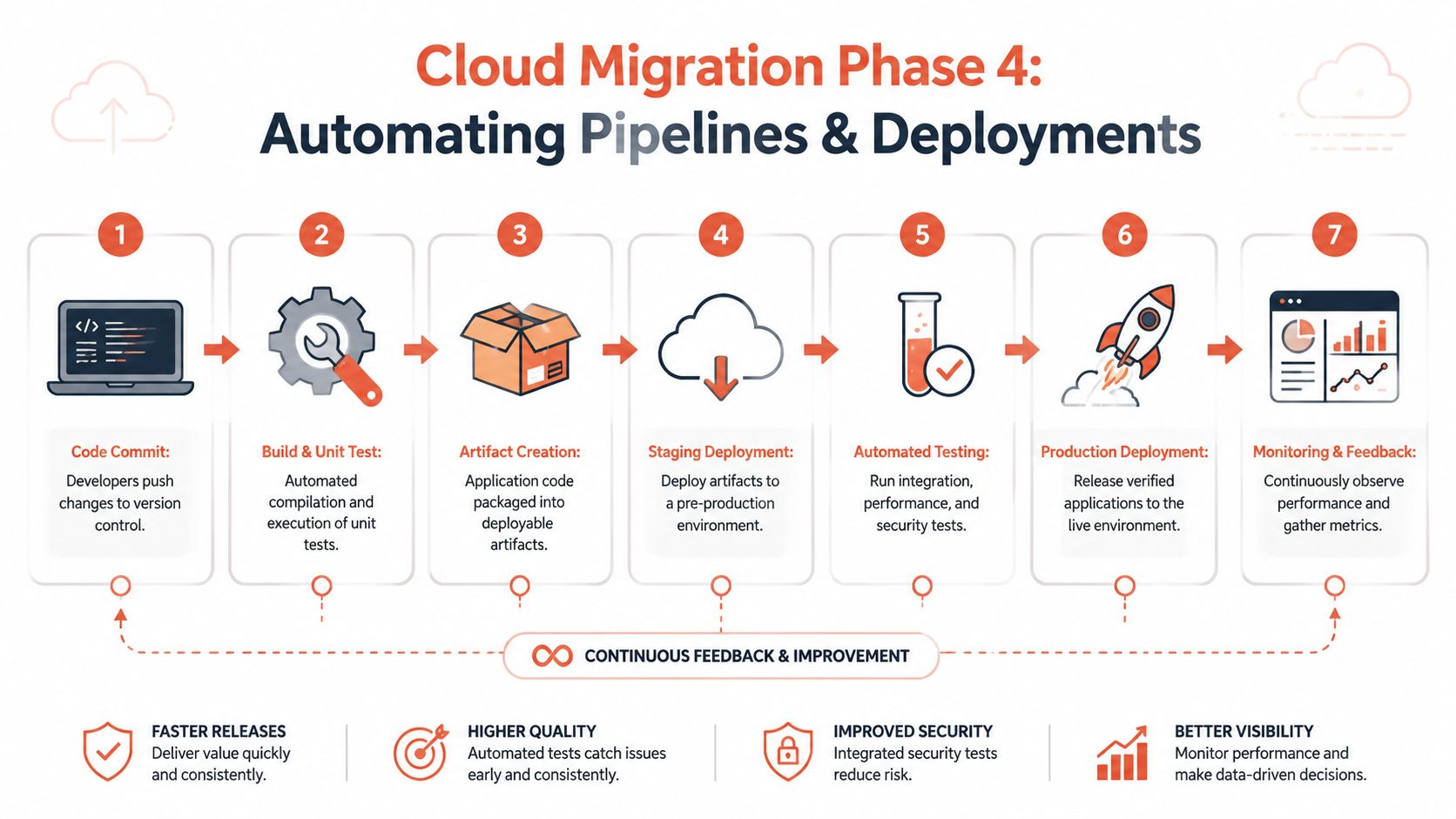
A good deployment system should feel routine. Developers push code. Builds run automatically. Tests execute in the right order. Artefacts are promoted through staging into production using standard release patterns such as blue-green or canary. Teams monitor results and roll back quickly when needed.
That's hard to achieve when every service has a hand-crafted path to production.
“If only one engineer understands the deployment pipeline, you don't have automation. You have a dependency.”
Self-service matters here. Developers shouldn't need an operations specialist to create a review environment, inspect deployment status, or release a fix. The delivery path should be safe enough to use often and simple enough that teams trust it.
For a concrete example of this model, the PushOps explainer on zero-maintenance CI/CD pipelines is worth reviewing. The useful principle isn't the tooling alone. It's removing pipeline maintenance from the day-to-day workload of product engineers.
What to standardise first
If your deployment process is still inconsistent, focus on these areas before adding more tooling:
- Build once, promote forward so the artefact tested is the artefact released.
- Use the same deployment mechanics across services unless there's a clear technical reason not to.
- Create environments from templates, not from tribal knowledge.
- Make rollback routine, rehearsed, and visible.
- Expose release status clearly so engineering leads can see whether delivery is improving or merely busier.
Delivery velocity doesn't come from more scripts. It comes from fewer exceptions.
Migration Phase 5 Integrating Security and Observability
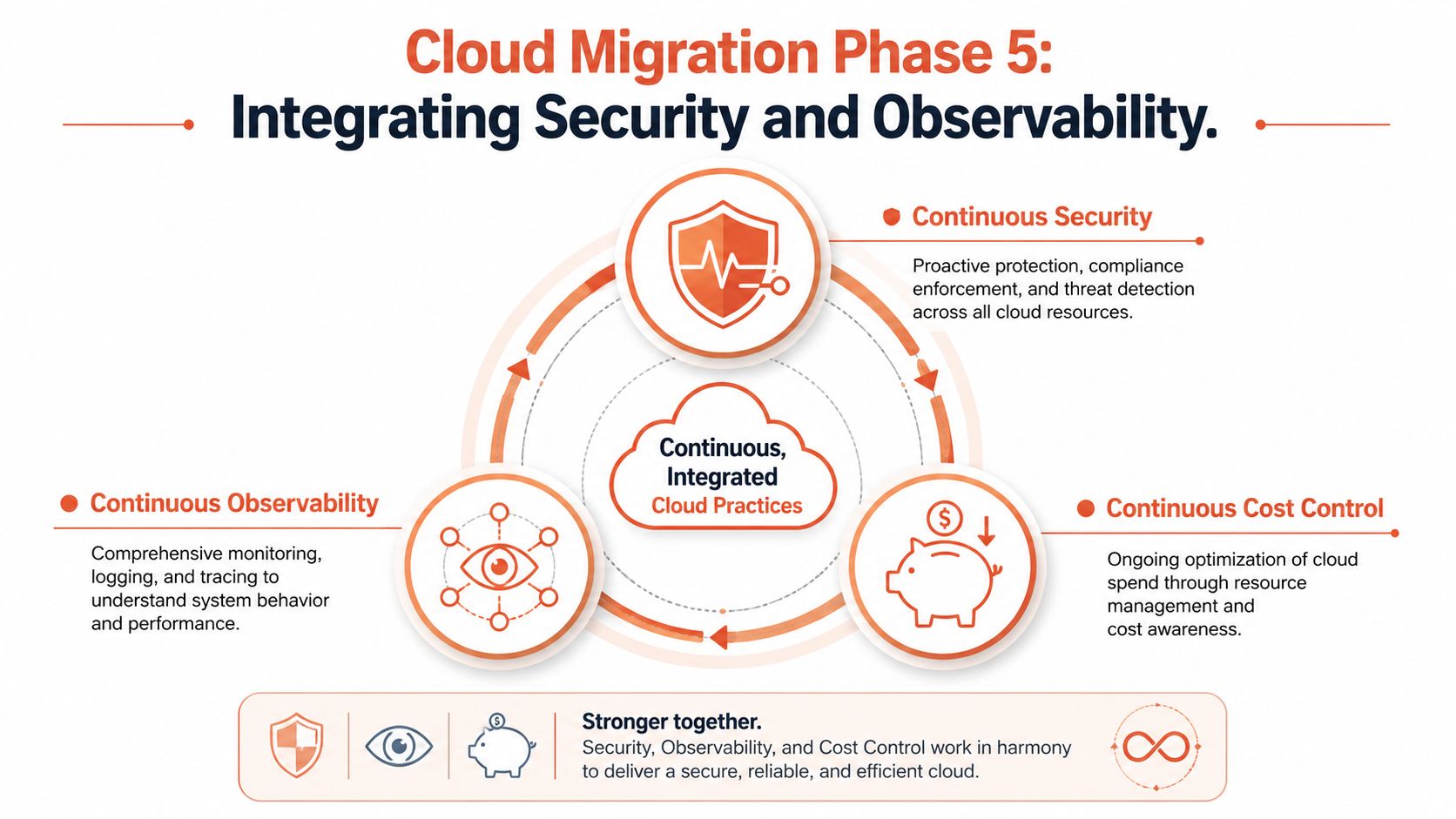
Security, observability, and cost control are often treated like separate workstreams. In practice, they're one operational system. If one is weak, the others get noisier and more expensive.
A cloud environment with poor observability creates slower incident response. Weak security practices create emergency remediation work. Poor cost controls push teams into reactive resizing and rushed governance decisions. The problem isn't only tool count. It's the effort required to make the tools agree with each other.
The 2025 Cloud Economic Trends Report says 48% of companies face unexpected cost spikes within 6 months of migration because of poor legacy workload analysis, according to this JRC cloud economic trends report search reference. That's a reminder that operational quality starts before cutover and continues every day afterwards.
Security has to be part of the platform
Teams still make the mistake of treating security as a review gate at the end. In the cloud, that fails quickly. Permissions, secrets handling, policy checks, patching, and auditability need to be built into the operating model.
Look for these signals:
- Access is role-based and reviewable, not shared through convenience accounts.
- Secrets are managed centrally, with clear rotation and usage controls.
- Policies are enforced consistently, not copied into repos as optional templates.
- Audit trails exist by default, so change history is visible during incidents and reviews.
Observability should answer questions, not generate noise
DIY observability stacks often sprawl. Logs in one system, metrics in another, tracing somewhere else, alerts routed through a fourth, and dashboards maintained by whichever engineer was on-call during the last incident. The issue isn't whether ELK, Prometheus, Grafana, or Jaeger are powerful. They are. The issue is the integration burden and the operational care they require.
A good observability model tells a developer what changed, what failed, what degraded, and where to look next. If engineers need to correlate five tools manually for every incident, your observability practice is still immature.
Operational insight: The best monitoring setup is the one developers actually use during a release, an incident, and a routine performance check. Fancy dashboards that nobody opens don't reduce risk.
Cost control works best before waste appears
Reactive FinOps isn't enough. By the time a monthly bill surprises you, the architecture and usage habits behind it are already established. Better control comes from design choices and automation. Right-sizing, environment scheduling, sensible autoscaling, and visibility into per-service consumption do more than cost meetings ever will.
The key is integration. Security, observability, and cost shouldn't be separate stacks maintained by separate rescue efforts. They should be part of the same platform behaviour, visible to engineering and reliable enough that teams don't need a manual audit every time a service changes.
Migration Phase 6 Cutover and Post-Migration Operations
Cutover gets the most attention because it feels decisive. There's a date, a runbook, a war room, and a sense that the main work is about to end. It isn't.
A good cutover is controlled, rehearsed, and deliberately uneventful. The team synchronises data, confirms application health, validates performance, updates traffic routing, and watches for rollback conditions. The migration succeeds because the team planned the details that never show up on architecture slides.
A clean cutover needs discipline
Before production traffic shifts, confirm the basics:
- Data synchronisation is complete: final sync steps should be explicit, timed, and owned.
- Rollback conditions are defined: the team should know exactly what triggers reversal and who makes that decision.
- Operational checks are ready: application health, dependencies, background jobs, and alerting paths must be tested in the target environment.
- Stakeholder communication is clear: support, product, engineering, and leadership need the same view of the window and the risks.
One overlooked detail causes outsized pain. Teams often forget to stop change in the legacy source system at the right moment. Without a proper data freeze during final synchronisation, migrations invite integrity issues that are hard to clean up later.
Day 2 is where the operating model is exposed
Post-migration operations reveal whether the programme effectively reduced friction.
If the team still spends its week tuning clusters, repairing pipeline logic, chasing missing logs, reviewing access anomalies, and explaining cost swings, the company has moved location, not realized genuine gains. That's the central test. Cloud migration should give engineering more room to build product, not merely replace one set of operational chores with another.
What better post-migration looks like
The strongest teams move into a steady state with clear standards:
- Developers can deploy safely without platform hand-holding.
- Security controls are visible and enforced without ad hoc review loops.
- Operational telemetry is built-in, so incidents are easier to diagnose.
- Cloud spend is governed continuously, not only after finance raises a flag.
- The platform layer fades into the background, which is exactly where it belongs.
That's why the migration conversation should never end at “we're on AWS”, “we're on Azure”, or “we're multi-cloud now”. The ultimate outcome is whether your engineers can ship features faster, with less operational drag, across a platform they trust.
Cloud migration is successful when it changes who spends time on what. Product engineers should spend their energy on customer-facing software. The platform underneath them should already be secure, scalable, observable, and cost-aware.
If your team is spending too much time on infrastructure and not enough on product, PushOps is worth a look. It gives software teams a production-ready foundation across AWS, GCP, and Azure, then automates deployments, environments, observability, security, and cloud cost controls so engineers can get back to shipping.

