
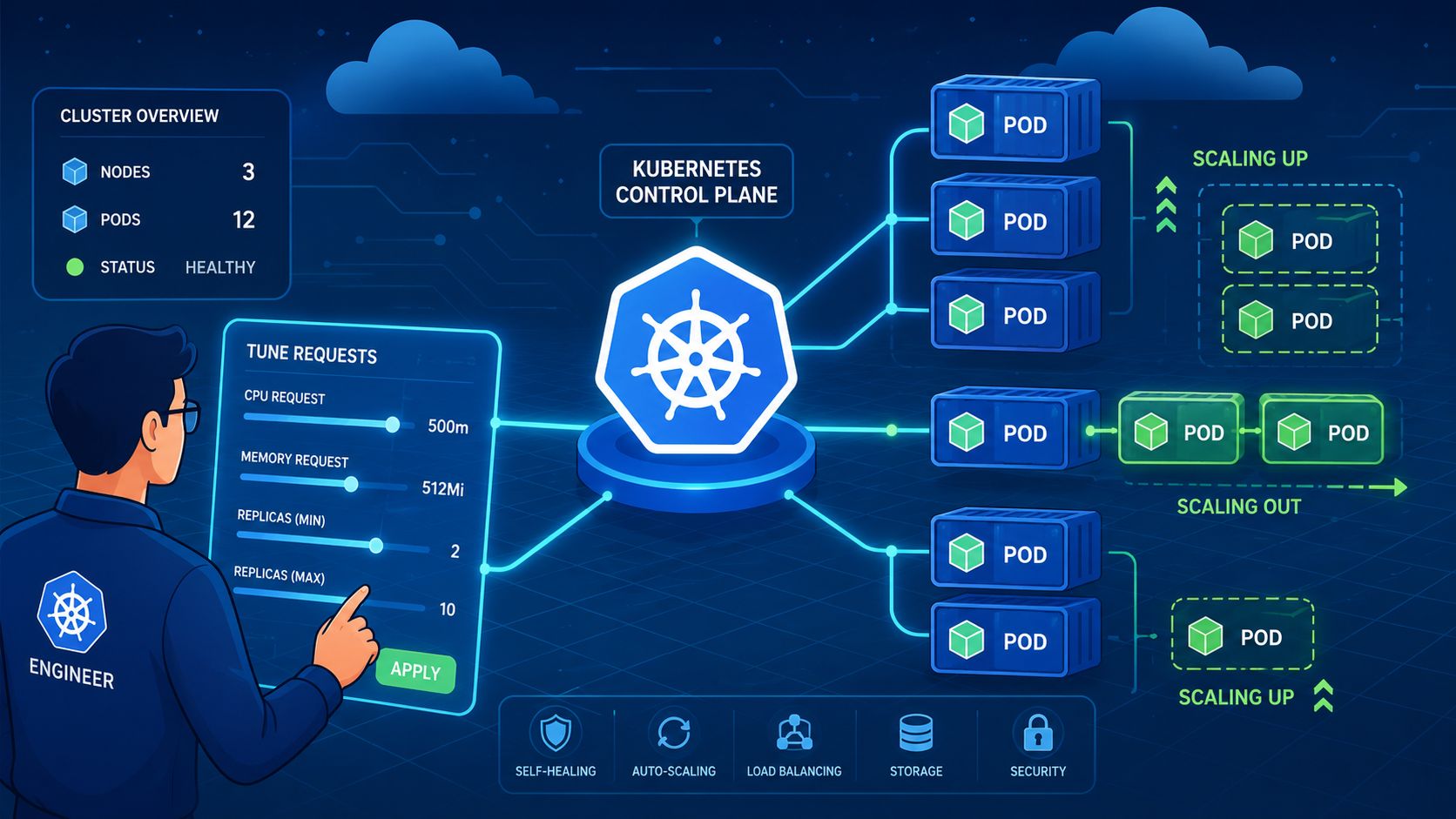
Your app's traffic curve looked harmless in staging. Then a production load surge hit at the worst possible time, replicas lagged behind, nodes ran hot, and somebody had to patch manifests by hand while Slack filled with guesses. That's the part you remember, not because it was clever, but because it exposed the full cost of Kubernetes scale deployment, the hidden on-call surface area nobody budgets for until it breaks.
Scaling is usually sold as a Kubernetes problem. In practice, it's a time problem, a capacity problem, and a coordination problem before it's a YAML problem. The teams that sleep through the night have already answered four questions, how many Pods should exist, what signal should change that number, where extra capacity comes from, and how rollouts stay safe while traffic shifts.
The 3am Wake-Up Call That Made Us Rethink Scaling
The worst incidents rarely start with a dramatic outage banner. They start with a queue that grows too fast, a deployment that looked fine at 2pm, and a pager alert that says Pods are pending while customers are already feeling it. By the time someone notices the CPU graph, the team has moved from product work to emergency cluster babysitting.
That's why scaling can't be treated like a single toggle. It's a chain of coupled decisions, and each one has a failure mode. If you get replica counts right but miss node capacity, Pods sit Pending. If you get capacity right but choose the wrong metric, the autoscaler chases noise. If you get both right but let rollouts collide with traffic spikes, you still end up awake at 3am.
The four questions every scaling plan answers
The first question is how many Pods you want running. The second is what signal should push that number up or down. The third is where the extra compute comes from when Pods need a home. The fourth is how you change live traffic safely while all of that is happening.
Those decisions are tightly linked, which is why most DIY platform efforts get heavy quickly. A team starts with a few manifests, then adds autoscaling, then adds observability, then adds policy and cost controls, and suddenly the “simple” internal platform owns the same burden as a managed one, just without the polish.
The part teams underestimate is not the command, it's the operational surface area that comes with it.
For CTOs and senior engineers, that matters because the trade-off isn't Kubernetes versus no Kubernetes. It's whether you want to keep spending senior time on replica mechanics, or whether you'd rather give your team a platform that absorbs that burden so they can ship product.
How Deployments Actually Decide How Many Pods to Run
A Deployment is not a Pod factory. It's a controller that reconciles a declared desired state into running Pods, and the number you care about lives in spec.replicas. When kubectl scale changes that field, the controller does the rest, which is why the Kubernetes docs show the same mechanism being used to scale a Deployment up, down, and even to 0 replicas without deleting the object itself. The official scaling tutorial gives the canonical operational examples, including kubectl scale deployment/nginx-deployment --replicas=4, then --replicas=2, then --replicas=0 Kubernetes scaling tutorial.
Imperative commands belong in incident response, not steady state
kubectl scale is useful when you need a fast, tactical change. It's the right tool during incident response, a traffic test, or a one-off maintenance window. It's the wrong tool as a daily habit, because imperative changes drift away from the manifest and leave the next engineer guessing what the desired state is.
The safer workflow is declarative. Edit the manifest, change .spec.replicas, run kubectl diff, then kubectl apply. The upstream deployment scaling guidance also shows a guarded patch approach, where a JSON test followed by replace prevents a race if the live replica count isn't what automation expected Kubernetes deployment scaling tasks.
Here's the practical split:
- For emergencies: use
kubectl scaleto move quickly. - For normal operations: keep the replica count in the manifest and apply it.
- For automation: use a guarded patch so you don't scale against stale assumptions.
- For repeated workflows: treat replicas as declared state, not a console shortcut.
Practical rule: if the change matters enough to wake someone up later, it belongs in source control, not in a shell history entry.
That model also explains why scaling to 0 works cleanly. You're not deleting the app, you're changing desired state. When traffic comes back, you don't rebuild the object, you just restore the replica count and let the controller reconcile again. That same controller pattern is what makes suspension and resumption a one-line operation rather than a manual redeploy.
Autoscaling That Responds to Real Workload
A burst of traffic does not wait for a manual approval chain. Once the cost of slow response starts showing up in user complaints, the scaling loop has to act on real workload signals, not on someone watching a dashboard. Kubernetes' Horizontal Pod Autoscaler fits that job, and operational guidance often uses kubectl autoscale deployment <deployment> --cpu-percent=<percent> --min=<min> --max=<max> to keep replica counts inside defined bounds instead of letting them drift wherever the cluster happens to land Warp guide on kubectl scale deployment.
Start with the prerequisites, or HPA will lie to you
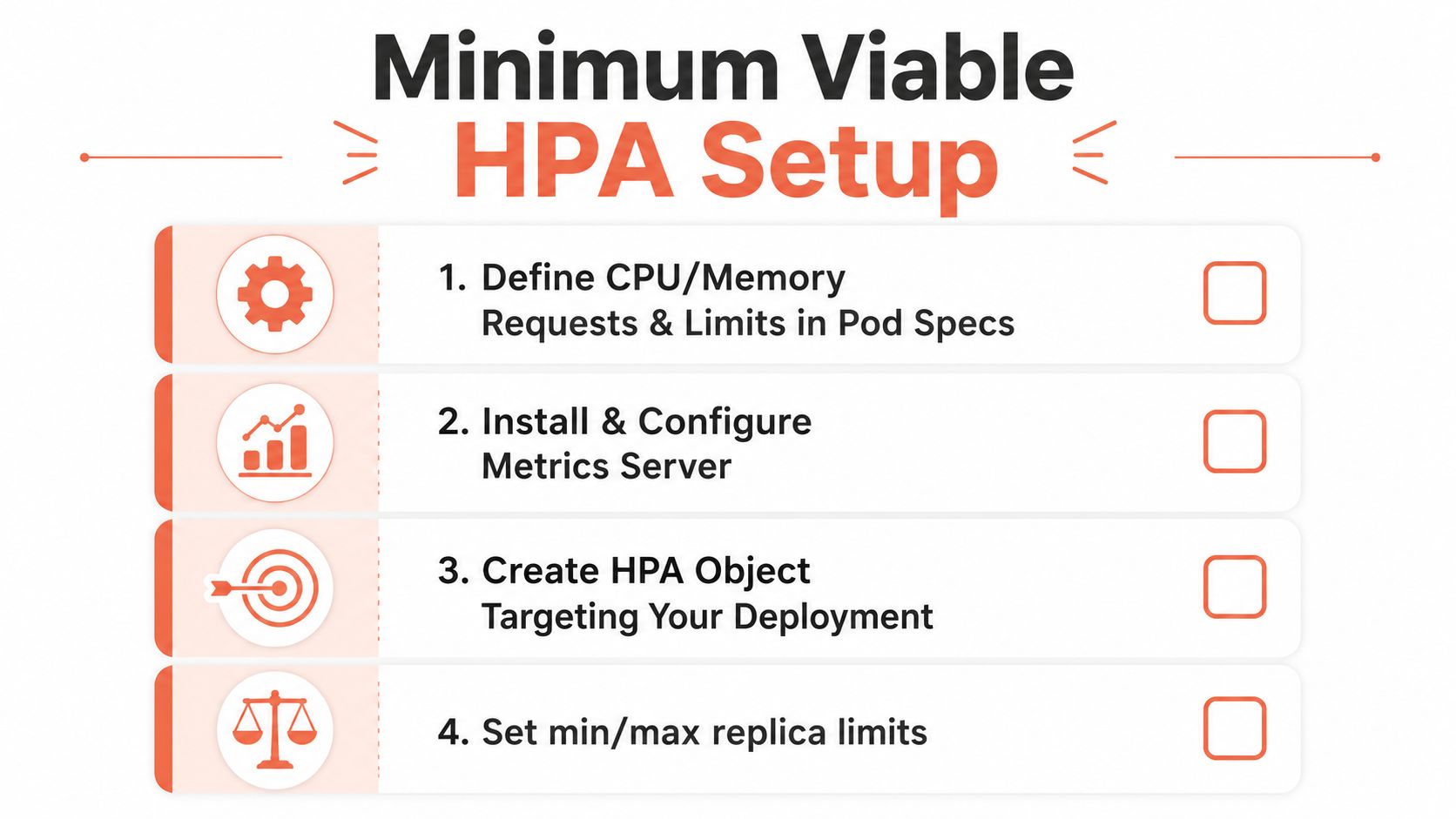
The setup is plain, but teams still skip pieces and then blame HPA. Define CPU and memory requests and limits, install Metrics Server, create the HPA with sensible min and max bounds, then verify it with kubectl get hpa. The usual failure mode is not exotic. Missing metrics, poor requests, or skipping staging validation makes scaling look fine in a manifest and fail under pressure in production step-by-step Kubernetes scaling guide.
CPU-only HPA is often the wrong starting point. It is easy to configure, but it is also blunt. A queue-backed service, a latency-sensitive API, or a workload driven by short bursts of requests will usually behave better when the autoscaler reads custom or external metrics that reflect actual work.
Metric choice should follow workload behaviour, not whatever signal is simplest to scrape. That gap gets ignored in a lot of tutorials. Queue depth, inflight request count, and response latency trends often tell you more about pressure than CPU alone, especially when requests are spiky or short-lived. Scaling signals that go beyond CPU are usually a better fit when the service bottleneck is not raw compute Plural on scaling signals beyond CPU.
A managed platform can shrink a lot of the hidden work here. It can wire metrics, defaults, rollout checks, and autoscaling policy together without asking every team to rebuild the same plumbing. That matters because the problem is not just Kubernetes configuration, it is the time and headcount needed to keep every part of the control loop honest. For a concrete example of how a managed deployment flow wraps that surface area, see Flowise deployment on PushOps.
Horizontal and vertical scaling solve different problems
Horizontal scaling adds Pods. Vertical scaling changes the size of each Pod. You do not pick one forever and declare the problem solved. The right answer depends on the workload, the cluster shape, and how much spare capacity you can afford to hold.
Azure's guidance on vertical pod autoscaling and high availability makes the same point in practice, workload behaviour matters more than ideology. Mature teams usually treat VPA as a complement, not a replacement, and test both directions before deciding what should be automated.
Load test the staged setup before production and watch replica counts, pod health, and response behaviour under pressure. If the HPA moves but readiness falls behind, scaling is only making churn faster. Build the feedback loop first, then trust it.
Cluster Autoscaler, Karpenter and Zone-Aware Capacity
HPA only changes the demand signal. It doesn't make room for the extra Pods. That's why node provisioning is a separate decision, with separate failure modes, and why a deployment can look healthy right up until everything lands in Pending because no node has the right shape or spare capacity.
Cluster-level scaling is a different layer of the problem
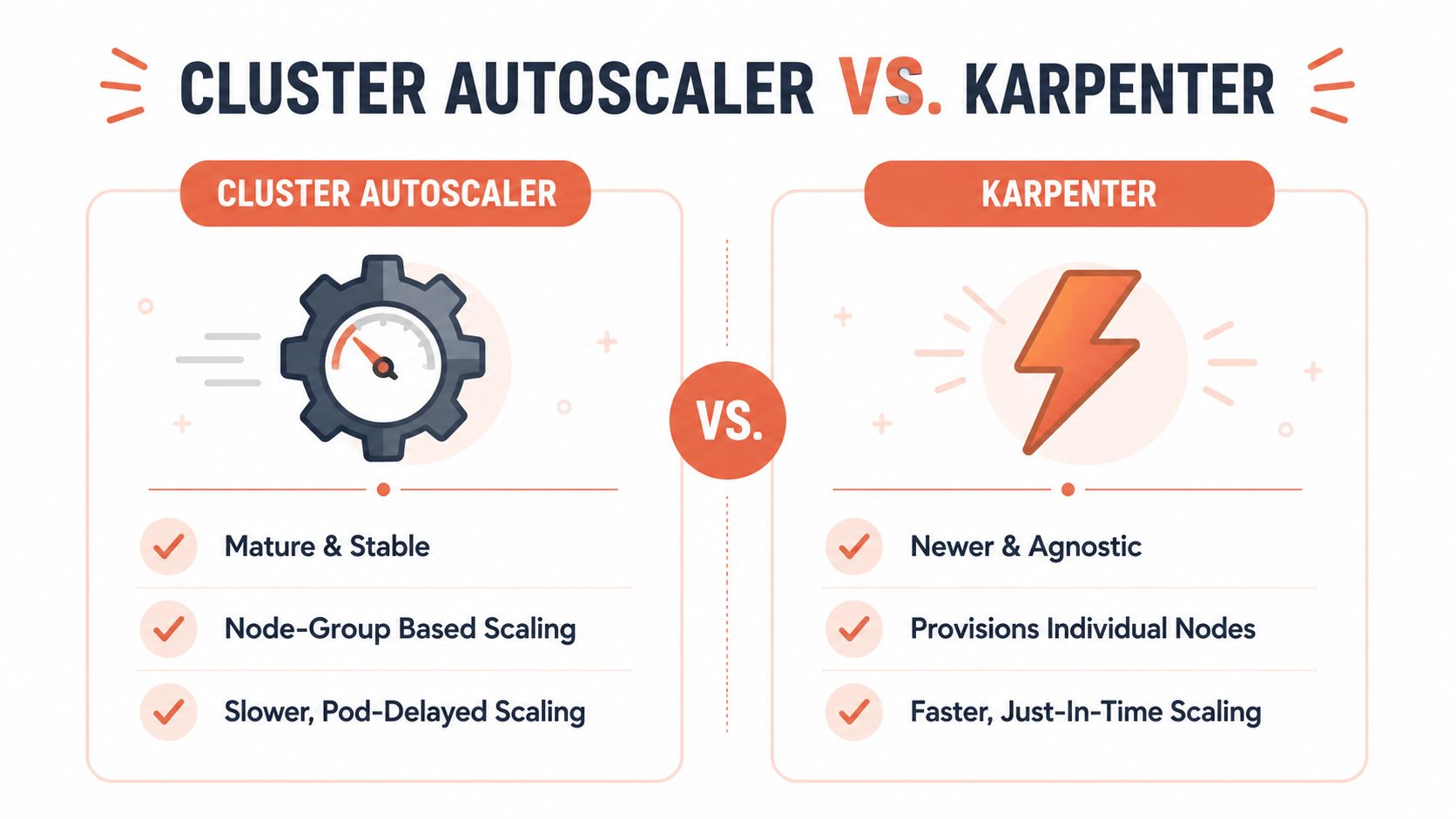
The broad trade-off is simple. Cluster Autoscaler is the more mature, node-group based option, and it tends to scale in slower, more predictable steps. Karpenter is more agnostic and can provision individual nodes more dynamically, which makes it attractive when you want just-in-time capacity and better bin-packing behaviour. The point isn't to declare a winner, it's to match the provisioning model to the traffic pattern and the operational tolerance of the team.
The common mistake is assuming HPA is broken when the actual issue is node supply. HPA can ask for more Pods all day long. If the cluster can't place them, you're still down on useful capacity. That's why cluster-level scaling has to be monitored alongside workload-level scaling, not after it.
Google Cloud's Spanner Omni documentation gives a useful region-aware example of why capacity design can't stop at cluster totals. It shows per-zone scaling concepts through Helm values such as deployment.replicasPerZone and locations.zones.replicas, which is a reminder that availability and capacity are often planned zone by zone, not just as one big pool Spanner Omni docs.
Cluster autoscaling is the layer most teams underestimate, because the failure shows up as “the app is slow” when the real issue is “the cluster has nowhere to put the Pods.”
For teams in the LT region building across distributed cloud environments, that distinction matters. A managed platform usually handles the node-group logic, zone-aware placement, and capacity policy without asking engineers to maintain a hand-tuned matrix for every environment.
How Flowise AI deployment patterns fit into platformised delivery
Tuning Requests, Limits, Probes and Rollouts
Requests, limits, probes, and rollout strategy are one tuning surface. Teams often configure them as if they're separate concerns, then wonder why scaling behaves strangely during deploys. The scheduler, the HPA, and the rollout controller are all reading the same workload shape, so a bad choice in one place bleeds into the others.
The knobs that quietly decide whether scaling works
Requests tell the scheduler what a Pod needs to get placed. If they're too aggressive, you starve scheduling and block scale-out even when the cluster still has physical headroom. Limits cap what a container can consume, and when they're set too close to requests, you remove the safety margin that helps a Pod survive a spike before the next scaling event catches up.
Readiness probes decide when traffic should flow. Liveness probes decide when a broken container gets restarted. During a rollout, those two checks become part of the scaling story, because a Pod that is “running” but not ready is not useful capacity. If the probe windows are too short, you churn healthy Pods. If they're too loose, you serve traffic to containers that aren't ready.
Rollout strategy changes the game too. RollingUpdate with maxSurge and maxUnavailable is the default because it can add and remove capacity gradually. Blue-green shifts traffic in a cleaner cutover, which is safer when you want a crisp switchover. Canary reduces blast radius but demands tighter observability, because the system is now learning from a smaller slice of traffic.
| Lever | What it controls | Risk if misconfigured |
|---|---|---|
| Requests | Scheduling and baseline Pod placement | Pods stay pending or crowd out other workloads |
| Limits | Maximum container resource use | Throttling or no buffer for short spikes |
| Probes | Whether a Pod is healthy enough to serve | Traffic reaches unstable Pods or healthy Pods restart too early |
| Rollout pace | How quickly new Pods replace old ones | Overlap with traffic spikes or prolonged exposure to bugs |
The useful mental model is blunt. Rolling out and scaling out are the same operational event once traffic is involved. If your deployment process, probe timings, and autoscaling window don't agree, the cluster will expose the mismatch for you.
Observability, Cost and the Feedback Loop
A scaling event that you cannot explain is usually an expensive mistake. If Pods are multiplying, you need telemetry that shows why, logs that show what changed during startup and shutdown, and cost data that tells you whether the extra replicas reduced latency or just increased spend. Once the cluster starts behaving that way, observability stops being a reporting layer and becomes part of the control loop.
What to watch if you want scaling to stay sane
At minimum, keep Prometheus-style metrics for HPA and node pressure, logs for Pod lifecycle events, traces when latency drives the scaling signal, and dashboards that show cost per replica and cost per namespace. That gives you a way to tie load, placement, and spend together without guessing why the cluster added capacity.
Rightsizing has to stay continuous. If requests are too high, you pay for idle headroom. If requests are too low, scheduling gets noisy and autoscaling starts making bad decisions under load. Scheduled scaling for non-production environments still pays off, because dev and staging rarely need to burn money overnight just to be ready in the morning.
A useful metrics set starts with SLIs, not with whatever the scraper collected first. That matters for services where queue depth, request latency, or downstream saturation says more about pressure than raw CPU does. As noted earlier, Plural on metrics beyond CPU points in that direction, and the same principle applies when you want the autoscaler to follow the service instead of the dashboard.
Once scaling is live, cost control needs the same discipline as performance tuning. Good cloud cost optimization work is not a one-time cleanup, it is a feedback loop that connects alerting, reporting, and rightsizing with the workload changes that triggered the spend in the first place.
The hidden cost isn't the metric itself, it's the loop around it, dashboards, alerts, FinOps reporting, and rightsizing scripts all become another platform to own.
That's why many internal DevOps teams end up carrying observability, cost, and scaling at the same time. The work is real, but it is also the repetitive, high-context burden that a managed platform can compress into one system instead of four. For teams comparing operational effort against spend control, cost allocation methods for OpenAI is a useful reminder that visibility beats guesswork, no matter which cluster or cloud is paying the bill.
When a Managed Platform Beats Another DevOps Hire
At some point, the discussion stops being about whether the team understands Kubernetes. It's about whether you want to keep rebuilding the same stack, HPA, VPA, node provisioning, rollout policy, observability, rightsizing, access control, and cost guardrails, every time the company adds a new cluster or a new cloud. That's not a tooling problem anymore, it's an operating model.
Another senior DevOps hire helps, but they also inherit the same on-call rota, the same YAML sprawl, and the same migration work that reopens old questions. A managed platform makes a different trade, it absorbs the repetitive infrastructure decisions so the product team can spend time on the behaviour that justifies scaling in the first place.
PushOps is a practical example of that model. It provisions production-ready foundations on AWS, GCP, and Azure, automates builds, deployments, and release strategies from commit to production, and bakes in observability, RBAC, audit logs, and cost controls. If you want to see how delivery discipline fits together at the pipeline layer too, the internal guide on best CI/CD pipeline for Kubernetes is worth a look.
For teams comparing operational effort against spend control, cost allocation methods for OpenAI is a useful reminder that visibility beats guesswork, no matter which platform you run.
The blunt recommendation is this: stop paying senior engineers to assemble a platform you could standardise and keep. Keep your team close to product, keep the scaling logic declarative, and let a managed platform carry the infrastructure weight that most tutorials hand back to you.
If you're tired of treating scaling as an after-hours hobby, take a look at PushOps and see how a managed DevOps platform can take the cluster, pipeline, observability, and cost burden off your team without slowing delivery down.

